

Table of Contents
What is a portable hard drive?
A portable or external hard drive has the same structure as the HDD or SSD of a computer or laptop. However, due to its large capacity and pre-installed operating systems, software, and connecting to computers via USB, it is increasingly popular.
The benefits that portable hard drives bring
Let’s take a look at some of the benefits that mobile hard drives bring to users.
Data backup: There are many important documents on your computer, and you want to store them safely. To avoid unexpected situations such as mistakenly deleting files, mistaken ghosts, or damaged computers, backing up data is often considered a smart solution.
However, storing online spaces like Google Drive, Google Cloud, or Dropbox also finds hidden risks such as account hijacking. At the same time, with portable hard drives, backing up data will become easier and safer.
Storage space: Using for a while will make your computer full of data while the hard drive capacity on the computer can not meet. Now there are two solutions to either remove them or expand the storage.
Scaling up storage is considered a better solution since there are many valuable documents on your computer that you don’t want to throw away. With various storage capacities ranging from 500GB-10TB, the portable hard drive will fully meet the needs.
Convenience: For those who often travel away from home, a portable hard drive with a compact, lightweight design that can be put in a suitcase or bag will be much more convenient than a portable laptop.
Should I buy a portable hard drive?
With many utilities brought, the portable hard drive becomes a storage device that we should own but choose a quality product; you need to keep in mind the following criteria.
Experience in choosing the best portable hard drive
A. Hard drive size
Based on the size, we can divide the portable hard drive into three basic types: 1.8 inches, 2.5 inches, and 3.5 inches. Of the three types of portable hard drives, the 2.5-inch type is considered the most popular on the market.
For ordinary users who need to stop at a basic level, you should choose a 1.8-inch hard drive; this is the thinnest and lightest type today.
In contrast, businesses should choose a 3.5-inch hard drive because this type can store large data, high security, and durable operation. Still, the weight is quite heavy, bulky, and uses a separate power cord.
- Storage capacity
Storage capacity is the most important criterion when choosing a portable hard drive. The capacity depends on the demand to use. The bigger the capacity, the more data storage space will be, but the price will be higher. More and this is also the problem that makes the most difficult for consumers.
Depending on the size of the portable hard drive, there will be appropriate capacity levels, some common ones such as:
Mobile hard drives of 1.8-inch size correspond to capacities ranging from 120GB to 250GB, of which 250GB is the most common.
Mobile hard drives of 2.5 inches will correspond to capacities ranging from 320GB to 2TB, of which 500GB is the most common.
The 3.5-inch portable hard drive corresponds to a capacity of over 2TB, of which 500GB is the most common.
Determining exactly the need to use from the beginning will help you save more costs instead of having to buy and buy again and again.
B. Drive rotation speed
Manufacturers mostly focus on developing the drive’s communication standards, ignoring improving the drive’s rotation speed, which is the main reason why the drive’s current speed remains the same, with the same parameters as 5,400rpm 7,200rpm or 10,000 rpm.
Among these speeds, 7,200rpm or 10,000 rpm is still preferred because the speed of 5,400rpm is not fast enough when working with USB 2.0 or FireWire 400/800 interface ports.
C. Connection type
Most portable hard drives are connected to devices via USB 3.0, while some higher-end models use more advanced connectors, such as FireWire or eSATA. The USB 2.0 port is relatively old.
The USB 3.0 port is popular because it can be compatible with almost any device from PC, Laptop to Netbook or Ultrathin, and light Ultrabook series. While other ports such as FireWire or eSATA have very fast data transfer speeds ranging from 300Mbps to 800Mbps, it is not popular because of the high price and compatibility with devices.
In addition, if you are using Apple Macs such as MacBook Air or iMac, you should choose hard drives with Thunderbolt port; this port has extremely high speed up to 10 Gbps.
D. Portable hard drive pouch
Frequent travel makes a portable hard drive more likely to be shocked or worse than losing data, so it is important to consider the type of storage bag you need to store the hard drive. It is possible to choose shock-proof rubber pouches or materials with a strong outer shell capable of bearing, heat-resistant, and impact-resistant.
E. Warranty
Just like an SSD, an external hard drive has a relatively good warranty of about 2-3 years; during use. There will inevitably be system failures or failures, so Products with a long warranty period will help us feel a lot more secure when using.
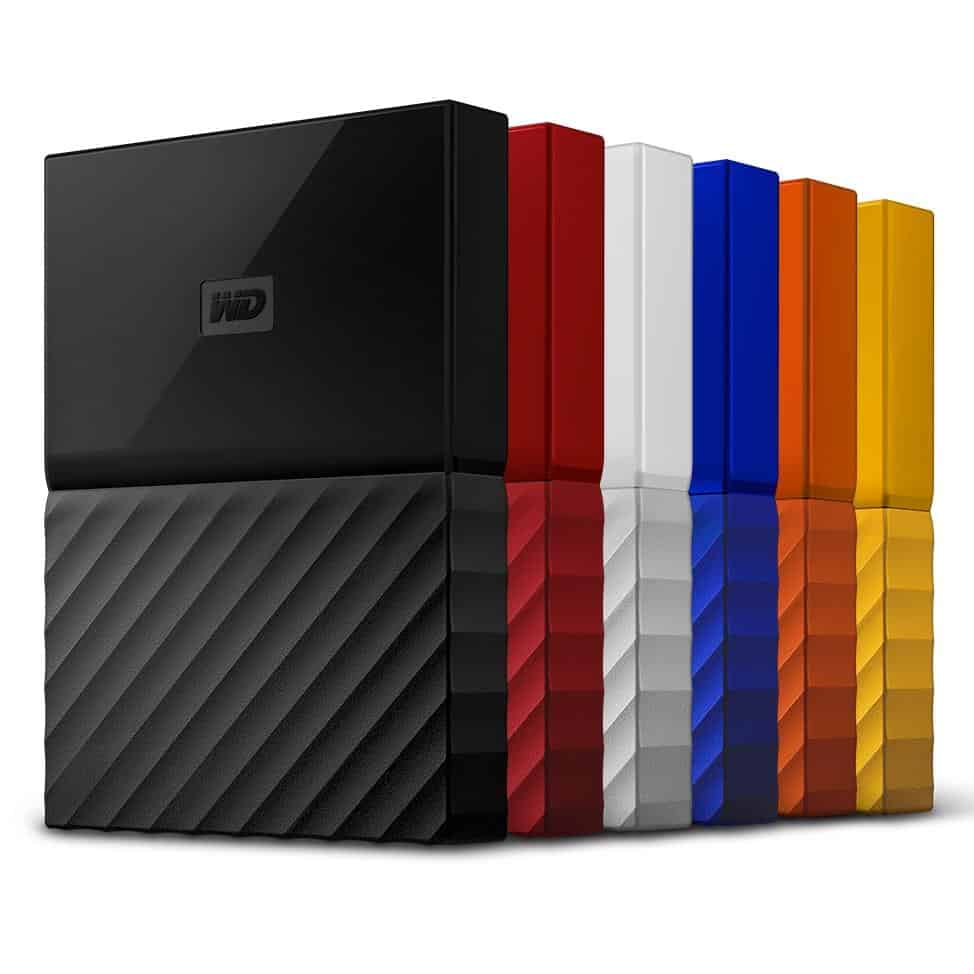
Top 5 best mobile hard drives today
1. WD My Passport 1TB
Western Digital or WD is a very famous US brand founded in 1970, currently rated as one of the world’s largest hard drive suppliers. WD My Passport portable hard drive is the most advanced product of the company. So is this product really good?
Owning a compact design with a thickness of only about 1.28cm, no need to use any charging device, thereby very convenient for users to carry with them, especially those who often travel long distances.
Using the current USB 3.0 connection port can also be compatible with USB 2.0 and USB 3.0 ports for extremely fast data transfer speed and extremely high performance. In addition, this USB 3.0 port allows users to easily connect to the TV to serve the needs of watching movies or listening to music …
Due to the unique WD SmartWare interface, this software tells you the percentage of data copied between the hard drive and the computer. It can automatically scan and identify data in groups.
Cons: Although said it is a classic design, but quite rough and less eye-catching. Another factor is that the warranty period is quite low, only about one year.
where can you get a WD My Passport 1TB online
WD 1TB My Passport Portable External Hard Drive, Black – WDBYVG0010BBK-WESN: Buy it now


WD 1TB Black My Passport Portable External Hard Drive – USB 3.0 – WDBYNN0010BBK-WESN: Buy it now

WD 1TB My Passport SSD External Portable Drive, USB 3.1, Up to 540 MB/s – WDBKVX0010PSL-WESN: Buy it now

Design and Build Quality
The WD My Passport 1TB external hard drive seamlessly marries function with a cute, tough design for portable storage.
Aesthetics and Portability
Compact Design: The My Passport holds good looks and is compact enough for improved portability; hence it is easy to carry it anywhere for work, travel, or home use.
Build Materials: Made from sturdy materials-that is, impact-resistant plastics and metal enclosures, the WD My Passport provides protection against any accidental drops or physical knocks. These choices also let the heat away from the device during use, thus elevating the product’s overall durability during prolonged operation.
Performance and Data Transfer Speeds
The WD My Passport 1TB external hard drive is built for the best reliability and fastest transfer speed in multimedia storage and backup.
Storage Capacity and Speed
Capacity: With a storage capacity of 1TB (terabyte), WD My Passport offers enough space for storing a massive collection of pictures, videos, documents, and multimedia files. This capacity caters to storage needs of casual users, students, professionals, and small businesses looking for on-the-go storage.
Transfer Speeds: The My Passport series usually features USB 3.0 or USB 3.2 Gen 1 interfaces ensuring extremely high data transfer rates, allowing higher file transfer and backup speed. The drive transfer speeds allow the efficient handling of data, thus washing away waiting times and increasing productivity during file management activities.
Compatibility and Operating Systems
Platform Compatibility: WD My Passport 1TB external hard drive supports multiple operating systems, including Windows, macOS, and Linux distributions. This cross-platform compatibility allows easy data transfer and access across several devices and computing environments.
File System: The drive comes preformatted with the exFAT file system that allows its use both on Windows and macOS platforms without any limitation of file size. Users can reformat the drive to NTFS or HFS+ should the need arise with respect to a particular operating system preference or compatibility requirement.
Software Utilities and Data Management
The WD My Passport 1TB external hard drive comes packaged with proprietary software utilities and features which can richly enhance the data management, security, and backup functions.
WD Discovery Software
Backups and Encryption: The WD Discovery implements automatic backup scheduling, file synchronization, and data encryption for the users. These features allow users to protect their digital assets and secure hardware or data risks that include hardware failure or data loss.
Password Protection: Some models of the My Passport drive may be equipped with password protection and hardware encryption features for secured access control and data privacy. Password protection allows users to have added confidence in managing any sensitive or confidential information that they may have stored in the external drive.
Connectivity Options and User Interface
The WD My Passport 1TB external hard drive offers versatile connectivity types with suitable yet intuitive user interfaces for operating them with ease.
USB Connectivity
USB Interface: Being powered by USB 3.0 or USB 3.2 Gen 1 interface, the My Passport drive is offering plug and play connectivity with compatible equipments or devices including laptops and desktops, gaming consoles, and multimedia players. Being a USB type connectivity ensures that the drive shall be universally compatible and able to transfer data at the maximum speeds.
USB-C Compatibility: Some of the models in the My Passport series offer USB-C connectivity options, which offer reversible plug orientation together with higher data transfer speeds, meant for all modern computing systems equipped with USB-C ports. USB-C compatibility opens up wider choices for connectivity and keeps up with the emerging technological standards.
Drive LED Indicator: The drive might include an LED light that provides visual feedback about power and data transfer or drive activities. This LED indicator increases the user’s perception of the drive’s activities and status, allowing the user to make a reasoned decision or to troubleshoot should the need arise.
User Interface and Reliability
The WD My Passport 1TB external hard drive is designed to provide the user with an intuitive and reliable experience, along with features to secure the data and full customer support withing the option.
Customer Support and Warranty
Product Support: WD provides a variety of customers’ support policies to include product documentation, online resources, troubleshooting guides, and firmware updates. These customer support avenues assist users in enjoying the fullest functionality and longevity of their My Passport external hard drives.
Limited Warranty: Generally, the My Passport line is covered by a limited warranty that guards against manufacturing defects and hardware failure. Warranty coverage varies per region and product model, thereby enabling peace of mind on product dependability and support after purchase.
In Comparison to Competitors
The WD My Passport 1TB external hard drive faces competition in the portable storage market by other brands known for their performance and reliability, as well as their features. Here’s how it compares against main competitors:
Seagate Backup Plus Slim
Design and Portability: Having a little bit of resemblance to the WD My Passport, the Seagate Backup Plus Slim is more of a compact design and lighter in its form build, catering to those users who desire portability with storage.
Software Features: Both of the drives support the provision of software utilities for automatic backups, file synchronization, and data encryption, which in turn contribute to enhancing the efficiency of management and security with respect to the data.
Samsung T7 Touch Portable SSD
Speed and Performance: The Samsung T7 Touch SSD is way much faster in terms of data transfer speed and also provides durability farther away from the conventional HDD-based external drives such as the WD My Passport.
Security Features: To enhance states of security for data and appeal to customers having their priority into data security and privacy, the Samsung SSD offers fingerprint security along with AES 256-bit hardware encryption.
User Feedback and Community Reception
Positive Aspects
Reliability: Users appreciate the WD My Passport’s reliability, durability, and constant working performance in daily scenarios for storing and backing up data.
Ease of Use: There is a plug-and-play feature that ensures the WD My Passport remains easy to use; its software utilities and straightforward setup have all received praise from fans for its smooth and user-friendly interface.
Data Security: Features like password protection and hardware encryption ensure that users feel confident about securing sensitive data that is stored in the My Passport drive.
Criticism and Drawbacks
Speed Limitations: Some users might find the transfer speed via HDD-type external drives such as My Passport slower than the alternatives based on SSD, which affects efficiency during the transfer of large amounts of files.
Noise and Heat: The mechanical parts within the HDDs can become loud and heat up during somewhat extended usage, thus a discomfort for the user in some scenarios and a threat to the warranty in others.
Conclusion
The WD My Passport 1TB external hard drive is a concise and brilliant instance of a storage solution for those seeking efficient data management, backup, and multimedia mass storage. Compact, fairly powerful, and versatile on connectivity, with a whole stack of utilities making for easy operation, the My Passport stands for the everyday consumer-a student, the professional, and the digital hobbyist. While this was my consideration about the data transfer speed and mechanical nature of the traditional HDD, the My Passport deposits standard features, reliability, and reasonably priced data security in return.
2. Seagate Backup Plus Slim 1TB
Seagate’s full name is Seagate Technology, a US technology corporation founded in 1979, specializing in supplying hard drive products to the world.
Seagate Backup Plus Slim portable hard drive is a typical product and is most appreciated by this company.
Speaking of thinness, the Seagate Backup Plus Slim portable hard drive has no rival with a thickness of only 10mm with a weight of 150g; the outer shell uses metal material, so it looks luxurious and scratch-resistant very good.
Equipped with a USB 3.0 port and additional USB 2.0, it delivers extremely fast data transfer speeds. When tested with FlashBench software, Seagate Backup Plus Slim hard drive for impressive results with a Maximum speed of up to 179 MB / s.
Seagate Backup Plus Slim works well on Windows, macOS, Android, or storage applications like Google Drive or Dropbox to securely backup image and video data.
where can you get a Seagate Backup Plus Slim 1TB online
Seagate Backup Plus Slim 1TB External Hard Drive Portable HDD – Black USB 3.0 for PC Laptop and Mac, 1 year Mylio Create, 2 Months Adobe CC Photography (STHN1000400): Buy it now

Seagate Backup Plus Slim 1TB Portable External Hard Drive with Mobile Device Backup USB 3.0 (Black) STDR1000100-(Renewed): Buy it now

Design and Build Quality
The Seagate Backup Plus Slim 1TB and external hard drive is a harmonious blend of functionality and sleek, portable design and is meant for the user who needs storage on the go.
Aesthetics and Portability
Slimness: The Backup Plus Slim series is one of the best-proportioned products in the market: compact and slim, easy to carry, and comfortable to handle. Its sleek looks and economic weight make it a perfect travel companion: work, or home, toss it in your laptop bag, in your backpack, or a storage compartment.
Build Materials: Made with good materials-from metals to impact-resistant plastics-the Seagate Backup Plus Slim gives great protection against physical damage from impacts and falls. These materials also conduct heat away from the drive mechanism, keeping it cool during long working hours and thereby enhancing the overall durability of the product.
Performance and Data Transfer Speeds
Seagate evidently designed the Backup Plus Slim 1TB external hard drive for high performance, which consists of efficient multimedia storage, backup, and speed.
Storage Capacity and Speed
Storage: Seagate Backup Plus Slim offers a storage capacity of 1TB, which is probably larger than any casual user could ever need. From storing photos, video, and music, to document storage and thrift backups-one storage facility that may accommodate almost any storage requirement of a casual user, student, or professional or small business that needs portable storage.
Data Transfer Speeds: Typical provisions for the Backup Plus Slim are USB 3.0 or USB 3.2 Gen 1 interface, supporting fast transfer speeds for quick file transfers and speedy backups. High-speed data transfers guarantee that these files are handled in a short window of time, thereby reducing waiting time, which would otherwise be detrimental to the process of file manipulation.
Compatibility and Operating Systems
Platform Compatibility: The Seagate Backup Plus Slim 1TB external hard drive is compatible with different operating systems such as Windows, macOS, as well as some Linux distributions. This cross-platform compatibility ensures seamless data transfer and accessibility across various devices and computer environments.
File System: By default, the hard drive is formatted with the exFAT file system, which guarantees compatibility with both Windows and Mac platforms without imposing file-size limitations. The user can also format the drive to NTFS or HFS+ for a more native experience with one or the other operating system or from a compatibility standpoint.
Software Utilities and Data Management
The Seagate Backup Plus Slim 1TB external hard drive has software utilities included which are designed to help with data management, security, and backup features.
The Positives
Reliability: The Seagate Backup Plus Slim has gained a reputation for its very reliable build, very durable, and consistent in performance for day-to-day data storage and backup requirements.
Ease of Use: Being praised for user-friendliness was the plug-and-play feature, the intuitive software utilities, and the simple setup.
Security of Data: This includes things like scheduling automatic backups, file encryption, and cloud integration, all working together toward instilling confidence in users, managing, and protecting their digital content stored on the Backup Plus Slim drive.
The Negatives
Limiting Speeds: Some users may consider the transfer speed of HDD external hard drives slower than their SSD counterparts, thereby inhibiting efficient file transfers of huge data.
Noise and Heat: The mechanical parts of the HDD would generate noise and heating in operation, especially with prolonged usage, which in some usage scenarios could bring discomfort to the user and may impair the drive.
Conclusion
The Seagate Backup Plus Slim 1TB external hard disk is a trustworthy and portable storage solution sought by consumers for efficient data rate management, backup, and multimedia storage. Thanks to its sleek design, strong performance, connectivity orientations, and easy-to-use software utilities, the Backup Plus Slim product can serve a broad user base, including students, professionals, and hobbyists. Besides, in terms of considerations, data transfer rate and mechanical operations are categories pertaining to standard HDD technology. The Backup Plus Slim has, however, answered with the basic core features, reliability, and data security aspects, all for quite a fair price.
3. Silicon Power A30 1TB
Suppose you are a knowledgeable person and have used products such as power bank. In that case, it is impossible not to know Silicon Power, a well-known Taiwanese manufacturer of devices and accessories.
In particular, we highly appreciate its Silicon Power A30 portable hard drive product, which is considered the most eye-catching and luxurious design of all products currently on the market.
The outer shell uses sturdy and durable silica material resistant to deformation, scratching extremely well when impacted.
Silicon Power A30 is a 2.5-inch portable hard drive with the world’s most advanced shock-proof technology, MIL-STD-810G, certified by the US military; it can withstand high drops. Maximum up to 1.2m without any damage.
Also owns the SuperSpeed USB 3.0 connection standard as other products, so the ability to transfer data is very fast, up to 5Gb / s.
where can you get a Silicon Power A30 1TB online
Silicon Power 1TB Rugged Portable External Hard Drive Armor A30, Shockproof USB 3.0 for PC, Mac, Xbox and PS4, Black: Buy it now

Silicon Power 1TB Type C External Hard Drive USB 3.0 Rugged Armor A30 Military-Grade Shockproof, Dual Cables Included (Type C to Type A & Type A to Type A), Black: Buy it now

Silicon Power 1TB Rugged Armor A30 Military Grade Shockproof USB 3.0 2.5 Inch Portable External Hard Drive for PC, Mac, Xbox One, Xbox 360, PS4, PS4 Pro and PS4 Slim, Black: Buy it now

Design and Build Quality
A solid and functional exterior typified by the Silicon Power A30 1TB external hard drive offers viable choices for storage depending on a user’s demands.
Aesthetics and Portability
Rugged Design: The A30 is rugged and durable, protecting it against minor impacts, scratches, and small drops. This shockproof cover is especially meant to provide durability during outdoor activities, travel, or usage in harsh environments.
Convenient Size and Weight: Despite its ruggedness, the A30 drive is small and light enough to fit in a laptop bag, a backpack, or any storage compartment. Its small size makes the drive easy to carry and store, attractive to the user seeking a portable storage solution.
Cable Guts
Shockproof Casing: Made from very sturdy materials such as impact-resisting plastics or rubberized exteriors, the A-30 is able to withstand accidental dropping or physical damage. The shockproof casing is capable of absorbing the impact forces and protects the internal components and the data integrity during transportation or use under rugged conditions.
Heat Dissipation: Another consideration in the design of this drive is the matter of heat dissipation for temperature control inside so as to maintain operational stability during long periods of use. Heat management is good so as to extend the useful life and reliability of the drive, which can support consistent performance in different environmental conditions.
Performance and Data Transfer Speeds
The Silicon Power A30 1TB external hard drive is designed with efficient performance and high-speed transfers for the multimedia storage and backup requirements.
Storage and Speed
Capacity: Having a storage capacity of 1TB (terabyte), the Silicon Power A30 offers enormous space for storing multi-purpose digital content, from images, videos, music, documents, to software backups. This capacity fits casual users, students, professionals, and small business needs for portable storage.
Data Transfer Speeds: It mostly comes with USB 3.0 or USB 3.2 Gen 1 interface, ensuring fast data transfer rates for rapid file transfer and backup. Fast data transfer by any means should improve efficiency in handling the data, thus minimizing time wastage during file management activities.
Compatibility and Operating Systems
Platform Compatibility: The Silicon Power A30 1TB external hard drive supports various operating systems such as Windows, macOS, and Linux distributions. Its cross-platform nature helps in data transfer and accessibility so users could easily interact with their files across different devices and computing environments.
File System: It is equipped with the exFAT file system to allow a wider compatibility with Windows and Mac OS without imposing any file size restrictions. Users can reformat it to NTFS or HFS+ in accordance with their operating system preference or compatibility requirements.
Software Utilities and Data Management
The Silicon Power A30 1TB external hard drive has some proprietary software utilities and features aimed at better management of the data, and security and backup functions.
SP Widget Software
Backing up and encrypting data: SP Widget software enables users to back up data using automatic scheduling; synchronize files, and encrypt data. It really helps protect their digital content and maintain its integrity for any potential risks of hardware failure or data loss.
One-Touch Backup: Certain A30 series configurations may have one-touch backup wherein pressing the button once is all users need to do to backup their data. This functionality will certainly improve ease of use and save user time when backing up important data.
Connectivity Options and User Interface
The Silicon Power A30 1TB external hard drive provides flexible connectivity options and easy-to-use user interface for integration and user interaction.
USB Connectivity
USB Interface: The A30 will support plug-and-play connectivity with compatible devices, such as laptops, desktops, gaming consoles, and multimedia players, via USB 3.0 or USB 3.2 Gen 1 interfaces. USB connectivity allows universal compatibility and fast data transfer speeds for smooth access and file management.
USB-C Compatibility: Certain model variants within the A30 series feature USB-C connectivity options with reversible plug orientations and the potential for more rapid data transfer in newer devices with USB-C ports. USB-C compatibility thus opens more connectivity avenues and embraces the forthcoming technological standards.
User interfaces and operation
LED Indicator: The drive may incorporate an LED indicator light to illustrate power, data transfer, and drive activity; thus, it informs a user of the drive’s operative and non-operative status for easy comparison and convenience in determining the problem, if any.
User Experience and Reliability
The Silicon Power A30 1TB external hard drive is specially designed to offer users an enjoyable experience with dependable performance backed by data security features and full warranty support.
Customer Support and Warranty Period
Product Support: Silicon Power provides customer support consisting of documentation, online resources, troubleshooting guides, and firmware updates for its products. These support methods assist users to wring out every bit of functionality from their A30 external hard drives and ensure their longevity.
Limited Warranty: Normally, the A30 series carries a limited warranty period whereby the products can be taken back to the manufacturer for any manufacturing defects and hardware failures. The warranty terms may vary from one region to another and depending on the product model, giving the customer peace of mind for the reliability of the product and after-sales support.
Comparison with Competitors
Silicon Power is competing with other major players in the portable storage arena for their performance, reliability, and feature set. Here’s how it fares with its chief competitors:
Seagate Backup Plus Slim 1TB
Design and Portability: Both Silicon Power A30 and Seagate Backup Plus Slim are compact designs with rugged exteriors, intended to be carried around for storage.
Software Features: Seagate Dashboard and Silicon Power SP Widget provide similar features for data backup, synchronization, and encryption, thus adding value to their data management.
Samsung T7 Touch Portable SSD
Speed and Performance: The Samsung T7 Touch SSD offers faster data transfer speed and much better level of durability than an older HDD based Silicon Power A30 external drives.
Security Features: A nice luxury of pre-built fingerprint security on Samsung SSD and AES 256 bit hardware encryption ensures data protection, thus becoming more attractive to users who value data security and privacy.
Users Feedback and Community Reception
Pros
Durability: User remarks compliment the Silicon Power A30 ruggedness, shockproof casing, and performance under harsh conditions.
Data Security: The SP Widget software provides strong encryption and one-touch backup functionality, instilling confidence in users as they manage and secure digital content stored on the A30 drive.
Portability: The small form factor of the drive along with its lightweight design has received praises as convenient for carrying during trips or outdoor activities.
Drawbacks and Criticisms
Speed Considerations: Some users opt for external HDD drives for speed reasons and may thus find the data transfer speeds comparatively low on these drives when compared to the transferring of large files in larger quantities through an external SSD drive.
Operation Noise: Mechanical operations in HDDs can at times generate annoying noise from operations affecting the ambiance and comfort of the customer at times of drive usage.
Conclusion
The Silicon Power A30 1TB external hard drive is a robust, rugged, and portable storage solution for end-users seeking dependable performance, data-security, and functionality. With features such as rugged design for shocks, high-speed data transfers, multiple options for connectivity, and easy to use software utility, the A30 fits the bill for users in a variety of usage scenarios – personal, professional, and outdoors. While data transfer speed and noise from operations are factors that come into consideration when choosing traditional HDD technology, Silicon Power A30 fulfills all the necessary features, durability, and data protection mechanisms at a fair price.
4. Transcend StoreJet M3B 1TB
This product from Taiwan, possessing a compact size, lightweight, luxurious design with an outer shell using silicon material resistant to shock, water, and dirt very effectively.
With Transcend Elite software technology, you can organize and manage the data in your computer more safely and professionally. At the same time, with 1TB capacity gives users more data storage space.
Integrated both USB 3.0 and USB 2.0 connection ports with maximum speed and bandwidth of 5Gb / s, 480Mb / s, respectively, saving a lot of data transmission time.
In the price segment below $100, Transcend StoreJet M3B is indeed the most formidable opponent of other products on the market.
Design and Build Quality
The Transcend StoreJet M3B 1TB external hard disk is a rugged design ones that carry reliable performance for the buyer who wishes to have their storage solutions on the side of durability and data security.
Looks and Portability
Rugged Design: Rugged and shock-resistant, the StoreJet M3B comes with an fortress-like outer shell, prepared to shoulder any physical impacts, drops, and minor water splashes. Thanks to its sturdy construction, it is fit for outdoor use, traveling, and any situation where there is a serious concern about data integrity and drive protection.
Compact Form Factor: While durable, the StoreJet M3B goes easy on the user when it comes to packing and setting down in a laptop bag, backpack, or storage compartment. Its compact size is a blessing for those who want portable storage solutions yet can’t compromise on durability.
Build Materials
Shock-Resistant Casing: Constructed from the highest quality materials such as impact-resistant plastics or rubberized exteriors, the StoreJet M3B offers dependable protection against physical harm and accidental dropping. The shock-resistant casing dissipates impact forces to protect the internal clustered parts and maintain data integrity while the device is being transported or used in a rugged environment.
Military-Grade Certification: Having been shock-resistant rated, a few models in the StoreJet M3B range can boast of having passed military-grade tests (MIL-STD-810G 516.6), thus assuring a very high level of ruggedness for the devices. Good military-grade certification means that the drive can be counted on in fairly demanding operational environments with some challenges.
Performance and Data Transfer Speeds
The Transcend StoreJet M3B 1TB external hard drive is primarily designed to achieve high performance and high-speed data transfer capabilities to complement multimedia storage, backup, and file operation.
Storage Capacity and Speed
Capacity: Having a 1-terabyte storage capacity, Transcend StoreJet M3B accommodates all types of digital content including pictures, videos, music, documents, and even software backups. Such capacity caters well to the storage requirements of casual users, professionals, students, and small businesses that demand a trusted, portable storage device.
Data Transfer Speeds: The StoreJet M3B generally offers USB 3.1 Gen 1 or USB 3.2 Gen 1 interfaces for data transfer at relatively high speeds for efficient file transfers and backups. The swift rates at which data is transferred help to reduce downtime which improves user efficiency and better execution of task management.-
Compatibility and Operating Systems
Platform Compatibility: The Transcend StoreJet M3B 1TB external hard drive can be used with systems like Windows, macOS, and the several varied Linux distributions. This cross-platform compatibility ensures data transfer and accessibility across different devices raising the versatility for home-base, office use, or outright on-the-go aspects.
File System: It comes preformatted in the exFAT file system, supporting large files, and ensuring very high compatibility with Windows and Mac platforms. If necessary, users may opt to reformat it into the NTFS or HFS+ files system depending on whichever operating system they prefer or have requirements for.
Software Utilities and Data Management
The Transcend StoreJet M3B 1TB external hard drive comes with proprietary software utilities and features that aim to improve data management, security, and backup.
Transcend Elite Software
Backup and Encryption: The Transcend Elite software permits users to schedule automatic backups, synchronize files, and encrypt data using AES 256-bit encryption. These operations are very much intended toward allowing users to protect their digital content from damage and prevent sensitive information from falling into the wrong hands, thus maintaining data security and privacy.
One-Touch Backup: Some models from StoreJet M3B series could support one-touch backup functions wherein backup operations can be started merely by pressing a button. This is a helpful feature streamlining data backup for users and thus promoting enhanced efficiency in storing important data.
Connectivity Options and User Interface
With ample connectivity options and user-friendly interfaces, the Transcend StoreJet M3B 1TB external hard drive makes for easy integration and user interaction.
The USB Connectivity
USB Interface: The StoreJet M3B boasts USB 3.1 Gen 1 or USB 3.2 Gen 1 interfaces and enables plug-and-play connectivity to compatible devices such as laptops, desktops, gaming consoles, and multimedia players. USB connectivity, therefore, ensures universal compatibility with such devices and high-speed data transfer rates for quick access to files and efficient file management.
USB-C Compatibility: Some models of the StoreJet M3B series feature USB-C connectivity options. It is chosen on account of the reversible orientation of the plug and higher data transfer speeds that modern devices offer with USB-C ports. USB-C compatibility thus gives extra options for connectivity and goes hand in hand with emerging technology standards for smooth connectivity of data.
User Interface and Operation
Indicator Light: The drive may have an LED indicator giving visual signals of power on, data transfer, or drive operation, thus providing users with a forewarning of drive activity and operational status, the use of which may be applied for their own benefit or troubleshooting accordingly.
User Experience and Reliability
The Transcend StoreJet M3B 1TB external hard drive is a user-friendly design that performs with reliability, along with hard data security features, but also provides holistic customer support.
Customer Support and Warranty
Product Assistance: Transcend provides excellent customer support to vendors and users, including product documentation and manuals, online resources, troubleshooting guides, and firmware upgrades. These support facilities maximize opportunities for the user regarding the StoreJet M3B external hard drives’ functionality and life span.
Limited Warranty: Generally, the StoreJet M3B offers limited warranty cover against manufacturing defects and hardware failure; however, the warranty term can be complementary of state or country of purchase and the model purchased.
Compared to other available options
Transcend StoreJet M3B 1TB external hard drive operates among ruggedized drives with guarantees of durability, performance, and the protection of stored data. Here’s how it fares against the competition:
LaCie Rugged Mini 1TB
Design and Durability: While both cases are ruggedized and shock-resistant designs, the Transcend StoreJet M3B and LaCie targets are for outdoor and travel uses.
Software Features: Transcend Elite and LaCie Toolkit provide similar functions in backing up, synchronizing, and encrypting data, which is perfect for people who put their data security and reliability first.
WD My Passport SSD 1TB
Speed and Performance: By way of comparison, WD My Passport SSD data transfer speeds offer greater speed, and durability is enhanced in comparison to HDD-type external drives such as the Transcend StoreJet M3B.
Security Features: WD Security offers password protection plus hardware encryption that provides a layer of advanced security for users who need their data secured highly against unauthorized access and data breach.
User Feedback and Community Reception
Positives
Durability/Build Quality: Users appreciate the rugged design of the Transcend StoreJet M3B, its shock-resistant casing, and overall reliability in tough environments.
Security: The security features-far beyond just AES 256-bit encryption, with the inclusion of Transcend Elite software and a one-touch backup capability-provide the users with confidence that their critical digital content on the M3B drive is safe and sound.
Portability and Convenience: Appreciated for convenience, this drive is compact, lightweight, and travel-friendly for carrying and storing during travelling or outdoor activities.
Drawbacks/Limitations
Speed-Related: From some people’s standpoint, the data transfer speed of a HDD external drive is slower than its SSD counterparts, thus affecting the efficiency of file transfers when faced with large amounts of data.
Noise: Due to mechanical components, the hard drive might be noisy when it is busy reading or writing, maybe disturbing or making it inconvenient to use in noise-sensitive environments.
Conclusion
The Transcend StoreJet M3B is a good replacement for people who want really rugged data storage, ultimate protection of data, and decent build quality with basic user-friendliness in the software. The StoreJet M3B with its rugged design, speedy data transfer, multiple interface choices, and utilities offers unfair options to people depending on the mode with which they want to use it: outdoor adventures for personal usage, professional, or personal. Considering the usual annoyances in Transfer speed, and a little bit of operational noise with old style HDD technology, I would say that the Transcend StoreJet M3B delivers the right set of features, ruggedness, and upgrade in the data safety category at a very competitive price.
5. Adata HD650 1TB
In terms of brands, Adata may not be comparable with Western Digital or Transcend, but this Taiwanese brand still has its points that other brands do not.
The portable hard drive Adata HD650. It will own a pretty streamlined design, quite eye-catching due to the composite plastic; this is a high-quality material that helps prevent scratches and ensure shock resistance quite effectively.
Be able to connect and transfer data quickly and accurately due to the built-in SuperSpeed USB 3.1 connector, and this product still ensures compatibility when connecting to USB 2.0 ports.
Adata HD650 will support well with those using Apple products such as Netbooks or Macbook with maximum data reading speed up to 90MB / s, and LED lighting system is quite convenient.
How to use mobile hard drives effectively
Using a portable hard drive properly not only ensures data safety but also extends its life; here are some tips you need to know to use the hard drive most effectively.
Please choose the right port: Above, we have mentioned this issue quite carefully; for the hard drive to work properly, we must first select the appropriate connection type and is compatible with the computer you are using.
Use the right cables: Use only the cables recommended by the manufacturer, which will usually be included when you purchase the hard drive.
Limit the direct connection to the computer: Do not attach the hard drive directly to the laptop when operating; please connect the hard drive to the computer first and then start the computer; this will minimize the problem: electric shock or data loss.
Disconnect properly: To ensure the data is safe, when finished using, do not rush to unplug the cable, but instead put it on Safely Remove Hardware mode and then unplug the cable.
Limiting the impact: Although the current hard drives have a rugged design and are equipped with shock-proof bags, you should be careful when using and moving, avoid unnecessary effects.
Do not arbitrarily intervene when incidents occur: If you encounter unexpected situations, it is best to contact the repair center to fix them instead of arbitrarily intervening promptly.
where can you get a Adata HD650 1TB online
ADATA HD650 1TB Anti-Shock External Hard Drive, Black (AHD650-1TU31-CBK): Buy it now
Design and Build Quality
The Adata HD650 1TB external hard drive has a rugged design with reliable performance, for users who value durability and security.
Aesthetics and Portability
Rugged Design: HD650 comes in a durable and shockproof design, with a hard outer shell built to withstand physical impacts, drops, and light water splashes. It is sturdy enough to be used outdoors, on occasions of travel where data integrity and drive protection are priority.
Compact Form Factor: While being built rugged, HD650 remains compact and highly portable. It can be carried around without any issues, in a laptop bag, a backpack, or some built-in storage compartment. The compact size thus assures some degree of convenience to those who want a portable storage solution without compromising on durability.
Build Materials
Shock-resistant Casing: The HD650 is made up of high-grade materials like impact-resistant plastics or rubberized exteriors to protect against such damages and accidental drops. The shock-proof casing absorbs the impact forces and protects the internal components, thereby maintaining data integrity in the handling of/drop in rugged conditions on transport or utilization.
IPX4 Water Resistant: Some in the HD650 series may be IPX4 water-resistant against splashes or spills. This element contributed to a more versatile and reliable drive for outdoor use or places where persons may be exposed to moisture.
Performance and Data Transfer Speeds
The Adata HD650 1TB external hard drive is designed to provide efficient performance and rapid data transfer rates that suit multimedia storage, backup, and file management purposes.
Capacity and Speed
Capacity: Storing files up to 1TB (terabytes), the Adata HD650 provides enough space to maintain any digital content, such as photos, videos, music, documents, or software backups. Casual users, professionals, students, and small businesses with portable storage need can therefore retain portability.
Transfer Speed: Usually equipped with USB 3.1 or 3.2 Gen 1 interfaces, the HD650 provides high-speed data transfers to perform fast file transfers and backups. Quick data transfer speeds minimize delay time, thereby increases user efficiency and workflow management.
Compatibility and Operating Systems
Platform Compatibility: The Adata HD650 1TB external hard drive works on various operating systems, including Windows, macOS, and Linux distributions. With this multi-platform compatibility, a user can simply transfer data and access the information on various devices through different avenues, making it versatile for endless usage options at homes or offices or while on the go.
File System: Usually, this drive comes preformatted in exFAT, granting wider compatibility with Windows and Mac platforms without imposing any loading file size restrictions. Of course, users can consider reformatting it to NTFS or HFS+ systems depending on the target operating systems or personal preferences.
Utilities and Data Management Software
The Adata HD650 1TB external hard drive comes with proprietary software utilities aimed at improving data management as well as security and backup functionalities.
Adata HDDtoGO Software
Backup and Encryption: Using hiring the HDDtoGO protection mechanism of Adata, users can perform scheduled backups, synchronize files, and encrypt through AES 256-bit encryption. These functionalities provide the capability for another layer of protection to secure data privacy.
One-Touch Backup: Certain models from the HD650 series may provide one-touch backup functionality that would allow users to backup data with the mere click of a button. This enhancement for efficient data management in factors of time saving comes alongside other standard features that enable smooth data backup procedures.
Connectivity Options and User Interface
The Adata HD650 1TB external hard drive boasts a handful of attractive options for connectivity and user interfaces to ensure smooth docking and pleasing user interaction.
USB Connectivity
USB Interface: The HD650 offers 3.1 Gen 1 or 3.2 Gen 1 USB interfaces and plug-and-play capability to compatible devices, including laptops, desktops, game consoles, and multimedia players. With the USB connectivity, the device gains universal compatibility with efficient file access and data transfer rates.
USB-C Compatibility: Some models of the HD650 series may support USB-C connectivity to give it the advantage of a reversible plug orientation and faster data transfer speeds when connected to a modern device with USB-C ports. USB-C compatibility, therefore, widens connectivity prospects to support current technology standards for seamless data connectivity.
User Interface and Operation
LED Indicator: A front LED may be integrated with the drive for visual feedback on power status, data transfer activity, and drive operation. Track LED activities improve user consciousness of drive activity and operational statuses so that he might use it accordingly or undertake any troubleshooting if required.
User Experience and Reliability
The Adata HD650 1TB external hard drive is developed to offer a better user experience, along with reasonably reliable performance, solid data security features, and full customer support.
Customer Support and Warranty
Product Support: Adata has product support services with product documentation, online resources, guides for troubleshooting, and firmware upgrades. These support tools may help a user to get the maximum out of the HD650 external hard drives in terms of functionality and longevity.
Limited Warranty: Typically, manufacturers provide HD650 series with limited warranty periods that offer support against manufacturing defects and different hardware failures. The warranty terms can be different in each region and for each product model, filling the user with confidence on the reliability of the product and charging after-sale services.
Comparative Placement against Competitors
The Adata HD650 1TB external hard drive is competing within the ruggedized storage arena, and within this prestigious space of brands synonymous with durability, performance, and data protection. Here’s a look into how it will stand off against others:
Western Digital Elements 1TB
Design and Durability: Both Adata HD650 and the WD Elements provide a ruggedized design with shock resistance suitable for outdoor and traveling purpose.
Software Features: Data backup, synchronization, and encryption are provided by Adata HDDtoGO and Western Digital WD Backup software, which gives users who are keen on protecting their data and its reliability different options in data management.
LaCie Rugged Mini 1TB
Speed and Performance: The LaCie Rugged Mini is much faster with data transfers and is more durable compared to the less robust HDD-based external drives like Adata HD650.
Security Features: LaCie data encryption and password protection are the advanced options for users who need serious protection against unauthorized access and information leakage.
User Feedback and Community Reception
Good Points
Durability and Build Quality: Users acknowledge the rugged construction of the Adata HD650, shock-resistant casing, and reliable performance in experimental situations.
Data Security Implications: Having AES 256-bit encryption, HDDtoGO software, and one-touch backup features instilled confidence in customers to manage and secure their most important digital content stored on the HD650 drive.
Portability and Convenience: The small size and light weight of this drive make it a convenient travel companion that users laud for ease of transporting and storing during travel or outdoor activities.
Critique and Disadvantages
Speed Issues: The data transfer speeds offered by an HDD-based external drive are perceived by some users to be slower than those of an SSD-based solution, thus hindering large-volume data file transfers.
Operational Noise: The mechanical movements inside the HDD produce operational noise when reading or writing, thereby decreasing user comfort and impairing drive use in quiet surroundings.
Conclusion
The Adata HD650 1TB external hard drive is an option for durable storage for people who want to have their data secured, hard and heavy-duty build with easy operation. The rugged design allows the HD650 to be used in many scenarios, from personal to professional to outdoor; fast data transfer, varying connectivity options, and a set of software utilities are all there to fit in. Although it is still worth giving some considerations to transfer speeds and some operating noise being the usual drawbacks of HDDs, the Adata HD650 ticks every essential box and, most importantly, excels in its features for durability and data protection, all at a fair price.