

ASUS PROART DISPLAY PA147CDV – A UNIQUE, YET USEFUL DESIGN!
ASUS began developing its dual-display laptops for users before the pandemic started by releasing the ASUS ZenBook 15 UX534FT and later the ROG Zephyrus Duo 15 gaming laptop series which allowed users to create multiple workspaces.
The ASUS ProArt Display PA147CDV functions as an external accessory because its designers wanted to create a product that differs from traditional portable monitors.
ASUS selects recycled paper materials for its product packaging because the company wants to display a different design approach than its standard packaging which uses glossy printed cardboard boxes.
The box’s back panel displays major technical specifications which include an ultra-wide 31:9 aspect ratio and an IPS panel that displays 100% REC. 709 color gamut and sRGB color gamut with a color deviation of ΔE<2.
The monitor supports touch functionality which enables users to operate HP’s MPP 2.0 stylus and the ASUS Dial to adjust parameters and colors through a method that resembles the famous Surface Dial.
The box contains the ASUS ProArt Display PA147CDV together with multiple accessories which include a carrying case and a USB Type-C DisplayPort video transfer cable and an HDMI cable and a factory color calibration certificate that shows a color deviation of ΔE<2.
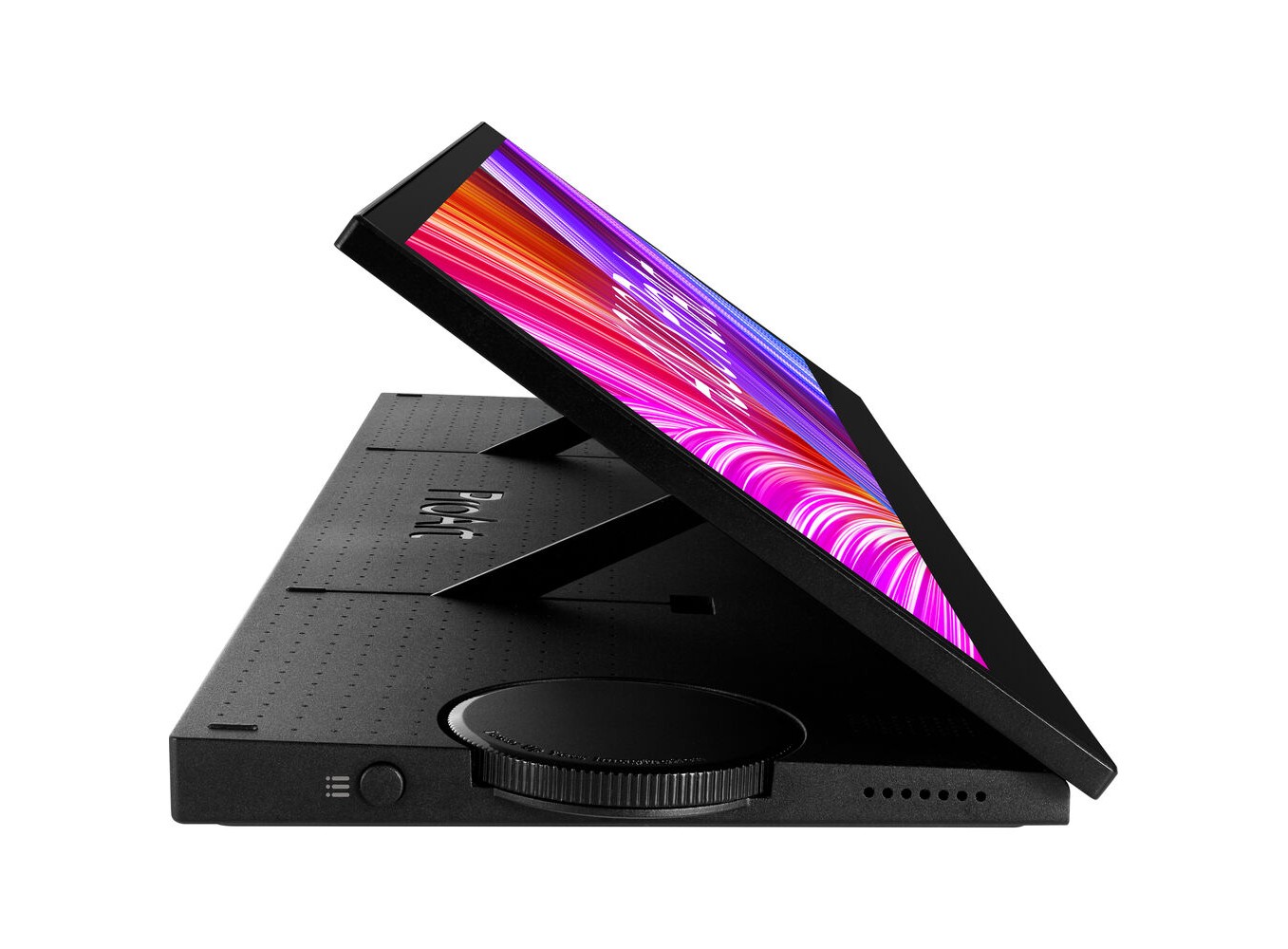
The monitor system includes a display screen which supports multiple screen positions because its main stand has built-in ASUS Dial control and back connection ports and tilt mechanism system.
The stand allows users to rotate the monitor into a flat position on their table which enables them to operate the screen as a touch drawing device and they can use the monitor in streaming mode for complete streaming functions.
The 31:9 aspect ratio enables users to position the monitor in vertical mode which allows them to watch streaming content and live viewer comments while they interact with their audience or they can browse comments on social media and forums.
Users can choose to connect to the ASUS ProArt Display PA147CDV via a single USB Type-C cable with integrated DisplayPort image transmission, or via HDMI, but in this case, you will need to provide an external power supply to the monitor using the included adapter.
The monitor enables users to establish connections with both modern laptops and present-day desktop computers for standard operations.
The monitor system provides you with the ability to fulfill nearly all your requirements during actual operation.
As a gamer I chose to play video games on large screens which have high refresh rates and fast response times but the ASUS TUF GAMING VG32VQ monitor fails to deliver enough color accuracy needed for my image editing work.
The large dimensions of these gaming monitors prevent users from using a second monitor to increase their workspace.
A compact screen which occupies minimal space functions as an appropriate option which satisfies professional user requirements.
The stylus-compatible touch surface together with the ASUS Dial rotary dial system gives users an effective tool for developing their creative content.
The dial functions as a volume control device which operates in music and movie sections just like the scroll wheels found on Corsair gaming keyboards whereas it enables graphic designers to adjust color settings through stylus control.
For gamers, an extended screen offers users many different options.
The extra-long monitor width enables you to play games on the primary display while using the secondary display for Discord chat or vice versa.
The author tested the game DOOM Eternal on the ASUS ProArt Display PA147CDV and the results were incredibly interesting.
The 31:9 aspect ratio which exceeds standard cinematic ratios together with its close body placement ability creates an exceptional experience that provides extensive visual perspective.
ASUS PROART DISPLAY PA147CDV – PRICE AND SUPPORT SOFTWARE!
The ASUS ProArt Display PA147CDV combines both fascinating features and impressive design elements with various restrictions.
The monitor operates with an uncommon 1920×550 resolution because it lacks support from numerous software applications found in common portable monitors. The author tested multiple video games and MSI Afterburner system monitoring and overclocking software yet none of these programs functioned properly on this display. The majority of Vietnamese designers who work with Wacom “drawing pad ecosystem” products face difficulties because MPP 2.0 support does not exist in this system. All professional designers need to buy new pens because their existing Wacom pens won’t work with this system.
The Vietnamese market lacks official information about pricing yet the US market shows an announced $449 price which exceeds the cost of standard portable design monitors by multiple times. The ASUS ProArt Display PA147CDV appears less appealing because the design segment offers numerous portable display devices which compete with each other including ASUS’s own OLED portable display products.
You need to evaluate your requirements because that assessment will guide your decision about whether to buy this special portable display.
ASUS ProArt Display PA147CDV Creative Tool – 14 Inch, 32:9, IPS, Full HD:


Tech Reviewer & Product Analyst
Định Bia has spent over 10 years testing consumer electronics with a focus on smart technology. He work as a product advisor at Biareview where he helped customers find the right devices for their needs. He personally tests every product featured on this site using a consistent evaluation framework covering quality, durability, and value. All reviews are based on experience, not influenced by the manufacturer.