

Users create their impressive gaming setup through two main elements which include their need to achieve optimal performance and their desire for an attractive appearance. The entire gaming experience becomes more personalized through the use of keyboards, headphones, and mice which work together to create a complete gaming solution. People prefer RGB gaming mouse because they deliver dependable performance together with attractive lighting effects. Below are 5 suggestions you can consider.
Advantages of using RGB gaming mouse
RGB gaming mouse not only stand out aesthetically but also bring many practical values to users. The RGB lighting system provides RGB lighting system for users to create their own unique display through color and effect selection which users can synchronize with their other devices to achieve an impressive professional gaming environment.
The sensors which RGB gaming mouse use provide testing through their high-quality sensors and their adjustable DPI settings which enable gamers to achieve precise movements during fast-paced gameplay. The buttons are designed to be durable and programmable with macros that provide enhanced functionality for users.
The ergonomic design enables users to maintain a comfortable grip which helps to prevent hand fatigue during extended use. Some products also come with supporting software, which enables users to easily modify their functions and change their lighting effects.
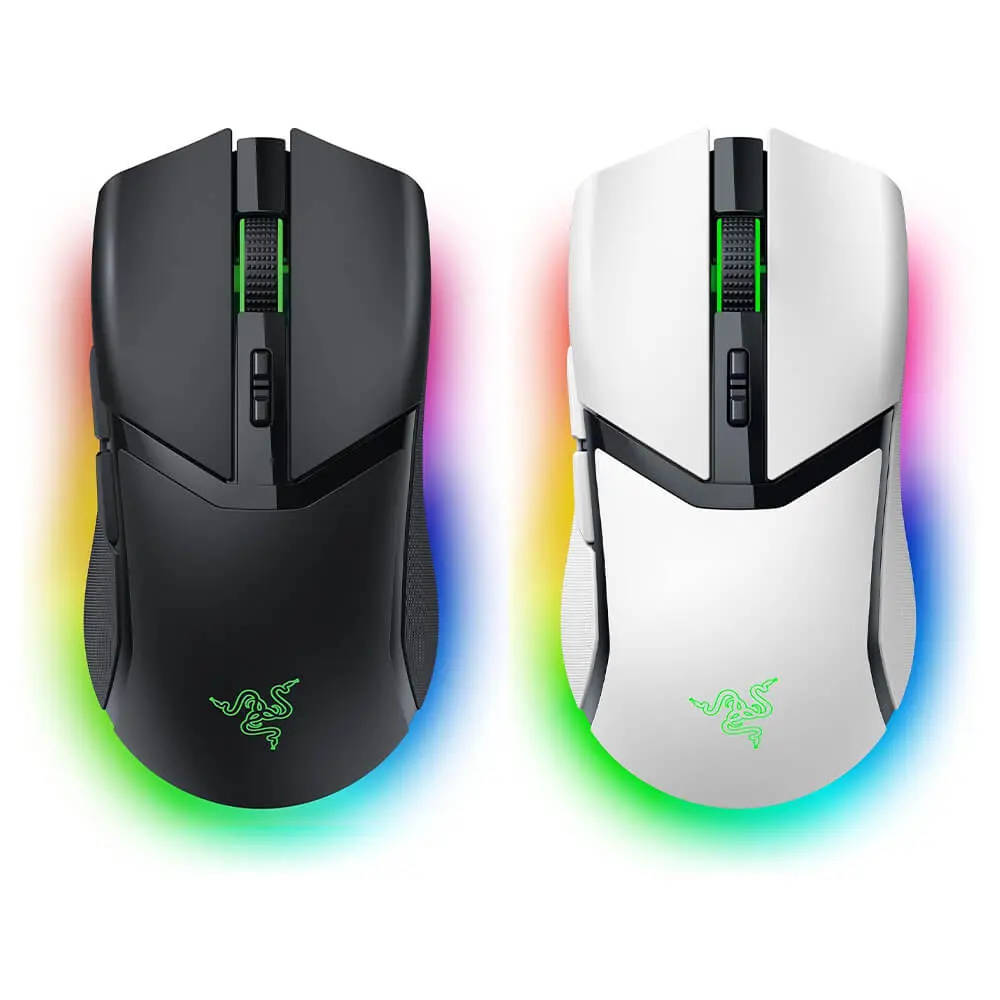
Top 5 Outstanding RGB Gaming mouse
- Ugreen MU103 Gaming Mouse
The Ugreen MU103 gaming mouse weighs approximately 85g and features an ergonomic design that fits snugly in the palm of your hand. The mouse surface consists of matte ABS plastic materials which prevent sweating and fingerprint marks thus maintaining grip during extended gaming sessions. The product has an optical sensor which provides maximum DPI of 5000 to support both basic games and popular games. The DPI levels are pre-set at 400, 800, 1600, 2000, and 5000, allowing for quick switching with a single button press.
The Ugreen MU103 mouse provides up to six function buttons which enable gamers to customize their command assignments based on their gaming needs. The 700 mAh battery provides long operating time, lasting up to tens of hours continuously when the lights are off. The mouse supports three connection types, which include Bluetooth, 2.4 GHz Wireless, and Type-C. The device provides fast mode switching capabilities which enable usage across multiple devices. The RGB lighting system uses subtle design elements to create a sophisticated visual centerpiece for the entire setup.
- Rapoo V260Pro Gaming Mouse
The Rapoo V260Pro gaming mouse shows its design through its right-handed user functionality which enables users to grip the device with their palm. The lines of the object show precise design work which enables users to maintain balance while moving at high speeds. The design causes reduced pressure on users wrists and fingers during extended periods of usage. The product demonstrates its value through button durability which lasts for 100 million clicks enabling users to trust its performance during extended periods of intense operation.
The Rapoo V260Pro uses a PixArt PW3327 sensor which ensures precise movement tracking capabilities. The system maintains consistent tracking performance which works across different gaming styles. The system delivers instant feedback which enables users to aim in FPS games and control speed in MOBA games. Your setup receives a bold visual element through the multi-color RGB lighting system which provides more than 16 million color options. Users can easily change the different lighting effects to match their individual preferences.
- Logitech G102 Gen 2 Gaming Mouse
The Logitech G102 Gen 2 gaming mouse stands out with its LIGHTSYNC RGB system displaying approximately 16.8 million colors which create a special illumination for the gaming area. The body light strip together with the glowing logo produces an attractive appearance which becomes more pronounced when faced with dim lighting conditions. Users can select their desired colors and movement patterns which they can link to any device within the ecosystem. The G HUB software allows for quick setup with many pre-set options.
The mouse uses a sensor which supports sensitivity settings between 200 DPI and 8000 DPI to accommodate basic users and gamers. Users can establish different DPI settings to determine their cursor speed throughout various applications. The button mechanism uses a metal spring system which provides users with a distinct and dependable clicking experience. The click experience remains stable over a long period which makes it suitable for games that require players to maintain constant activity. The mouse features built-in memory which enables users to store their settings directly on the device. Users can transfer their settings to another machine without needing to reinstall them.
Logitech G G102 2nd Gen Light Sync Gaming Mouse, Wired, 8000 DPI, 6 Programmable Buttons, RGB, Black:
- iCore GM03 Gaming Mouse
The symmetrical design of the iCore GM03 gaming mouse uses angular lines to provide users with the ability to operate the device through their left and right hands. The mouse’s side design creates finger rests which users can use to grip the device. The mouse contains a 7-color RGB LED lighting system which produces a visual display when users move their hands. The continuous color-changing effects create a lively atmosphere throughout the gaming space.
The iCore mouse provides multiple DPI adjustment options which reach a maximum limit of 7200 DPI thus making it suitable for both gaming and professional work. Users can perform DPI adjustments through a body button which enables them to make instant changes. Users can easily navigate through the web or work tasks using the side buttons which include back and forward functions. The switches have a durability of approximately 5 million clicks which satisfies the requirements of users who need to use their devices for extended periods. The wired connection system provides users with uninterrupted signal transmission during their entire session.
- MSI Multi-connect GM41 Lightweight Gaming Mouse
The MSI Multi-connect GM41 Lightweight gaming mouse uses a 2.4 GHz wireless connection which delivers a latency of about 1 millisecond for quick reflex gaming. The system maintains stable signal transmission which produces response times that reach almost total instantaneity. The mouse features a balanced shape which designers enhanced with diamond-patterned rubber sides to produce better grip. The pure PTFE base provides users with smooth gliding capabilities across different surface types. The mouse comes with a charging dock that enables fast charging because users only need to charge the device for a few minutes to receive multiple hours of power.
The MSI mouse is equipped with a PixArt PAW 3370 sensor that reaches a maximum DPI of 20,000 while offering high-speed tracking capabilities. Fast movements maintain accuracy and stability in various situations. OMRON switches provide a click lifespan that reaches 60 million clicks while delivering dependable performance throughout their entire service life. The product features MSI’s dragon logo which is combined with RGB lighting that displays multiple color effects. Users can synchronize the lighting with their system to create a consistent look for their gaming setup.
msi Clutch GM41 Lightweight Wireless Gaming Mouse & Charging Dock, 20,000 DPI, 60M Omron Switches, Fast-Charging 80Hr Battery, RGB Mystic Light, 6 Programmable Buttons, PC/Mac:
MSI Clutch GM41 Lightweight V2 Gaming Mouse – 16000 DPI Optical Sensor, Symmetrical, 60M+ Click OMRON Switches, 6-Buttons, FriXionFree Cable, 1ms Latency, RGB Mystic Light, 65g – Wired:
Conclusion
The RGB gaming mouse options presented above showcase different advantages which include design features and weight characteristics and customization possibilities. You need to pick a product which matches your grip preferences and your typical gaming styles because that will help you achieve the best gaming experience.


Tech Reviewer & Product Analyst
Định Bia has spent over 10 years testing consumer electronics with a focus on smart technology. He work as a product advisor at Biareview where he helped customers find the right devices for their needs. He personally tests every product featured on this site using a consistent evaluation framework covering quality, durability, and value. All reviews are based on experience, not influenced by the manufacturer.