

Table of Contents
amazon Toshiba FlashAir reviews
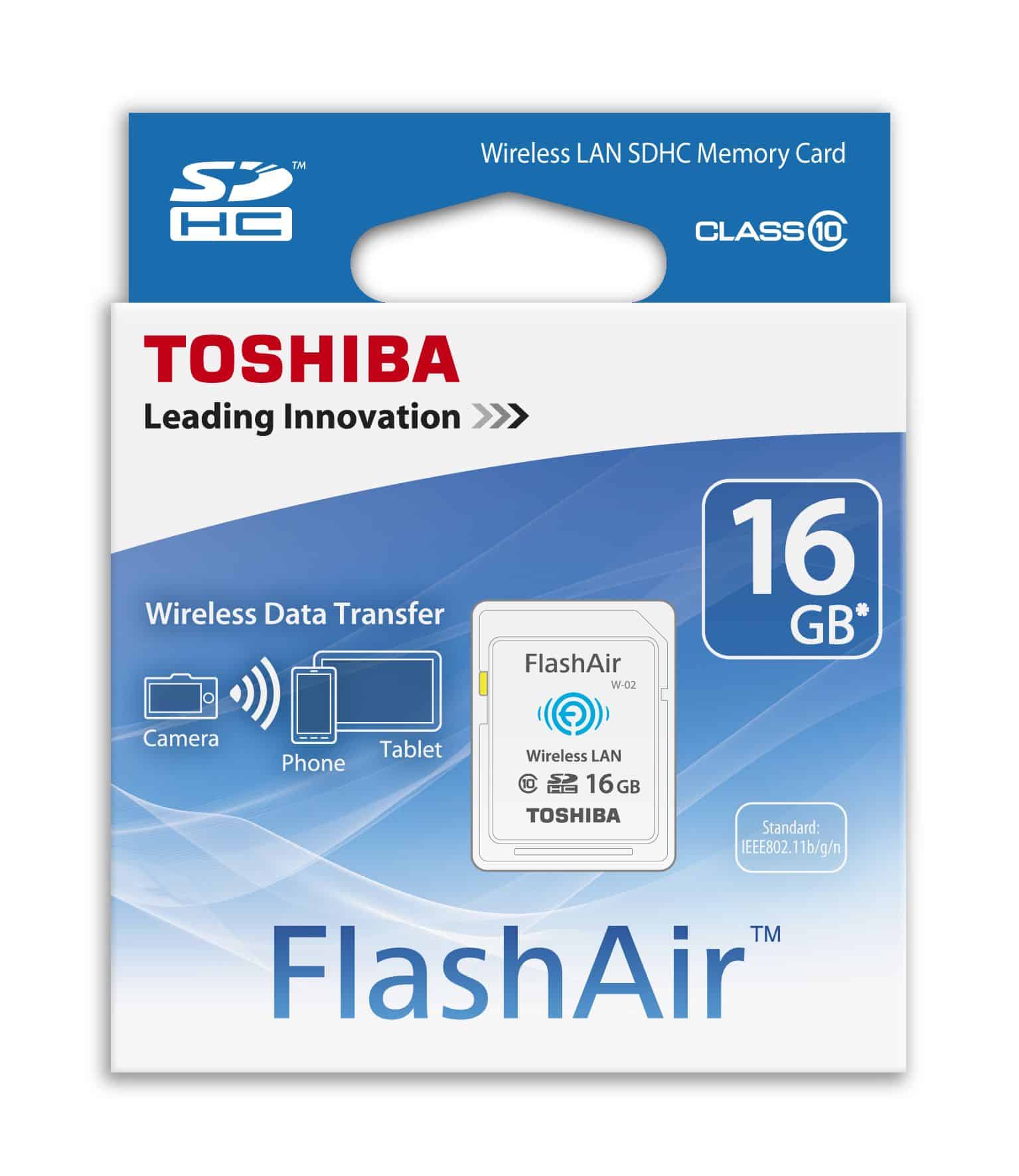
In cameras and some digital devices, SD memory cards are widely applied from general to high. Yet, with the cameras, to transfer photos from camera to PC or to a phone, users must be physically connected. In an earlier attempt to solve this problem, some camera manufacturers came up with a few new models with integrated Wi-Fi technology based on which was an expensive list, and no product would still fully satisfy user needs.
Recognizing the market demand and the user preference to “get hot” right after take, memory card manufacturers have made a series of WiSDHC-enabled chips that enable the card to directly send images via peer-to-peer networking to any other device. This article will introduce readers to the Toshiba FlashAir SDHC card, one of the cheaper Wi-Fi cards with fine quality in the market.
The product used in this article has 8GB capacity, class 10, and uses the 802.11 b/g/n Wi-Fi standard. Class 10 means that the manufacturer guarantees the card has a minimum write speed of 10mb/s, suitable for any newer DSLRs taking pictures with RAW files.
FlashAir is peer-to-peer setting the Wi-Fi connection to be open as soon as the camera is on. Any other device, including PCs, smartphones, or tablets, will connect via Wi- Fi to check on all images on the card.
The setting of a memory card is very easy, requiring you to give a password, the first time you use the card, a password of 12345678 will be needed, afterwhich you will set your own Wi-Fi parameters. Whenever a PC or smartphone connects to this Wi-Fi network, it requires the password entered above, and a successful connection to the memory card will provide users with a simple interface of the web-based image viewer. Besides, Toshiba also provides support for iOS and Android users with an application called FlashAir, assisting in this data transmission.
Performance
Speed and Efficiency
For any storage device, speed remains a paramount concern. Toshiba FlashAir claims Class 10 speed for quick read and write, thus very much favorable to people handling high-res images and videos.
Writing speed: Depending on the file size and file type, the speed may vary but, in general, users report being happy with the speed for both photos and videos.
Reading speed:
The read speed is consistent enough to afford quick access to files if the reviewing or transferring is time-critical. Wi-Fi Connectivity The Wi-Fi capabilities are the strongest features of Toshiba FlashAir. Users can connect their smartphones, tablets, or computers with the card over a wireless network for convenient data transfer.
Connection Stability:
The connection holds up within a reasonable distance.
The users can transfer files without interruption as long as they pique the recommended distance. Simultaneous Connections: FlashAir supports multiple device connections, with up to seven devices being allowed to simultaneously access the card. This comes in very handy especially in a group setup at events like photoshoots.
Mobile App Functionality FlashAir for Toshiba mobile app has been designed both for iOS and Android platforms, providing an excellent user experience. File Handling: From browsing folders to downloading files and deleting unwanted data, the app system allows all such tasks to be done with ease. It is a very user-friendly interface that helps users at all levels.
Direct Sharing: Pictures can also be shared directly through the app on social media or by email, thus avoiding any further steps towards sharing.
Types of users:
Professional Photographers and Videographers Toshiba FlashAir presents an extremely valuable perspective for professionals of photography and videography:
Instant sharing: After a shoot, a photographer can instantly send pictures to clients or display them on social media, thereby improving the process and relationships with clients.
Backup of Photos: Flex-Air provides the second level of backup for photos, easing the heart during shoots. Casual Use Oops-Toshiba FlashAir makes the experience become better for casual users: On-the-go Storage: Store photos and videos, and access them from your mobile devices without cables or manual file transfer.
Travel-Friendly: Having a FlashAir card enables travelers to easily access trip photos and quickly share them with friends and family.
Advantages of Toshiba FlashAir User Friendliness: FlashAir is plug-and-play, and the mobile app makes it easy to use for computer pros and amateurs alike.
Cable-Free Transfers: Wireless transfer of files is advantageous for users who are always on-the-go. Supports Multiple Devices: Allows multiple devices to connect together, a good feature for teamwork.
Good-Speed-Reads: The read and write speeds tend to be acceptable for average cases-from simple photography to professional-level operations.
Backup Option: FlashAir works as an extra backup option to make sure files are safely stored.
Potential Drawbacks While Toshiba FlashAir has its share of benefits, some potential drawbacks need to be addressed: Battery Drain: The Wi-Fi continues to drain battery on the other device. Users will want to watch battery consumption during prolonged use.
Connection Issues: There are reports of the device dropping or slow connection in congested Wi-Fi areas. This may interrupt transferring files.
Price Point: They go for higher price than your average SD cards. What users will do well to consider is whether or not having wireless connectivity is worth it to them. Limited Storage Options: Although several capacities exist, some users may consider the maximum capacity of 64GB limiting for their needs, especially in high-res video recording.
Compatibility: Some users have noted that no matter how compatible FlashAir is supposed to be with most devices, some older devices simply aren’t going to be able to account for the enhanced capabilities.
where can you get a Toshiba FlashAir online
Toshiba 32GB FlashAir SDHC Wireless Wi-Fi Memory Card Model SD-R032GR7AL03A: Buy it now


Toshiba FlashAir 16GB wifi SDHC made in JAPAN: Buy it now

32GB Toshiba FlashAir Wi-Fi LAN W-02 SDHC CL10 memory card: Buy it now

TOSHIBA 32GB Wireless LAN SD Card 『FLASH AIR』 SDWD032G: Buy it now

After a trial period, the image transmission via Wi-Fi mostly goes high speed and well-integrated; sometimes, however, I do not find the Wi-Fi network of that card, or maybe the network goes down for a few moments, which forces me to shut down the camera and reconnect again.
The company also said if you consider the functions of a FlashAir SDHC memory card, the technology used in it averages lower power consumption compared with others of equal function of other brands, but actually, you will find it tough to distinguish the difference while using the card.
Generally, these Wi-Fi memory cards consume so much power only when they are sharing photos with social networking sites or with friends. Comparison with Competitors If you are considering Toshiba FlashAir, your first objective should be to contrast with similar products out there. Some notable competitors include:
About Eye-Fi
Eye-Fi was one of the earliest manufacturers to have installed the wireless SD card concept into its brands. Although it raises similar expectations, in these days, it is no longer in production and is hardly ever available.
Transcend Wi-Fi SD Card
Transcend has a Wi-Fi SD card that also competes with FlashAir. However, users comment that the app interface is less intuitive and that the connection stability under Transcend can also fall maybe below FlashAir.
SanDisk Connect
SanDisk’s Connect series similarly lends wireless features, each with its own set of constraints: battery life and file-management options.
User Reviews
Praise
Many users find the Toshiba FlashAir card easy and convenient to use. Photographers particularly mention that this card streamlines their workflow, easing them to concentrate on creativity rather than logistics.
Constructive Criticism
There are many, who have reported connectivity issues and sometimes underperformance. Most users do find some assistance from the application; however, there were also recommendations about how it could improve its functionality, such as adding more robust file-management features.
Conclusion
The Toshiba FlashAir rises above the competition as an option for those fancying an SD card with wireless access. Its sheer simplicity, wireless convenience, and decent speed make it an option worth considering from the photography, videography, or casual user standpoint.
Some downsides it has, such as connectivity issues and battery drain, are overshadowed by its value. The growth of its user base and Toshiba’s continual updates vis-à-vis this product are evidence that they are invested in the enhancement of the product and its experience.
In conclusion, Toshiba FlashAir is an important product in any storage rack, especially for those who place a premium on data management convenience and efficiency. As interfacing technology advances, during such an evolving setting, products such as FlashAir will begin to take centre stage in how we interact and manage digital content. With quick file access in need of the professional and a little bit of convenience on the side for the casual user, FlashAir truly stands by its promises, taking the digital experience a notch higher.


Tech Reviewer & Product Analyst
Định Bia has spent over 10 years testing consumer electronics with a focus on smart technology. He work as a product advisor at Biareview where he helped customers find the right devices for their needs. He personally tests every product featured on this site using a consistent evaluation framework covering quality, durability, and value. All reviews are based on experience, not influenced by the manufacturer.