

Apple has adopted a rather different product strategy by only releasing the standard M5 chip, while the higher-end variants, the M5 Pro and M5 Max, have yet to be revealed. Many users might see this as a step backward in terms of choice, but after a week of intensive real-world testing, I find that Apple has every reason to be confident. This isn’t simply a routine upgrade, but a strong affirmation of the power of the new generation M-series chips, especially in graphics processing capabilities.
So what does this standard M5 chip possess to compete head-to-head with, or even surpass, older Pro models?
A major leap forward in Ray Tracing and SSD speed.
Normally, I would start an article by evaluating the external design, but with the MacBook Pro M5, the most valuable upgrades lie deep within the hardware architecture.
| Cinebench 2024 | |||
| Products | Single-core | Multi-core | GPU |
| Macbook Pro M5 | 195 | 1092 | 5780 |
| Macbook Pro M4 | 176 | 978 | 3977 |
| Macbook Pro M3 | 140 | 680 | 3701 |
| Macbook Pro M2 | 119 | 539 | 1598 |
| Macbook Pro M1 | 112 | 472 | 1263 |
| Blackmagic Disk Speed Test (MB/giây) |
||
| Products | Read | Write |
| Macbook Pro M5 | 6824 | 6653 |
| Macbook Pro M4 | 3054 | 3295 |
| Macbook Pro M3 | 3043 | 3325 |
| Macbook Pro M2 | 2713 | 3021 |
| Macbook Pro M1 | 2711 | 2292 |
The first and most important highlight is its graphics performance (GPU). The M5 chip reached a score of 5,780 points according to the Cinebench 2024 benchmark results. The difference between these two chips becomes clear when we compare their scores from last year which showed that the M4 chip achieved approximately 3,900 points while the original M1 chip could only obtain 1,200 points. The M5 system has theoretical graphics processing capabilities which exceed the M1 system by 4.5 times.
| Blender | |
| Products | Release time |
| Macbook Pro M5 | 1 hour 1 minute |
| Macbook Pro M4 | 1 hour 20 minutes |
| Macbook Pro M1 Pro | 2 hours 57 minutes |
| Macbook Pro M2 Pro | 2 hours 12 minutes |
| Macbook Pro 14 M4 Pro | 46 minutes |
The enormous gap between two things exists because hardware implements Ray Tracing technology as one of its built-in features. The M1 and M2 chip generations required all their processing resources to accomplish complex lighting and shadowing tasks in 3D environments because the chips lacked dedicated solutions for these functions. The M5 system includes dedicated processing units which handle the specific task. The MacBook Pro M5 required 1 hour and 1 minute to render a large 3D file through Blender software.
My professional MacBook Pro M1 Pro took almost 3 hours (exactly 2 hours and 57 minutes) to complete the same task. The M2 Pro version required more than 2 hours to finish. The advanced technology embedded in standard chips from the new generation enables them to outperform all previous Pro-series chips in 3D performance because they use better processing technologies than just additional processing cores. The second highlight shows that SSD speed has achieved major progress. Users of previous basic MacBook Air or Pro M2/M3 versions often complained about data access speeds being halved because Apple only used a single NAND memory chip. Apple solved this problem through its complete resolution after hearing customer feedback about the M5. The lowest configuration version achieved read and write speeds which reached 6,600 to 6,800 MB/s according to my measurements.
This speed actually exceeds previous generation performance because their typical speeds ranged from 3,000 MB/s to 3,000 MB/s. The high SSD speed enables users to transfer large data files which amount to several tens of GB at a much faster rate. The high speed of hard drives will maintain system performance because it allows the system to operate without interruptions when RAM reaches capacity and the system switches to using SSD as its cached memory (Swap Memory).
Performance
The M5 system demonstrates high processing capabilities but its performance assessment requires testing because it does not succeed in all operational tasks. The CPU processing capacity of the system shows improvement through single-core performance and achieves double the performance capacity of the M1 through its multi-core capabilities. The system responds to daily tasks which include opening applications and running code and browsing the web with near-instantaneous speed.
| Premiere Pro (Video 4K 7 phút, After Effect) |
|
| Products | Video output time |
| Macbook Pro M5 | 7 minutes 16 seconds |
| Macbook Air M4 | 12 minutes 04 seconds |
| Mac Mini M4 | 9 minutes 47 seconds |
| Macbook Pro M4 | 9 minutes 55 seconds |
| Macbook Pro M1 Pro | 6 minutes 32 seconds |
| Macbook Pro M2 Pro | 6 minutes 17 seconds |
| Macbook Pro M4 Pro | 4 minutes 45 seconds |
The experience of professional video editors differs from regular users. I tested Premiere Pro capabilities by exporting a 4K video which lasts for 7 minutes.
The MacBook Pro M5 finished the task within a time frame of 7 minutes and 16 seconds. The MacBook Pro M1 Pro completed its work in a total duration of 6 minutes and 32 seconds.
Newer chips operate at reduced speed because their design contains base elements from their previous versions. The main problem occurs because of restricted memory bandwidth. The Pro series chips (M1 Pro/M2 Pro) provide memory bandwidth which operates like an 8-lane highway while the standard M5 chip runs at higher speeds through its 4-lane design. The system will experience congestion when users attempt to load 4K video data which exceeds the capacity of its 4 available lanes. The M1 Pro and M2 Pro systems prove better for professional video editors who need to work with multiple complex effect layers. The M5 chip outperforms both MacBook Air laptops and standard M1 and M2 systems.
| Lightroom Classic (1000 ảnh RAW) | |
| Products | Image output time |
| Macbook Pro M5 | 12 minutes 44 seconds |
| Macbook Air M4 | 17 minutes 03 seconds |
| Macbook Pro M3 | 17 minutes 50 seconds |
| Macbook Air M2 | 24 minutes 37 seconds |
| iMac M1 | 22 minutes 18 seconds |
The MacBook Pro M5 enables Lightroom photographers to complete RAW image file exports at a rate of 1,000 files within 12 minutes and 30 seconds which exceeds the iMac M1 export speed that requires more than 22 minutes. The process of saving 10 minutes per project will generate substantial economic benefits for the organization in the long run.
Battery Life and Temperature Apple states that its product can achieve a maximum battery life of 24 hours. Users who watch pre-loaded videos at low light levels can achieve this measurement. The actual results from my testing in a Vietnamese cafe revealed that I operated the device at maximum screen brightness while maintaining full Wi-Fi connectivity and using Bluetooth headphones and running multiple browser tabs and messaging applications and Photoshop at the same time. The device operated for approximately 7 hours before needing to be charged again. The device can last between 10 and 12 hours when you work with light office tasks and maintain screen brightness at 60 percent.
The battery capacity dropped from 93 percent to 26 percent after I rendered 3D graphics at continuous operation for 1 hour with Blender software. The body temperature began to rise to an increased level. High performance requires high power consumption according to this fundamental law of physics. The device requires a power connection during demanding tasks because it needs to perform optimally while safeguarding its battery space.
Apple 2025 MacBook Pro Laptop with Apple M5 chip with 10‑core CPU and 10‑core GPU: Built for AI, 14.2-inch Liquid Retina XDR Display, 16GB Unified Memory, 512GB SSD Storage; Silver:
Apple 2026 MacBook Pro Laptop with Apple M5 chip with 10-core CPU and 10-core GPU: Built for AI, 14.2-inch Liquid Retina XDR Display, 32GB Unified Memory, 1TB SSD, Wi-Fi 7; Space Black:
(CTO) Apple 14-inch MacBook Pro: M5 Pro chip w 15-core CPU – 16-core GPU, 48GB, 1TB, Space Black, 70W – Z1ML00024 – (2026):
Apple MacBook Pro Laptop with Apple M5 Pro chip with 18-core CPU and 20-core GPU: 14.2-inch Liquid Retina XDR Display, 48GB Unified Memory, 1TB SSD; Space Black:
Apple MacBook Pro Laptop with Apple M5 Pro chip with 15-core CPU and 16-core GPU: 14.2-inch Liquid Retina XDR Display, 48GB Unified Memory, 1TB SSD; Silver:
Design and Screen
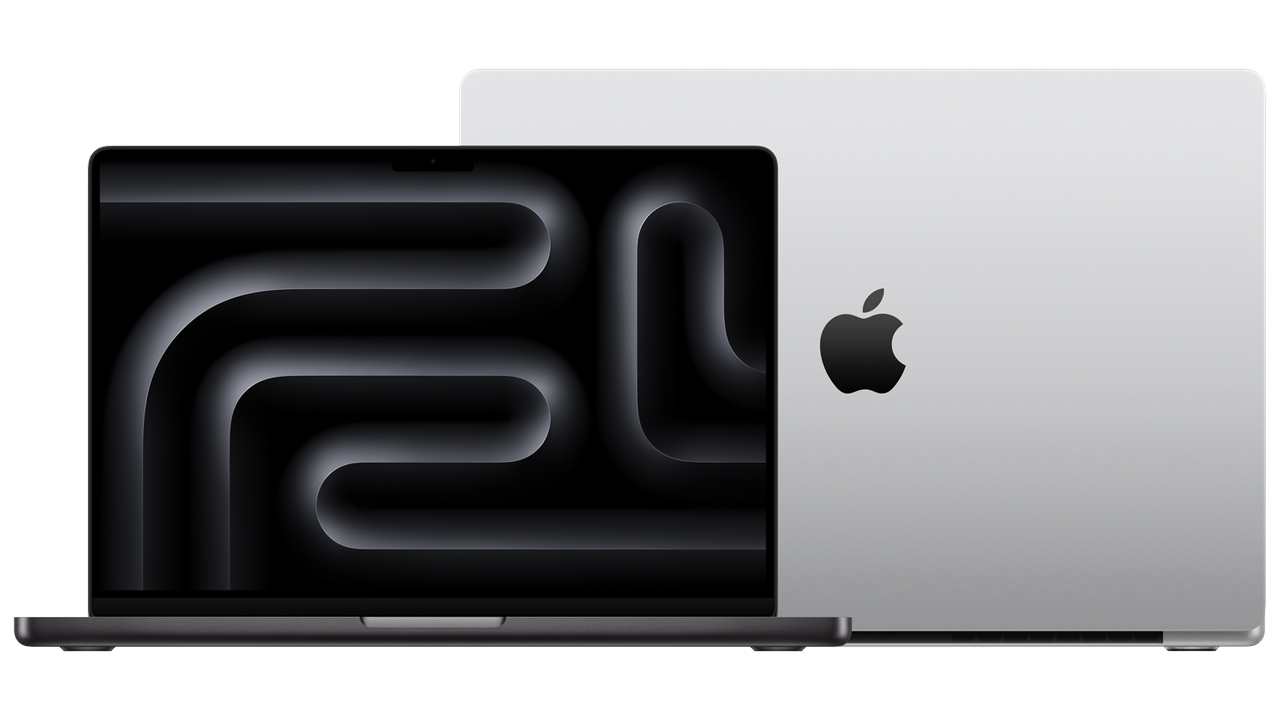
The machine maintains its original design which includes its 0.61-inch thickness and 1.55 kg weight and unibody aluminum structure. Many may say Apple lacks innovation, but personally, I appreciate this practicality. The machine provides a solid and sturdy experience which users can feel through their hands. I can safely carry the laptop in my backpack while traveling by motorbike or plane because its frame remains intact unlike other thin and light laptops.
The screen still maintains its leading position in the market. The high brightness of outdoor work equipment enables users to see content without experiencing glare problems in bright sunlight. The Mini-LED panel’s absolute contrast creates a highly enjoyable visual experience for users who work at night. The MacBook Pro speaker system established itself as the best audio system among laptops by delivering sound reproduction which allows users to enjoy entertainment and participate in online meetings.
The return of the SD card slot is a big plus. I can do direct data copying from the SD card by plugging it into the device after I finish my photo shoots because I do not need any adapters for this process. Most of the time I travel for work I choose to use my compact third-party GaN chargers instead of using the MagSafe cable which remains inside the box.
The MacBook Pro M5 stands as a valuable technological investment in the present day. The product provides a major enhancement for users who currently operate on older Intel or Apple Silicon chips which include the M1 and M2 models. The combination of Ray Tracing technology and fast SSD performance makes this product suitable for programmers architects entry-level 3D designers and office users who need a dependable machine for upcoming four to five years.


Tech Reviewer & Product Analyst
Định Bia has spent over 10 years testing consumer electronics with a focus on smart technology. He work as a product advisor at Biareview where he helped customers find the right devices for their needs. He personally tests every product featured on this site using a consistent evaluation framework covering quality, durability, and value. All reviews are based on experience, not influenced by the manufacturer.