Design
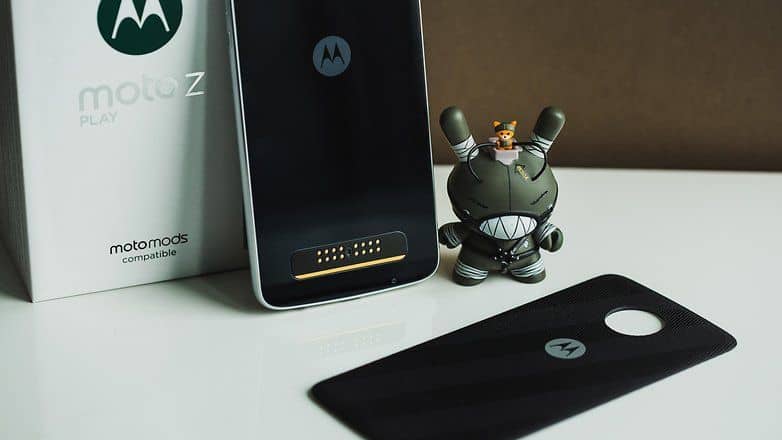
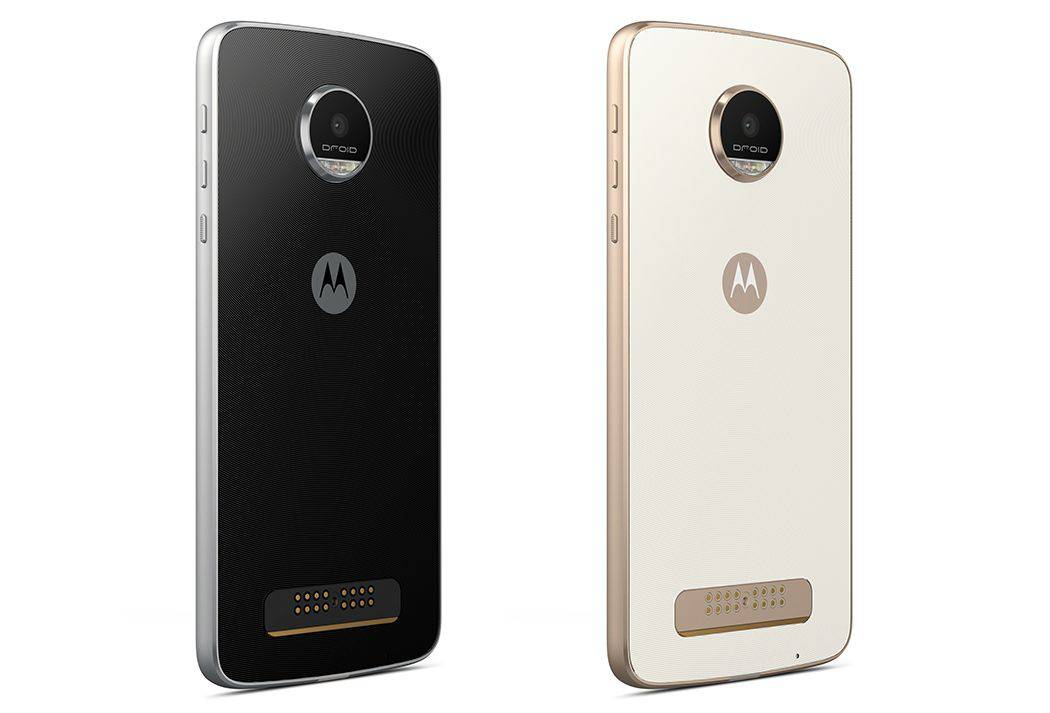
Moto Z Play’s appearance is quite similar to the Nexus 6, also produced by Motorola. Machine with rounded styling, curved claws and 4 edge thickness contour, square, not beveled. The size of the machine is not too large, combined with this design help feeling sure hand grip, not slippery or sharp when holding the phone tightly.
Z Play for using the Type C standard USB connectivity more convenient. While high-end Moto Z samples removed 3.5mm headphone jack, jack Z Play still ordinary to the user can listen in any headphones. It also supports plug together two Nano SIM and MicroSD card.
Screen
The Moto Z Play uses AMOLED screen with a resolution of Full HD (1920 x 1080). The quality of the screen displays a moderate level and deep black levels, brightness of 660 nits maximum than giving good visibility outdoors. Wide viewing angle of the screen, color and contrast when viewed only affected in nearly horizontal angle display. A pixel density of 403 ppi enough to ensure sharpness and still save battery.
Moto Z Play inherited Display features from previous Motorola phones. This idle screen enables users to easily find the information and the notification date and time on the phone, and users can also directly manipulate messages. Moto Display does not always show up that appears only when the machine is in motion perception. This feature suits AMOLED screen, contributes significantly to save phone battery.
When using a color measurement device dedicated, we found Moto Z Play with high brightness, color capability represents quite honest, but slightly lower contrast than AMOLED.
Moto Z Play – Black – 32GB (U.S. Warranty): Buy it now
MOTO Z PLAY (32GB) 5.5″ – 4G LTE Factory Unlocked GSM (International Model) BLACK: Buy it now
Moto Z Unlocked Smartphone, 5.5″ Quad HD screen, 64GB storage, 5.2mm thin – Lunar Grey – 64GB (U.S. Warranty): Buy it now
Camera:
Rear camera of this handset has a resolution of 16MP, while the front camera and 5MP resolution with flash. Camera interface of this handset is quite simple, consisting of only a few modes, but still capture mode enables manually adjust the exposure compensation, ISO, white balance…..
Imaging capabilities of Moto Z Play equivalent to other mid-range: perform well when shooting in the morning and unimpressive when shooting dark. When shooting in the morning, the machine capture photos sharp and fast. Photographs with good detail and color fidelity.
Resolution front camera of Z Play only 5MP but larger pixels, thus earning capacity and bring good light photos “take a selfie” pretty sharp. Beauty mode of the machine has an obvious impact, helps smooth skin and more striking face. Users can also adjust the level of beauty to take shots like that.
Perhaps because only equipped mid-range chip should Moto Z Play does not support 4K resolution video recording at 60 frames / sec. At lower resolutions, such as Full HD, HD, the machine is also just turned up to 30 frames / sec.
Performance
Moto Z Play configuration at only midrange with Qualcomm Snapdragon 625 processor, 3GB of RAM and 32GB of internal memory. Despite unimpressive statistics, computer hardware good enough to meet the majority of games and applications on the Android operating system, adding that thanks to software optimized neat and good user experience still very smooth .
Restrictions on the strength hardware shown only when playing 3D games with complex graphics on Z Play. In Warhammer 40K game, the Z Play averaged only 40 frames / second, while the top smartphone configuration as Xiaomi Mi Sony 5s or Xperia XZ are 60 frames / sec. However, this difference is not really clear, because the level of the frame Z Play maintaining stable gaming.
The application performance evaluation also shows the power of Snapdragon processor at only 625 mid-range, far less smartphones Snapdragon 820/821 on top. But these figures do not reflect the impressive performance of Z Play.
Factors such as Full HD AMOLED screen, mid-range configuration provides battery usage time for Z Play impressive though only battery 3510 mAh capacity.
Battery Life
One of the more eye catching things about the Moto Z Play is, honestly, how good its battery life turns out to be. It comes with a 3,510 mAh battery, which is bigger than a lot of other phones you see around the same price range. And then you add the power savvy Snapdragon 625 chipset, plus the AMOLED display, and the result is pretty strong battery performance , not just on paper.
When you use it day to day the Moto Z Play can go through a full day even with heavy use. For people who are a bit more moderate, it can stretch to roughly two days on one charge. That sort of includes a normal blend of stuff like web surfing, social media scrolling, video watching, and even some gaming. What really helps is how the phone handles energy consumption , it’s one of those strengths you notice quickly, especially if you’re the type who hates plugging in all the time.
There’s also fast charging, courtesy of Motorola’s TurboPower system. With the included TurboPower charger, you can recharge from 0% to about 50% in around 30 minutes, so it works well when you need that quick boost during the day. Getting to a full charge from 0% takes approximately 90 minutes, which is still pretty reasonable.
And one more point people tend to like is that the Moto Z Play works with battery themed Moto Mods. For example the Incipio offGRID Power Pack , it can add around an extra 2,200 mAh of power. So instead of just lasting longer, it can almost double your endurance. This modular idea is kind of neat because you can bring more battery when necessary, without carrying a separate power bank that’s always in the way.
All in all, the Moto Z Play battery life feels like one of its most convincing selling points. If you’re always moving around, it gives that peace of mind, you know, less stress about running out of power.
Moto Mods and Modularity
One of the more unique things about the Moto Z Play is how it works with Moto Mods, modular add ons that can be magnetically clipped to the back of the phone, to bring in new features and functionality. Honestly the Moto Mods universe is kind of the main selling point of the Moto Z lineup, because it lets people tune the device around what they actually need, or what they’re curious about lately.
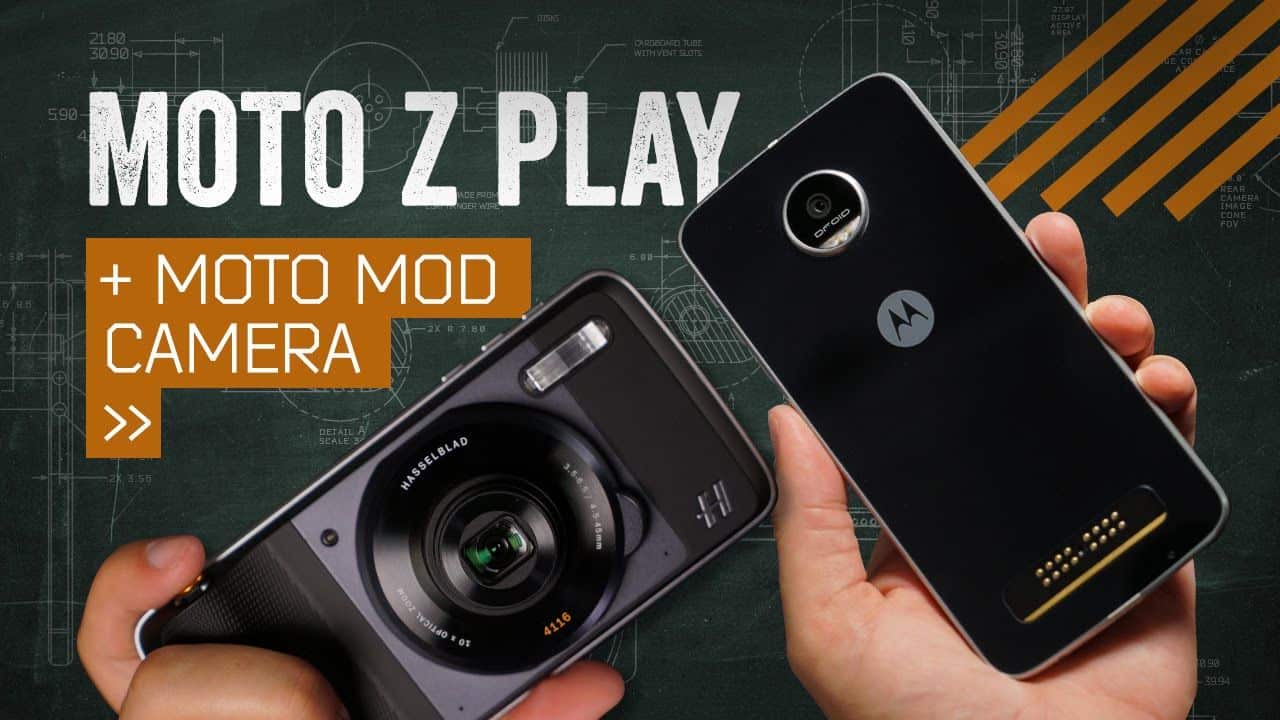
For the Moto Z Play you can find a few different Moto Mods, like the JBL SoundBoost speaker, which basically upgrades the audio by delivering louder and fuller sound. There’s also the Hasselblad True Zoom camera Mod, this one brings in a 10x optical zoom lens plus real physical camera controls, so photography folks can shoot with more confidence and less fiddling. And then there’s the Moto Insta-Share Projector, it’s able to throw up to a 70 inch screen projection onto almost any flat surface, wall, table, you know.
Besides those, there are battery Mods as well, for example the Incipio offGRID Power Pack, it helps extend battery life by supplying extra power, pretty straight forward. There are also style Mods, these are more about appearance, where you can change the look and feel by swapping the back cover with different textures, materials, and patterns.
What makes the whole setup click is that the modular design of the Moto Z Play feels kind of seamless. The Mods lock to the rear of the phone using strong magnets, and they connect through pogo pins. The result is that the experience feels less like “an accessory you attach” and more like the phone is naturally extended, like a part of the device itself, even though it’s not.
While the Moto Mods bring a lot of flexibility to the Moto Z Play, there are a couple things to think about, before you get too excited. For one, the Mods can end up being pretty expensive, and if you start picking up more than one, the total cost of the device can climb fast, like noticeably. Also the whole modular setup is proprietary to Motorola, so the Mods you buy for the Moto Z Play might not play nice with other smartphone brands or even future Motorola phones, especially if the design shifts around.
Still, even with those points it’s hard not to admit the Moto Mods system feels like a pretty distinctive and inventive feature, and it really helps separate the Moto Z Play from a lot of other phones. It gives people a way to tune and expand what the phone can do, based on what they actually need day to day, not just what the box promises.
Audio Quality
On the Moto Z Play, there’s a single speaker facing forward, placed above the screen. it also works as the earpiece when you make calls. The spot where it sits is honestly pretty good for watching media, because it sends the sound toward your face instead of pushing it downwards, or out to the side like you sometimes see with bottom-firing speakers.
In terms of sound, the quality is decent. You get clear output that feels fairly balanced, not muddy, not overly sharp. It won’t replace high-end audio setups though, so you miss some of that deep resonance and punchy bass you might expect elsewhere. For casual listening, plus videos and games, it holds up. But once you turn the volume up quite a bit, the speaker can start sounding a little tinny, and you may hear some distortion too.
If better audio is a priority, the Moto Mods universe has options, like the JBL SoundBoost speaker Mod. That one can noticeably boost the phone’s audio, pushing more volume through and giving a fuller tone with bass that’s easier to notice. It’s especially handy for outdoors, or for small get-togethers, when you want a portable sound source that still sounds fairly solid.
The Moto Z Play also brings along a 3.5mm headphone jack, which feels pretty nice in this time where a lot of smartphones are leaving that port out. With wired headphones, the audio coming out is pretty good , you get clear sound and it still feels detailed enough. Having the headphone jack really helps, because it keeps things compatible with a big variety of headphones and earbuds , no adapters, no dongles, nothing extra you have to hunt for.
For wireless audio the Moto Z Play supports Bluetooth 4.0, so you can pair it with Bluetooth headphones, speakers, and a bunch of other audio devices. In practice the Bluetooth connection seems steady, it holds up well, and the audio quality stays decent too, so you can stream music or media without that constant “is it reconnecting?” worry.
All in all, the audio experience is solid, especially for a mid-range phone. The built in speaker is fine for most people , but if you want a bit more punch or range then you can lean on the Moto Mods ecosystem or just use your preferred wired or wireless headphones.
Software: Android “original” way of Moto
Although now part of Lenovo, Motorola remains close to the native Android software. As noted in the performance, the software brings an important contribution to Z Play good performance. Software “clean”, at the application runs in the background is what makes the machine runs smoothly. If compared to the operating system as complex as the Samsung’s TouchWiz, Moto Z Play with the number of applications running underground less.
Besides the original software, Moto also added more customized to provide a better experience for users as Moto Display or Moto Action. Moto Action is a set of gestures to quickly open applications: Shake twice to open the camera…..
Conclude
Looking through the Moto Z Play can not own a high profile, but the user experience of the handset impression. Smooth performance, battery “strong” are two aspects to the product can find much better by optimizing software.
Related Posts



Tech Reviewer & Product Analyst
Định Bia has spent over 10 years testing consumer electronics with a focus on smart technology. He work as a product advisor at Biareview where he helped customers find the right devices for their needs. He personally tests every product featured on this site using a consistent evaluation framework covering quality, durability, and value. All reviews are based on experience, not influenced by the manufacturer.