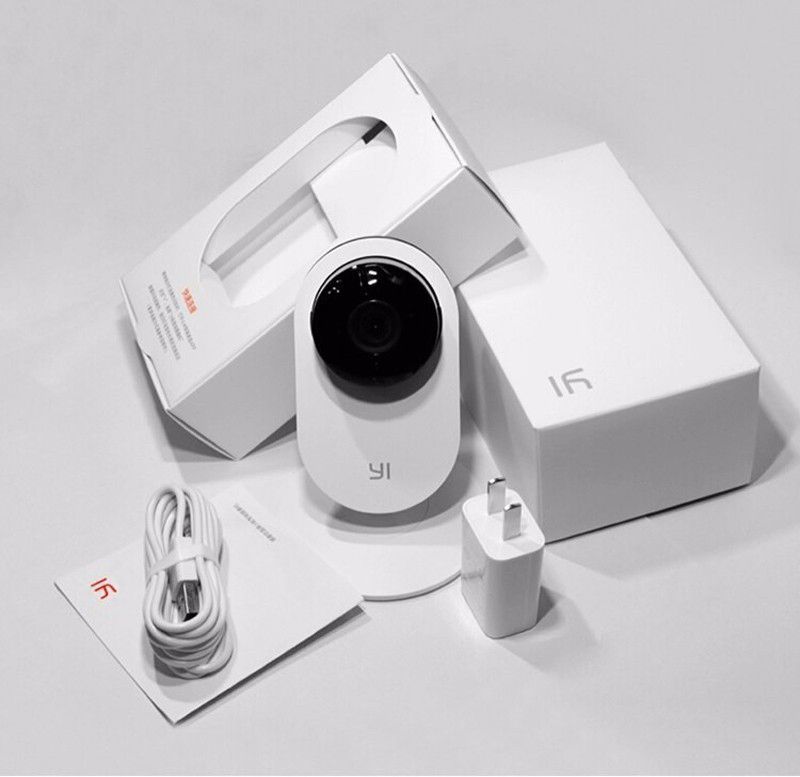
INSTALLATION & USE
Camera Xiaomi Yi IP is compatible with both Android smartphones (from Android 4.3 and above) and iOS (from iOS 6). However, to connect the smartphone to the camera, you have to install the app developed by Xiaomi specifically for this device.
In addition to online tracking, this application also allows you to take photos, video recordings and especially audio signal transmission: when you talk to the smartphone, it will emit on the other camera and vice versa, Xiaomi Yi will transmit audio from microphone to your phone instantly.
For example, you see a crook trying to break into the house, just shouting the alarm, the sound will be transmitted through the camera to warn the relatives as well as threaten the thief to run, very useful.
Besides, during the connection with Xiaomi Yi you can zoom to see the subject, max zoom is 4x. The weather is rainy, but the camera still has the acceptable brightness.
One plus point for Xiaomi Yi is the good image transfer speed, I use 3G still looks pretty fast and smooth. This camera also supports video recording directly to the memory card (up to 32GB) directly plugged into the device. Our statistics show that Xiaomi Yi IP will need 4.5 MB of storage for 1 minute video recording. That is, with 1GB memory card, you will save 227 minutes ~ almost 4 hours.
Unfortunately, on Xiaomi Yi IP, this camera is merely a security monitoring device and can not be connected to a PC as a videocall webcam.
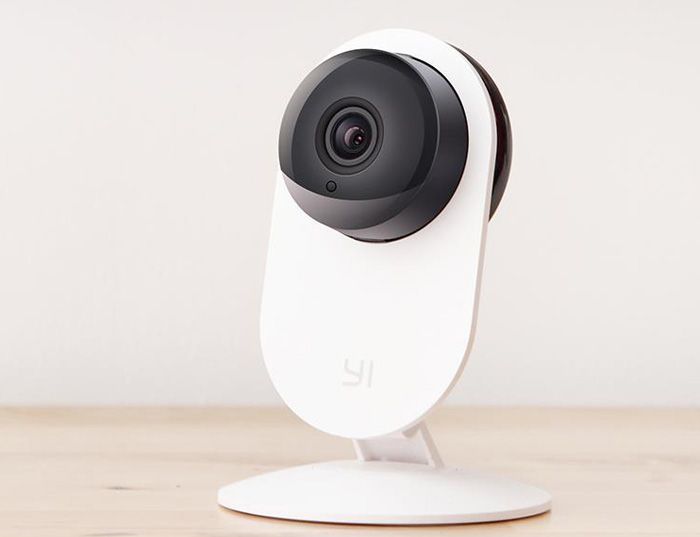
YI Home Camera Wireless IP Security Surveillance System (US Edition) Black: Buy it now
YI 1080p Home Camera Wireless IP Security Surveillance System (US Edition) White: Buy it now
Design and Build Quality
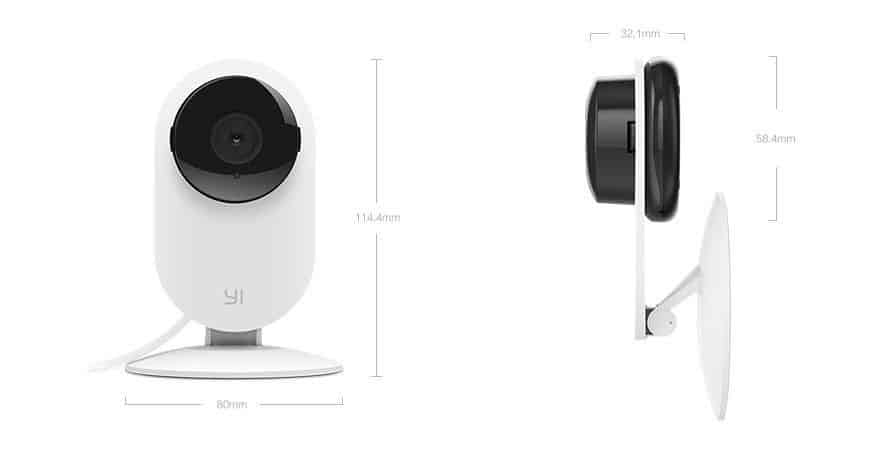
The Xiaomi Yi IP Camera is a small matte-white unit, about 2.7 x 2.7 x 4.8 inches (68 x 68 x 122 mm) and 5.8 ounces (165 g). It’s plain plastic, feels solid enough, and doesn’t look like a security camera, which is a plus if you’d rather it not be the first thing guests notice.
The base has a ball joint with 360-degree rotation and adjustable tilt. You can mount it on a wall or ceiling or just set it on a shelf, and the joint lets you aim it after it’s placed.
The lens has a 111-degree field of view. That’s wide enough to cover most of a small room from one corner, though you’ll still get some distortion at the edges.
Performance and Features
Video quality. The sensor is 720p (1280 x 720). In daylight the picture is clear and the colors are fine. It’s still 720p, though, so faces and license plates at any distance will be soft. If you need to identify people, look at 1080p cameras, which cost a little more.
Night vision. Infrared LEDs handle recording in the dark, and the footage is usable at room-sized distances. Range is limited, and the result depends a lot on where you put the camera. Pointing it at a window or a glossy surface will wash out the image at night. In a large room or a yard, expect the far end to disappear.
Audio. The built-in microphone is fine for hearing that someone is talking or that a door opened. It picks up a lot of background noise, so don’t count on clean conversations.
Connectivity and remote access. The camera connects over Wi-Fi and is managed through the Yi Home app (iOS and Android). You can watch the live feed, get motion alerts and review recorded clips from anywhere.
Motion detection. Sensitivity is adjustable in the app, and you can mark zones so that a busy street outside a window doesn’t set it off all day. That zone setting matters more than it sounds, because without it motion alerts get annoying fast.
Storage. There are two options. Cloud storage is a paid subscription, and its advantage is that footage survives if someone takes the camera. Local storage uses a microSD card (up to 32GB), which costs nothing beyond the card. For most people the SD card is enough.
Smart home integration. The camera is said to work with Mi Home, Alexa and Google Assistant. Check that your specific model and region support the assistant you use before you buy.
Power. It runs on a USB cable and has no battery, so it has to stay plugged in. It also has no Ethernet port. If your Wi-Fi is weak where you want the camera, fix that first.
User Experience
Setup is quick. You follow the app’s prompts to join your Wi-Fi network and pair the phone, and you don’t need any technical background. Mounting takes a few minutes.
The app is easy to get around. Live view, recorded footage, motion settings and cloud plans are all a couple of taps away, and you can share clips with other people.
Pros
Cheap
Small and unobtrusive
Clear daytime video
Working night vision
Simple app
Adjustable motion detection with zones
Cons
720p resolution
Must stay plugged in; no battery
Night vision range is short
Wi-Fi only
Related Posts





Tech Reviewer & Product Analyst
Định Bia has spent over 10 years testing consumer electronics with a focus on smart technology. He work as a product advisor at Biareview where he helped customers find the right devices for their needs. He personally tests every product featured on this site using a consistent evaluation framework covering quality, durability, and value. All reviews are based on experience, not influenced by the manufacturer.