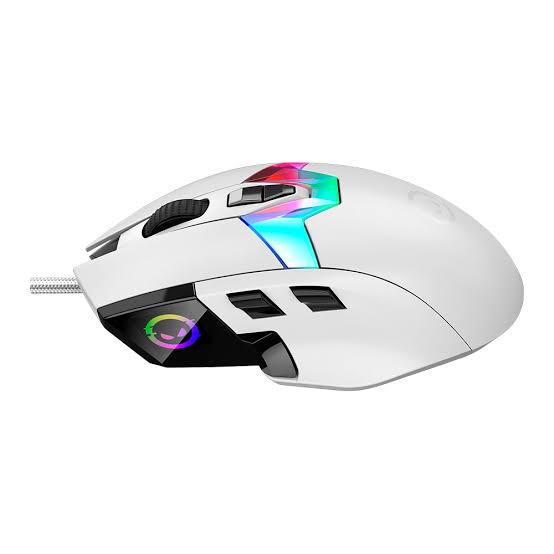
For those who play FPS at the competitive level, an 8,000 Hz mouse is great for you as long as you have a powerful enough computer, high refresh rate monitor, and aren’t a casual gamer. For all of you non-FPS gamers, there is literally no benefit. There is no benefit to spending the extra money because there is no advantage for the faster polling rate. It literally doesn’t provide any benefit over the 1000 Hz rate. There is more to be explained as well, including why there are three criteria that need to be met to make an 8,000 Hz rate worthwhile and a few mouse reviews for you as well.
The breakdown for the polling interval is the number 1 (for one second) divided by the polling rate. For example, 1,000 Hz corresponds to 1 millisecond. Similarly, 4,000 Hz is 0.25 milliseconds and 8,000 Hz corresponds to 0.125 milliseconds.
One example, the ATK X1 V2 Ultimate+ provides an 8,000 Hz polling rate and battery life for 800 hours. The mouse weighs only 55 grams.
Most ATK models are around 48 grams but battery life is 300 hours.
There are many mouse options that have higher polling rates including the Logitech G Pro X Superlight 2 (95 hour battery life) and the Razer Viper V4 Pro (180 hour battery life). Razer DeathAdder V4 Pro provides options that enable you to choose your desired polling rates between 1,000, 2,000, 4,000 and 8,000. That’s very convenient for lowering battery usage when you don’t need the extra polling.
What is polling rate? Let’s say you have a 1,000 Hz polling rate mouse. That means the mouse reports to the computer 1,000 times in one second. What about 8,000 Hz? That’s 8,000 times a second. Let’s think about it in terms of reporting time.
Reporting time = 1 / polling rate
At 1,000 Hz, reporting time is 1/1,000 seconds or 1 millisecond.
At 8,000 Hz, reporting time is 1/8,000 seconds or 0.125 milliseconds.
As you can see, 8,000 Hz reporting time is about 8 times faster.
| Polling rate | Report interval | What it means |
| 1,000 Hz | 1 ms | The mouse reports its position once every thousandth of a second. This is where most gaming mouse sit today. |
| 4,000 Hz | 0.25 ms | Four times as dense as 1,000 Hz |
| 8,000 Hz | 0.125 ms | Eight times as dense as 1,000 Hz. Each interval is 0.875 ms shorter than at 1,000 Hz. |
The figure 0.125 ms doesn’t change your personal reaction time, however it allows the cursor to move faster in response to mouse position. As a result, movement becomes smoother and easier for players to follow, with the potential of faster cursor movement.
What 8,000 Hz mouse actually need in order to make sense:
High Refresh Rate Monitor: Mouse positional data updates faster than the refresh rate of a display, making 8,000 Hz pointless on typical 60Hz or even 144Hz displays. If your mouse updates faster than the screen, you’ve paid for a feature that’s invisible to you.
Power and Connectivity: An additional 8,000 positional data points will cause data transmission stutter or loss, especially on low performance machines, or if the mouse receiver is sharing a USB hub. In addition to a fast CPU and USB controller, make sure to plug the receiver into its dedicated USB port directly to the chassis of the machine, or in some cases you may need a separate, more robust receiver rather than one of the smaller form factor designs.
Transmitting data more often increases work for the transmitter and microcontroller. For example, battery life in mouse that support higher polling rates is typically much shorter, as shown in the table below. Manufacturers claim battery life ranges from 95 hours to 800 hours for different models under manufacturer specific conditions. You should interpret battery life estimates based on the conditions under which you typically use your mouse.
Comparison of 7 models on the market that support 8000 Hz.
| Model | Shape | Sensor | DPI | Polling rate | Weight | Claimed battery | Connection |
| ATK Blazing Sky X1 V2 Ultimate+ | Symmetrical | PixArt PAW3955 Master | 40,000 | 8,000 Hz | 55 g | 800 hours | USB-C, 2.4GHz |
| ATK Blazing Sky X1 AIR+ V2 Ultimate | Symmetrical | PixArt PAW3955 Master | 40,000 | 8,000 Hz | 48 g | 300 hours | USB-C, 2.4GHz |
| ATK Dragonfly A9 AIR+ | Symmetrical | PixArt PAW3955 Master | 40,000 | 8,000 Hz | 47 g | 300 hours | USB-C, 2.4GHz |
| Logitech G Pro X Superlight 2 | Symmetrical | HERO 2 | 44,000 | 8,000 Hz | 60 g | 95 hours | Wireless |
| Razer DeathAdder V4 Pro | Ergonomic | Focus Pro 45K Gen-2 | 45,000 | 1,000, 2,000, 4,000 and 8,000 Hz | 56 g | Not listed | Multi-mode |
| Razer Viper V4 Pro | Symmetrical | Focus Pro 50K Gen-3 | 50,000 | 8,000 Hz | 49 g | 180 hours | Wired, wireless |
| ATK Blazing Sky Ghost Ultimate | Symmetrical | PixArt PAW3950 Ultra | 30,000 | 8,000 Hz | 48 g | 200 hours | USB-C, 2.4GHz, Bluetooth |
Models in the series
ATK Blazing Sky X1 V2 Ultimate+
At 55g and with a symmetrical design, this is the most budget-friendly ATK mouse. This model has the PixArt PAW3955 Master Sensor which can be adjusted to 40,000 DPI, has a 75g acceleration, and supports 8000 Hz polling rates. ATK has included 5 switches (Custom Optical) and an 800 mAh battery that provides up to 800 hours of use. You can choose to connect using the included USB-C cable or the included 2.4 GHz receiver for a wireless connection.
What really separates this model from the competition is the incredible 800 hour battery life which is eight times longer than the closest competitor on this list. This mouse is the perfect balance for anyone wanting to take full advantage of the 8000 Hz polling rate and not have to plug in the mouse multiple times a week to recharge.
ATK Blazing Sky X1 AIR+ V2 Ultimate
- ATK Blazing Sky X1 V2 Air+ Wireless Gaming Mouse – White: Check Availability on Amazon
Having the exact same shell as the X1 V2 Ultimate+, the AIR+ version reduces the weight to 48g. It is powered by a 300 mAh battery, which will give you 300 hours of continuous use. For sensor, this mouse sports the PixArt PAW3955 (up to 40,000 DPI, 75G, and 8,000 Hz) along with ATK’s Swiftlight switches. Battery life has been reduced from 800 hours down to 300 hours to accommodate the 7g weight reduction.
The lightweight mouse (48g) makes it great for rapid flick shots required by many of the top FPS games, with battery life remaining great for multiple weeks of gameplay. ATK Dragonfly A9 AIR+
The lightest mouse on this list (47g), it features a symmetrical design and the PixArt PAW3955 (up to 40,000 DPI). The sensor has 75G of acceleration, 8,000 Hz polling, and optical switches. It also has five buttons, a 300mAh battery for 300 hours, and supports both USB-C wired and 2.4GHz wireless connections.
It’s one of the lightest mouse at 47g, costing less than most competitors, and shares a great sensor and 8k polling.
Logitech G Pro X Superlight 2
- Logitech G Pro X Superlight 2 Lightspeed Wireless Gaming Mouse, Black:Check Availability on Amazon
- Logitech G Pro X Superlight 2 Lightspeed Wireless Gaming Mouse, White: Check Availability on Amazon
Logitech’s wireless option weighs 60 grams and includes a 95-hour battery, five buttons, 8,000Hz polling, and a sensor with 88g acceleration and 44,000 adjustable DPI. Out of all the other models listed, this one is the heaviest and has the shortest battery life.
This model is differentiated by software rather than the technical specifications of other models. ATK models may be slightly more favorable with a battery life of up to 95 hours if the 8,000Hz polling is permanently engaged, requiring a recharge.
Razer DeathAdder V4 Pro
- Razer DeathAdder V4 Pro Wireless Gaming Mouse, 8K Polling Rate, 56g, Black:Check Availability on Amazon
This right-handed asymmetric design weighs 56 grams and includes a Focus Pro 45K Gen-2 sensor (adjustable up to 45,000 DPI), 85g acceleration, Gen-4 optical switches, 6 buttons, and multiple connection methods. There are 4 different polling rates that can be chosen: 1000, 2000, 4000, and 8000 Hz. There are many benefits of using a lower polling rate. It helps reduce battery life when playing non-intensive games or when your computer is not as powerful, and reduces strain on your USB port. There is no information regarding the battery life, so I was unable to provide that.
Razer Viper V4 Pro
- Razer Viper V4 Pro Wireless Esports Gaming Mouse, 49g,180Hr Battery, Black:
This is the top-of-the-line option, coming in at 49g and featuring the new Focus Pro 50K Gen-3 sensor that supports DPI up to 50,000, 90G of acceleration, an 8,000Hz polling rate, Gen-4 optical switches, and eight total buttons. Razer estimates 180 hours of battery life. It can be operated both wired and wirelessly.
Within the collection, this model is both the most sensitive and the most rapid in its movement. It’s the second most lightweight mouse of the bunch, right behind the 47g A9 AIR+. If you want both lightweight design and high-end sensing, this is the one to pick. However, if your only need is the 8,000Hz polling rate, there are many ATK models that cost significantly less.
ATK Blazing Sky Ghost Ultimate
- ATK Blazing Sky Ghost Ultimate Wireless Gaming Mouse – Silver: Check Availability on Amazon
Among the ATK lineup, this model has the most flexibility when it comes to connectivity. This model is capable of wired connections via USB-C, 2.4GHz wireless connection, and even Bluetooth. It has a symmetrical design and weighs 48g. Its specifications are a PixArt PAW3950 Ultra sensor that goes up to 30,000 DPI, 50G acceleration, and 8,000Hz polling rate. It uses ATK Lightblade mechanical switches, a 300 mAh battery that ATK claims lasts 200 hours, and uses optical sensors.
It has some mechanical switches, as opposed to all the other ATK models which utilize optical ones, and offers a bit more travel. If you have to work with your laptop and mouse, Bluetooth is a nice convenience, but it also comes at a trade off with polling rates and performance, losing its ability to work with the 8,000Hz polling rates.
Should someone buy an 8,000Hz mouse?
| Situation | Worth it yet? | Why |
| Competitive FPS, high-refresh monitor, strong PC | Yes | This is who 0.125 ms is for |
| Casual FPS, ordinary monitor | Not yet | The monitor cannot show every update, so you get nothing back for the extra money |
| RPGs, strategy, offline games | Not yet | Nothing here needs sustained fast flicking; 1,000 Hz is enough |
| The same mouse also does office work | Not yet | 8,000 Hz only drains the battery faster, and many models let you drop to 1,000 Hz |
| Long wireless sessions with little charging | Maybe | Claimed battery runs from 95 to 800 hours; pick a big one if 8,000 Hz stays on |
FAQ
Are 8,000Hz gaming mouse worth it?
Only if you are a hardcore competitive FPS player, have an ultra high-refresh monitor, and an absolute beast of a PC. Mouse that have 8,000Hz polling rate report their position 0.125 milliseconds as opposed to a whole millisecond, which helps for super quick swipes. For everything else that isn’t a high refresh monitor and an FPS, a regular 1,000Hz gaming mouse will do just fine.
What exactly is an 8,000Hz polling rate?
The polling rate refers to how many times per second the mouse reports its position to your computer. With an 8,000Hz polling rate, the mouse reports its position 8,000 times in one second. This results in an 0.125 millisecond report interval compared to the 1 ms report interval for a standard 1,000Hz polling rate.
Does a higher polling rate reduce battery life?
Yes. Battery life for all of the mouse models mentioned here varies from as little as 95 hours (Logitech G Pro X Superlight 2) all the way to 800 hours (ATK X1 V2 Ultimate+). For longer battery life between charges, you can choose a gaming mouse that features a bigger battery, or simply adjust the polling rate downward whenever you aren’t actively participating in a FPS match.
Is a standard monitor good enough for a 8,000Hz gaming mouse?
While it’s technically possible, the majority of the benefits that a high polling rate offers will go unnoticed. Your monitor will not be able to keep up with the 8,000 reported mouse positions. At the end of the day, you’ll still have an 8,000Hz polling rate capable gaming mouse that you won’t even notice the difference of from your typical 1,000Hz gaming mouse.
Related Posts