Design and durability
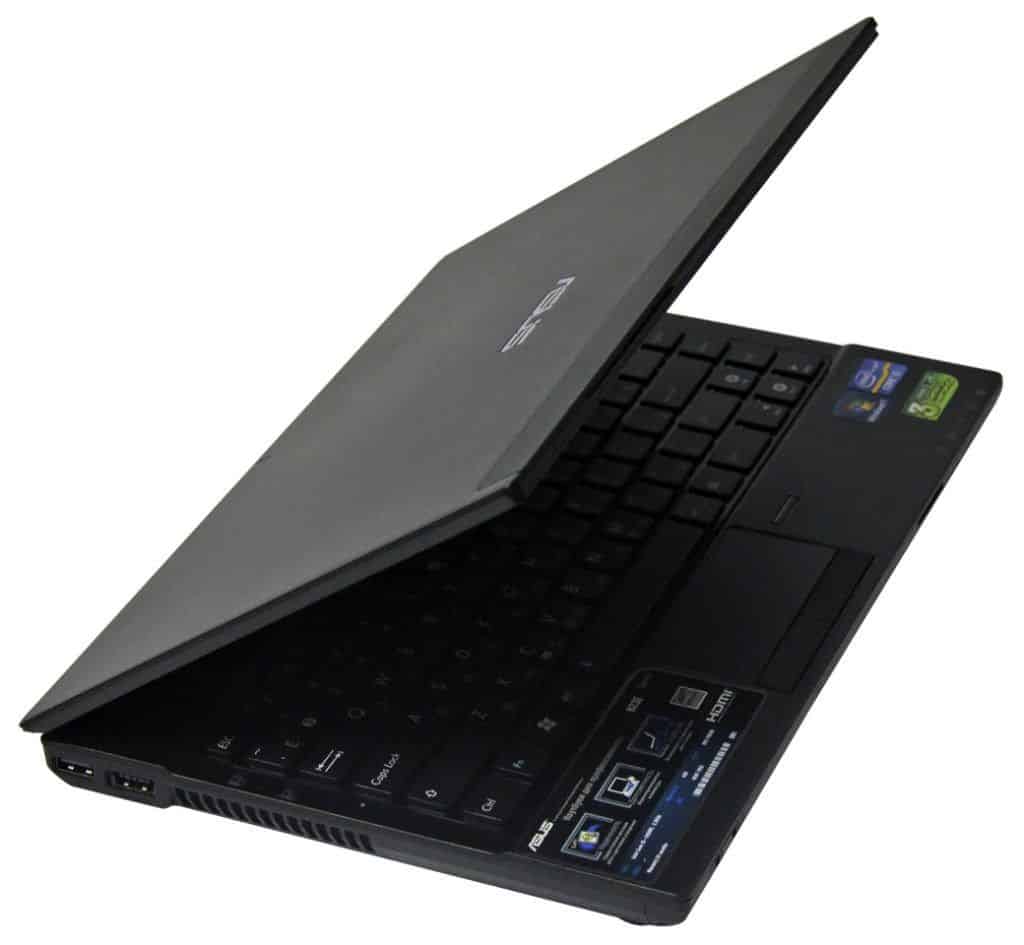
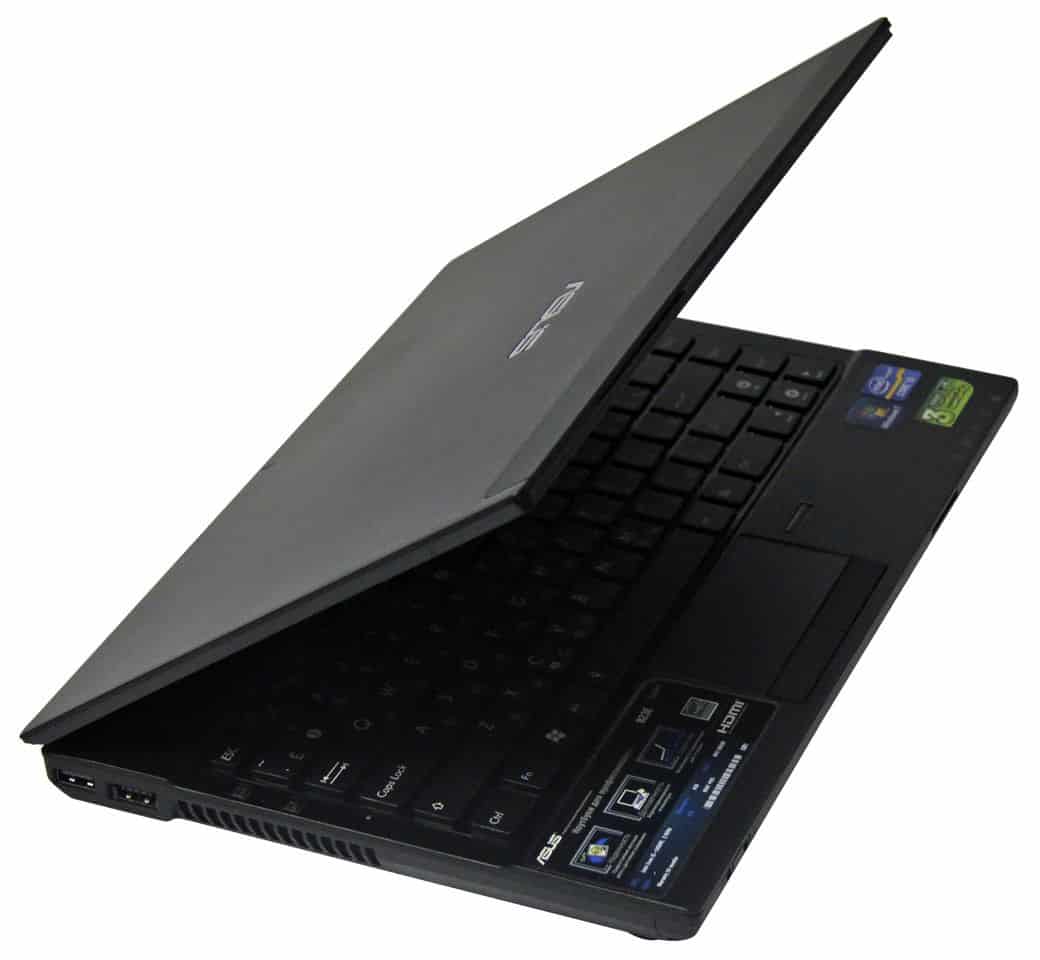
Despite the “body” ideal, some part of the Asus B23E (weighs less than 1.7 kg) is equipped with the best materials for durability. Shells and body parts using magnesium alloy as well as the hard metal hinge feels sturdy, strong. And they truly powerful. These materials have been tested for reliability carefully before using the product. Although the bottom of the machine is made of plastic, but it is reinforced with aluminum layer so the durability of the machine is guaranteed.
Design with good durability is also reflected through the spill-resistant keyboard. Machine with a dedicated drainage system at the bottom, so you will not have to worry about accidentally spilled cup of coffee or a glass of water on my laptop. Asus B23E is also equipped with anti-shock hard drive, but Asus says can withstand the altitude drops twice the normal laptops.
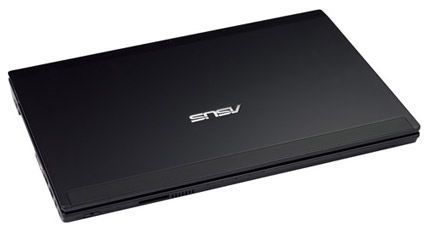
Overall, chassis parts polite and nice look. Only the lower part shiny keyboard, in addition, other components are black painted rough with small spots yellow metal. Asus logo design silver color on the back.
2.79 cm thickness, Asus B23E certainly not the ultrabook but compact enough smaller for pocket is not too difficult. In addition, its strengths compared to ultrabook, as the model Asus Zenbook, that you are armed with much better connections.
Keyboard and trackpad
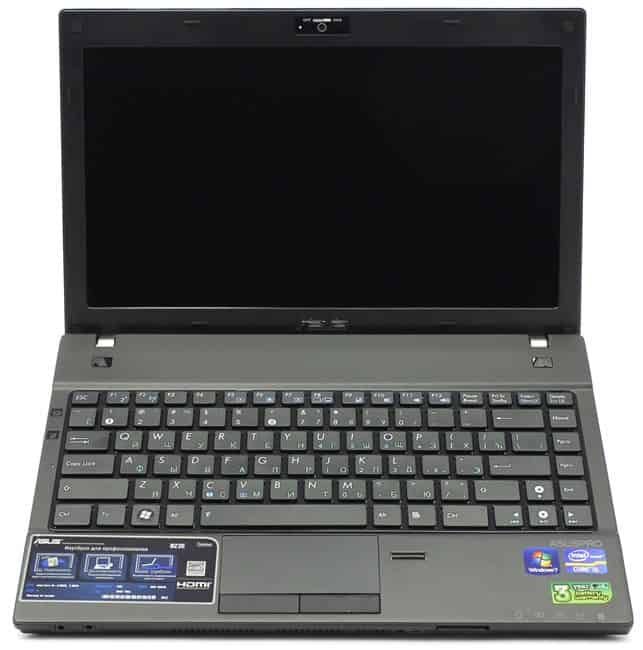
Asus B23E is equipped with one of the best keyboard of the Asus notebook models. The keys are handy for typing. The keyboard does not have the phenomenon of subsidence. However, chiclet keyboard designed for fairly wide spacing keys, the right Shift key is designed quite small, so using this button is not very favorable.
Elan trackpad surface of the machine is quite small: 8.1 x 4.8 cm, however, fair to say, the Dell Latitude E6220 or the ThinkPad E220s and similar sized touchpad. Although quite small but mutitouch on trackpad functions are usable, freely and smoothly.
Ports and Webcam
Asus crammed a lot of connections to this machine, including SmartCard slot and ExpressCard right side. In this respect also has 1 HDMI port, source port, lock slot machine, Ethernet and modem ports, VGA, USB 3.0. The flip side has 2 USB 2.0 ports doubles including 1 eSATA port function, a card slot 5-in-1. Ministry disable / enable Wireless is arranged in front, longer headnphone and mic jacks on the left.
2 MP webcam Asus B23E with sliding switches control to turn on / off. When using software to record video LifeFrame, slightly grainy images.
External dock
Asus included an external dock. With this accessory, the machine has more connections including 4 USB 2.0 ports, DVI, VGA, HDMI, Serial, PS / 2.
Heat capacity
Overall, Asus B23E pretty cool and quiet during running test. After watching the first video in full screen for 15 minutes, the trackpad and the middle section G and H keys with heat respectively 29 and 30 degrees C. The temperature measured at the plant is below 34 degrees C.
Screen and sound
Machines equipped with screen sizes of 12.5 inches roughness helps reduce glare when used. Resolution 1366 x 768 pixels and brightness of 174 lux machine is quite common in this line of laptops. The Asus N43L has 162 lux brightness while Dell Latitude E6220 is even lower, only 159 lux.
When viewing the movie trailer HD resolution of “The Avengers”, you will easily recognize the floating body veins Thor character. The dark scenes did not seem noisy. Horizontal viewing angles are quite wide for 2 people, however, you will have to tilt the screen back one bit to see clearer images.
Though do not expect too much but quality speakers (to be arranged in the right side) of Asus B23E can say is very disappointing. Audio speakers for very small machines.
Security
In addition to better durability, the security features of Asus B23E are factors that make the difference between this product with the Asus laptop screen. The most obvious feature is the fingerprint reader right of the trackpad. Use the Embassy Security Center software, you can quickly set up a password to log into the machine using this feature. However, the weakness of this reader does not work when booting from standby mode (sleep). You’ll have to use the traditional password to log in from this state.
Other security features include TPM module integrated anti-theft technology (Anti-Theft) Intel helps lock access to the operating system, support LoJack for Laptops features to help better protect documents in case to be a victim of a burglary. The machine has a shredder program called Secure Delete with intuitive interface easy to use.
Holy apple Laptop Keyboard For ASUS B23 B23E black RU Russia: Buy it now
Holy apple Laptop Keyboard For ASUS B23 B23E black UK United Kingdom: Buy it now
Holy apple Laptop Keyboard For ASUS B23 B23E black FR France: Buy it now
Holy apple Laptop Keyboard For ASUS B23 B23E black SP Spain: Buy it now
Holy apple Laptop Keyboard For ASUS B23 B23E black IT Italy: Buy it now
Holy apple Laptop Keyboard For ASUS B23 B23E black US: Buy it now
Performance
This configuration pairs a Core i7-2620M (2.7 GHz) with 4GB of RAM and a 500GB 7200rpm drive — solid for an ultraportable, not spectacular, but solid.
PCMark 07 puts it at 2,435, a bit above the category average of 2,361, and just ahead of the HP EliteBook 2560p’s 2,400. Not a huge gap either way, but it’s not losing this comparison. Dell Latitude E6220 for quite a lot higher score (4138 points), however, this product to benefit from high-speed solid-state drive instead of standard hard drives.
Starters took 52 seconds Windows 7 Professional, the Dell Latitude E6220 or less than Toshiba’s ultrabook, but compared to the same model, the speed can also be considered normal, not fast not slow.
Test copy a 4.97 GB file storage, B23E reach average speed of 33.5 Mb / s, better than the ultra-portable model for entrepreneurs of rivals such as the ThinkPad X220s (32.2 MB / sec) or HP EliteBook 2560p (28.9 MB / sec).
Cyberlink MediaShow Espresso experiment with machines convert a 5-minute HD video format for iPod touch takes only 35 seconds, the Toshiba Portege Z835 (36 seconds), the Lenovo IdeaPad U300s (37 seconds)
Graphics
With Intel HD Graphics graphics, B23E 3816 scores in tests 3DMark06, higher than the Lenovo ThinkPad X220 (3494 points), but lost to the HP EliteBook 2560p (4792).
Experiment “World of Warcraft”, the machine for 30 fps frame rate with auto mode, but when switched to full setting, the frame rate dropped to 14 fps.
Battery life
Another good point is the Xpress Charge feature, the B23E battery is fully charged 90% in 1 hour and a half. However, the bad news is that you will have to charge the phone regularly. Ingots of the 3-cell battery only “live” is 4 hours 19 minutes in all tested continuous Web surfing over Wi-Fi with the screen brightness to 40%. The same type of ultraportable laptop for average duration of this test to over 6,5 hours. To be fair comment must also mention some of these laptop models are equipped with power-saving processors. Although poor battery life, but Asus does not sell the battery tutoring outside like other brands.
Connectivity
The ASUS B23E offers a comprehensive selection of connectivity options, catering to the needs of business professionals. The laptop includes:
- Two USB 3.0 ports for high-speed data transfer
- One USB 2.0 port
- An HDMI port for connecting external displays
- A VGA port for compatibility with older monitors and projectors
- An Ethernet port for wired network connections
- An SD card reader for easy file transfer from cameras and other devices
- A headphone/microphone combo jack
Wireless is 802.11b/g/n Wi-Fi and Bluetooth 3.0 dated at this point, but still gets the job done for typical office use. Both HDMI and VGA are onboard too, which actually matters if you’re the person constantly hooking up to whatever projector happens to be in the conference room.
It came with Windows 7 Professional out of the box, the business standard when this launched with domain join, backup tools, and remote desktop baked in. Windows 10 Pro upgrades cleanly, and the hardware handles it fine. Worth doing, honestly, just for the security improvements.
ASUS throws in a handful of its own utilities: Power4Gear for battery management, Splendid for display tuning, Secure Delete for wiping files properly. Some people will find these genuinely useful, others will uninstall them within a week. Either way, they’re not hard to remove.
Security is where this one actually stands out fingerprint reader for quick logins, a TPM chip handling hardware-level encryption, and a Kensington lock slot for anyone leaving the laptop unattended in a shared office.
Beyond that, it’s built for people who’d rather have something reliable than something fast. Solid construction, decent everyday performance, enough ports to plug into almost anything — and it actually backs that up, even with internals this dated.
What it gets right: the magnesium alloy chassis and MIL-STD 810G rating mean it survives getting tossed in a bag and dropped a few times. Dark, understated look, doesn’t scream for attention in an office. Keyboard’s comfortable and spill-resistant. Port selection’s genuinely comprehensive USB 3.0, HDMI, VGA, Ethernet, all there.
What it doesn’t get right: the Core i5-2520M and 4GB RAM aren’t keeping up with heavy multitasking or anything remotely demanding. Wireless standards are behind the times. Screen’s fine for spreadsheets and email, nothing more.
Bottom line: if durability and security matter more to you than speed, the B23E still makes sense for basic office work documents, browsing, video calls. It’s not fighting for a spot against modern laptops, but for what it is, it holds up.
Related Posts



Tech Reviewer & Product Analyst
Định Bia has spent over 10 years testing consumer electronics with a focus on smart technology. He work as a product advisor at Biareview where he helped customers find the right devices for their needs. He personally tests every product featured on this site using a consistent evaluation framework covering quality, durability, and value. All reviews are based on experience, not influenced by the manufacturer.