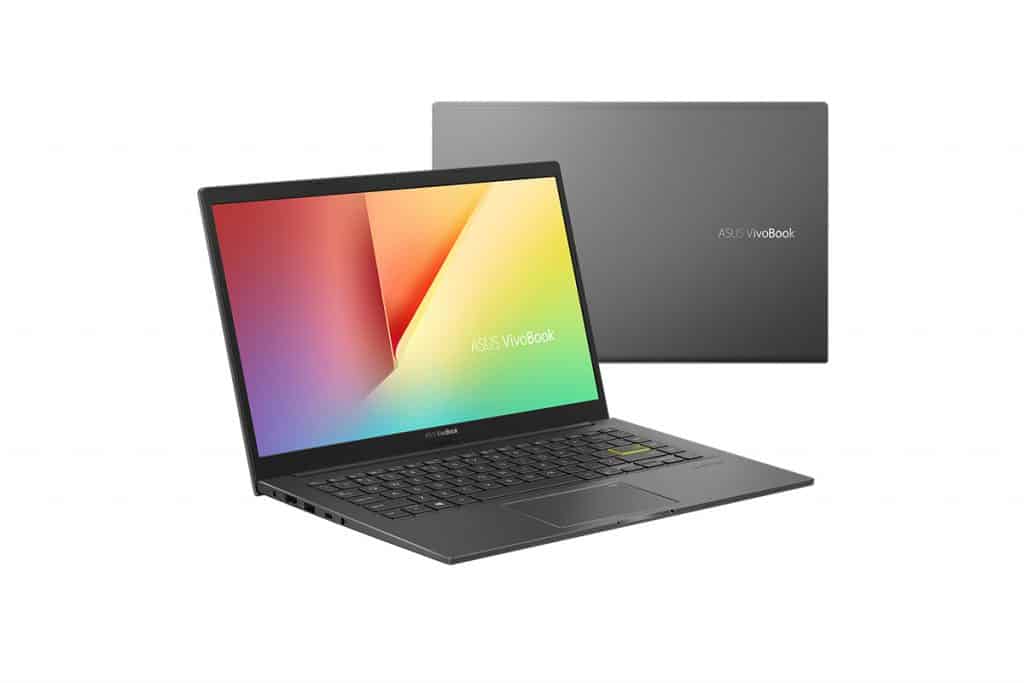
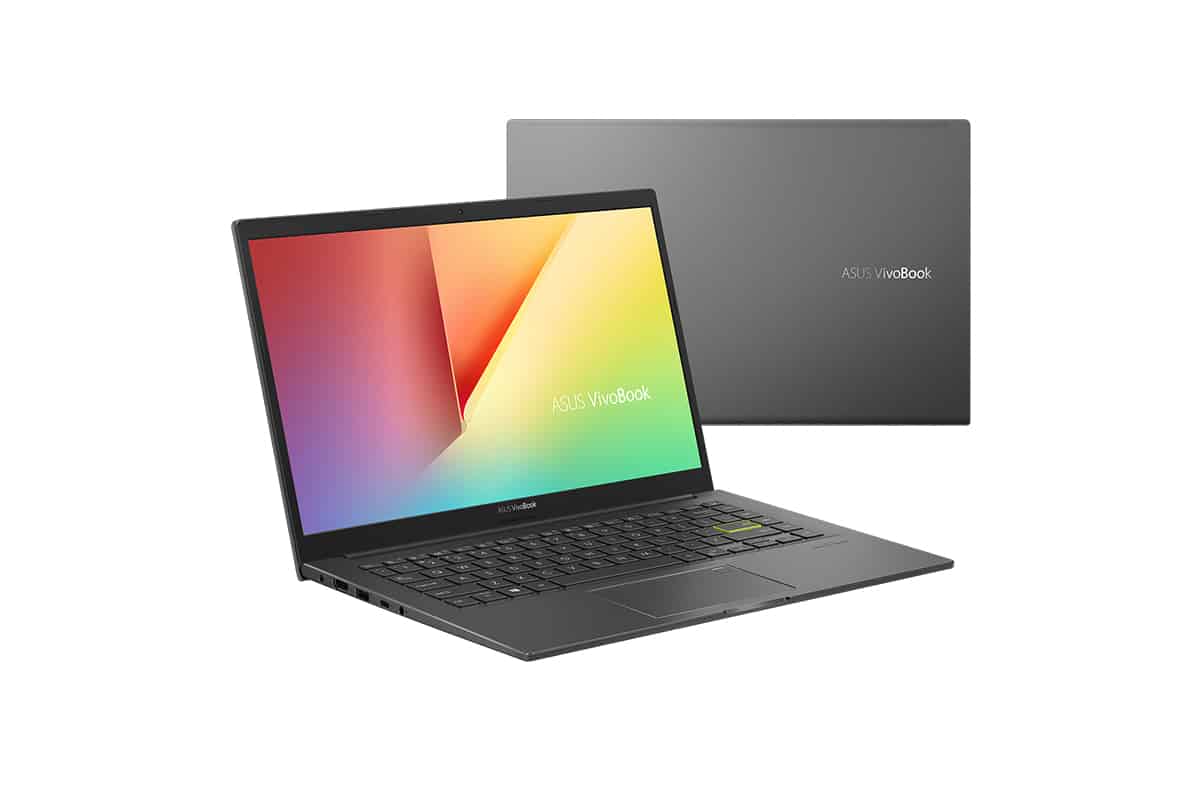
But it’s not just about putting them in the same chassis design – ASUS did a great job this year.
This year, for me personally, almost all VivoBook and ZenBook are done very well by ASUS in product finishing. The ZenBook 14 UM425 or VivoBook 14 M413 that I have reviewed before has a pretty good level of finishing in the price range, and so does this VivoBook 14 A415.
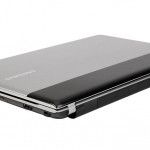
Finished in aluminum, accompanied by design lines completed by ASUS quite well, the creaking feeling is almost absent on this popular laptop model. The hinge cluster of the machine is very solidly completed; details such as the back logo or the connection port are very invested. Although the slight flex phenomenon in the keyboard cluster when typing fast is still present, in general, in terms of design, ASUS VivoBook 14 A415 gives me a good feeling compared to the price of $800 that it brings.
Performance – Right for the price
The version I am evaluating is an Intel Core i5 – 1135G7 processor with an integrated Intel Iris Xe graphics card, 8GB of DDR4 3200 MHz bus RAM, and 512GB of m.2 NVMe SSD. Overall, the configuration of the ASUS VivoBook 14 A415 is good for the price.
The first familiar test that I always do on any machine, whether office or gaming, is Cinebench R20. I will still let the machine run three times in a row , both single-core and multi-core. The average multi-core score over those three consecutive tests comes out around 1800 , the average CPU temperature sits at 65 to 68 degrees Celsius , and the TPU stays steady at 19W.
The single-core result across 3 consecutive tests is about 520 points , the TPU is stable at 15W , and the average temperature kind of fluctuates between 70 and 72 degrees Celsius. So these are pretty good test parameters. However , if you’re chasing a more punchy pure performance experience, the ASUS VivoBook 14 A415 is probably not the right pick. The performance rival here is the ASUS VivoBook 14 M413, with a cheaper price tag of $90.
The ASUS VivoBook 14 M413 uses the strength of an AMD Ryzen 5 4500U processor, so the multi-core performance of the M413 is way stronger than what the A415 can deliver. On the M413 , multi-core reaches 2200 points, which is roughly 400 points higher than the VivoBook 14 A415. For tasks that require greater multi-core power, such as Excel, making data, watching Youtube videos in high resolution, the M413 does better than the A415. Why do I mention these three tasks? These are two office Ultrabooks; they will mostly do those jobs when users buy these two machines.
The second test that I performed on the ASUS VivoBook 14 A415 was the ability to play games, and the first game I performed on this machine was the national game CS: GO. With a popular price, hardcore testing is completely unnecessary on ASUS VivoBook 14 A415.
After I set the graphics settings down to the lowest level, with the screen resolution staying at Full HD, the average FPS in game kept wobbling around 65–70 FPS. But then I also wanted to check the performance when Intel Tiger Lake is used compared with Iris Xe. so what is the real potential of this machine? That’s why The Witcher is the next game I test. If you want to play it, you kind of have to set the graphics to the lowest level. Then after about 30 minutes of continuous play, the average frame rate in The Witcher on the ASUS VivoBook 14 A415 comes out roughly between 25 and 30 FPS. Overall, ASUS VivoBook 14 A415 can completely play heavy games. However, this is just my test to try to see where the hardware power of the ASUS VivoBook 14 A415 is, so the writer must advise readers that they should not play heavy games for too long on this office Ultrabook.
As shown in the illustration, you can see that when playing The Witcher, the GPU temperature always reaches 99 to 100 degrees Celsius, which is an alarming temperature for a popular Ultrabook. When reaching this temperature threshold for a long time, there is no guarantee that the internal hardware components will have problems when you let this machine reach that temperature threshold.
In general, in terms of overall performance, ASUS VivoBook 14 A415 encapsulates in the phrase “sufficient use.” With fairly normal performance, this machine is suitable for most ordinary office users, students who need a laptop for work, and entertainment at a basic level that can function motion is stable.
ASUS VivoBook 14″ FHD Laptop 2022 Newest, Intel Core i3-1115G4 Up to 4.1GHz (Beat i5-1035G4), 12GB RAM, 512GB SSD, Fingerprint,Intel UHD Graphics, Windows 10 + 3 in 1 Accessories: Buy it now
ASUS VivoBook 14″ FHD LED 2-in-1 Touchscreen Premium Laptop | AMD Ryzen 5 5500U | 8GB DDR4 RAM | 256GB SSD | Fingerprint | HDMI | Windows 10 | Black | with USB3.0 HUB Bundle: Buy it now
Keyboard and touchpad cluster
Talking about the keyboard cluster on the ASUS VivoBook 14 A415, the journey and the key bounce are very light. The key layout is very reasonable, convenient for office typing. So in terms of the overall typing feeling the What the keyboard cluster on ASUS VivoBook 14 A415 brings is very good; there is nothing to criticize. Maybe, if you are more careful and compare it with the ThinkPad keyboard cluster, then the keyboard cluster on the ASUS VivoBook 14 A415 will prove to be a loser.
This touchpad has a small size, but in return, because it is covered with glass, the feeling of moving is very good, and the tracking ability is very good and smooth. So in terms of overall user experience, I also have to compliment the touchpad on ASUS VivoBook 14 A415.
For me, the keyboard and touchpad cluster on the ASUS VivoBook 14 A415 in particular and all popular VivoBook models, in general, give an extremely great feeling of use, especially when compared to competitors in the price segment. The feeling of using this keyboard and touchpad cluster is much better than the Dell Inspiron, HP ProBook, or Lenovo IdeaPad price shackles.
Screen – Weak specs
Almost all monitors equipped on ASUS devices in the price range under $800 have very poor hardware specifications, so do its competitors in this price range. However, ASUS knows how to “fool” its customers with experiences completely different from the weak parameters that it sets out.
I directly measured the screen parameters with SpiderXElite bugs; the manufacturer announced the results: 65% sRGB, Adobe RGB, and P3 color resolution both reached 48%, and the brightness stopped at the level 276.2 nits.
However, the experience is completely different from the above parameters. After playing a 4K clip on Youtube, I noticed that the black color range shown on this screen is quite deep, and the other color ranges are shown quite accurately. The above is possible because the color deviation on this screen is extremely low, 1.32 to be exact; in terms of a universal laptop reference system, this is one of the extremely valuable screen parameters.
In general, despite possessing unimpressive parameters, the experience on the screen of the ASUS VivoBook 14 A415 is completely acceptable for the price. The color difference is very low, so users can completely edit photos and play games on this screen without any difficulty.
Connectivity and battery life
ASUS VivoBook 14 A415 is equipped with a 42Wh battery. However, I always have to keep the screen brightness at maximum during use due to the low screen brightness, which is an Ultrabook with a really bad onscreen time. For office tasks and basic image editing (no gaming and reasonable connections), ASUS VivoBook 14 A415 lasts up to about 4 hours of use, which is not very impressive with a mainstream Ultrabook.
3 USB Type-A ports, 1 USB Type-C port that supports Thunderbolt 4.0 protocol, 1 3.5mm headphone jack, 1 when microSD card, and one charging port are all connection protocols equipped on ASUS VivoBook 14 A415. For me, this is a sufficient number of ports to use, without any obstacles when using these protocols.
Ending
In general, what ASUS VivoBook 14 A415 brings stops at a good level, nothing too outstanding, and nothing too bad considering the right reference system for the price it brings to users. The build quality is good, the keyboard and touchpad provide a great user experience and a decent display, which the vast majority of users will need in this mainstream Ultrabook segment.
However, if you require a strong performance, ASUS VivoBook 14 A415 is not the choice for you. If users need this more, and if $90 is not too much of a problem for you, the ZenBook UM425 will be a much better choice than the ASUS VivoBook 14 A415.
Related Posts




Tech Reviewer & Product Analyst
Định Bia has spent over 10 years testing consumer electronics with a focus on smart technology. He work as a product advisor at Biareview where he helped customers find the right devices for their needs. He personally tests every product featured on this site using a consistent evaluation framework covering quality, durability, and value. All reviews are based on experience, not influenced by the manufacturer.