Design
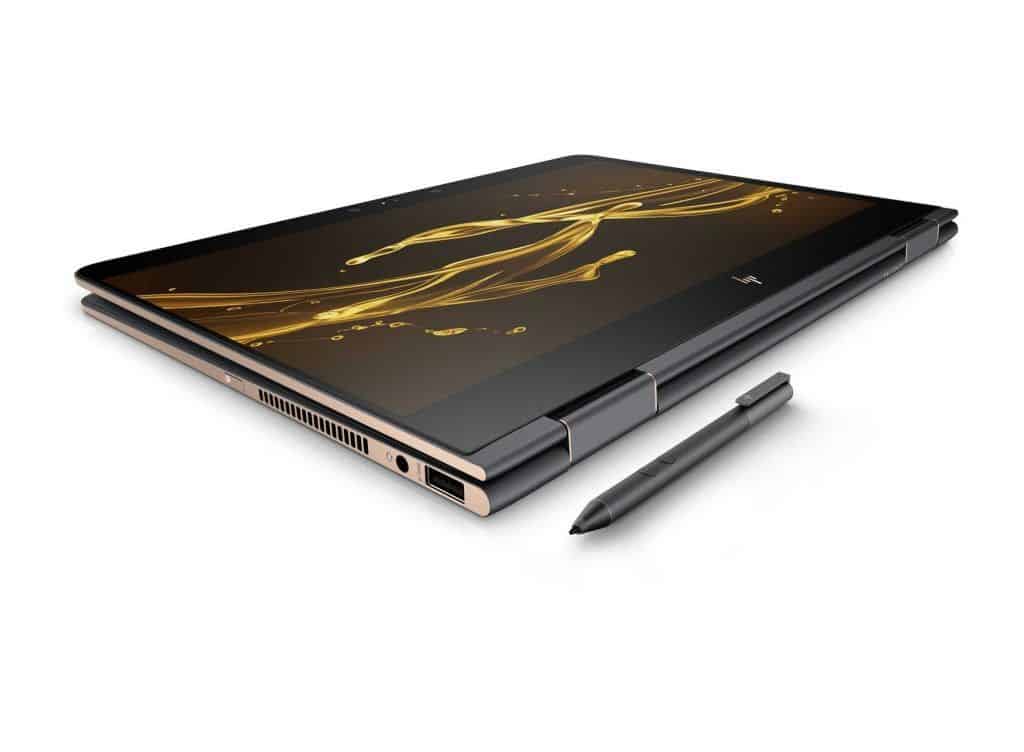
The HP Specter x360 2017 inherits the beautifully designed version of last year, the entire CNC-machined body of a monolithic aluminum piece that delivers a high-end feel and toughness.
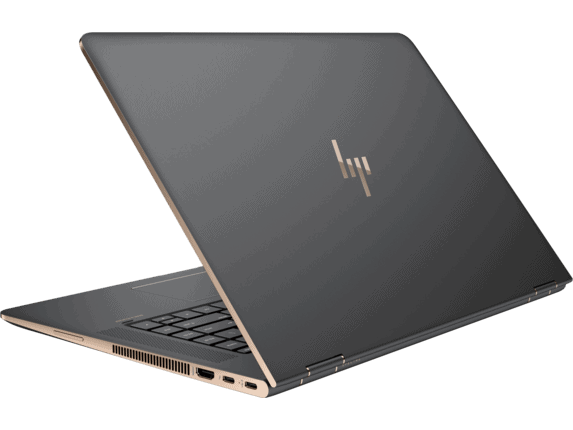
The upper case of the machine is lightly lacquered similar to the shell of the Macbook, has a very good fingerprinting ability. The new HP logo is stamped in the middle to create a highlight. This shade is covered in dark gray bronze color that makes a difference compared to the silver color of last year and similar products on the market.
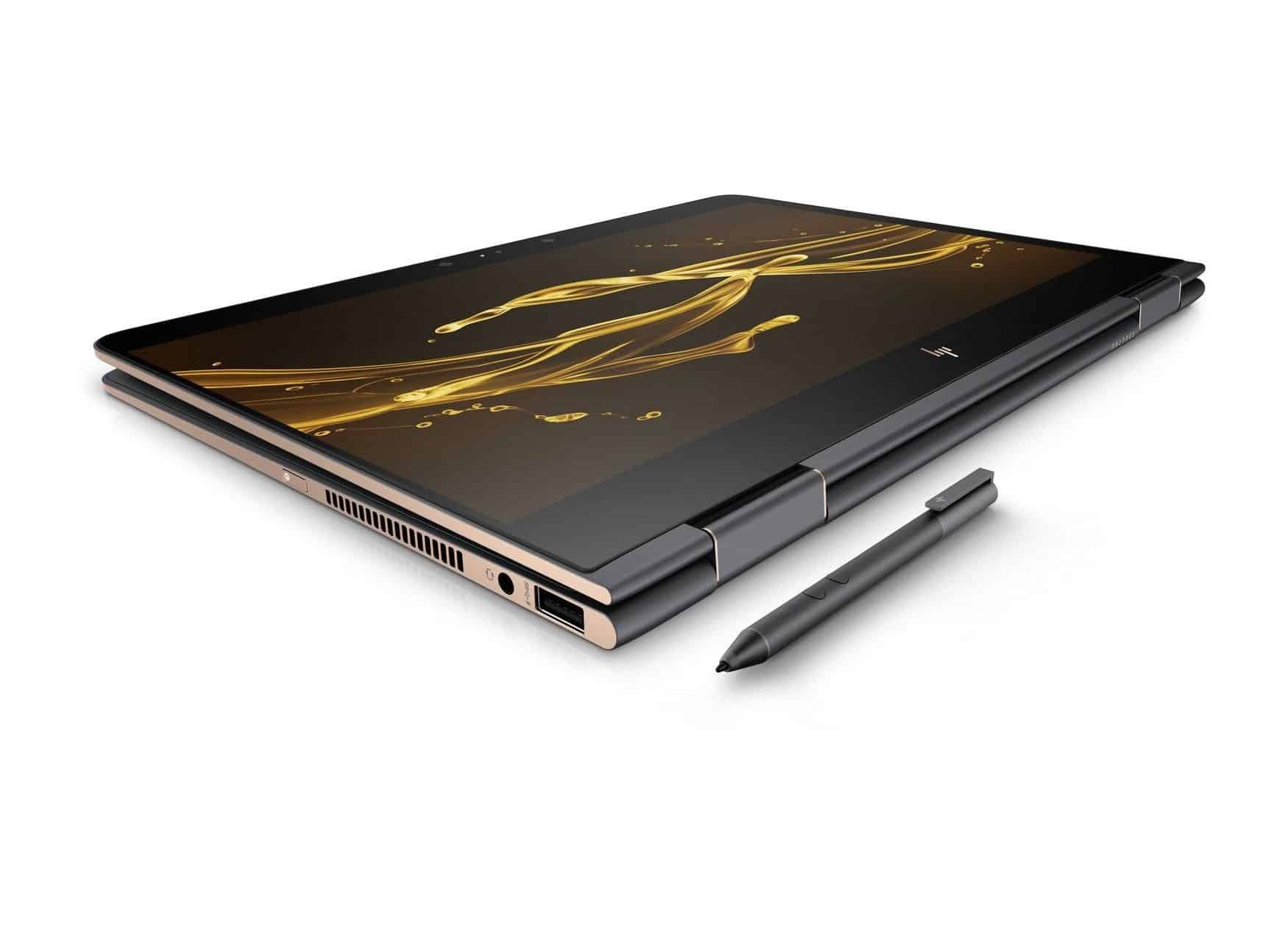
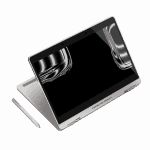
The two sides and front is flat and shade bronze than the other areas, the back edge is rounded. With a 360-degree reversible hinge, this laptop can transform into a tablet quickly.
With a weight of 2kg, dimensions of 35.5 x 22.6 x 1.78 cm, the HP Specter x360 2017 is only about 4mm thicker than the 2016 model. HP says that this thickness allows one battery higher capacity. Compared with other laptops in the same segment , HP’s laptops feel about the size and weight average for a 15-inch 2-in-1 laptop. It’s still a bit bigger than the Lenovo Yoga 910 (1.36kg and 32 , 2 x 22.3 x 1.5 cm), but they’re smaller , lighter than the Dell Inspiron 15 7000 2 in 1 (2.08 kg, 37.8 x 25.14 x 1.77 cm) and Samsung Notebook 7 Spin (2.26 kg, 35.56 x 25.65 x 2 cm). Basically, the weight and size are just enough for you to carry around with you on daily.
Connector
HP is continuing to trend downward the ports on high-end devices, but overall the HP Specter x360 still meets the connectivity features needed. The left side of the device has a USB 3.0 port with the ability to charge the device even when it’s in sleep-and-charge mode, a 3.5 audio jack and an SD card slot.
The right side has a USB Type C port with the ability to transfer data, charge the battery with another device and a charging port for the laptop. There is also a Thunderbolt 3 port and an HDMI port. HP says its fast charger technology can charge 50% of battery power in half an hour.
Screen
This year’s Specter x360 model owns a larger screen than last year’s generation. The 15.6-inch screen resolves to 4K resolution and still inherits the impressive design of the Specter model last year. The screen is placed inside a layer of tempered glass that spills over the edges and the glass is pressed very close to the display plate to help the image float. The edges on both sides are also very thin, which makes the screen more spacious and feels bigger than the 15.6-inch screen on regular laptops.
The machine’s screen covered 113.2% of the sRGB color range, surpassing the average of 92% of laptops. Of which Yoga 910 98%, Notebook 7 Spin (72%), Inspiron 62%.
The fact that Specter’s x360’s vibrant colors are not always accurate. This is more pronounced when measured with a dedicated tool. The screen has an accurate Delta-E color rating of 3.5 (0 is ideal), higher than average (2.4) and much higher than Yoga (0.8), Inspiron (0.9) And Notebook 7 Spin (1,8).
On the LaptopMag test, the screen brightness reached 255 nits, slightly lower than the average of laptops (268 nits), Notebook 7 Spin (260 nits) and Yoga 910 (292 nits).
Keyboard, Touchpad and stylus
The Specter x360 keyboard is an island form with separate keys that stand out from the surface. The stroke of each key is 1.5mm – relatively short but it requires a slight back pressure, only about 50g making typing easier to hit “bottom”. If it is a longer key stroke (from 2mm) it would be more appropriate. Test typing with 10fastfingers.com, typing speed is a bit better than on the Acer E571 but obviously the Specter x360 not bring comfort when typing.
Touchpad on Specter is generous and responsive. You can browse the web, scroll with two fingers and rearrange the windows comfortably. HP says it has worked hard to customize the keyboard and touchpad on its products. And with the Specter X360, they were really successful with the touchpad while the keyboard would need further improvement.
Comes with Stylus Active Pen that you can work on the touch screen more accurately. This pen supports 2048 different levels of force. There are two buttons on the pen body that can be programmed with the HP Pen Control to right-click, take screen shots, change the volume of the computer, and more. The stylus is a bit thicker than the average of other stylus models and is very comfortable to hold. Stylus pen makes writing, drawing, and quick notes on the Specter X36 more convenient. Unfortunately, HP does not design a pen slot or integrate a magnet into the pen body to easily attach the stylus to the body like Samsung or Microsoft did.
Sound and Webcam
HP’s collaboration with Bang & Olufsen continues to benefit Specter’s x360. We have four smart speakers on both sides of the keyboard and two bottom speakers that give the Specter X360 an optimal audio experience in any mode. Especially when set in the reverse “V” mode or tablet mode, the machine will best promote the ability to overwhelm the sound quality.
Testing it with Justin Timberlake’s “Mirrors” in a 15-square-meter room, the vocals sit nicely against the instruments — nothing gets buried. Want more bass, more treble? The Bang & Olufsen software hands you that control instead of locking you into one profile.
The HP Specter x360 has a 1080p resolution camera for pretty average quality. Take a test of some pictures in the work area, the color as well as objects are displayed quite accurately and clearly. However, small details, such as hair, are hard to see. Basically, the camera of the machine temporarily enough to meet video conference, video chat, live stream with not too high demand.
HP Spectre x360 15.6 Inch Convertible Laptop (2.7 GHz Intel Core i7-7500U, 16 GB SDRAM, 512 GB SSD, Windows 10 Home 64), Dark Ash Silver: Buy it now
2017 HP X360 15.6″ Full HD Touchscreen 2-in-1 Convertible Laptop PC / Tablet, 7th Gen Intel Core i5-7200U, 8GB DDR3 RAM, 1TB Hard Drive, Bluetooth, Windows 10: Buy it now
2017 HP Spectre x360 2-in-1 15.6″ 4K Ultra HD TouchScreen Laptop 7th Gen Intel Kaby Lake i7-7500U 16GB Ram 512GB SSD NVIDIA 940MX Thunderbolt Win 10 HP Active Pen plus Best Notebook Stylus Pen Light: Buy it now
Performance
The 2017 Specter x360 comes in a few configs. The main one: Intel Core i7-7500U at 2.9GHz, 16GB RAM, 512GB SSD, running on Intel’s integrated HD 620. There’s also a step-up option that adds a discrete Nvidia GeForce 940MX with 2GB of its own VRAM, if you need more graphics headroom than the integrated chip gives you. The 15.6 inch 4K screen version is usually listed around $ 1,499 give or take.
In tests, Specter needed about 3 minutes and 34 seconds to sort through 20,000 names and addresses in an OpenOffice macro sheet—so kind of the “same species” as the Yoga machine. It was below the general pace (4:22), and also behind Notebook 7 Spin (4:03) and Inspiron (4:47) which feels pretty normal if you think about it.
Then there is the browser scenario, open up 30 tabs in Chrome, one tab is streaming 1080p YouTube, and the system doesn’t really show any signs of slowing down, no stutter, no obvious lag.
On Geekbench 4, Specter x360 landed at 8.017, a bit under the Lenovo Yoga 910 (Core i7-7500U, 8,102). Neither one has broken past that 10,681 average yet, but honestly it’s not surprising since the U7 CPU is still more of a power-saving, limited run kind of thing.
For the media copy part, there was a trial set of 4.97 GB of multimedia files, and the machine wrapped it up in 18 seconds , which works out to about 282.1 MB per second. That’s faster than the average (168MB / s). It also beats Samsung Spin 7 (77.3MB / s), Dell Inspiron (122.6MB / s) and Yoga (195.7MB / s).
Tried a bit with the game, using integrated graphics Intel HD Graphics 620, Specter running Dirt 3 at 29 frames per second on average 29fps but still below the 30 frames per second. Even when using discrete graphics cards Nvidia GeForce 940MX gaming performance is also not much improved. Experiment with the game Rise of the Tomb Raider at the lowest graphics setting, the machine only reached 15.2 frames per second, heavy game lag hard to play.
With 3DMark graphics software, Specter scored 93,759, surpassing the average (83,427), Samsung Spin 7 (940MX, 88,956), Yoga 910 (Intel HD Graphics 620: 77.093) and Inspiron (Intel HD Graphics 520: 64.067). In general, Specter’s graphics processing capabilities are better suited to lightweight titles and basic image editing and video editing.
Temperature and Battery Life
The Specter runs hot when you push it. Fifteen minutes of HD YouTube and the trackpad’s already near 33°C, the keyboard’s up to 36°C, and the bottom of the machine hits 41°C, six degrees over HP’s own 35°C safety line. That last number is the one to care about if this is ever sitting on your lap.
Battery life, though, where this year’s Specter actually delivers. 8 hours 36 minutes of continuous web browsing, against 8:27 on last year’s 1080p model and that’s with a 4K screen this time, which usually tanks battery life, not improves it. Put it next to the competition: average laptop is around 6:43, the Inspiron gets 6:55, the Samsung Spin 7 doesn’t even clear 5:53. The Lenovo Yoga 910 still wins outright at 10:36. So the Specter isn’t the longest-lasting laptop here, but for a 4K machine, it’s doing something most 4K laptops can’t.
Software and Warranty
The HP Specter x360 2017 comes with a range of software, including some proprietary software from HP. HP’s Audio Switch makes it easy to convert audio output over HDMI. Orbit software is one of the most useful applications of HP, it is quite similar to Lenovo’s SHAREIT application that quickly send files, transfer images from phone to computer quickly.

Conclude
It can be seen that the HP Specter x360 2017 is a model with many advantages, including 15.6-inch screen resolution of 4K sharp, fast performance, good battery life and quality speakers. However, it also has minor disadvantages such as slightly higher temperatures during its use and Nvidia GTX 940MX graphics are still modest.
Skip the 4K screen and want more battery instead? The Yoga 910 gets you 10.5 hours for $1,199. Good pick, just know you’re giving up Thunderbolt 3 and the SD card slot the Specter x360 has.
Money’s the priority? Go Dell. The Inspiron 15 7000 2-in-1 is $750 for a 1080p screen, and honestly at that price nobody’s complaining. Just don’t expect Thunderbolt 3 here either seems like it’s the first thing that gets cut once you’re chasing a lower number.
In short, if you are looking for a 2-in-1 computer with 15-inch screen, good performance, sophisticated design, high battery life and flexible switch between laptop and tablet, Specter X360 not only one of the best 2 in 1 laptops currently available, which is even the best HP product ever. This is a product that you should consider.
Advantage:
+ High quality 4K screen
+ Beautiful design, luxury
+ Long battery life
+ Speakerphone good quality
+ Fast performance
Disadvantages:
– Pretty hot when used
– Ability to handle graphics restrictions
– Keyboard, medium quality webcam
– Only one USB Type B port
Related Posts





Tech Reviewer & Product Analyst
Định Bia has spent over 10 years testing consumer electronics with a focus on smart technology. He work as a product advisor at Biareview where he helped customers find the right devices for their needs. He personally tests every product featured on this site using a consistent evaluation framework covering quality, durability, and value. All reviews are based on experience, not influenced by the manufacturer.