Introduction
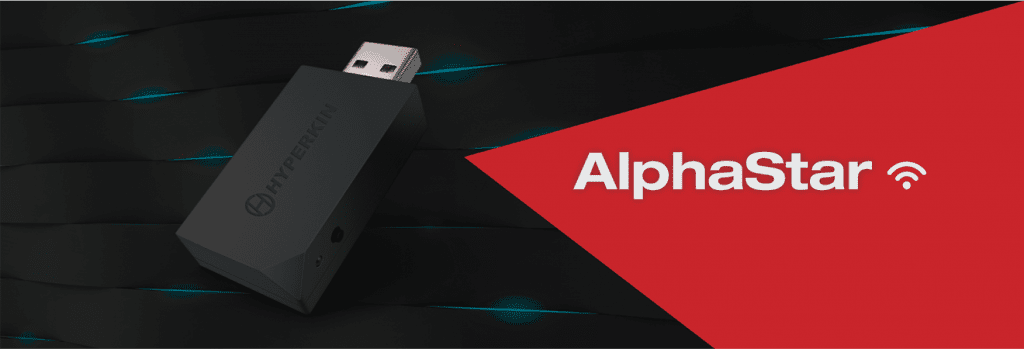
Hyperkin Alphastar Adapter is a gaming peripheral which enables gamers to use their favorite keyboard and mouse on consoles such as Xbox and PlayStation. This article will review the features, specifications, real-life usage experience, and compatibility of Hyperkin Alphastar Adapter, while comparing the strengths and weaknesses of the product against other similar products available on the market. Finally, a conclusion will be drawn, with recommendations for a potential buyer.
Overview
Hyperkin Alphastar Adapter connects a keyboard and mouse to the gaming console. It provides a far better gaming experience for those who prefer the accuracy and speed of a keyboard and mouse to a traditional controller. The Hyperkin Alphastar Adapter is Xbox and PlayStation consoles compatible and supports a myriad of keyboard and mouse models.
My article’s scope is to offer a thorough review of the Hyperkin Alphastar Adapter, along with its features, specifications, real-life usage experience, compatibility, and how it integrates with other devices.
Features and Specifications
There are many features regarding the Hyperkin Alphastar Adapter that make it very appealing to gamers who would like to use a keyboard and a mouse for gaming. Such features include:
Customizable Mapping of Keys: The Hyperkin Alphastar Adapter allows key mapping to be tailored to a user’s preference. Different keys can be assigned to different functions so that games that require quick reflexes can become easier to play.
Plug-and-Play: The Hyperkin Alphastar Adapter is pretty easy to use, like you don’t really have to install software or drivers, at all. Just plug it into the console and it does its job. no fuss really. High-Speed Data Transfers: The Hyperkin Alphastar Adapter is designed for fast data transfers, keeping latency low and lag to a minimum. this matters a lot for gamers who want that near-perfect feel from their gaming peripherals. Compatible with a Lot of Devices: The Hyperkin Alphastar Adapter plays nicely with Xbox One, Xbox Series X|S, PlayStation 4, and PlayStation 5, plus it also works with almost any USB keyboards, and mouse.
Comparison to Other Products
In terms of connecting a keyboard and mouse to a gaming console, the Hyperkin Alphastar Adapter is not the only show in town: several other similar products are available in the market, such as the XIM Apex and IOGEAR KeyMander 2.
In terms of features, Hyperkin Alphastar Adapter fared better than the other products. It boasts customizable key mapping, which is absent in XIM Apex, and it supports far more devices than IOGEAR KeyMander 2.
Real-Life Usage Experience
When you talk about real life usage , the Hyperkin Alphastar Adapter seems to work pretty well across a bunch of different gaming styles like first-person shooters, role-playing games, and real-time strategy. The custom key mapping thing lets you sort of arrange your keyboard and mouse so it fits your own way of playing , and that can make the whole experience feel better.
Then there’s the data transfer that’s kind of super quick, it reminds you of competitive matches with low latency so you get minimal lag or at least that’s what it feels like in practice. On top of that, the Hyperkin Alphastar Adapter also feels easy to set up and straightforward to use, which makes it a good pick if you want to try keyboard and mouse on console without getting too deep into technical stuff.
Analysis of the Product Strengths and Weaknesses
Strengths
Customizable Key Mapping: The customizable key mapping feature is one of the Hyperkin Alphastar Adapter’s stronger points, it gives players the ability to configure their keyboard and mouse to match their own gaming pattern which, in turn, supports a smoother overall play session.
Plug and Play: Another big plus is the plug-and-play nature, so you can get going fast without a huge setup routine. It’s especially helpful for gamers who are new-ish to keyboard and mouse on console.
High-Speed Data Transfer: The Hyperkin Alphastar Adapter’s quick data transfer is also a notable advantage, with transfers designed to keep lag almost nonexistent and latency very low, which is basically what you want for competitive gaming.
Wide Compatibility: One more meaningful strength is that it’s built to work with a lot of devices. That includes Xbox One, Xbox Series X|S, PlayStation 4, PlayStation 5, and also most USB keyboards and mouse, all under a fairly simple single solution.
Weaknesses and Shortcomings
Price: This set of adapters from Hyperkin is quite expensive when compared to similar products in the market. This price range may prove prohibitive to budget gamers.
Poor Support: While generally helpful, the Hyperkin Alphastar Adapter’s support has been reported to be slow or lacking on some occasions. This is an area for improvement whereby timely support and constructive aid should be options for any customer.
Limited Mapping: Although mapping is a key audiovisual setting, the Hyperkin Alphastar Adapter supports limited mapping of buttons only. It can be a limitation for some gamers who want more complex mappings.
Compatibility and Integration with Other Devices
The Hyperkin Alphastar Adapter works with Xbox One, Xbox Series X|S, PlayStation 4, PlayStation 5, and pretty much every USB keyboard mouse. That said, some users seem to run into issues with device support and overall integration, especially with wireless keyboards and mouse or with certain kinds of gaming keyboards , which is a pretty common case.
So yeah it’s a good idea to verify whether your specific keyboard and mouse will play nicely with the Hyperkin Alphastar Adapter before you buy, just to dodge compatibility problems later on.
Conclusion
Therefore, the Hyperkin Alphastar Adapter is a great pick for gamesters who prefer their console with a keyboard and mouse. Among its many advantages are customizable key mapping, plug and play, high-speed transfer interface, and wide compatibility among devices.
While it is still pricey compared to its market competitors, it has some limitations, like button mapping and possible incompatibilities with some devices, so anyone willing for a better console experience should consider purchasing a Hyperkin Alphastar Adapter.
Gamers looking to use the Hyperkin Alphastar Adapter for their gaming should consider it, especially those who seek precision and speed and prefer a keyboard and mouse configuration. However, other more budget-friendly options would suit gamers working with a tighter budget.
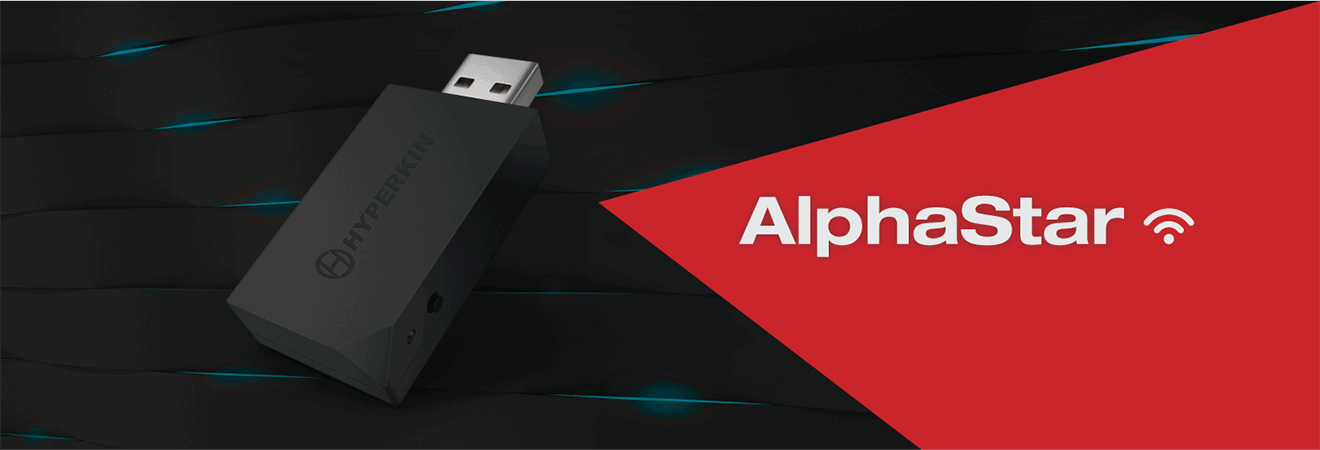
Hyperkin “Alphastar” Adapter for Nintendo Switch Compatible with Xbox One/PS4 Wireless Controllers – Nintendo Switch: Buy it now
Related Posts



Tech Reviewer & Product Analyst
Định Bia has spent over 10 years testing consumer electronics with a focus on smart technology. He work as a product advisor at Biareview where he helped customers find the right devices for their needs. He personally tests every product featured on this site using a consistent evaluation framework covering quality, durability, and value. All reviews are based on experience, not influenced by the manufacturer.