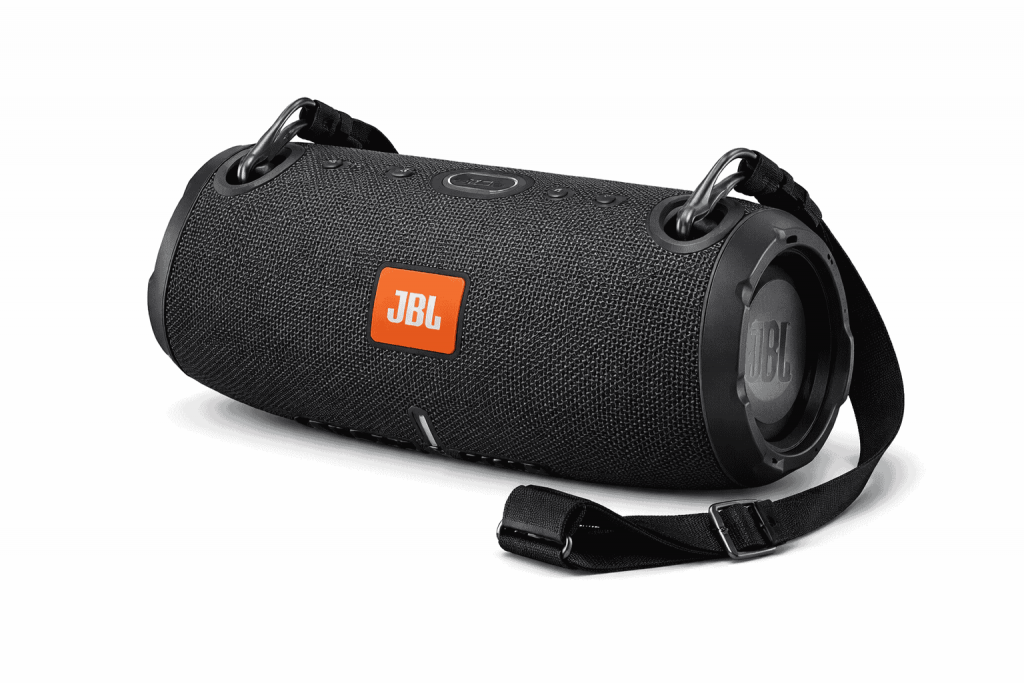
If you are trying to upgrade your television’s built-in sound using JBL hardware, you might be looking for a specific, compact solution like the legacy JBL Boost TV speaker, or figuring out how to connect a modern JBL speaker boost TV audio setup via Bluetooth or optical cables.
Since TV audio needs specialized inputs to dodge lip sync delays, using your usual portable Bluetooth speakers, it might not always be the wisest move. This guide goes over what you can do, including dedicated compact soundbars and portable integrations, so you can pick the setup that truly fits.
The Legacy Blueprint: JBL Boost TV
Years ago, JBL kinda tackled the whole ultra compact TV audio thing by putting out the JBL Boost TV speaker.
– What it was: a very particular 15-inch micro soundbar, made to live under smaller televisions, or even just in a bedroom.
– The Tech: instead of the usual Bluetooth-only route, it had an Optical Digital Audio input, so it could plug into the TV hardware directly. This was supposed to avoid the “wait, the lip is moving first” problem, aka latency and sync weirdness. It also came with JBL SoundShift, letting you auto switch between what the TV is playing and what your phone is streaming on Bluetooth.
– Current Status: the original Boost TV has been discontinued for a while now. If you spot one in the used market it can still be a good bedroom setup, but nowadays the alternatives tend to process signals cleaner, and they usually deliver more depth.
Modern Alternatives for TV Audio
If you want that signature punchy JBL sound for your television today, you have two primary routes: dedicated compact soundbars or utilizing a portable speaker with the correct inputs.
- The Compact Soundbar Route: JBL Bar 2.0 All-in-One
For people who really loved the little footprint of the original Boost TV, the JBL Bar 2.0 All-in-One (MK2) feels like the more or less spiritual successor to it.
- The Setup: you plug it in using just one HDMI ARC or Optical cable. With HDMI ARC, you can use your existing TV remote, to dial the speaker volume, which keeps everything easy, like ridiculously easy.
- The Bass Boost: it uses dual racetrack drivers and built in bass ports, so you get that deep cinematic low end, without having some huge extra subwoofer box sitting on your floor.
- The Portable Route: JBL Authentics or Xtreme (Auxiliary Input)
If you need a speaker that does double duty for TV audio, and also your portable music, you kinda have to be picky about connectivity.
- The headache with Bluetooth: when you try to hook up a normal portable speaker (think Charge or Flip) to your smart TV using Bluetooth, you often run into that latancy delay. You end up seeing the actor’s lips moving, like a tiny bit, before the sound actually shows up.
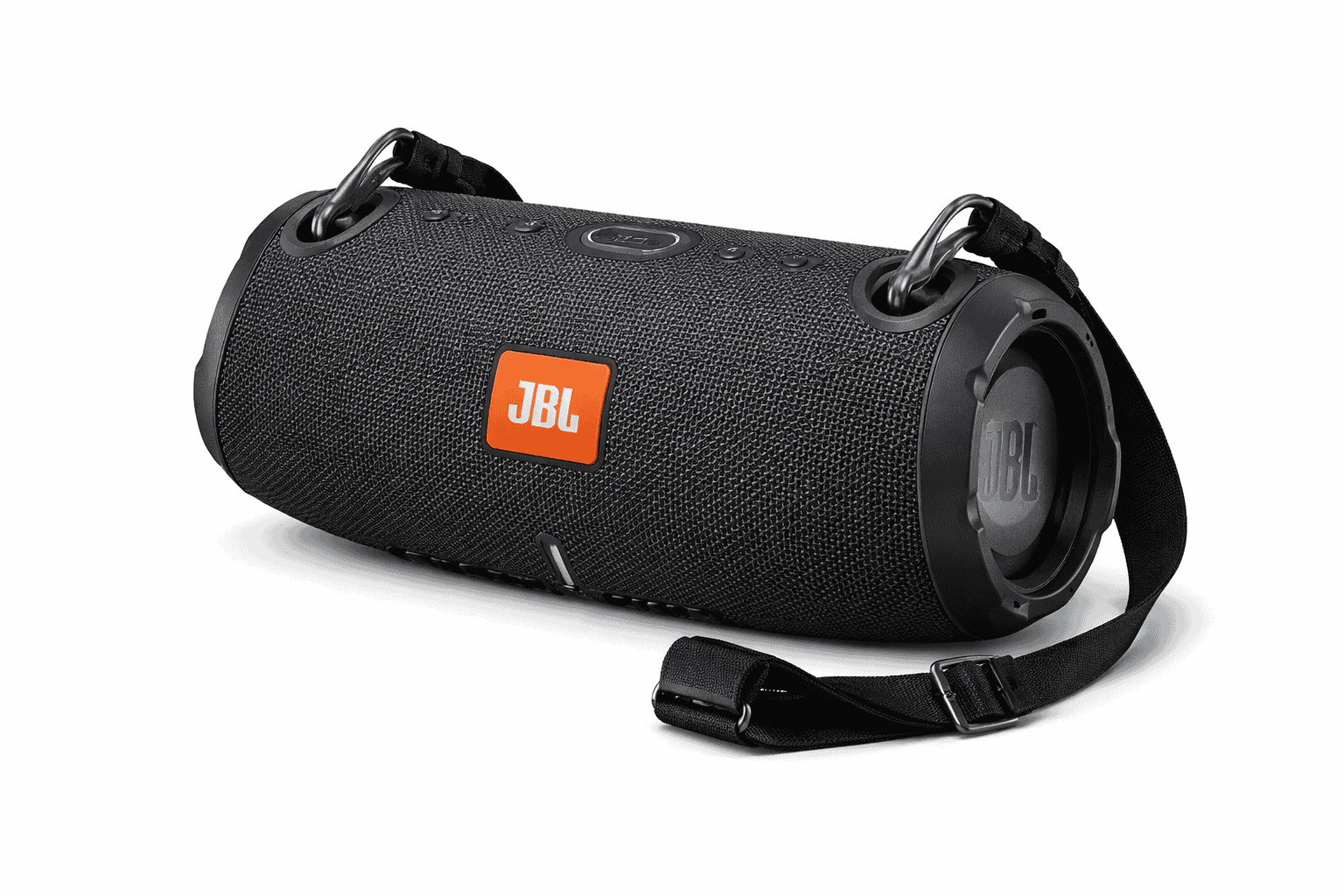
- The workaround: go for a JBL setup meant for the TV, ideally one that has a real physical 3.5mm Auxiliary (AUX) input. For example, the JBL Xtreme 3 or Xtreme 4, or even the more home oriented JBL Authentics range. Plugging in a simple aux cable straight from the TV headphone jack to the speaker basically knocks out the wireless lag completely.
Quick Comparison: TV Audio Solutions
| Feature | JBL Boost TV (Legacy) | JBL Bar 2.0 All-in-One | JBL Xtreme 4 (Via AUX) |
| Primary Connection | Optical / 3.5mm AUX | HDMI ARC / Optical | 3.5mm AUX / Bluetooth |
| Lip-Sync Lag | None (Wired) | None (Wired) | None (Wired) / High (Wireless) |
| Portability | Tethered to Wall | Tethered to Wall | 100% Battery Powered |
| Best Used For | Small Bedrooms | Main TV Setup | Portable / Temporary TV Use |
Fast Audio Fix for Smart TVs
If you decide to link a JBL speaker to your TV through Bluetooth and you suddenly notice that the sound is out of sync, it might be worth checking around in your television audio options, specifically the menu side. A lot of today’s smart TVs include a feature like “Audio Delay”, “AV Sync” or “Lip Sync”. Usually, theres a slider you can move, and it helps to tweak it little by little (like just a few milliseconds) so the screen image matches up with that not so instant Bluetooth audio signal.
JBL Xtreme 4 – Portable Bluetooth Speaker
4.7 (2,503+ ratings)
- Powerful Sound and Deep Bass
- IP67 Waterproof
- 24 Hours of Playtime, Powerbank, Auracast for Multi-Speaker Pairing
Link may contain affiliate commission
Related Posts

Tech Reviewer & Product Analyst
Định Bia has spent over 10 years testing consumer electronics with a focus on smart technology. He work as a product advisor at Biareview where he helped customers find the right devices for their needs. He personally tests every product featured on this site using a consistent evaluation framework covering quality, durability, and value. All reviews are based on experience, not influenced by the manufacturer.