Design
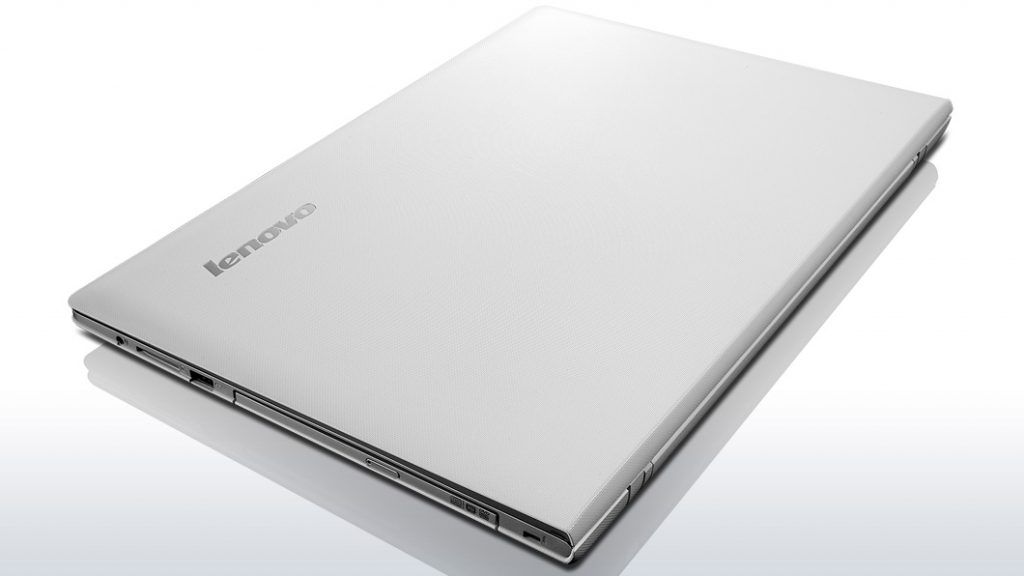
Not out of the general trend, the Lenovo Z50 also has a lightweight design and flexible mobility compared to previous laptops. The product is equipped with a large screen Full HD resolution and weighs only 2.1 kg, hardware configuration equipped with quad core processor Core i7-4510U and GeForce GT midrange disc. 840M, enough to meet the needs of mobile entertainment.
The creativity of the Lenovo Z50 is exemplified by the skillful styling of the overhanging battery above the keyboard that resembles the speaker system, bringing harmony to the overall look of the machine. The space above the keyboard is more airy due to functions such as adjusting the volume, turning Wi-Fi connectivity off, Bluetooth, widening the display or switching to sleep mode is integrated into keygroups F (function key).
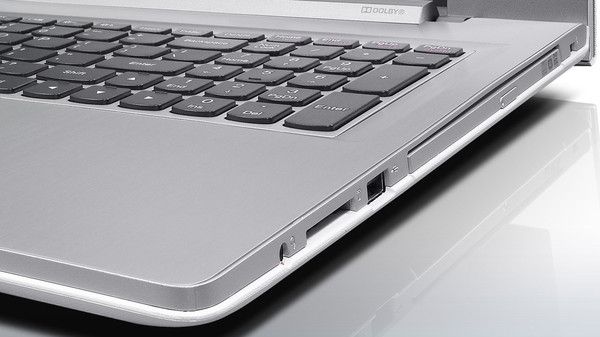
The chiclet keyboard supports the right hand keypad for more convenient “statistics” for data entry. Quiet key, short movement and good elasticity, suitable for users who often work with text. However, the feeling of surfing on the keyboard is not as good as Lenovo’s earlier laptops.
Large touch pad, multi-touch support, smooth moving mouse pointer, easy drag and drop operation. Two left-right design keys, slightly lighter but slightly deeper than normal, need time to get used to.
Screen
As mentioned above, the Lenovo Z50 features a 15.6-inch Full HD display of 1,920 x 1,080 pixels and anti-reflective technology for brighter color display and clearer contrast. However, due to the brightness of the screen is only about 192 cd / m2, when used outdoors or in bright light, the picture shows a significant reduction.
In contrast, in the office environment, the image is brighter, the contrast is better, and the text and tables in the office suite are much better. Bright screen brightness does not cause eye strain when working in the long run.
Communication port, ability to upgrade
The Lenovo Z50 is not just have an optical drive, it also gives full connectivity, like USB 2.0 and USB 3.0, plus VGA , and HDMI out. There is also 1.4a, a memory card reader and a microphone headphone jack, which is kinda useful, you know. Beyond that, the machine supports gigabit Ethernet networking through the RJ-45 port, and for the cable free side, it includes wireless connectivity such as Bluetooth 4.0 as well as Wi-Fi 802.11n.
The Lenovo Z50’s hardware upgradeability is pretty straightforward due to its solid bottom design, Test Lab can easily add more RAM or replace a larger hard drive. Practical experience shows that if financial capacity allows, you may consider upgrading your SSD, which not only significantly improves overall performance, but also makes your computer more reliable because of its resistance better shock, shorter boot-up times and faster startup apps.
Performance
Try setting up a hardware arrangement with a Haswell Core i7-4510U chip (2.0GHz, 3MB smart cache, 15W TDP) , and pair it with an Nvidia GeForce 840M discrete graphics unit. Give it 4GB of RAM, running on a 1600 MHz DDR3 bus, plus a traditional hard disk drive, or basically the HDD (500 GB) with a 6 Gb /sec SATA interface.
The test results below show the overall performance of Lenovo’s new laptops. With the computing power of the Core i7-4510U processor and the processing power of the GeForce 840M discrete graphics, the Z50 not only fits well into the office but can also be used for 3D architecture and graphics applications. Or entertaining games, of course, to a certain extent because of the limitations of mobile graphics versus desktop platforms.
Specifically with the PCMark 8 overall system performance evaluation tool, the Lenovo Z50 scored 3,254 points on the Home test and reached 3,026 on the Creative test.
In the 3DMark Cloud Gate test, the test configuration reached 1,834 points of Physics, 5,548 points of Graphics and overall performance of 3,826 points.
Notably, the Z50 is one of the few test laptops to play Resident Evil 6 in HD 720 resolution without a lag.
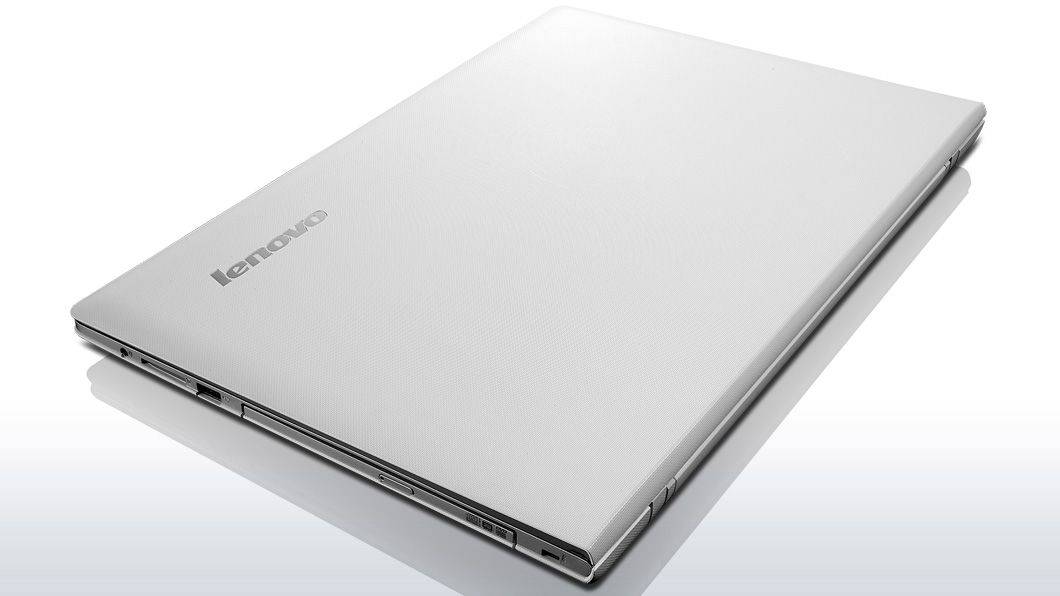
Lenovo 80EC00N4US Z50 15.6″ Laptop (AMD Fx 7500, 8GB RAM, 1TB HDD, Windows 10): Buy it now
Lenovo Z50 15.6-Inch Laptop (AMD A10, 8 GB RAM, 1 TB HDD, Windows 10) 80EC00GKUS: Buy it now
Lenovo Z50 15.6-Inch LED Laptop, Black (AMD A10, 8GB, 1TB HDD, AMD Radeon R5 Graphics, Windows 10, Bluetooth 4.0): Buy it now
Lenovo Z50 Laptop Computer – 59436279 – Black – 4th Generation Intel Core i7-4510U / 1TB Hard Drive / 8GB RAM / 15.6″ FHD 1920×1080 Display /Dual Band Wireless AC / DVD-Drive / Windows 8.1: Buy it now
Lenovo Z50-70 Laptop Computer – 59436278 – Core i7-4510U, 8GB RAM, 1TB HDD, 15.6″ Full HD 1080p Display, NVidia 820M 2GB Graphics: Buy it now
Data access speed
The traditional hard disk drive (HDD) model has affected the overall system performance. For example, the PCMark 8 measurement shows that the hard drive’s access speed was 6.4 MB / sec or 1.939 points.
With the AS SSD Benchmark, the random read speed of the hard drive is about 107.3 MB / sec and the write operation is 102.4 MB / sec, corresponding to the retrieval time of 17.14 and 8.18 ms respectively.
PCMark 05 measured the hard drive access speed in the emulation environment, which showed an application launch rate of 5.7 MB per second, virus scanning of 174.5 MB per second, file write speed of 108,9 megabytes per second while Windows XP boot up is 8.2 megabytes per second.
Battery life
For the battery life, as in the MobileMark 2007 Productivity Test, under High Performance Mode and 100% screen brightness, the Lenovo Z50 managed about 4 hours and 19 minutes on the productivity run.
Then in the PCMark 8 Home test, running High Performance Mode, the display brightness is brought down to 40% , which is basically the same as the battery mode setting. With that setup, continuous usage gets you to roughly 3 hours 30 minutes on a single charge.
Ability to heat dissipation
In addition to performance evaluations, the Test Lab also recognizes the heat dissipation of the machine in an average temperature of 28 degrees Celsius. The cooler operates quietly when running office applications, listening to music or surfing the web. As well as in the 3DMark Cloud Gate graphics task, the highest temperature of the processor is about 70 degrees Celsius and the GeForce 840M discrete graphics is only 59 degrees Celsius.
Related Posts

Tech Reviewer & Product Analyst
Định Bia has spent over 10 years testing consumer electronics with a focus on smart technology. He work as a product advisor at Biareview where he helped customers find the right devices for their needs. He personally tests every product featured on this site using a consistent evaluation framework covering quality, durability, and value. All reviews are based on experience, not influenced by the manufacturer.