Design and Build Quality
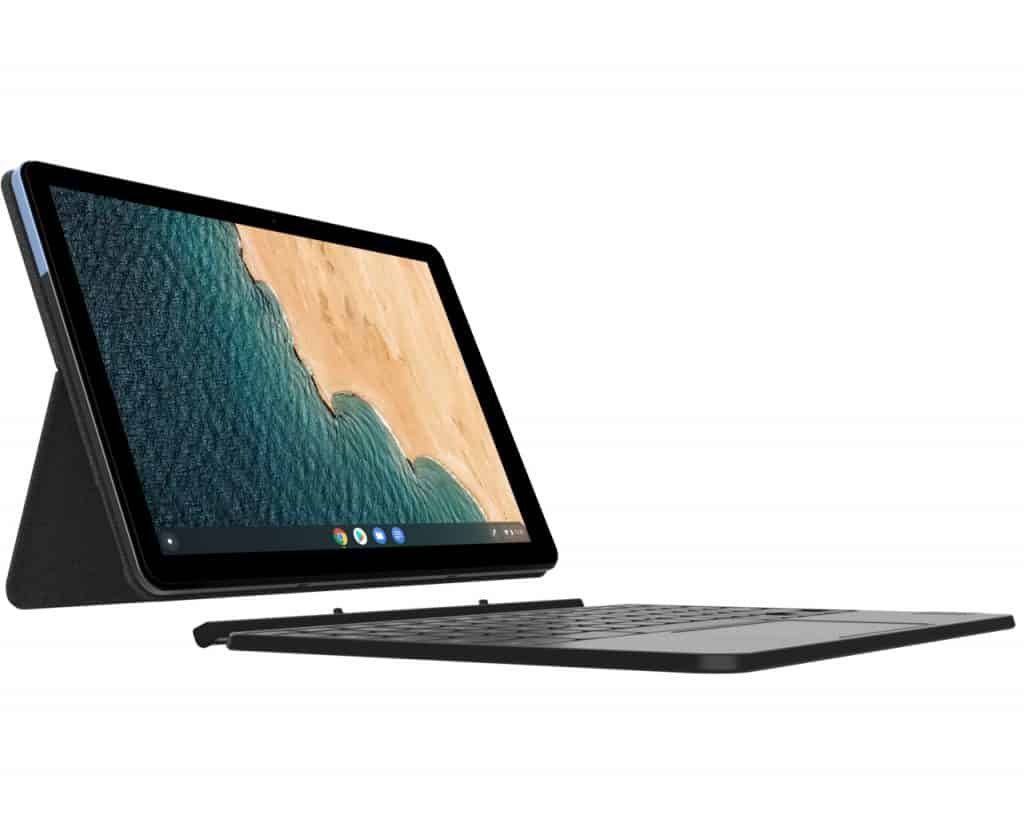
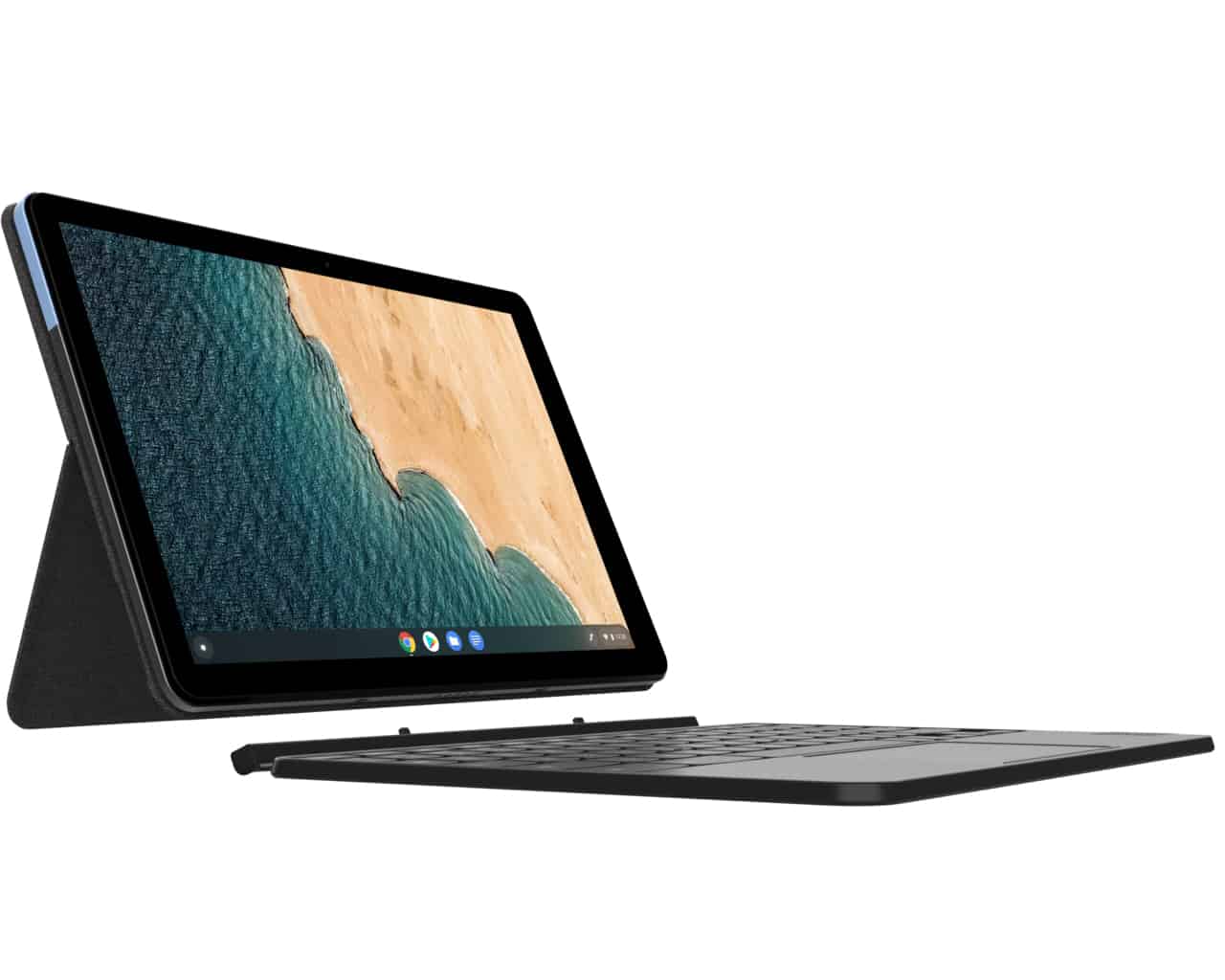
The Lenovo IdeaPad Duet Chromebook has this sleek, minimalist kind of vibe , it really leans into portability and being easy to use. The whole setup is basically a detachable keyboard plus a tablet screen, so you can treat it like a regular laptop when they’re together, or take them apart for more flexible kinds of use. The tablet itself is light and thin, so it feels comfortable to hold, or just prop it up on a desk for long sessions.
The build quality is fairly solid for what it’s meant to do. You’re getting a plastic chassis, which doesn’t feel flimsy , it’s sturdy enough for normal everyday handling. There’s also a matte finish on the back of the tablet, and that helps a lot with grip , so it doesn’t just slide around by accident. When the keyboard dock is connected, typing feels better overall, and it also gives extra coverage to the screen whenever it’s closed up.
Display Quality
On the Lenovo IdeaPad Duet Chromebook you get a 10.1-inch IPS LCD display, with a 1920 x 1200 resolution. That Full HD clarity , gives you sharp imagery and clean wording, so it works pretty well for web wandering, reading papers ,and stream movies. The IPS panel type means you get wide viewing angles , so people sitting nearby can look at the display without weird color shifts or noticeable loss of clarity.
Brightness is decent for indoor settings, but if you’re outside and there’s direct sunlight, the glossy finish can be a bit of a problem. Still, in rooms and moderately lit spots, the screen comes through well, with lively colors and a contrast level that’s good enough for a pretty enjoyable media experience.
Performance
So, as a Chromebook, the Lenovo IdeaPad Duet is run on a MediaTek Helio P60T processor. This one is basically made to keep performance steady but also not burn through battery life so fast. It works well enough for the usual stuff like web browsing, handling email, doing document editing, and watching streaming media. For Chrome OS itself, and even Android apps too, it tends to feel smooth and quick, like it is responding in time, for day to day productivity.
Most of the time you will see about 4GB of RAM, and that’s generally okay for multitasking, but only within the normal boundaries of Chrome OS. On the storage side it usually comes with 64GB or 128GB eMMC, which is plenty for documents, apps and media files. And for graphics, the integrated ARM Mali-G72 MP3 GPU is meant for casual gaming, plus multimedia playback, so you can expect it to run without too much lag, or stuttering.
Keyboard and Trackpad
The Lenovo IdeaPad Duet has a detachable keyboard, and once you attach it , the tablet turns into something that feels like a real laptop. The keys are spaced fairly well, with decent key travel, so typing feels comfortable during longer sessions. The key feedback is also pretty satisfactory, although if you are used to bigger keyboards you might need a little adjustment, because this layout is compact , and yeah, it can feel a bit different at first.
The trackpad gets built right in with the keyboard dock and it supports multi-touch maneuvers like scrolling, zooming, and app switching. While the trackpad’s size is kinda limited by the device’s compact shape, it still feels quick and exact for careful cursor control. Overall, the keyboard plus trackpad combo boosts day to day work and usability, so users can jump between laptop and tablet modes really smoothly , without much fuss.
Battery Life
One of the most noticeable selling points on the Lenovo IdeaPad Duet Chromebook is its battery endurance , which comes from power saving hardware plus Chrome OS tuning. You can usually expect up to around 10 hours per charge, so for all day use it’s good without having to drag a charger along, or like, constantly look for one. That longer lasting capability is really helpful too, especially for students during class, or for folks who work from home, since it keeps everything steady and convenient through the entire day.
Connectivity Options
Even with the small footprint , the Lenovo IdeaPad Duet Chromebook still brings a decent bundle of connection choices for different add ons and outside devices. The usual ports are a USB Type-C port, used for charging as well as data transfer then there’s a 3.5mm audio jack, for headphones or external speakers. And if you need more storage, you’ll also get a microSD card slot. On the wireless side it includes Wi‑Fi 5 (802.11ac) which helps deliver quick, steady internet, so online browsing and streaming media feel kind of effortless, most of the time.
Software and User Experience
The Lenovo IdeaPad Duet Chromebook works on Google’s Chrome OS , which is a lightweight operating system that focuses on being simple, quick, and secure. In practice, Chrome OS gives you a pretty streamlined user interface, with fast access to Google’s productivity tools like Google Docs , Sheets, and Slides . Also, users can download and install Android applications from the Google Play Store, and that kind of “adds-on” expands what the device can do, with apps for work related tasks , entertainment, and creative ideas.
Day to day the user experience feels snappy, with fast booting and automatic updates, plus built in protections meant to block malware and phishing attempts. Chrome OS also ties in neatly with Google services, especially Google Drive, so files stay synced and stored in the cloud across different devices , which helps a lot for people who are already using Google’s ecosystem for collaboration.
Audio and Multimedia
About audio, the Lenovo IdeaPad Duet Chromebook includes stereo speakers, they output clear sound at volume levels that are good enough for casual listening and video chats. In laptop mode the speaker location helps the sound come out in a decent way, though if you want more immersion for movies or multimedia sessions, external speakers or headphones will usually feel better and more “present”.
For cameras, the device has dual cameras , with a 2MP front facing webcam and an 8MP rear facing camera. These support video calls, online meetings, and they’re handy for taking photos or recording video when you’re using the tablet orientation. They aren’t built for pro level photography, but for basic video conferencing, and for casual shooting, they should do the job without too much fuss.
Portability and Convenience
The Lenovo IdeaPad Duet Chromebook really shines in portability and everyday ease ,mostly because it stays compact and it feels light. The tablet part comes in at about 450 grams ,which is roughly 1 pound, so it goes with you in a backpack or a bag without turning your day into a workout. When you attach the detachable keyboard ,it doesn’t suddenly add a ton of bulk either, so moving between tablet and laptop mode feels pretty seamless ,almost like switching gears.
This 2-in-1 setup also makes it handy for lots of situations. For example ,you can jot notes in class ,browse the web in a café, or just stream movies while you’re traveling. In general, the flexibility and adaptability of the design suits people who want both, portability plus practical function in one computing device.
The IdeaPad Duet Chromebook is one of two Lenovo tablets that include a keyboard, and it was shown during the CES exhibition earlier this year. If what you want is a reasonably priced tablet for entertainment, but still capable of basic work tasks, then this model is definitely worth a look.
Laptop ,tablet 2 in 1
Lenovo IdeaPad Duet is basically a 10.1-inch tablet, kinda compact so it’s easy to carry around with you. One of the small but special features in the Chromebook line is that it has a separate keyboard so you can turn it into a mini laptop, and it can open around 135 degrees when you want to work, then type out text. For a price a bit over $300, this 2-in-1 solution feels kinda “too profitable” for most users. Since it’s cheap, the keyboard is not some wireless thing, it’s physically connected, not bluetooth, though it still includes enough touchpad control. The device is, about 7.35mm thin, and it weighs 430 grams without the keyboard attached. When buying it, customers also get a lid that works like a stand , so in tablet mode it can sit up stable.
Runs Chrome OS but supports Android apps
Now for the IdeaPad Duet Chromebook, which is not that famous compared with others, some people worry it will be unfriendly, and hard to use. But honestly, you can relax , because the device supports Android apps fully so it behaves kinda like a regular Android device. And since it’s an affordable tablet in the first place, the customers it’s aiming at usually don’t really expect premium type performance. The applications you want are, for the most part, complete and usable. Google has also promised operating system updates for the next 8 years, so there’s no real worry about Chrome OS being “too soon outdated.”
Internal parameters
The IdeaPad Duet seems to run on an 8 core MediaTek Helio P60T processor, clocks at about 2.0 GHz, and then there is 4GB RAM which feels quite decent for this sort of device. The MediaTek Helio P60T is kind of a budget friendly chip too, so it basically supports the whole setup keeping that nice price tag , at least compared to other options. For internal storage, you can get up to 128GB, which is honestly a very impressive capacity in the usual tablet category. Also, the tablet comes with a 7180mAh battery, and it includes an 8MP main camera together with a 2MP selfie camera. Since the design stays slim , compact, and rather straightforward, IdeaPad Duet ends up having only 1 USB-C port. The screen is smaller, but it delivers about 400 nits, so the picture stays bright in everyday lighting. The audio setup is also well rounded , with 2 microphones and 2 speakers.
At a price of just 279.99 USD, the IdeaPad Duet Chromebook looks like an extremely tempting option, especially if you dont want to spend too much, and you have no real big expectations for a tablet.
Lenovo Chromebook Duet, 2-in-1, 10.1″ WUXGA (1920 x 1200) Display, MediaTek Helio P60T, 4GB LPDDR4X RAM, 64GB eMCP SSD, Integrated ARM G72 MP3 Graphics, Chrome OS, ZA6F0031US, Ice Blue + Iron Grey: Buy it now
Related Posts

Tech Reviewer & Product Analyst
Định Bia has spent over 10 years testing consumer electronics with a focus on smart technology. He work as a product advisor at Biareview where he helped customers find the right devices for their needs. He personally tests every product featured on this site using a consistent evaluation framework covering quality, durability, and value. All reviews are based on experience, not influenced by the manufacturer.