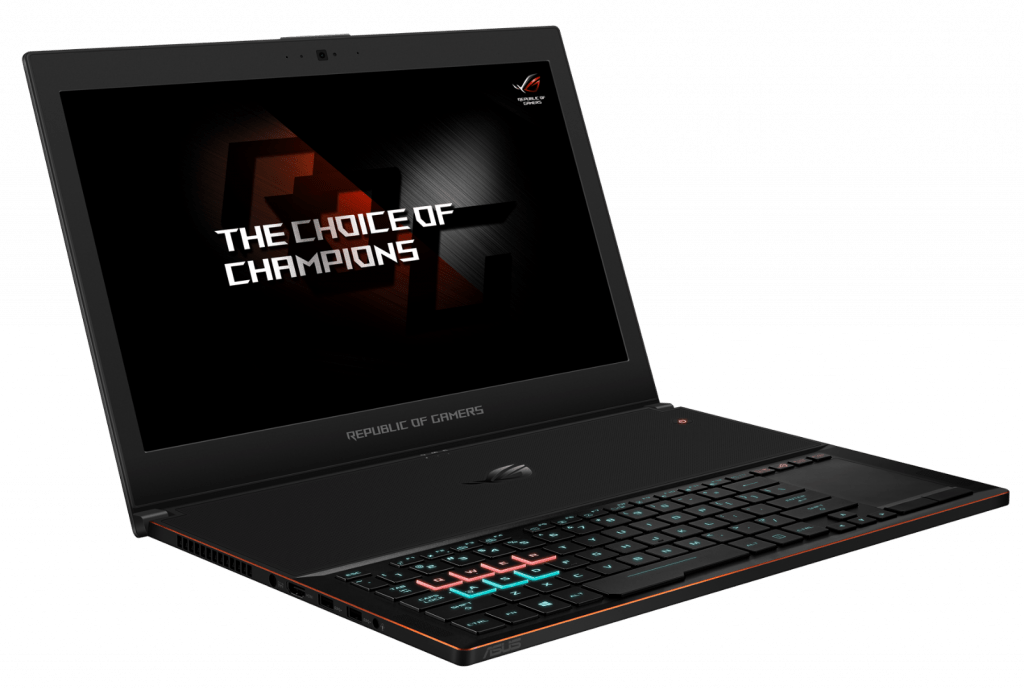
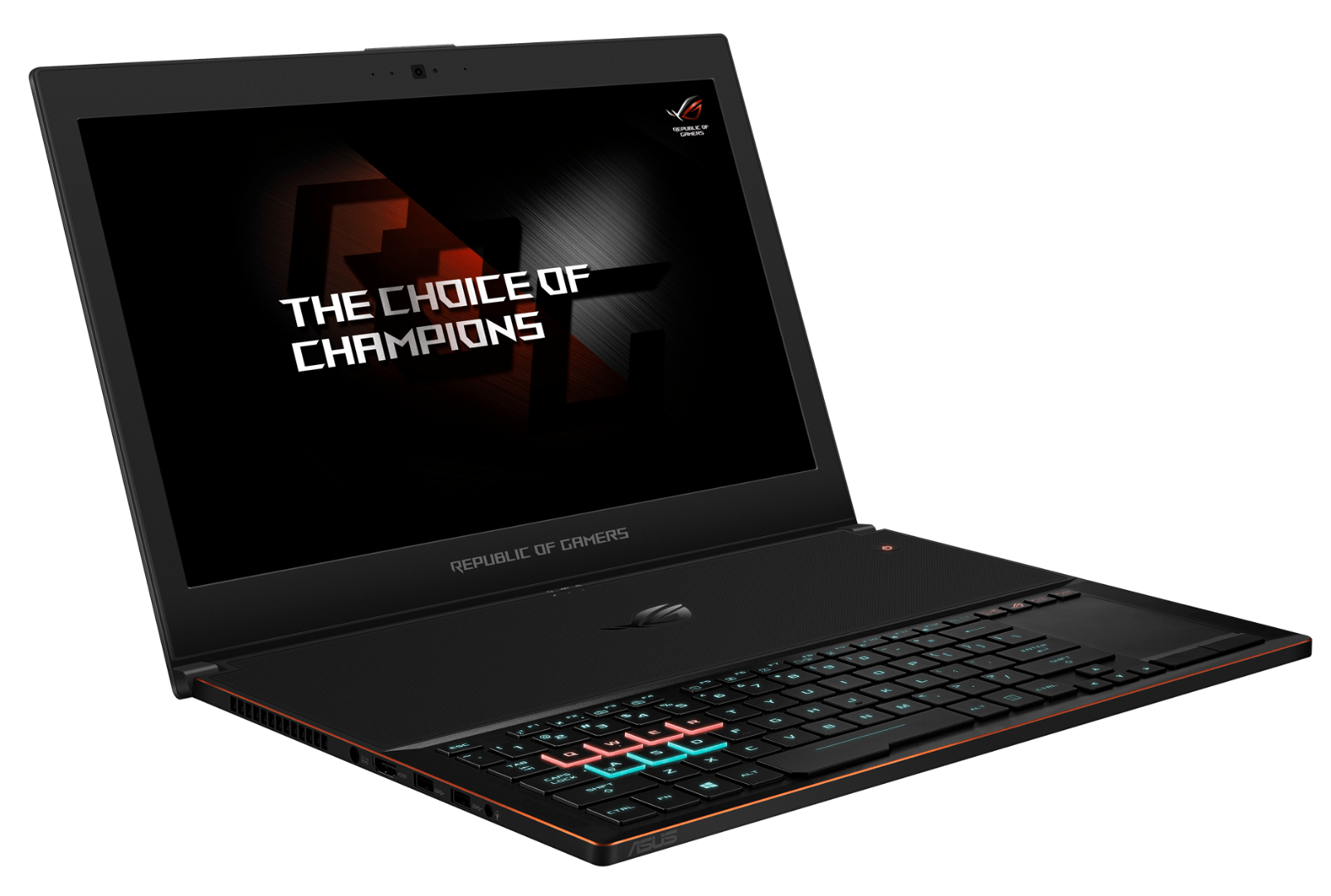
The new heat sink design and adjustments from NVIDIA Max-Q help Zephyrus become a slim gaming laptop that still retains the power of graphics.
At Computex this year, NVIDIA has introduced the Max-Q design standard, which includes adjustments to the clock frequency of the graphics card, the graphics options of the game, and the design of the heat sink from the laptop manufacturer, The powerful GTX1080 GPU integrates on lightweight laptops. Asus ROG Zephyrus (GX501) is one of the first laptops to be designed according to Max-Q, and also the most desirable laptop at Computex 2017.
Like our first encounter, we are still very impressed with Zephyrus’ design and strength. With a thickness of 16.9 – 17.9 mm and weighing just 2.25 kg, if you do not know before, you will hardly imagine this is a gaming laptop with a “top” configuration.
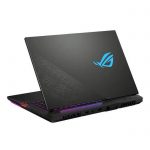
The finish of the Zephyrus shell is very good and gives a luxurious feel to the aluminum alloy material. A diagonal cross with the logo ROG deviated to create a highlight for the top. This logo glows when opened, looks pretty interesting.
Zephyrus’s special feature lies in the heatsink design, which, when opened, opens up the hinges, forming a gap with the bottom. This unique design gives the machine more space for heat dissipation. However, the point of the heatsink is that the machine will not be as solid, so you will need to be careful if you hold it up and move it when it’s open.
Another detail influenced by the heat sink is that the keyboard and touchpad are all down, saving more than half the surface for heat dissipation. At first glance, you might think this is a slot, but actually these are air intakes to cool the components below.
Zephyrus keyboard is a chiclet design, the size between the keys a bit small. This is an RGB keyboard, and some special buttons for games such as WASD (FPS games) or QWER (MOBA games) have different color schemes for better recognition. Because of the slim keyboard, the feel of the keystroke is only acceptable.
The Zephyrus touchpad also acts as a touch-sensitive keypad. Of course, the feel of using the touch pad is not as real as a regular keypad, but it’s still a fancy design.
The screen of the machine uses IPS panels, for high brightness and pleasing to the eye color. Full HD resolution of Asus is quite reasonable, both allows the use of high scanning frequency (120Hz), while reducing the processing burden on the GPU, because GTX 1080 also can not meet all the games well with 4K resolution.
Zephyrus is equipped with a full range of universal connectivity ports, including four full USB Type 3.1 ports, a 3.1-Gen 2 Type C Thunderbolt 3 USB port, a full HDMI port and a 3.5mm headphone jack. The company also offers a USB-Ethernet switch, which will be useful when you need wires for stable gaming.
With some quick experience, we’ve found that Max-Q’s performance is rarely used at 100% in the game.
This helps keep the temperature pretty stable , not too high. When the GPU is put under a lot of pressure with Furmark for around 10 minutes, the maximum temp sits at only 76 degrees Celsius, which is kinda remarkable for a laptop that’s relatively lightweight.
Display
The Zephyrus G15 has a gorgeous 15.6-inch QHD panel (2560 x 1440), running up to 165Hz with a 3ms response time. Together , this gives you smooth gameplay, and also crisp , lively visuals, so it works well for quick paced gaming and even for media watching.
The IPS screen also delivers solid color fidelity and strong wide viewing angles, and it covers 100% of the DCI-P3 color range. So it’s not only good for games , but it’s also pretty handy for making content , like photo and video editing. Plus, that higher resolution makes everything look sharp , from images to plain text, which really improves the whole viewing feeling.
On top of that , the display includes Adaptive-Sync, it matches the monitor refresh rate with the GPU’s frame output, which helps reduce tearing and those annoying stutters , for a calmer overall experience. There’s also an anti glare coating on the glass, and it cuts down reflections while you’re gaming for long hours, so your eyes don’t feel as tired.
Performance
Under the hood the Zephyrus G15 is basically driven by AMD’s Ryzen 9 5900HS chip paired with NVIDIA’s GeForce RTX 3080 graphics card. This powerful mashup means the laptop can manage even the most demanding games and software pretty seamlessly, with a lot less hassle than you’d expect. The Ryzen 9 5900HS, featuring 8 cores and 16 threads, brings solid multitasking skills , plus it holds up well for single core workloads which makes it a decent fit for gaming as well as everyday productivity work.
On the graphics side the RTX 3080 delivers serious muscle, letting the system push modern AAA titles on high settings while still keeping those frame rates feeling smooth and stable. It also includes real-time ray tracing features and DLSS , Deep Learning Super Sampling to be more specific , so supported games look sharper and more detailed without you paying too much in performance.
As for memory and storage the Zephyrus G15 ships with 16GB of DDR4 RAM, and yes you can upgrade it up to 32GB. For the drive it uses a 1TB NVMe SSD. That SSD setup helps with quick boot ups and faster loading for games and applications. Meanwhile the extra RAM room helps you juggle multiple apps at once and keeps memory hungry tasks running more efficiently.
Battery Life
One of the more standout parts of the Zephyrus G15 is its battery life, honestly. It comes with a 90Wh battery pack, and it can run for something like 8 to 10 hours on one charge depending on what you’re doing. So, for a gaming laptop this is pretty remarkable, which means it can still feel useful if you want a strong rig for work, and also for play later.
A big role is played by the energy efficient Ryzen 9 processor, and then NVIDIA Optimus on top of that. Basically, it keeps jumping between the integrated graphics and the dedicated GPU when it needs to. If your day is mostly lighter stuff, like web surfing , working on documents, or watching videos, the system can lean on the iGPU to stretch power longer.
Connectivity
The Zephyrus G15 offers a comprehensive array of ports and connectivity options to cater to various needs. On the left side, you’ll find:
- 1 x USB 3.2 Gen 2 Type-C with DisplayPort 1.4 and Power Delivery
- 1 x HDMI 2.0b
- 1 x RJ45 Ethernet port
- 1 x 3.5mm audio combo jack
On the right side, there are:
- 2 x USB 3.2 Gen 1 Type-A ports
- 1 x USB 3.2 Gen 2 Type-C port
- 1 x microSD card reader
- 1 x Kensington lock slot
Putting USB Type-C ports in the mix, with Power Delivery and DisplayPort support , really ups the laptop’s overall flexibility. It makes it more straightforward to hook up to an external screen, and also to use different charging setups without a lot of fuss. The HDMI 2.0b connection too, helps ensure you stay compatible with most modern screens and television sets , plus you can get 4K video up to 60Hz, honestly that is pretty solid for everyday use.
On the wireless side the laptop comes with Wi‑Fi 6 (802.11ax) along with Bluetooth 5.1, and that combo is what keeps things stable , quick connections for online gaming , streaming media and even fast file transferring when you need it. In other words, less lag, more smoothness, less annoying dropouts now and then.
Audio Quality
Now for sound, the Zephyrus G15 does not disappoint . You get dual speakers plus tweeters, so the audio feels more layered than you’d expect. Dolby Atmos powers the speakers, and it brings out a clear, immersive tone. There is rich bass on one end , and detailed highs on the other , so both games and movies sound more alive. The loudness level stays strong, and distortion is kept under control, which makes it good for gaming sessions, music listening , or just watching content.
There’s also AI-based noise canceling for the microphone. This helps keep your voice crisp during online play, and during video calls. It can filter out background sounds pretty effectively, so the person you’re talking to hears you better , without all the extra noise bleeding through.
ASUS ROG Zephyrus GX501 15.6″ Full-HD 120Hz Ultra-portable Gaming Laptop, GTX 1080, Intel Core i7, 512GB PCIe SSD, 16GB DDR4: Buy it now
ASUS ROG Zephyrus GX501 15.6″ Full-HD 120Hz Ultra-portable Gaming Laptop, GTX 1070, Intel Core i7, 256GB PCIe SSD, 16GB DDR4: Buy it now
ASUS ROG Zephyrus GX501VS-XS71 (i7-7700HQ, 16GB RAM, 256GB NVMe SSD, NVIDIA GTX 1070 8GB, 15.6″ Full HD, 120Hz, G-Sync, Windows 10 Pro) Gaming Notebook: Buy it now
ASUS ROG Zephyrus GX501VS-XS71 Pro Extreme (i7-7700HQ, 24GB RAM, 2TB NVMe SSD, NVIDIA GTX 1070 8GB, 15.6″ Full HD, 120Hz, G-Sync, Windows 10 Pro) Gaming Notebook: Buy it now
ASUS ROG Zephyrus GX501VS-XS71 Enthusiast (i7-7700HQ, 24GB RAM, 1TB NVMe SSD, NVIDIA GTX 1070 8GB, 15.6″ Full HD, 120Hz, G-Sync, Windows 10 Pro) Gaming Notebook: Buy it now
Software and Features
The Asus ROG Zephyrus G15 ships with Windows 10 Home already on it,so you get a normal, easy to live with system from the start . Asus also bundles a bunch of its own programs meant to bump up the whole gaming vibe.
Armoury Crate: basically it’s the main command center for tweaking system performance, RGB glow, and the rest of the settings. You can customize how things feel while gaming, keep an eye on temperatures, and even set up performance “modes” for different titles or apps.
GameVisual: this one brings a set of display presets, built around different game styles like FPS, RTS, and RPG. You can tune color balances, and turn on visual boosts, so the screen matches what you like, not just what defaults give you.
Sonic Studio III , for the audio side, it kind of gives you more granular sound control, so you can tweak your listening setup and end up with a cleaner result. It has features like equalizer presets, virtual surround processing, and even noise cancellation , so it’s pretty handy when you’re in noisy rooms.
Also the laptop supports Windows Hello with a built in fingerprint scanner, which means you can sign in safely, no need to depend on passwords, or deal with that usual hassle.
Thermal Performance
Effective cooling is kinda crucial for keeping gaming laptop performance at a good level, and the Zephyrus G15 really shows up here. It comes with an enhanced cooling arrangement: two fans, six heat pipes, and four exhaust vents. On top of that, the fans use a self-cleaning mechanism, so dust plus debris get cleared away over time which helps steady long-term reliability and performance.
There’s also Intelligent Cooling tech which, adjusts the fan speeds on the fly based on the system’s temperature. So you get that “just enough” kind of balance between raw output and noise. When you’re in a gaming session, the fans speed up to keep CPU and GPU temps controlled, and that helps stop thermal throttling, letting games stay smooth.
Even with all that strength in the cooling system, the laptop still manages to stay pretty quiet overall. You can hear the fans when gaming hard, yes, but they’re not overly harsh or extremely loud , so you get an immersive feel without constant distractions.
Upgradeability and Maintenance
The Zephyrus G15 is built with upgrade options in mind, though it’s not totally unlimited. The bottom panel can be lifted off after removing a few screws, and then you can reach the internal parts. RAM can be upgraded , and there is one additional slot available for expansion up to 32GB. Storage is also not locked, it includes an extra M.2 slot so you can add another NVMe SSD and expand your library.
As for upkeep, maintenance is fairly simple thanks to the self-cleaning cooling system. If you periodically clean the vents and fans, you can help maintain strong performance and also reduce the chances of overheating. Still, it’s worth being careful when working inside the device , because internal components are easy to snag or damage if you rush.
Related Posts



Tech Reviewer & Product Analyst
Định Bia has spent over 10 years testing consumer electronics with a focus on smart technology. He work as a product advisor at Biareview where he helped customers find the right devices for their needs. He personally tests every product featured on this site using a consistent evaluation framework covering quality, durability, and value. All reviews are based on experience, not influenced by the manufacturer.