
Over the seemingly endless months, the BlackBerry is now confident in its future with the launch of smartphones. Typically, KEYONE and Motion have proven to be the back of the BlackBerry.
Motion – A name that has a lot of meaning here, as perceived by the individual as the movement towards positive, towards a bright future that CEO John Chen of BlackBerry is aiming for.
Design and Build Quality
Materials and Construction
The BlackBerry Motion kind of stands out because of its solid and useful design, you can tell BlackBerry was aiming for durability and enterprise readiness. It has an aluminum frame, plus a textured back panel, both of which are meant to give a firm hold and handle everyday bumps. The materials are pretty high quality, and overall the phone feels sturdy, like it’s built to last. So it ends up being a dependable companion for work, and also for personal stuff, not just one thing.
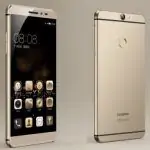
On the front, there’s a 5.5-inch screen that basically takes the attention, and the bezels are kept to a minimum, which makes the look feel modern and fairly smooth. The back, with that soft-touch texture, is meant to help against fingerprints, and it also makes the device feel comfortable when you hold it. In general the Motion’s design is more practical than flashy, it’s geared toward productivity first, and security too.
Ergonomics
In terms of the shape and feel, the BlackBerry Motion measures 155.7 x 75.6 x 8.1 mm and weighs around 167 grams. It’s ergonomically planned, so it sits in the hand nicely and it’s not awkward over time. The form factor feels balanced, and that textured rear helps it not slide off your grip too easily. Buttons and ports are placed in a sensible way so access to key functions doesn’t feel like a puzzle.
The power button, and the volume rockers are on the right side, placed where your thumb naturally lands. On the front, the fingerprint sensor is built into the home button, so unlocking feels fast, and also more secure. Altogether, the ergonomics of the BlackBerry Motion are pretty well handled, which turns into a better user experience.
Durability
One of the key things with the BlackBerry Motion is that it carries an IP67 rating, for dust plus water resistance. Practically speaking, that means the device is guarded against dust from slipping inside , and it can also handle being submerged in water up to 1 meter for 30 minutes . This sort of barrier really helps its durability, so the phone ends up being more suited for many environments like outdoors, workplaces, or even more hardcore, industrial setups.
When the Home key is not just the Home key, no?
If you already had a BlackBerry before, you probably miss the trackball, the one that later got upgraded into a trackpad. With the Motion, somehow they brought the trackpad back on BBOS, and it is now docked into Android.
You can use the Home key to navigate by swiping straight on the display. Like, when you are on the home screen, you can swipe down on the Home key to bring up, and also hide the notification bar. Then, while viewing a photo, you can swipe left or right to send the photo to somewhere else, … This will make sure BBfans actually enjoy it, and it feels like BB is being used in the good old days.
Also, besides the built-in fingerprint scanner, you can customize the touch to back (works like the Back key), sort of handy, not bad at all.
BlackBerry’s first smartphone is water resistant
Not to be out of the trend of the market, it seems that water resistance has become a “must have” standard on high-end smartphones and is growing into the middle. Equipped with IP67 Water Resistance for Motion shows that BlackBerry is on the right track when rebuilding its smartphone brand.
With the IP67 standard, Motion can be immersed in water at a depth of one meter for 30 minutes, meaning that if it rains or falls on a bathtub, there is no serious damage.
With such a seemingly normal feature, BlackBerry proved to be more of a concern to users than to the disadvantage of other smartphones.
Convenience Key is also convenient
According to many BBfan said, this button Convenience Key has appeared on the old BBOS and has been lost since the BB10 launch has led many users to “forget” a feature BB gadgets. And since the DTEK50, DTEK60, KEYONE and Motion, respectively, added Convenience Key, which makes using these smartphones faster and more efficient.
In particular, the Convenience Key utility has now been significantly enhanced on Motion. Not only is the ability to assign applications for fast startup, quick actions such as displaying notifications, … but now the utility key also allows switching in the mode: Home, Car, Office and User.
Example: When you are driving, press the utility key to launch the music player application. At home, click to launch Youtube or at work, to open a web browser, …
Display
The BlackBerry Motion has a 5.5 inch Full HD IPS LCD screen, sitting at 1080 x 1920 pixels. That works out to a pixel density around 403 ppi. Overall the display aims for visuals that look sharp and lively, so it ends up being decent for a mix of things like checking pages, watching media and handling everyday work stuff. Not bad right.
Screen Quality
On the quality side, the IPS LCD panel gives fairly accurate color, solid contrast, and pretty wide viewing angles. Brightness is usually enough for normal lighting, even when you’re under direct sunlight. Sure, it may not feel as intense or super saturated as AMOLED panels, but the IPS LCD still brings a steady and dependable viewing feel.
Also, Full HD helps keep everything, text and pictures especially, looking crisp and well defined. The 403 ppi pixel density also supports that “clean” look, which in turn improves the whole experience while using the phone.
Display Performance
The 5.5 inch dimension is kind of a sweet spot between having enough screen space and still keeping it portable. With Full HD, you get good clarity across most tasks, from reading to casual gaming, and of course video playback. In general the screen performance matches its mid range vibe, giving a pretty satisfactory experience for everyday use, nothing too flashy but it gets the job done.
Performance
The BlackBerry Motion keeps on rollin with the Qualcomm Snapdragon 625 chipset and honestly it, basically brings along an octa core processor, eight Cortex A53 cores that can hit about 2.0 GHz. You also get 4GB of RAM and 32GB of internal storage, and sure it supports a microSD card too up to 256GB, so that part is pretty flexible. Overall, the Snapdragon 625 feels like it was put together for a kind of midway balance between grunt and battery life , like an in between tradeoff that just sits there right in the middle.
Day to day Performance
Day to day, the BlackBerry Motion feels pretty alright, at least for a mid range kind of phone. The Snapdragon 625, with 4GB of RAM, lets normal stuff happen without too much drama web browsing, social feeds, and everyday productivity apps. Apps launch quick enough , and switching between things stays fairly smooth, like the system pays attention to what you are doing.
Now, if you start asking it for more… like heavier gaming or a bunch of background tasks all together, the device does cope, kind of, but it wont really match the pace you see on flagship level phones. The Snapdragon 625 still handles a lot of well known games, however in more visually demanding titles you might notice random hiccups , small stutters, or lower frame rates.
Benchmarks
When it comes to benchmark tests, the BlackBerry Motion lands pretty much where youd expect for its class. In Geekbench 4 it tends to land around 800 for single core performance , and about 4,000 for multi core performance. Basically, these numbers signal mid range muscle, and they sit it next to other phones with similar specs.
In 3DMark tests , the BlackBerry Motion shows pretty solid results , which kind of suggests the GPU can handle casual gaming alright and also the usual multimedia kind of stuff. The Adreno 506 GPU provides enough graphics processing for most people, even if it isnt the absolute strongest choice out there.
Locker Mode security
Your private photos, documents, files, folders … are protected by a password in Locker Mode. You can safely put data here because they will not be affected by external applications as well as shared outside.
In addition, other features such as DTEK, BlackBerry Hub, BlackBerry Calendar, BlackBerry Boost, … also appear on BlackBerry Motion.
If KEYONE comes with a 3,505mAh battery, for a continuous mix of more than 12 hours, how much will the Motion with the 4000mAh battery last? Surely this will be verified when Motion is sold officially on the market. However, we can say and hope that Motion will live up to 2 days of use.
With the USB Type C technology comes with Quick Charge technology Quick Charge 3.0, the charging of this 4000 mAh battery will not spend too much time.
Battery Life
The BlackBerry Motion comes with a 4000mAh battery, and honestly that’s a fairly huge capacity for a phone of its size. How long it lasts on a charge is one of those big things that quietly shapes the whole experience, like you notice it every day, even if you don’t really think about it.
Battery Performance
In normal everyday use, the BlackBerry Motion tends to show really solid battery endurance. For most people it should comfortably get you through a full day, even when you’re doing moderate to heavy stuff. You can generally make it through activities like web browsing, social apps , watching media, and getting things done in between without having to rush for a charger.
Now if you push it harder, like for gaming or long video streaming sessions, the battery drops more quickly, sure. But even then it still holds up pretty well. That 4000mAh pack is basically what helps the device manage more demanding work while keeping power fairly consistent during the day.
Charging Speed
The BlackBerry Motion also supports Quick Charge 3.0, so it charges faster than many typical chargers. With Quick Charge 3.0 in place, users can recharge sooner, which means less downtime and the phone is back ready faster for use.
Charging from 0% to 100% usually lands around 1.5 to 2 hours. This depends a lot on the charger you’re using and whether the phone is being used at the same time. The quick top up option is a nice plus, especially when you need a quick boost and don’t have time to wait.
Software Experience
The device runs Android 7.1 Nougat , plus BlackBerry’s own software tweaks. Their style with Android tends to lean toward security , productivity, and enterprise focused features, but still tries to keep things relatively clean and responsive. Overall, the interface feels kept under control, not overly complicated, even if it’s customized for a specific kind of user.
User Interface
The software on the BlackBerry Motion is kinda designed to feel easy to use, but also to stay productivity oriented. It runs on an interface that’s based on Android Nougat, while BlackBerry’s own tweaks bring in extra features and subtle improvements. In general day to day, the experience feels pretty smooth and responsive, and the BlackBerry style UI seems to add something practical, especially around security and getting things done.
BlackBerry Launcher
One of the main parts of the BlackBerry Motion’s software is the BlackBerry Launcher. This custom launcher works like a productivity-focused setup, with home screens you can tweak, quick access to the apps you use the most, and more efficient ways to handle applications. There’s also a productivity tab, it sort of pulls together important info and daily tasks so you can reach them faster without digging around.
Security Features
BlackBerry has always put a lot of emphasis on security, and the BlackBerry Motion keeps that vibe going with several security features. The phone includes the DTEK (Data Encryption Technology) app, which checks the device security state in near real time and then gives suggestions on how to tighten things up a bit.
The fingerprint sensor built into the home button gives fast and secure access, so it acts like a extra protection layer. And beyond that, the device also includes security basics like secure boot and data encryption, all to help protect user information.
Performance and Usability
The software experience on the BlackBerry Motion feels kinda geared to be efficient, productive really. There’s this blend of Android Nougat with BlackBerry’s own tweaks, and it comes off smooth plus responsive, like it’s paying attention to both productivity and security at the same time. The handset tends to deal with everyday tasks, and app managing too, fairly well. So for most people it should feel dependable and, honestly, kind of pleasant to use.
Productivity Tools
On the BlackBerry Motion you get a set of tools meant to improve the overall experience, especially if you’re using it in business or professional situations. A few of the main tools and features are like this
BlackBerry Hub
BlackBerry Hub works as a combined communication hub. It kind of brings together your e-mail, messages, social-media alerts, and even calendar events into one interface. Basically it helps you deal with more than one account and different communication streams from a single spot, which can make your work flow feel more streamlined,and that usually bumps productivity up.
Calendar and Contacts
The Calendar app on the BlackBerry Motion is made to feel complete and easy to understand, it includes things like event reminders, scheduling options,and it can also connect with different calendar services. The Contacts app is there to help you keep things organized, it’s an efficient way to manage contacts, with options for grouping, tagging, and searching too.
File management
On the BlackBerry Motion the file management system is pretty user friendly, there’s a file manager app that makes it easier to browse around and keep things organized. You can get to internal storage and also external storage, then handle documents and do the basic stuff like copying, moving ,and deleting files. It feels simple enough even if you’re not trying to be super meticulous about it.
Keyboard and input
The BlackBerry Motion virtual keyboard is built to feel quick and responsive, with handy options like predictive text, auto-correction and swipe typing. Typing on it is comfortable ,and the whole thing is customizable, so people can adjust it to match their preferences a bit better.
Pre installed apps
Along with the core Android apps, the BlackBerry Motion also ships with a few pre installed applications and tools. Some of them are, for example :
BlackBerry Password Keeper, like a secure app for holding passwords and handling them properly so the sensitive information stays more protected overall.
BlackBerry Privacy Shade this option helps kind of shield the display from prying eyes, by letting you put a privacy filter on it.
BlackBerry Device Search: an advanced search tool so you can find files apps and other bits of info pretty fast right from the device itself.
Google Apps: the usual Google lineup, including Gmail, Google Maps, YouTube, and Google Drive, comes with it too. it all together gives access to daily services and cloud storage, no extra fuss.
Connectivity and features
The BlackBerry Motion includes a selection of connectivity options and features meant to cover different user needs, without it being complicated.
Connectivity Options
So, the BlackBerry Motion does come with a bunch of ways to stay connected, like 4G LTE , Wi‑Fi, Bluetooth, plus GPS, overall it covers the stuff most people actually expect. Specifically, it supports 4G LTE, which means fast and dependable mobile data for browsing, streaming, and all those online tasks you do without thinking too much. There’s also Wi‑Fi 802.11 a/b/g/n/ac, so you can get that stable, high speed wireless connection when you’re on a compatible network. Bluetooth 4.2 is there too, for pairing with wireless accessories such as headphones , speakers, and even smartwatches. And then GPS support is included, for sharper location tracking and navigation.
NFC and Other Features
One bit of “missing” in the BlackBerry Motion is NFC, (Near Field Communication) which is pretty commonly used for mobile payments and some file-sharing workflows. Because of that, some users might feel it’s a drawback if they’re used to tapping with NFC. Still, the phone has other familiar extras, including a 3.5mm headphone jack , and honestly that part tends to be appreciated by people who prefer a wired audio setup.
Audio Quality
For sound, the Motion has a single speaker at the bottom firing outward , and it handles calls, notification tones, and media playback. The audio is fine for everyday use , but it can feel a lil thin if you compare it with stereo setups or pricier , high-end audio systems. If you’re after more depth and a fuller vibe, you’ll probably wind up using headphones or you end up hooking up an external speaker, either way.
Also, the 3.5mm headphone port gives solid audio performance , and it works with different headphone types. There are basic sound options as well, so you can tune the sound profiles to match what you like more or less.
Final thoughts
The BlackBerry Motion kind of feels like a meaningful step forward for the BlackBerry name, kind of bringing together what the company always pushes around security and productivity, with the more flexible, app-based Android world. In practice the handset gives you a fairly balanced bundle: a solid, durable build, decent day to day speed, and a bunch of extras meant to help people stay both productive and more protected.
Strengths
Design: The overall build looks rugged and useful, with a textured rear panel and an aluminum frame, it’s the kind of grip that feels steady in the hand
Display: The 5.5-inch Full HD IPS LCD screen shows things clearly, bright visuals for scrolling, reading, or basically any routine use
Performance: The Snapdragon 625 chipset together with 4GB RAM, gives you enough muscle for everyday tasks and some heavier, but still not extreme, multitasking
Battery Life: The 4000mAh battery tends to last, it can run through a full day easily even when usage is moderate to heavy
Security Features: BlackBerry’s security improvements, like DTEK and secure boot, add another layer of defense for your user data, so you don’t feel as exposed
Weaknesses
NFC: If a user depend on mobile payments, then the lack of NFC could be annoying , especially for certain file-sharing tasks.
Camera performance: The camera setup looks decent and does the job, but it might not reach that same crisp detail and overall quality you get from more expensive flagship phones.
Software updates: There’s a chance the device won’t get frequent software upgrades, or the newest Android releases, which can lower long-term comfort and also security.
All in all , the BlackBerry Motion is still a pretty solid option for people who care about design, rugged durability, and productivity tools at a price that feels fair. It may not quite match newer flagship specs, yet it stays a relevant mid-range smartphone for anyone wanting something dependable, and useful day to day.
BlackBerry Motion GSM Unlocked Android Smartphone (AT&T, T-Mobile, Cricket) – 4G LTE, 32GB (U.S. Warranty): Buy it now
BlackBerry Motion BBD100-1 32GB Single-SIM 5.5″ inch Android Factory Unlocked 4G/LTE Smartphone (Black) – International Version: Buy it now
BlackBerry Motion BBD100-1 32GB Single SIM 5.5″ inch Android Factory Unlocked 4G/LTE Smartphone (Black) – International Version – GSM ONLY, NO CDMA – No Warranty in the US: Buy it now






Tech Reviewer & Product Analyst
Định Bia has spent over 10 years testing consumer electronics with a focus on smart technology. He work as a product advisor at Biareview where he helped customers find the right devices for their needs. He personally tests every product featured on this site using a consistent evaluation framework covering quality, durability, and value. All reviews are based on experience, not influenced by the manufacturer.