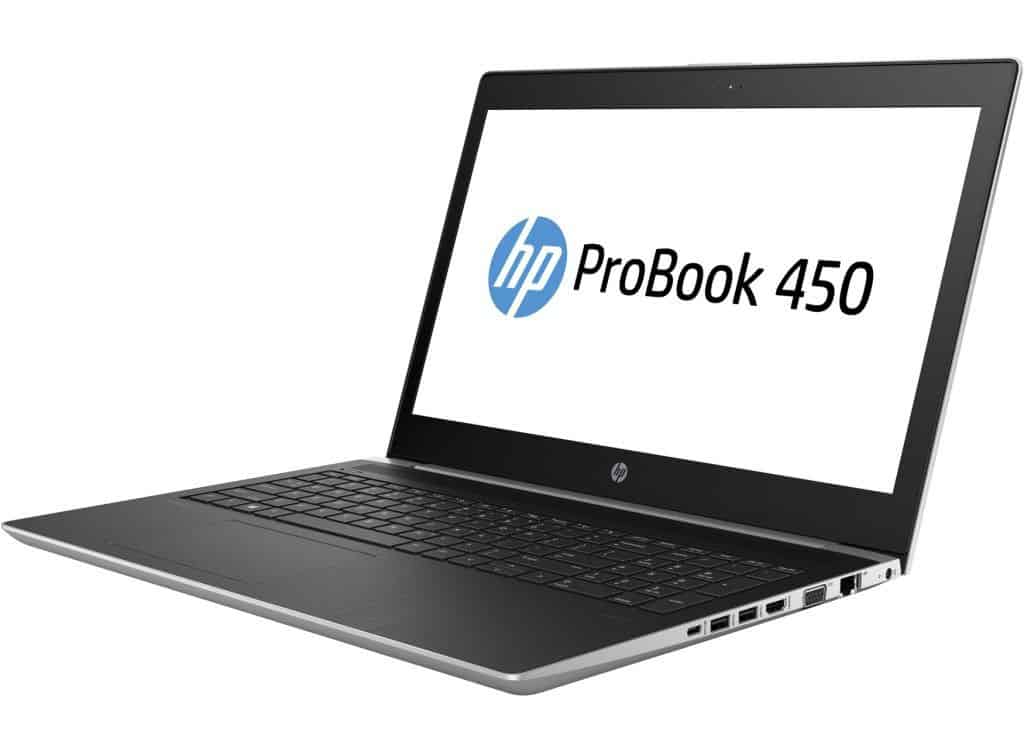
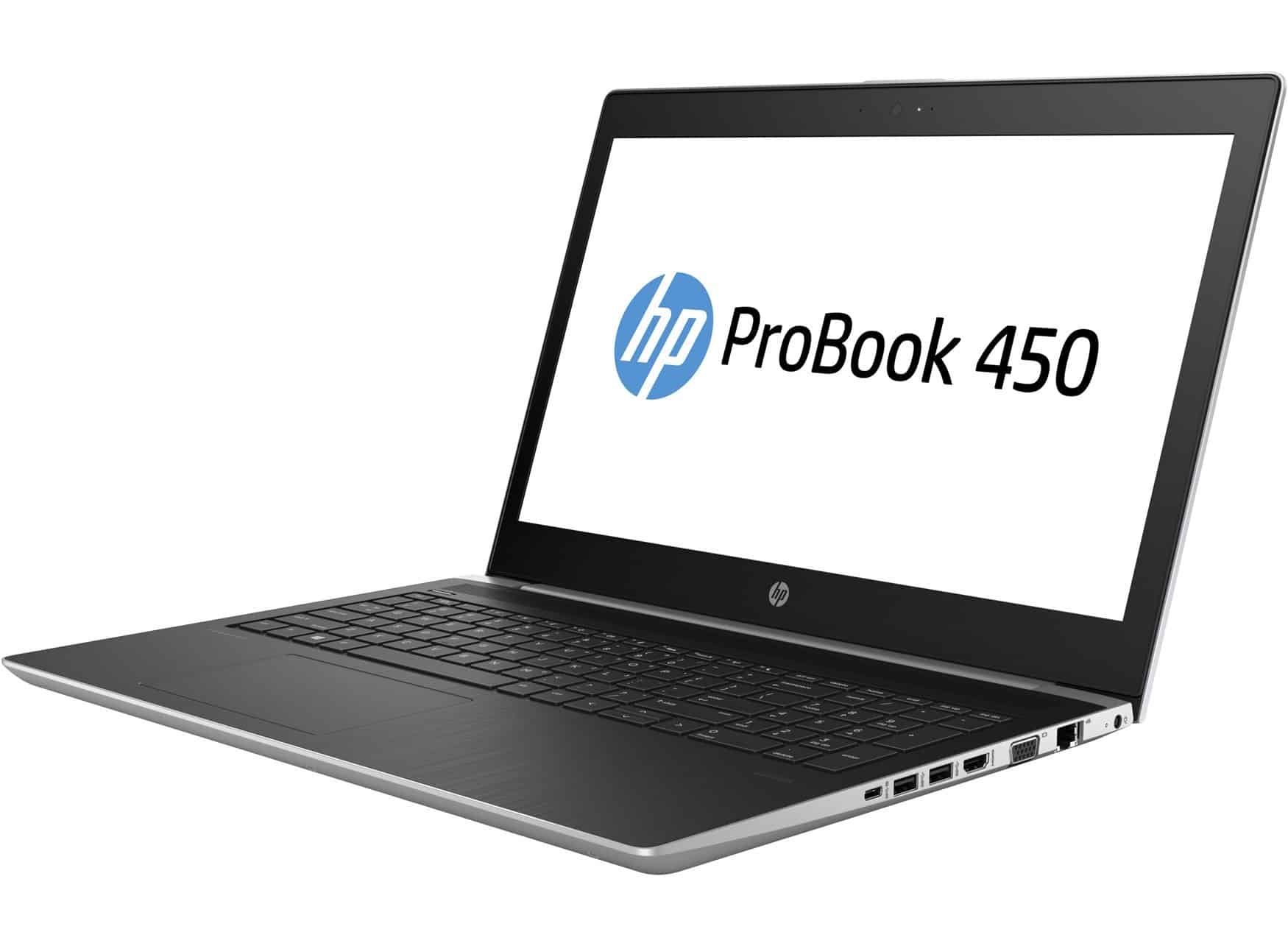
The Probook 450 G5 is one of HP’s first mid-range notebooks to use the 8th generation Intel processor that has just hit the market in Asia. In addition to the outstanding features of the business features, HP Probook 450 G5 is more attention by the price “beautiful dream” compared to the integrated configuration.
Beautiful shape
Compared with the 440 G5’s limited-edition 14.5 “HD screen, the HP ProBook 450 G5 offers a choice for users who want a more entertaining and functional experience with a 15.6″ FHD display. The product is highly durable because it has passed the US MIL-STD 810G test.
In addition, the keypad has the ability to overlay the transparent film underneath, minimizing the risk of damage to the underlying hardware. As a result, you will be more comfortable working in damp or high temperatures.
The audio is also of interest to HP to deliver the best experience for you in the workplace as well as the entertainment. Certified for Skype for Business ™ with HP Audio Boost with HP Noise Cancellation. Whether it’s online connection or when speaking at a conference, the HP ProBook 450 G5 is a great performer, contributing to the success of your work.
Unlike other lightweight laptops, the ProBook 450 G5 fully supports the current universal port. From the traditional VGA output connector to the projector, HDMI and DisplayPort connectors are also included in the same physical connection with USB Type C. Other interfaces include a USB 2.0 port, two USB 3.1 ports, a ” 3 in 1 “, microphone headphone socket and Gigabit Ethernet connection via RJ-45 port.
Display
The ProBook 450 G5 comes with a 15.6-inch screen , you can choose between HD 1366×768 and Full HD 1920×1080 depending on the setup. With the Full HD option you get clearer imagery , solid color reproduction , and wide viewing angles, so it works nicely for content creation, watching multimedia, plus business presentations. There’s also an anti-glare coating, that helps tone down reflections when you’re in a room with bright lighting.
Performance
Processor choices
This notebook runs on Intel’s 8th generation Core chips , ranging from Intel Core i3 up to Core i7, so you get a good mix of speed and efficiency. They’re pretty well matched for multitasking, office work, web browsing, and light to moderate content creation chores. On top of that, Intel Turbo Boost technology kicks in when more punch is needed, so performance can be dialed up without always staying at max.
Graphics and RAM
The Integrated Intel UHD Graphics 620 are basically what you get by default on most setups, and yeah it does pretty decent work for daily stuff, plus light visuals. The ProBook 450 G5 usually ships with 4GB or 8GB of DDR4 RAM, and it can be expanded, up to 32GB , for easier multitasking and a generally nimbler feel when you switch apps. In some builds you may also find optional separate graphics like NVIDIA GeForce MX130 or AMD Radeon 530, which helps with better visual throughput during heavier tasks.
Keyboard and Trackpad
HP ProBooks are usually praised for that keyboard feel, and the ProBook 450 G5 kind of keeps the same vibe. You get a full-sized, spill resistant keyboard, and on some versions there’s also a numeric keypad. That combo is pretty handy, especially if you type for long stretches, or when you have to put in numbers without any fuss ,so it stays effortless. The keys deliver solid tactile feedback, with enough key travel to keep accuracy steady. As for the touchpad, the precision version supports multi touch gestures, so scrolling and navigating feels smooth, and you end up working faster with fewer interruptions.
Connectivity and Ports
The ProBook 450 G5 includes a comprehensive selection of ports for connectivity:
- USB Type-C (supports Power Delivery and DisplayPort)
- USB 3.1 Gen 1 (charging)
- USB 3.0
- HDMI 1.4b
- VGA
- RJ-45 (Ethernet)
- Headphone/microphone combo jack
- SD card reader
These ports make compatibility with a lot of peripherals work quite fine, external displays and networking devices too, so it is kind of suitable for business as well as personal use.
You can accelerate your work with the newest Coffee Lake chip , really.
Specifically, SSDs from HP always leave a solid impression, especially for the read speed and for launching programs fast. It also supports 2GB 930MX Graphics, which is enough to experience adventures or join a vivid 1080p high-definition video game, with elevated visuals like DiRT 3, Batman: Arkham Knight, Rise of the Tomb Raider, …
All in all, the ProBook 450 G5 can be seen as a rival to the well known gaming notebook, the HP Pavilion 15.
Maximum security
As the world’s leading provider of security solutions for computers and printers, HP strives to deliver comprehensive security solutions from hardware to software, provides multiple layers of protection to ensure Secure the precious resources of the business.
With the HP ProBook 450 G5, HP also focuses on three pillars: Device, Identity, and Data. In device security, HP offers a BIOS-level security solution, including the Gen4 BIOS, which detects and repairs BIOSes in real-time without interruption. To protect identity, HP’s HP Client Security Gen3 tool supports the multifactor authentication solution, minimizing the potential for unauthorized access to the system. With computer data protection, the HP Probook 450 G5 integrates TPM chip technology, which secures hardware-based encryption, ensuring data security even when lost.
About the battery life, the product is a real experience when users open everyday applications such as browsing, data entry, image editing, video chat and even entertainment games. The battery life is about 6 hours with just one battery charge – equivalent to some 13.3″ Full HD laptops.
Even when the machine is running the heavy task or playing games, the temperature is adjusted properly, the machine is not too hot or emits annoying noise.
CUK HP ProBook 450 G5 Business Laptop (Intel i7-8550U, 8GB RAM, 256GB SSD, 15.6” Full HD Display, Windows 10 Pro) Professional Notebook Computer: Buy it now
HP ProBook 450 G5 15.6″ LCD Notebook – Intel Core i5 (8th Gen) i5-8250U Quad-core (4 Core) 1.60 GHz – 8 GB DDR4 SDRAM – 256 GB SSD – Windows 10 Pro (English) – 1920 x 1080 – In-plane Switching: Buy it now
HP High Performance Probook 450 15.6″ HD Laptop, Intel 8th Gen i5-8250U Quad-core, 256GB SSD, 8GB DDR4, 802.11ac Wi-Fi, USB type C, HDMI/VGA , Bluetooth, Ethernet, UHD Graphics 620, Windows 10 Pro: Buy it now
HP ProBook 450 G5 Notebook PC (2TA31UT#ABA) Intel i7-8550U, 8GB RAM, 256GB SSD, Win10 Pro64: Buy it now
HP ProBook 450 G5 15.6″ AG LCD Notebook – Intel Core i5 (8th Gen) i5-8250U Quad-core (4 Core) 1.60 GHz – 8GB DDR4 SDRAM – 256GB SSD – Windows 10 Pro -1920 x 1080 – In-plane Switching: Buy it now
Battery Life
Battery life on the ProBook 450 G5 sort of changes depending on how it’s set up and how you use it, but usually it still lasts through a full workday, pretty well. If you go with a standard 3-cell battery, most people see something like 8-10 hours during normal stuff like web surfing , and writing/editing documents. Of course the real results can be different, screen brightness levels matter a lot , plus how heavy the workload is, and just your usual habits.
Audio and Multimedia
For sound, the laptop comes with dual stereo speakers that are tuned by Bang & Olufsen , so the output feels pretty clear and immersive. It’s mostly meant for business use, but the speakers still do the job for video calls, multimedia watching , and the occasional bit of entertainment.
Software and Operating System
The ProBook 450 G5 commonly ships with Windows 10 Pro, which brings extra security options and easier device management in business settings. HP also throws in a handful of pre installed utilities, for example HP Support Assistant helps with maintenance, HP JumpStart makes setup smoother on new devices, and HP Client Security Manager is used to handle security related settings.
Durability and Portability
At around 2 kg (4.41 lbs), the ProBook 450 G5 kind of lands in that middle zone where it’s not too hard to haul, but it’s still plenty tough for real everyday use. The aluminum chassis brings a solid dose of sturdiness, without making the laptop feel like a complete brick, so it fits folks who are always commuting, bouncing between meetings, and getting dragged along on work trips.
Use Cases
Business Users
The ProBook 450 G5 is kind of built mostly for business users who want a dependable, secure laptop for day to day productivity stuff, business applications, and data handling. You get those sturdy security layers, a comfortable keyboard , and a full set of connectivity options which makes it quite suitable for professionals who operate in corporate environments.
Students and Educators
For students and educators, the ProBook 450 G5 kinda brings together a decent mix of speed, sturdiness and value. It handles school assignments, research work, and multimedia projects in a pretty smooth manner, even when it gets a little hectic, or you are juggling a bunch of stuff at once. The spill resistant keyboard, plus the security features, gives a reassuring kind of feeling during busy classroom days and in labs.
Casual Users
Casual users who just need an adaptable laptop for everyday computing will likely enjoy the ProBook 450 G5’s overall performance along with its feature lineup. It’s good for web browsing, media streaming, video calls , and even light gaming too. So overall it feels snappy, and the experience stays pleasant , without too much hassle.
Pros and Cons
Pros
Solid build quality : it comes with a durable aluminum chassis, and it’s backed by MIL-STD 810G certification.
Great keyboard: a spill-resistant keyboard with a numeric keypad (on certain variants).
Connectivity that covers most needs: you get a good spread of ports, USB Type-C included, plus some legacy options too.
Security features that actually matter: HP Sure Start, Sure Click, and biometric authentication when available.
Full HD display : crisp visuals, broad viewing angles, and an anti-glare coating that helps in brighter rooms.
Cons
Battery life is “okay-ish”: performance can shift a bit depending on how you use it and what configuration you choose.
Graphics are limited: integrated graphics are fine for everyday tasks, but if you want more you’ll need to look at discrete options.
Pre-installed software : some people might feel like removing bundled utilities, and would rather have a cleaner setup from the start.
Conclusion
The HP ProBook 450 G5 is mostly a dependable business laptop, sort of well-rounded, mixing performance, durability, and security features for professionals and students. Between its sturdy construction, comfortable keys, and the overall port selection, it fits real work environments pretty nicely, and still lands in a reasonable price range. It probably won’t steal the spotlight for gaming or heavy, high-end graphics work, but it does a solid job for productivity and business-minded applications.
If you are after a laptop for daily work or study that doesn’t feel fragile and still keeps security features in the picture, the ProBook 450 G5 is a solid pick. It gives you a pretty balanced mix of capability, protection, and affordability, without going overboard.
Related Posts

Tech Reviewer & Product Analyst
Định Bia has spent over 10 years testing consumer electronics with a focus on smart technology. He work as a product advisor at Biareview where he helped customers find the right devices for their needs. He personally tests every product featured on this site using a consistent evaluation framework covering quality, durability, and value. All reviews are based on experience, not influenced by the manufacturer.