Build
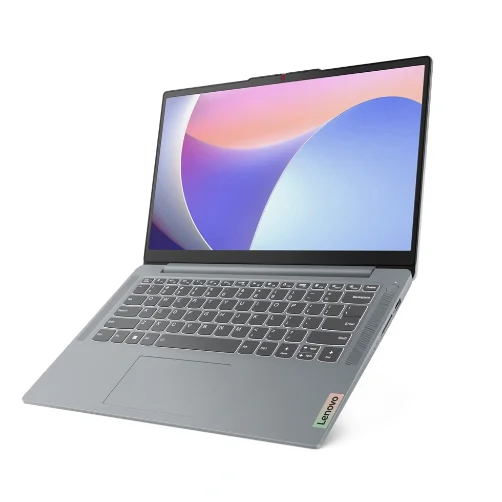
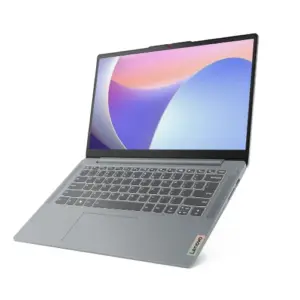
The body’s plastic, and the deck flexes if you lean on it while typing. The hinge is tight enough that the base comes up with the lid when you try one hand. Neither would bother me on a cheap laptop, but I noticed both in the first ten minutes, and this one costs USD 1,299.99.
Ports
USB-C 3.2, two USB-A 3.2, HDMI 1.4, headphone jack, and an SD card reader I wasn’t expecting to find. No USB4 or Thunderbolt though, and the wireless is Wi-Fi 6 rather than 6E or 7. Charging doesn’t run over USB-C either, so the laptop’s own charger travels with it.
Keyboard and touchpad
Plastic keyboard, plastic touchpad, and you can tell. Typing’s fine; I’d forgotten what it felt like by the time I sat down to write this. The backlight bothered me more, because there isn’t one, and in a dim room I was hunting for keys.
Display, speakers, webcam
A 15.3-inch IPS touchscreen at 1,920 x 1,200 and 120 Hz, full sRGB, bright enough to use next to a window. Sharp, smooth, and better than the rest of the machine would lead you to expect. This is where the money went.
The webcam’s 720p. The speakers will get you through a video call.
Specifications
| Component | Specification |
| Processor | Intel Core 7 350 |
| Graphics | Intel integrated graphics |
| Memory | 16 GB DDR5-5600 |
| Storage | 512 GB SSD |
| Display | 15.3-inch IPS touchscreen, 1,920 x 1,200, 120 Hz |
| Ports | USB-C 3.2, 2x USB-A 3.2, HDMI 1.4, audio jack, SD card reader |
| Wireless | Wi-Fi 6, Bluetooth |
| Dimensions | 342.9 x 241.3 x 18.8 mm |
| Weight | About 1.59 kg |
| Operating system | Windows 11 Home |
| Starting price | USD 1,299.99 |
Lenovo IdeaPad Slim 3i – Lightweight Laptop – Copilot+ PC – Intel Core™ Ultra 5 Processor 322-15.3″ WUXGA Touchscreen Display – 16GB RAM – 1TB SSD Storage – Integrated Intel® Graphics – Luna Grey: Check Availability on Amazon
Lenovo IdeaPad Slim 3i 15.6″ FHD Laptop, 16GB LPDDR5 RAM, 512GB SSD: Check Availability on Amazon
Lenovo IdeaPad Slim 3i Laptop, 15.6” FHD Windows 11 Computer for School:
Processor
The Core 7 350 is fine for coursework and Office. The trouble is what else the same money buys.
Cinebench 2024 put it at 450 multi-core and 115 single-core. The Apple MacBook Neo (308) and the Dell XPS 13 2026 (333) sit below that; the HP OmniBook 5 14 (624) and the Microsoft Surface Laptop (638) sit well above.
Geekbench Pro 6.3 puts it below the MacBook Neo and the XPS 13 too, 7,606 multi-core and 2,578 single-core against their 8,893 and 8,154. The OmniBook and the Surface Laptop pull further ahead the more cores a job uses.
Graphics
Intel’s integrated graphics will run the panel and handle basic photo edits. You won’t be gaming on it or opening professional graphics software.
3DMark Wild Life came back at 8,880, near the XPS 13 2026 (9,240) and under the OmniBook 5 14 (11,635) and the Surface Laptop (11,483). Steel Nomad Light gave 1,117, a nudge past the OmniBook (1,099) and the Surface Laptop (1,092), under the XPS 13 (1,268), and a long way under the MacBook Neo (1,733). Light work is comfortable; anything that properly loads the GPU will crawl.
Who it suits
The panel is what you’re buying, with the SD reader thrown in. Everything else argues the other way: plastic shell, unlit keyboard, no USB-C charging, 720p webcam, Wi-Fi 6, and a processor cheaper machines already beat.
Find it heavily discounted, and if a big 120 Hz touchscreen for study and light work is what you’re after, it makes sense. At USD 1,099 you’re paying flagship money for a plastic body and a middling chip.
Related Posts