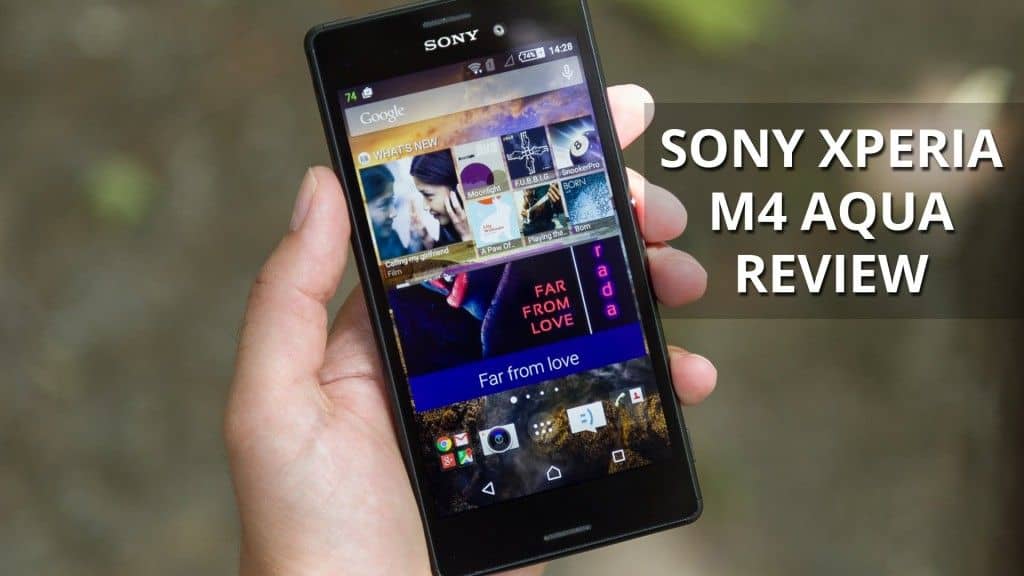
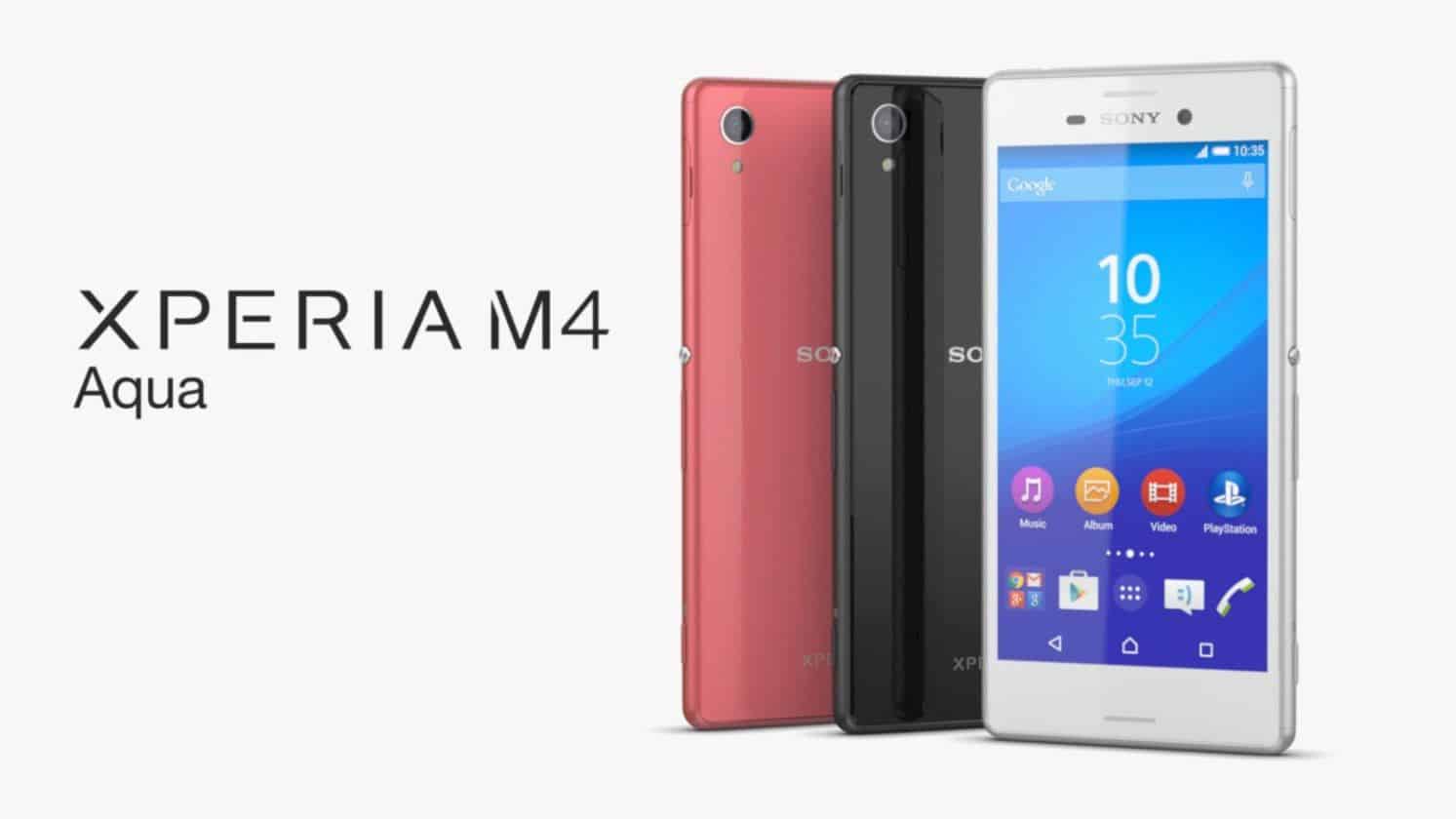
Xperia M4 Aqua configuration fairly compared with the price range: Snapdragon 615 processor 8-core 64-bit, 2GB RAM, 8GB of internal memory (approximately 2,9GB only available to users), with slots removable memory card, 13MP rear camera resolution and front camera has a resolution of 5MP.
Experience in practice, the performance of the product is quite good, satisfying even the more graphic games. Rear camera for photos with a wide range of brightness, the fine details but unfortunately the water vapor images often light and slow shutter speed. However, photos take a selfie from the front 5MP camera back causing more impressive, with color photographs and more honest than the machine the same price range.
The Xperia M4 Aqua relatively easy disassembly for repair when needed. Machine with multi-layer waterproof design. The back lid is sealed, easy access to parts within such short tap connector (connector) is wrapped into closed cavity source. If water does not leak into damage. Easy on the water portion as audio connectors and USB 3.5 is poured glue sealed and connected by cable flex circuit. Speaker and mic section is coated with a waterproof mesh perhaps the phenomenon is due to surface tension.
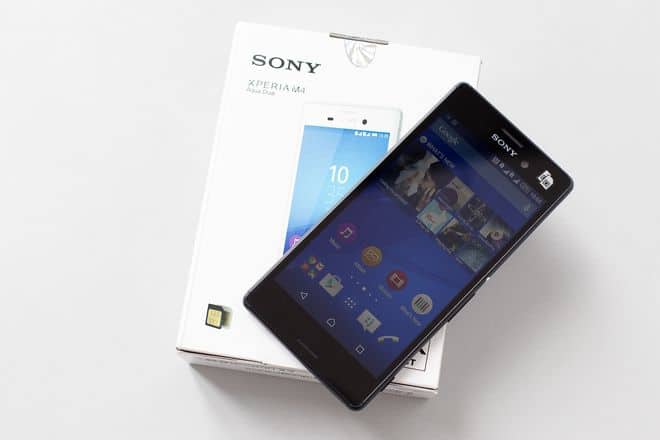
Sony Xperia M4 Aqua 16GB GSM/LTE Unlocked Cell Phone – Black (U.S. Warranty): Buy it now
Sony Xperia M4 Aqua E2306 16GB Unlocked GSM 4G LTE Android Smartphone w/ 13 Megapixel Camera – Black: Buy it now
Sony Xperia M4 Aqua E2303 4G White International Version no warranty: Buy it now
Sony Xperia M4 Aqua E2353 5.0-Inch Factory Unlocked Smartphone (Black) – International Version No Warranty: Buy it now
SONY XPERIA M4 AQUA E2303 8GB BLACK FACTORY UNLOCKED IP68 4G/LTE CELL PHONE: Buy it now
Sony Xperia M4 Aqua E2363 Dual SIM 5.0-Inch Factory Unlocked Smartphone (Black) – International Stock No Warranty: Buy it now
The back cover is attached to the chassis by glue around the edges to prevent water
The back cover is made of plastic so easy to remove without risk of fracture
2400mAh capacity battery. Battery is glued to the frame, be careful in the process of removing prevent damage. Battery duration good use: call 12 hours 54 minutes continuously, 7 hours 26 minutes surfing the web, watching movies 6 hours 10 minutes and 4 hours 6 minutes surfing (these operations are calculated from the time the battery is full 100% till 10%)
Double-sided circuit boards are protected by the cage against electromagnetic interference (EMI shield). The cage is designed shielded tuck format, can be removed easily.
Xperia M4 Aqua uses a 64-bit processor Qualcomm Snapdragon 615 eight-core (4 core ARM Cortex A53 1.5GHz and 4 cores ARM Cortex A53 1.0GHz). This chip has integrated graphics core GPPU Adreno 405, Bluetooth, Wi-Fi and GPS.
The machine uses integrated solutions and memory RAM: eMCP (embedded Multi-Chip Packages) of Samsung, which is 2GB RAM and 8GB of internal memory.
SKY77633: (Power Amplifer Module) – The power amplifier module for 2G / 3G / 4G. For Xperia M4 Aqua model E2312, the module provides GSM (4 band 850-900-1800-1900MHz) and WCDMA.
NFC controller chip: NXP 47803 company’s NXP
PM8916 power management chip from Qualcomm
13MP rear camera and a 5MP front camera.
Audio jack to open and poured glue waterproof from the outside
Clusters of Xperia M4 Aqua Screen: 5-inch IPS panel LCD, 720×1280 pixel resolution and 294 ppi pixel density.
Performance
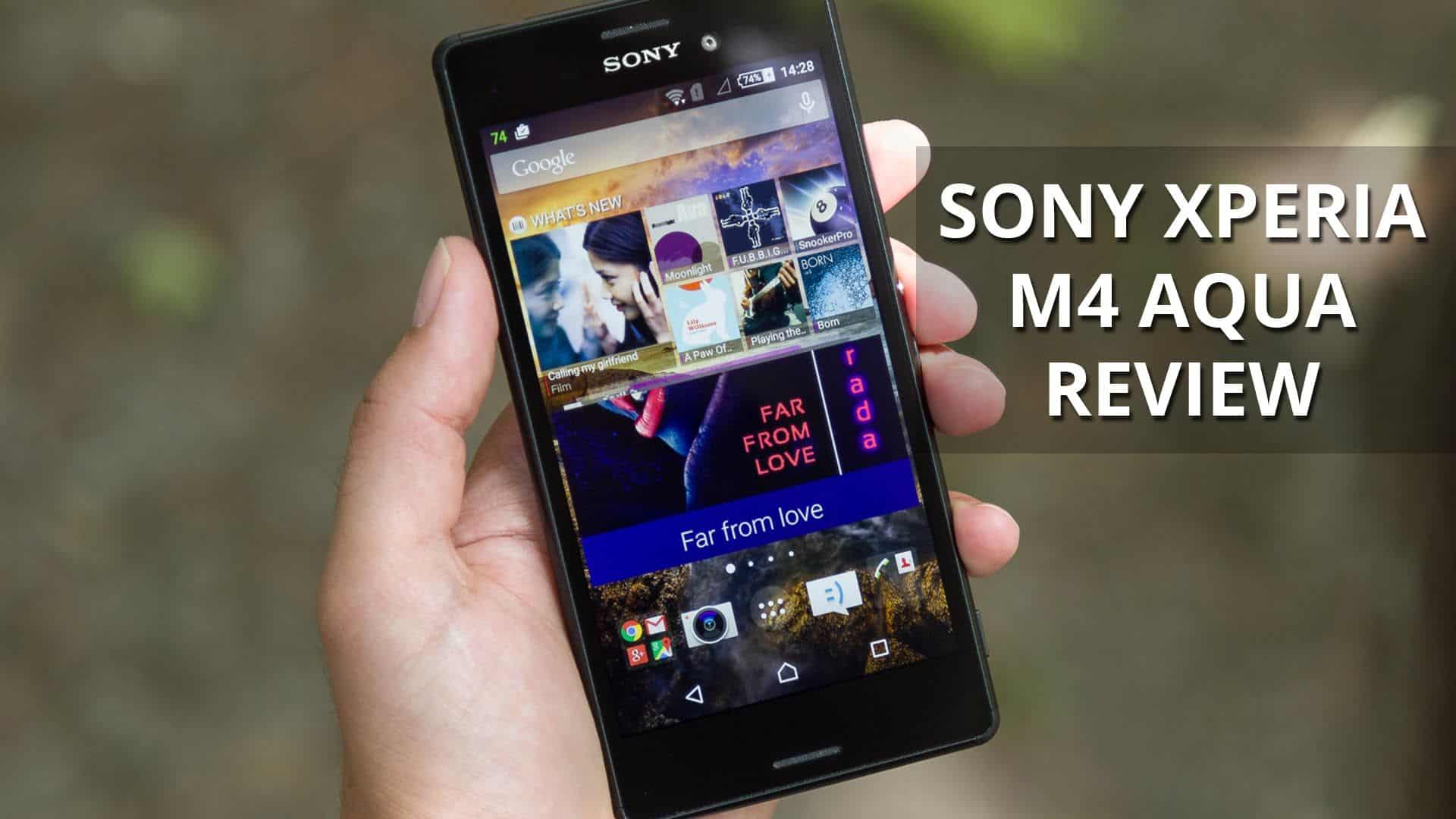
So the Sony Xperia M4 Aqua, it runs on a Qualcomm Snapdragon 615 processor, and yeah it’s an octa-core thing too. Basically, four cores are clocked at 1.5 GHz and the other four are set to 1.0 GHz. Then there’s 2GB of RAM, which felt pretty normal for mid-range phones back then. The Snapdragon 615 is a 64-bit processor, and it was also among Qualcomm’s earlier mid-range chips that already backed this architecture, you know.
Day to day though, performance is pretty steady. Stuff like web browsing , email checks, and using social apps is smooth and it feels responsive enough. Also, for multitasking it does a reasonable job. You can keep several apps open in the background and when you switch between them there isn’t that much lag, at least not for everyday use.
But when you push it harder, like gaming sessions or when you’re running multiple apps at the same time, it’s more “adequate” than great. Sure the Snapdragon 615 can run most games you’ll find on Google Play, but the more graphically intense titles might throw in a few frame hiccups or longer loading periods. Still, casual games and simpler applications work fine, so the M4 Aqua ends up being a solid pick for people who don’t really need top-shelf speed or peak performance.
One area where things could be bit better is in the storage department, because the M4 Aqua comes with only 8GB of internal storage, and honestly, by modern standards that feels kinda tight. Right after setup, a decent chunk of that space is already taken up by the system, plus pre-installed apps, so users are left with roughly 4GB that you can actually use. That amount is pretty much not good enough if someone wants to install lots of apps, or keep media like photos ,and videos on the device. On the bright side though, the phone supports microSD cards up to 128GB so you can boost your capacity without too much hassle.
As for visuals, the Adreno 405 GPU takes care of the graphics, and while it is not exactly a powerhouse, it still does the job for the M4 Aqua’s display resolution, plus the kind of day to day tasks it will most likely face. Don’t expect flagship level smoothness, but for a mid range phone this Xperia still manages a decent, usable experience.
Software
Sony Xperia M4 Aqua ships with Android 5.0 Lollipop right out of the box, and Sony adds its own UI layer on top. Sony’s interface is generally pretty close to stock Android, with just a handful of custom touches and extra features. That is the style some people like, if you want a clean and straightforward Android experience, without a lot of bloatware or random heavy changes.
One of the advantages of Sony’s UI is that it feels, oddly, simple. The interface is quite easy to get around, with a familiar layout so Android users can feel at home right away. The app drawer, the home screen, and the notification shade all work in almost the same way as stock Android, just with small visual tweaks here and there, plus a couple added features that don’t really change the whole system.
Sony also throws in a few of their own apps and services, like the Walkman music player, the Album photo gallery, and the Movies video player. They’re pretty well designed and they deliver a solid user experience, even if you’re the type who wants third-party alternatives you can still grab them easily from the Google Play Store. On top of that, there’s also a handful of extra things, including Sony’s Stamina mode, which aims to stretch battery life by restricting background activities , and dialing back performance when the battery is running low.
A pretty noticeable part of the software is Xperia Themes. It lets people customize the whole vibe of the phone—by switching wallpapers , icons, and the general color setup—so it gives you that little personalization boost some users genuinely enjoy.
That said, the software is not perfect. Android 5.0 Lollipop was a big deal back then, but since then multiple newer Android versions arrived, and the Xperia M4 Aqua didn’t get timely updates to keep pace. Because of this, the device may miss out on the latest security patches , and also on newer features, which can be a real concern for anyone who cares a lot about software protection and long-term usability.
Additionally, that 8GB of internal storage kinda restrains how many apps you can actually install, especially once you start thinking about the size of current apps and games. The microSD card slot does help, but it still feels like a constraint, that users really should know before they buy.
Camera
The Sony Xperia M4 Aqua comes with a 13-megapixel rear camera, f/2.0 aperture, and an LED flash too. Up front, there is a 5-megapixel camera meant for selfies as well as video calls, nothing fancy but it does the job. Sony, as a brand, is known for producing strong camera sensors and the M4 Aqua leans on that know-how so you get a solid camera experience for the price tier you are in.
With the rear camera, images come out with good color accuracy and enough detail when the lighting is decent. The 13-megapixel sensor grabs a fair amount of texture and in daylight the photos are generally sharp, and they look lively. The f/2.0 aperture also supports some depth of field effects, so background blur is there, it adds a kinda “portrait-ready” look. In the camera app you’ll find a few shooting styles, like Superior Auto which tunes the settings based on the scene, and Manual mode which gives users extra say over things such as white balance, ISO, and exposure.
Low-light though, is where things change a bit. Sure the M4 Aqua can still produce usable photos at night, but it doesn’t really match what higher-end devices manage. In darker conditions, you’ll notice more noise, and the fine details can disappear in the shadowy parts. The LED flash helps sometimes, but it may bring harsh brightness and colors that look a little odd, like not fully natural.
The front facing 5-megapixel camera is pretty decent for selfies and those video calls, it gives you images that look solid with decent detail and pretty acceptable color reproduction. That said, and this is kind of typical for cameras like this, it has a hard time when the lighting gets dim. Since there is no front flash, you end up depending on whatever ambient light is around you, so when the room is not that bright, the selfies can turn out grainy or just less detailed, than you would want.
The camera app is fairly easy to use, and it also comes with a few extra options that make taking photos feel smoother. Some of the main features are below, kind of like this:
Superior Auto Mode: This is the default shooting mode on the M4 Aqua. It automatically detects the scene and then adjusts the settings on the fly. It’s basically for people who want to aim and capture without messing with manual adjustments. In most cases it picks the settings well especially in brighter environments where everything is more forgiving.
Manual Mode: if you want a bit more say over how your photos end up, Manual Mode gives you room to adjust things like ISO, white balance, exposure, and even focus. It’s not as deep as what you might see on more advanced camera gear, but it still has enough steering controls for casual photographers who like to fine tune their pictures without going too technical.
AR Effects: This fun feature lets users kind a layer augmented reality stuff onto their photos. Think of dinosaurs, little fairy tales and so on, the AR effects feel playful and honestly, they can be a real hit at social gatherings, or when you’re with children.
HDR Mode: The High Dynamic Range, or HDR mode, helps when you’re trying to capture photos in tricky lighting, where the frame has both bright parts and darker parts too. It can pull more visible detail from the shadows as well as the highlights. Still, it might slow down the capturing a bit, so it’s smarter to use it when your subject isn’t moving around.
Panorama: Panorama mode is for those wide landscape shots, where you sweep the camera across the scene. Usually, the final picture gets stitched nicely together, but if there are fast moving subjects, you may see blur or some slight misalignment.
Video recording on the M4 Aqua is limited to 1080p at 30 frames per second (fps) and yeah, that’s kind of common for mid-range devices around this time. The overall video quality comes out satisfactory, with decent color handling and good clarity in brighter lighting. But there’s no optical image stabilization (OIS), so the footage may look shaky, especially if you record while walking or moving the device. Also, autofocus during video recording can be a bit stubborn, it sometimes hunts for focus and then you can get brief moments where everything looks slightly out of focus, particularly in low light.
Honestly, the Sony Xperia M4 Aqua camera stuff is pretty solid for a mid range smartphone, giving a nice everyday vibe for casual photographers, and random snapshots. It’s not really meant to go head to head with flagship phones, but it still brings enough options and image quality for the crowd it’s aiming at, you know.
Battery Life
The Sony Xperia M4 Aqua runs on a non-removable 2,400mAh battery, and yeah it’s a bit smaller than a bunch of nearby rivals. Still, Sony did some software tweaking that helps stretch runtime, including that popular Stamina Mode thing.
Day to day the battery life feels fairly average. With moderate usage, like web browsing, emails, social feeds, and occasional photos, the phone can usually get you through a full day. But if you push it hard , meaning gaming, streaming videos, or leaning on GPS navigation a lot , it drains faster, so you might need a top up before the day ends.
Stamina Mode is basically the main trick here for battery management. Once you turn it on, background data gets restricted, and overall performance is dialed down in a way that saves power. It’s especially handy when the battery is getting low, letting you squeeze out a little more time. There’s also an Ultra Stamina Mode, which basically pares things back to core actions such as calls, texts, and a restricted amount of app activity, which helps a lot in emergency scenarios.
Charging is handled through a micro-USB port, and unfortunately there’s no fast charging support. So, expect a full charge to take a couple of hours, slower than many newer phones where you can get a big boost in less time.
Overall the battery life on the Sony Xperia M4 Aqua is kind of adequate for its class, not amazing but also not a deal breaker. It might not give you that long endurance some other models do , however thanks to Sony’s power saving modes it can usually get through a full day for most people without too much drama.
Connectivity and Audio
In terms of connections, the Sony Xperia M4 Aqua brings a bunch of typical mid range stuff. You get 4G LTE which means fast mobile data when the networks are around. Then there’s Wi-Fi 802.11 b/g/n, Bluetooth 4.1, plus NFC and GPS. NFC is actually a pleasant detail, it makes it easier for pairing with other NFC enabled devices, and it also supports contactless payments using services like Google Wallet.
The phone also has FM radio. It’s not everywhere anymore, so it feels a bit more niche , but it can be useful if you want to listen to local stations without consuming data.
The audio quality on the Sony Xperia M4 Aqua is decent, but it doesn’t exactly feel exceptional. There’s just one speaker, sitting on the bottom edge , and the sound comes out pretty clear. Still, it tends to miss that deeper vibe and more weight in the bass department. For everyday stuff, like hands free calls, notifications, and that casual playlist moments, it works fine. But if you want a more immersive experience , most people will end up reaching for headphones or an external speaker.
What helps here is the 3.5mm headphone jack, which is starting to feel like a small miracle these days on newer smartphones. Audio through headphones is actually good, with a pretty balanced sound profile, so it doesn’t strongly push one particular frequency too hard. Sony also throws in a few audio tweaks inside the settings menu, things like ClearAudio+ , plus equalizer options, so you can adjust the sound more toward your taste, kind of personalized.
Durability and Water Resistance
One of the most noticeable strengths about the Sony Xperia M4 Aqua is that it feels pretty tough overall, I mean especially when you talk about water and dust. The device is IP68 certified, so it’s dust tight and it can be submerged in water up to 1.5 meters, for as long as 30 minutes without suffering damage. When the M4 Aqua first arrived, this kind of water protection felt quite impressive, especially for a mid range device.
Because of that rating, it’s a nice pick for people who often end up around moisture, like the beach, pool side situations, or even getting caught in rain. It also gives you some relief, for those accidental splashes or random drops into water, which is never fun when it happens.
The durability of the M4 Aqua also kind of shows in its build quality. Even with that plastic construction, the phone still feels solid and, honestly, well made. The display gets protection from scratch-resistant glass, so day to day scuffs are less of an issue, though it still doesn’t reach the level of some of the newer, more advanced protective coatings you see on premium phones.
One thing that could be considered a downside with the water-resistant design is that the back cover and battery are non-removable. So, if the battery slowly degrades over time, you’d need to go to a service center to get it swapped, not just do a quick user replacement like with phones that have accessible backs.
Price and value for money
For people who want a well-rounded handset with a nice design, decent everyday performance, and the added bonus of water resistance, the M4 Aqua makes sense as a solid deal. Back then, its closest rivals—like the Motorola Moto G (3rd Gen) and the Samsung Galaxy A3—sat near similar price levels, but the M4 Aqua stood out with its overall package, especially the IP68 certification.
Still, if we’re talking raw speed and storage capacity, a few competitors might have felt like better value. The internal storage of 8GB is kind of limiting, particularly with how large modern apps are, not even counting the operating system. The microSD card slot helps a bit, but if you really need more in-device space, you may have preferred other models where storage comes in higher by default.
Conclusion
When the Sony Xperia M4 Aqua came out , it felt like a compelling mid-range phone, sort of. It brought together an eye catching look, water resistance and decent day to day performance, all at a price that was still reasonable. The IP68 certification was the big deal, it made the device one of the tougher options in its category, specially for people who needed something that could handle real life messes and weather.
The way it looks and how it’s built are honestly a strong point. The phone has a sleek appearance and solid construction, so even with that plastic body it still gives a premium like vibe. The display isn’t the sharpest around, still it does a pretty decent job with color reproduction and it’s more than enough for everyday stuff. On the performance side, it stays adequate for most tasks, but the limited internal storage and the absence of fast charging are the things that noticeably hold it back.
Camera wise, it’s fine for casual photography, mainly when lighting is good and bright. In darker situations though, it tends to struggle, and it doesn’t include several of the more advanced tricks you’d see on higher end models. Battery life is average, but the power saving modes from Sony do help stretch the usage time when you really need it.
In summary, the Sony Xperia M4 Aqua is a pretty well rounded mid-range smartphone that delivers good value if you want durability plus water resistance. It probably won’t lead in every single area, but it does offer a solid overall experience that should fit most users in its target segment. Still, if someone cares most about storage size, camera performance, or the newest, cutting edge features, there are other options out there that may match those priorities better.



Tech Reviewer & Product Analyst
Định Bia has spent over 10 years testing consumer electronics with a focus on smart technology. He work as a product advisor at Biareview where he helped customers find the right devices for their needs. He personally tests every product featured on this site using a consistent evaluation framework covering quality, durability, and value. All reviews are based on experience, not influenced by the manufacturer.