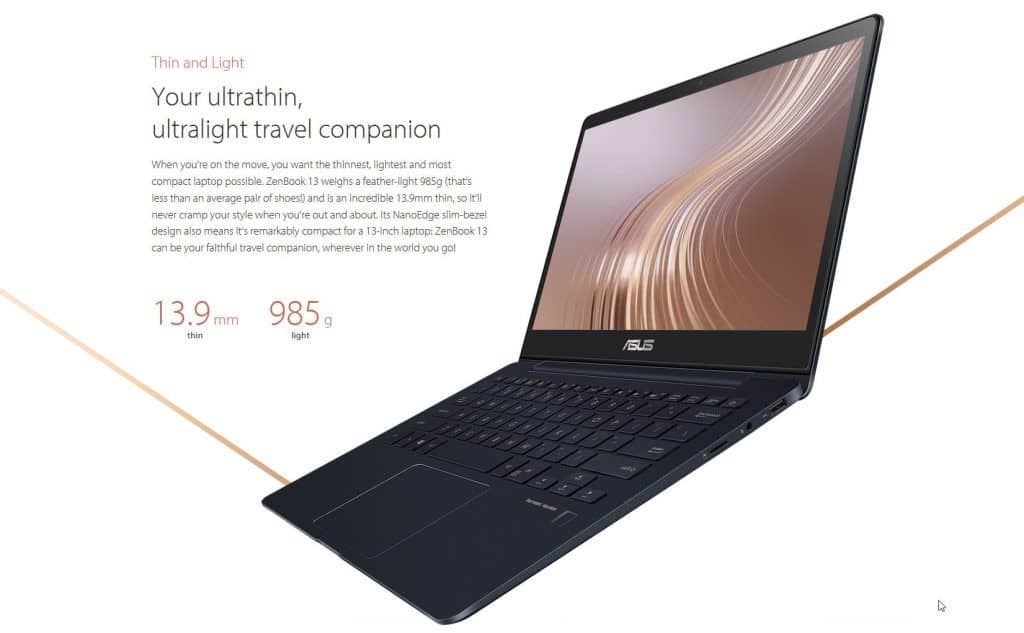
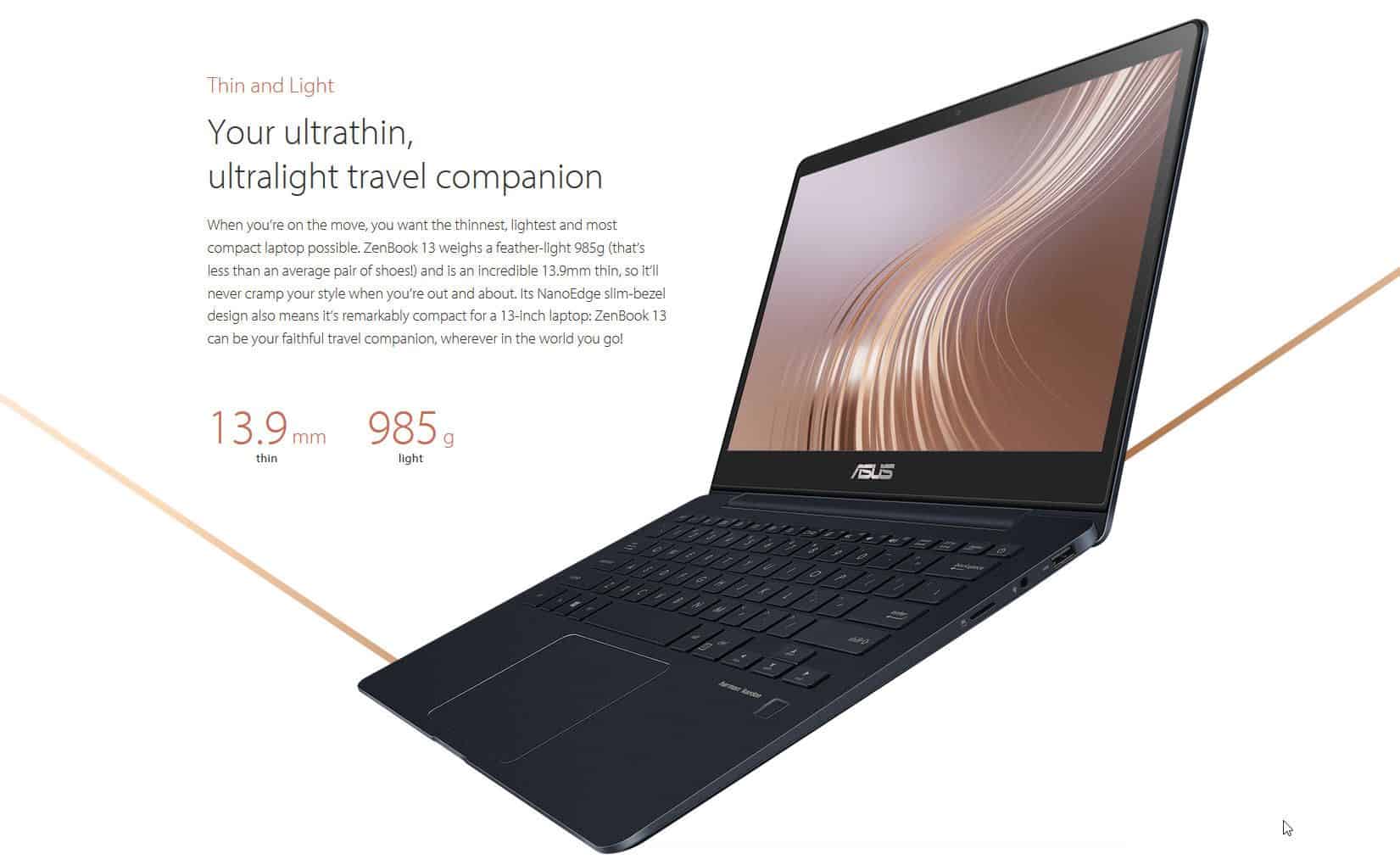
ASUS Zenbook 13 UX331 (full name: Zenbook 13 UX331UAL) that we are today is not only a product for dynamic girlfriends with feminine pink but it also converges all of a powerful laptop in a slim, lightweight metal body that is also highly durable when it comes to the MIL-STD 810G military strength.
The Zenbook 13 UX331UAL is available in two versions for users to choose from, as well as the cost of the product. Both versions use Intel’s latest 8-inch Core Coffee Lake processor, with a Core i7-8550U processor and the other with the Core i5-8250U. The rest of the components are similar to 8GB LDDR3 DRAM. Although the system memory only uses DDR3 memory, it compensates for the maximum bandwidth of 2133MHz, but it will be more attractive if ASUS is equipped with DDR4 memory.
The Zenbook 13 UX331UAL has a simple image design with only the image of the same product within the same brand name as ASUS and the Zenbook.
Display
The ASUS ZenBook 13 UX331UAL has a 13.3-inch Full HD screen (1920 x 1080). On the panel side, it’s an IPS type, so the viewing experience stays pretty consistent from many angles, and colors look fairly true. There’s also a matte coating, which sort of tames glare and annoying reflections, so it feels more at ease in different lighting situations, even when you are outside in brighter sun.
Brightness is around 300 nits, which is “fine”, not exactly a record breaker but usable most of the time. For everyday browsing, streaming, and typical outdoor strolling it tends to hold up. Color output feels lively, with solid contrast that makes videos and photos look enjoyable. Still, if you’re a professional photographer or a designer who needs very tight, absolute color accuracy, you may prefer an external display with stronger calibration options, because this built-in panel is more “general good” than “studio precise”.
Performance
Inside this ZenBook 13 UX331UAL, it uses an 8th gen Intel Core i5-8250U. It’s a quad-core chip, the base clock is at 1.6 GHz, and it can hop up to 3.4 GHz with turbo boost. For everyday stuff, work apps, and usual multitasking, the muscle here feels pretty dependable, like reliably steady most of the time. With 8GB LPDDR3 RAM, switching between windows is smooth enough, and running several applications at once usually doesn’t cause that sluggish, annoying stutter people dread.
For storage it includes a 256GB SATA SSD. It’s not the speed demon option, but it does bring respectable read and write behavior, so the system boots quick, and apps open without too much waiting. If you plan to keep large libraries, heavy projects, or lots of media locally, you’ll likely want an extra route… either external storage, or cloud space.
The built-in Intel UHD Graphics 620 can take care of casual gaming and everyday media stuff just fine, but it really isnt meant for the most demanding games or those graphics heavy jobs, like video editing, or 3D rendering where things get tough. If you need stronger visuals, a laptop with a dedicated GPU is the smarter route, rather than going with integrated.
Battery Life
Battery life is one of those must have things for ultraportable laptops, and the ASUS ZenBook 13 UX331UAL pretty much stands out here. It comes with a 50Wh lithium polymer battery and that part alone helps it go a long way. In normal day to day routines such as web browsing, working on documents, plus media playback, you can expect around 10 to 12 hours before it needs another charge. So for long flights, road trips, or just getting through a full workday, you’re not constantly hunting for a power outlet
On top of that it also packs fast charging, so you can do a quick top up on the battery, roughly to 60% in under 50 minutes. Which is really handy when you are moving around a lot, and you only get brief pauses to plug in, then get back on the move.
Keyboard and Touchpad
On the ASUS ZenBook 13 UX331UAL the keyboard feels pretty solid, like it’s been thought through, and the actual typing experience is comfortable. The key travel is decent enough, with clear feedback too, so typing for longer sessions doesn’t get too fatiguing, or at least not as much as some thinner laptops. There’s also backlighting , with three separate brightness levels so you can still type comfortably when the room is dark. The layout stays fairly standard, and the keys are spaced well, which helps reduce the usual little mistakes.
The touchpad is on the large side and it responds quickly. It also includes Windows Precision support , so movement and cursor control feel sort of smooth and exact, like real control. You can also use multi-touch gestures such as pinch to zoom, and three finger swipes that act like you’d anticipate. Besides that, there is a fingerprint reader tucked into the top-right corner, adding yet another security layer and it helps login feel faster , because Windows Hello does the work , quickly and securely. Then there are travelers who need something dependable but also kind of light weight for regular day to day stuff. With its premium build quality , comfortable day to use experience and impressive carryability, the ZenBook 13 UX331UAL winds up being a pretty solid choice in the ultra portable laptop realm.
Connectivity
Even with that slim profile, the ASUS ZenBook 13 UX331UAL still manages a pretty decent set of ports. On the left you’ll find a USB 3.1 Type-A port, a USB-C 3.1 Gen 1 port, an HDMI port, and a headphone micro phone combo jack , all nicely arranged. On the right side there’s another USB 3.1 Type-A port, a microSD card reader, and the power button.
Having USB-C here is definitely a plus, but it’s also worth mentioning that this specific USB-C port doesn’t support Thunderbolt 3. So high-speed transfers are more limited and you won’t be able to use the latest eGPU style setups in the same way. Still, for everyday use most people should be fine, because the available connections cover peripherals , and external screens without too much fuss.
The laptop comes with dual-band Wi-Fi 5 (802.11ac) and Bluetooth 4.2 , so wireless connectivity is covered. Wi-Fi 5 is pretty dependable and it tends to stay quick for the usual stuff , but if someone is really chasing the newest Wi‑Fi 6 standard they might need to look elsewhere, I mean different direction.
Audio
The audio on the ASUS ZenBook 13 UX331UAL feels kinda strong, especially for a machine in this size class . It has Harman Kardon certified stereo speakers, and the sound comes out pretty clean and well, balanced too . Overall it feels more present than you’d expect for something that compact. That said, the speakers are tucked on the underside of the laptop, so if you set it on a soft surface you might get a more muted or “blocked” sound effect . On a hard surface though, it gets much better, you can hear decent bass, plus mids and highs stay fairly clear.
If you’re aiming for a more immersive setup, you can, you know, link up external speakers or even headphones. You can get it done via the 3.5mm audio jack, or alternatively go wireless using Bluetooth, whatever feels better at the moment.
Software
The ASUS ZenBook 13 UX331UAL ships with Windows 10 pre-installed , along with a handful of ASUS branded apps. One of the most noticeable is ASUS Splendid Technology , which lets you tweak display modes based on what you like. There’s also ASUS Battery Health Charging, and this one is meant to extend battery longevity by giving you different charging options.
Even so, while the built-in software can be convenient, some users may feel it’s a bit much or unnecessary , basically bloatware. The good part is that most of those pre-loaded apps can be uninstalled without too much trouble, if they’re not really needed.
Durability and Reliability
On the reliability side, a lot comes down to ASUS’s overall quality reputation and customer support. There’s a standard one-year warranty included for the ZenBook 13 UX331UAL, and you can also extend it if you want extra reassurance later. People like that peace of mind, even if they never end up needing it.
Now, the Zenbook 13 UX331UAL pink version has a style that fits, and it’s not only about color. To meet the MIL-STD 810G requirements, ASUS uses a magnesium alloy frame combined with aluminum, which sounds technical but basically means it’s built with strength in mind. The chassis also helps keep the weight down, it comes in under 1kg, excluding the charger adapter and accessories. And besides being lightweight, the aluminum alloy construction supports better heat dissipation, so it stays cooler during longer sessions.
In terms of connectivity, ASUS offers enough ports for everyday tasks such as a USB Type-C port, two USB Type-A ports, and a HDMI-out port.
At this point, the overall thickness of Zenbook 13 UX331UAL can be clearly seen. Despite its slim thickness, it’s not as thin as the Ultrabook, but thanks to its light weight, the Zenbook 13 UX331UAL is comfortable to carry around, no problem.
The rest of us have a MicroSD card reader, 3.5mm jack for mic and 2 channel audio output, and finally a USB Type 3.1 A-type.
Monitor coupling and body design is similar to most of the current Zenbook line of ASUS.
Inside, the display of the 13 UX331UAL Zenbook 13.3 “Full HD resolution, thin bezel screen is an indispensable trend of modern laptops. According to ASUS, the screen is coated with anti-glare, color details are 72% NTSC. Unfortunately, we were unable to provide accurate judgments about the machine’s visibility.
It also has a built-in VGA resolution webcam
The keyboard of the machine is still used chicklet type with reasonable distance between keys, typing is quite comfortable. Mouse wheel is relatively large area but still enough space for users to put their hands on both sides.
Support for security is a one touch fingerprint sensor
Conclusion
The ASUS ZenBook 13 UX331UAL is kinda a solid pick for folks who care about portability, real performance, and durability in an ultraportable laptop. It comes with that light-as-air design, plus a sturdy build , and honestly the battery life feels pretty impressive too. So if you’re one of those people who is always heading somewhere, this one tends to feel like a dependable buddy. It’s not really the “go-to” when it comes to heavy gaming or graphics-heavy jobs , but for everyday work stuff , browsing , documents , and normal multitasking, it does shine. Also, typing and viewing feel comfortable, which is not always guaranteed on thin devices.
Pros:
Sleek, easy-to-carry design yknow, the magnesium aluminum alloy frame makes it feel kinda premium, and transporting it is way less annoying.
The battery life that really keeps its word, up to 12 hours of battery life can get you through a full work day or a longer travel stretch without constantly hunting for a charger.
Comfortable keyboard and touchpad, too the backlit keyboard plus that responsive touchpad gives a smooth, efficient flow, day after day.
Decent day-to-day performance: The 8th generation Intel Core i5 with 8GB of RAM handles everyday computing without much fuss.
Built for durability: It follows MIL-STD-810G military standards, so it’s made to resist everyday bumps and reliability stress.
Cons:
Port setup is kind of limited: No Thunderbolt 3 support, and it leans on USB-C , which may push some users toward extra adapters.
Screen brightness is only moderate: It works fine in most indoor spots, but for stronger outdoor lighting it could use more brightness.
Integrated graphics only: Intel UHD Graphics 620 works for casual use, yet it’s not meant for demanding gaming or heavy graphics applications.
Final Verdict
Overall , the ASUS ZenBook 13 UX331UAL comes across like a pretty well rounded ultra portable laptop, it delivers a decent balance between how it looks, everyday responsiveness, and battery stamina. I mean, it feels especially suited for students, people who work on the daily , and travelers who need a dependable machine that isn’t too bulky for routine tasks. The premium build craftsmanship really shows in the smaller parts, the overall user experience stays surprisingly comfortable and fluid, and the portability is straight up impressive. So , yeah, when you stack all of that together , the ZenBook 13 UX331UAL lands as a strong pick, a respectable contender within the wider ultra portable laptop market.
ASUS ZenBook 13 UX331UA Ultra-Slim Laptop 13.3” Full HD WideView Display, 8th gen Intel Core i7-8550U Processor, 8GB LPDDR3, 256GB SSD, Windows 10, Backlit Keyboard, Fingerprint, Icicle Gold: Buy it now
ASUS ZenBook 13 Ultra-Slim Laptop, 13.3” Full HD, 8th gen Intel i5-8250U Processor, 8GB RAM, 256GB M.2 SSD, Backlit kbd, Fingerprint Reader, Windows 10, Grey, UX330UA-AH55: Buy it now
Related Posts


Tech Reviewer & Product Analyst
Định Bia has spent over 10 years testing consumer electronics with a focus on smart technology. He work as a product advisor at Biareview where he helped customers find the right devices for their needs. He personally tests every product featured on this site using a consistent evaluation framework covering quality, durability, and value. All reviews are based on experience, not influenced by the manufacturer.