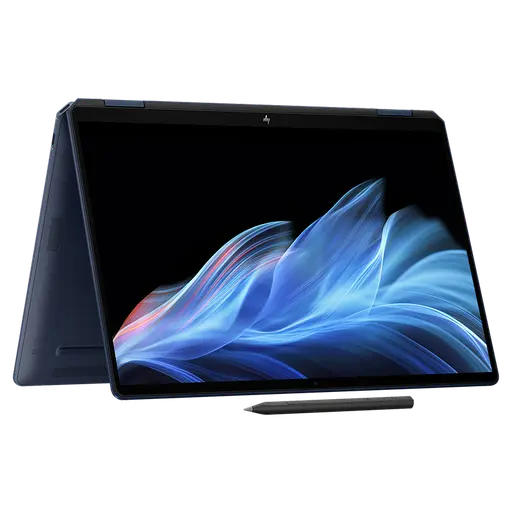
The HP OmniBook Ultra 14 is a front-runner for anyone shopping at the top of the laptop market who wants serious power in a small body.
We are in a golden age of premium ultraportables, which makes standing out in this crowded class very hard. The OmniBook Ultra 14 manages it. The polished aluminium chassis, the vivid OLED panel, an excellent webcam, impressive speakers, battery life that lasts the day: almost every part of this 14-inch laptop has been given real attention.
The OmniBook Ultra 14 is not cheap, but it delivers the experience buyers at this level expect. Put it next to Apple’s 14-inch MacBook Pro and the Dell XPS 14 and it earns its place among the best premium ultraportables you can buy right now.
Design
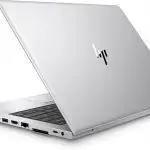
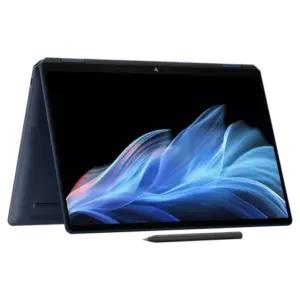
The OmniBook Ultra 14 comes in Eclipse Gray or Silk Sand, the latter costing USD 20 more, and it looks every bit the flagship. The unibody aluminium chassis passes MIL-STD durability testing and feels extremely solid, with almost no flex in either the lid or the keyboard deck.
At 1.07 cm thick and 1.27 kg it is light and easy to carry, thinner and lighter than both the Dell XPS 14 and Apple’s 14-inch MacBook Pro. Then there are the small touches: machined edges, a responsive haptic touchpad, a reflective logo. They lift the whole experience.
Look along the sides, though, and you will notice there is no USB-A port. That is probably the biggest mark against it, and an inconvenience for anyone with peripherals that still use the connector. The rest of the package goes some way to compensating: Wi-Fi 7, a sharp 5MP webcam with a privacy shutter, and a compact GaN charger. HP covers the machine for one year, with multi-year extensions and optional accidental damage cover available.
Configurations
This is a premium laptop with a wide range of configurations:
| Specification | Detail |
| Processor | Intel Core Ultra Series 3 (16 cores), from the Core Ultra 7 356H up to the Core Ultra X9 388H at the top of the range |
| Graphics | Integrated Intel Arc B390 (on Core Ultra X7 and X9 configurations) |
| Memory | Up to 64GB LPDDR5X at 9600 MT/s (Core Ultra X9 only) |
| Storage | Up to 2TB PCIe 5.0 SSD |
| Display | 3K OLED (2880 x 1800), touch, 120Hz |
| Audio | Quad-speaker system |
| Webcam | 5MP with privacy shutter |
| Connectivity | 3 x Thunderbolt 4, 1 x 3.5mm headphone jack, Wi-Fi 7 |
| Thickness | 1.07 cm |
| Weight | 1.27 kg |
| Charger | Compact GaN adapter |
On paper that gives the OmniBook Ultra 14 plenty of headroom for heavy multitasking and content creation. Current component shortages have pushed prices up, however, and the top configuration can run past USD 4,000. At that level it goes head to head with flagships such as Apple’s 14-inch MacBook Pro and the Dell XPS 14.
HP Omnibook Ultra Flip 2-in-1 Laptop 14″ Touch OLED 3K, Ultra 7, 32GB/1TB: Check Availability on Amazon
HP OmniBook Ultra Flip 2-in-1 Laptop 14.0″ OLED Touchscreen 2.8k Display: Check Availability on Amazon
HP Omnibook Ultra Flip 2-in-1 Laptop 14″ Touch OLED 3K, Ultra 7, 32GB/1TB: Check Availability on Amazon
HP Omnibook Ultra Flip 2-in-1 Laptop 14″ Touch OLED 3K, Ultra 7, 32GB/2TB: Check Availability on Amazon
Display, speakers and webcam
The 3K (2880 x 1800) panel is one of the machine’s strongest points, with a detailed, sharp image, rich colour and impressive contrast. Content looks alive on it, and touch support plus a smooth 120Hz refresh rate make it more practical day to day.
To measure the display we used a Datacolor SpyderX Elite colorimeter and its software to check colour saturation and other figures, along with brightness in nits at 50% and at maximum.
The numbers confirm that HP has fitted a high-quality OLED here. The resolution is sharp, DCI-P3 coverage is near complete, and brightness is high enough to deliver the premium viewing experience the price implies. Brighter panels exist, but you are unlikely to be disappointed by this one.
The four-speaker system goes loud, closer to a small Bluetooth speaker than to typical laptop audio. HP’s webcam impresses as well, with a sharp image and good exposure, as it should at this price.
Keyboard and touchpad
The input devices are as good as the screen. The borderless keyboard looks clean and modern, and the lightly chamfered key edges give you a sense of the gaps between keys. Travel is good and typing feels soft and cushioned. The white backlight is not especially bright, but it does the job in the dark.
Another small but thoughtful detail: status LEDs built into function keys such as Mute, Mic and Function. You can see the current state at a glance instead of wondering why there is no sound before realising you muted it by accident.
The touchpad is very large, taking up half the width of the chassis, and it responds well. It handles the usual gestures, so there is nothing to get used to.
CPU performance
Our test unit is the top configuration: Intel Core Ultra X9 388H (16 cores, 5.1GHz boost), integrated Intel Arc B390 graphics, 64GB of LPDDR5X-9600 and a 2TB PCIe 5.0 SSD, running Windows 11 Pro. It is the most powerful version of the OmniBook Ultra 14 on sale.
To see how that hardware translates into real performance, we compared it against equivalent premium machines: Apple’s 14-inch MacBook Pro, the Asus ExpertBook Ultra, the Dell XPS 14 and the Framework Laptop 13 Pro. All of them target buyers who want a high-end experience.
The Core Ultra X9 388H sits at the top of Intel’s range, but it is only slightly ahead of the Core Ultra X7 358H its rivals use, boosting to 5.1GHz against 4.8GHz. The more interesting comparison is with Apple’s 10-core M5.
The OmniBook Ultra 14 turns in consistent, strong productivity results. Its PCMark 10 score of 9,736 is among the highest we have recorded on any laptop, close behind the ExpertBook Ultra.
GPU performance
For graphics we ran 3DMark’s Wild Life and Steel Nomad tests. Wild Life uses the Vulkan API to gauge GPU speed, while Steel Nomad leans on particle effects. We finished with 3DMark Solar Bay to measure ray-tracing performance.
The integrated Arc B390 does not turn the OmniBook Ultra 14 into a serious gaming laptop, though it is capable of light gaming. It does keep the machine competitive through the graphics tests, with good and consistent results. The XPS 14, ExpertBook Ultra and Laptop 13 Pro land in similar territory, which makes sense given they run the same Arc B390 in the configurations we tested.
Battery life
Our battery test plays a 720p video file stored on the drive, with the screen at 50% brightness and volume at 100%. The battery is fully charged beforehand, and Wi-Fi and the keyboard backlight are switched off. The OmniBook comfortably passed 24 hours, which is a striking result.
Battery life here is beyond criticism, enough for a long flight or a full working day away from a socket. It is not something only this laptop can claim, of course; several rivals run just as long.
Verdict
Few laptops feel as complete as the HP OmniBook Ultra 14. Premium design, a beautiful OLED screen, an excellent webcam and speakers, strong performance and long battery life add up to a machine that is easy to recommend. You pay accordingly, but I think the price is fair for one of the best premium Windows ultraportables available today.
Related Posts