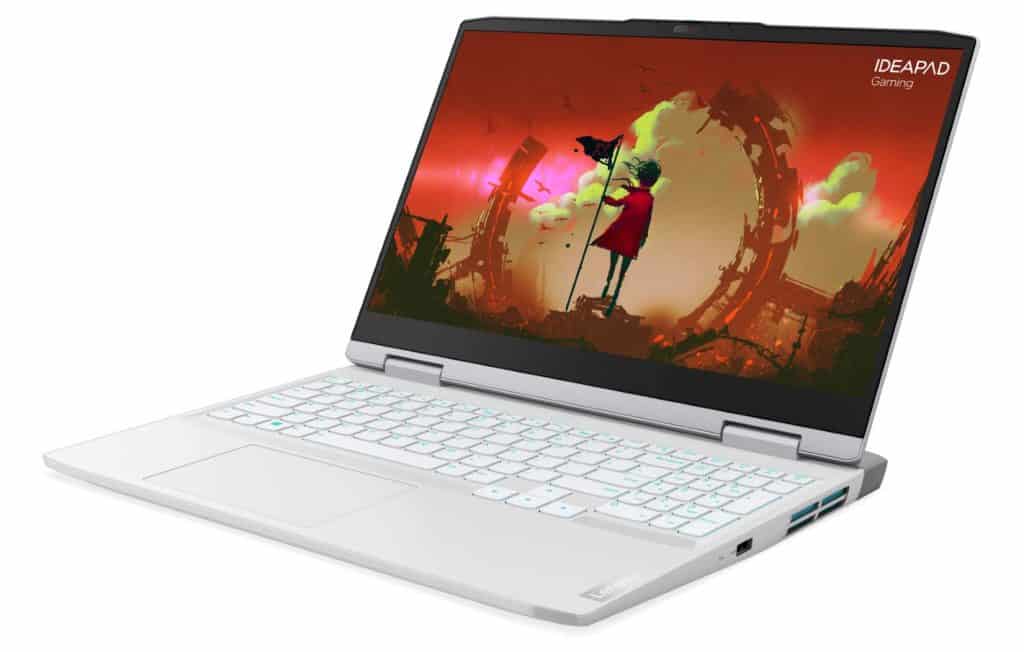
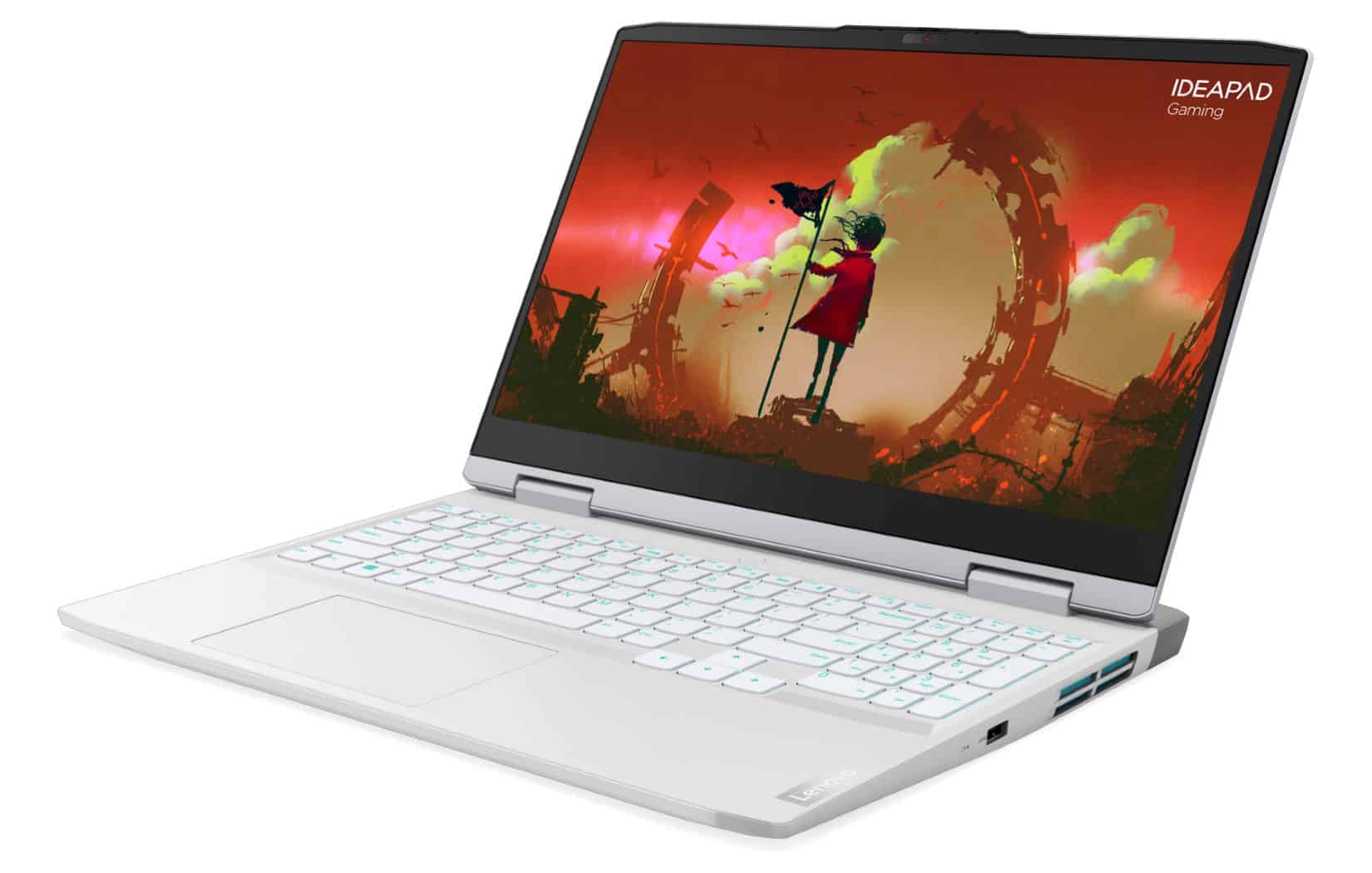
Are you a young person that likes to play games? Are you hunting for a budget laptop with remarkable features from a well known brand? Lenovo’s newly released IdeaPad Gaming 3i Gen 7 (2022) feels like a really solid option right now, like genuinely.
With strong upgrades coming from Intel , Nvidia and AMD, running AAA titles on High graphics settings isn’t really some “exclusive club” thing for only the expensive gaming laptops anymore. The IdeaPad Gaming 3 series now brings enough horsepower to chase that idea, but you still have to make a few small adjustments so the overall cost stays within reach for gamers.
In this article, I want to share my experiences and reviews of the IdeaPad Gaming 3i (the version using Intel chips, different from the IdeaPad Gaming 3 using AMD chips) Gen 7. The product currently has a 3-year warranty with Lenovo Premium Care service, the price may change depending on the configuration you choose.
In addition, when buying IdeaPad Gaming 3i, you will also receive a valuable gift set including a Legion Gaming backpack, a Legion M300s gaming mouse, and a large mouse pad!
New design inherited from the high-end Legion line
Lenovo has brought a fresher design philosophy with the Legion line this year, that gaming laptops don’t have to look aggressive. Philosophy has spread to the whole IdeaPad Gaming 3i Gen 7 when the machine is “makeover” with a more youthful and elegant appearance, not only gamers but those who are looking for a laptop to serve their work needs. You will also feel attention.
With two color options, Onyx Gray and Glacier White, the entire case of the IdeaPad Gaming 3i Gen 7 is made of plastic, covered with matte on the A side and glossy on the other sides. The grip of the IdeaPad Gaming 3i Gen 7 is still quite sturdy, although not as good as the Legion 5 (which has a metal A-side), the lid and the keyboard have a slight flex phenomenon, which is unavoidable with the material. The weight of the machine is about 2.3 kg (excluding charger), with a full-size gaming laptop equipped with a discrete GPU, this is an impressive number in the segment.
Like this year’s Legion line, the rear heat dissipation system of IdeaPad Gaming 3i Gen 7 is also enlarged and protrudes outward, like the exhaust design of supercars. Combined with the heatsinks on the sides and bottom, the IdeaPad Gaming 3i Gen 7 promises better heat dissipation performance, and the temperature does not accumulate below the keyboard causing discomfort when used.
The connection ports on the IdeaPad Gaming 3i Gen 7 are, pretty much, intelligently arranged too. Most of the extra hookups like HDMI, Ethernet, power, or USB-C end up on the rear, while the USB-A port plus the 3.5mm audio jack sits on the left. On the right side, there is only 1 USB-A port, so, you can hover or work more comfortably, without having to constantly think about getting twisted up with other peripherals.
With a new hinge approach, the IdeaPad Gaming 3i Gen 7 is also among the rare gaming laptops that you can open with one hand. It might not sound like some huge deal, but it’s a signal that the brand genuinely cares about the product and also thought about the daily user experience, in a sort of discreet way.
“ The gaming laptop has a bad screen ” is a thing of the past
Gaming laptops, especially the popular sort, often reduce display quality to save costs. That reduction can be in the panel type, resolution, refresh rate, or color coverage, but the IdeaPad Gaming 3i Gen 7 I tested decided to say “not interested” to all of that.
In the version I experienced, the IdeaPad Gaming 3i Gen 7 comes with a screen that has enough decent specs to make many more premium gaming laptops feel a little jealous. Concretely, it uses a 15.6-inch IPS display, a WQHD+ resolution (2560 x 1600 pixels), a modern 16:10 aspect ratio, and a 165Hz refresh frequency with up to 350 nits brightness. It’s the priciest setup there is, but if you want to spend less, then even the entry choice of the IdeaPad Gaming 3i Gen 7 still comes with a Full HD IPS panel, and a 120Hz refresh rate.
Practical use, IdeaPad Gaming 3i Gen 7 for good display quality, vivid colors, and sharp details thanks to high PPI. The 165Hz refresh rate makes transitions and scrolling effects smoother, as well as limits ghosting when playing fast-paced games. 100% sRGB color coverage may not be enough for professional graphics people, but this is not the main purpose of a budget gaming laptop like the IdeaPad Gaming 3i Gen 7.
IdeaPad Gaming 3i Gen 7’s 2Wx2 speakerphone is not too prominent like on many other gaming laptops, but because there are gaming headsets included, I don’t care too much about external speakers anymore. It also comes pre-installed with the Nahimic 3D Audio application so you can fine-tune the sound to your liking as well as reproduce surround sound with Easy Surround.
Full-size keyboard with an uncommon typing feeling
“What’s not broken, don’t fix it”, the keyboard on the IdeaPad Gaming 3i Gen 7 is identical to the previous generation. We still have a full-size keyboard with full Numpad keys and functions, 1.5mm deep key travel with good feedback, and 4-zone RGB LED with two levels of brightness to increase aesthetics and serve the needs of the battle game.
The touchpad of the IdeaPad Gaming 3i Gen 7 is large, set to the left, so there is not much space to rest the left hand when in use. For most of my experience, I had to mainly use the included external mouse. Gamers usually don’t care too much about the touchpad and don’t need such a large area, so I think this is a point Lenovo can recognize and edit in the next generation.
As a popular gaming laptop, it is hard to expect biometric unlocking features such as facial recognition or fingerprint sensor on the IdeaPad Gaming 3i Gen 7. However, the machine still has a privacy switch on the webcam to Cover it when not in use, avoiding crooks’ eyes while you’re playing your favorite games.
One of the perks of Lenovo laptops is the Lenovo Vantage application, with gaming laptops there is an additional Legion Edge. This is a hub for you to monitor your device’s health status, and warranty period, as well as tweak more advanced features such as GPU Overclocking, Rapid Charge, Hybrid Mode, etc.
Lenovo – 2022 – IdeaPad 3i – Essential Laptop Computer – Intel Core i5 12th Gen – 15.6″ FHD Display – 8GB Memory – 512GB Storage – Windows 11 Pro: Buy it now
Lenovo – 2022 – IdeaPad 3i – Everyday Laptop Computer – Intel Core i5 12th Gen – 14.0″ FHD Display – 8GB Memory – 256GB Storage – Windows 11 Home: Buy it now
Lenovo IdeaPad 3i 15.6″ FHD Laptop, Core i3-1115G4 up to 4.10 GHz, 8GB DDR4 RAM, 256GB PCIe SSD, HDMI, USB, WiFi, Keypad, SD Card Reader, Webcam, FP Reader, Platinum Gray, Win 11: Buy it now
Powerful performance second to none with Intel Gen 12 CPU, RTX 30 Series GPU
I experience the most advanced configuration version of IdeaPad Gaming 3i Gen 7, including Core i7-12700H CPU, Nvidia GeForce RTX 3060 graphics card, 16GB RAM, and 1TB NVMe SSD. Sound familiar? This setup is pretty much nearly identical to the very recently checked Lenovo Legion 5i 2022, only that the Legion 5i comes with 32GB of RAM. So, aside from multitasking, it would not be that surprising if the day to day performance between these two systems is basically on par, and you can tell from the results shown in benchmark apps.
Turning on dozens of Chrome tabs, and editing photos and videos with Lightroom and Premier shouldn’t be a problem with the IdeaPad Gaming 3i Gen 7. Playing AAA games at High graphics settings at WQHD+ resolution is what the RTX 3060 fully responds to. suitable, but if you want to make the most of the smoothness of the 165Hz screen, the “lighter” eSport games like League of Legends or CS: GO will be a more suitable choice.
The results for the IdeaPad Gaming 3i Gen 7 in some popular benchmark tests. I m usually keeping it in Performance mode when i test, but you can shift to the Quiet or Balanced profile using the Fn + Q shortcut:
For Cinebench R23, it kinda checks CPU performance in rendering type situations , plus also it looks at single-core and multi-core outcomes. The IdeaPad Gaming 3i Gen 7 with the Core i7-12700H managed 1,728 points for single-core, and 15,936 for multi-core.
Then on GeekBench 5, it came in at 1,685 in single-core, plus 10,201 in multi-core, which is pretty close-ish to what you’d expect.
At the same time, the RTX 3060 got 100,667 on the GeekBench 5 OpenCL test. That particular result is more about GPU work and compute, rather than plain CPU speed.
Now PCMark 10 is more about the day to day kind of work, basically multitasking and everyday scenarios. In that one, the IdeaPad Gaming 3i Gen 7 got 7,118 points.
3DMark Time Spy emulator 2K resolution gaming, DX12 graphics library. IdeaPad Gaming 3i Gen 7 reached 8,150 points.
3DMark FireStrike Extreme gaming emulator 2K resolution, DX11 graphics library. The score this time for IdeaPad Gaming 3i Gen 7 is 9,779.
To evaluate gaming performance, I use benchmarks available in today’s top configuration-demanding games, including Final Fantasy XV, Guardians of the Galaxy, Horizon Zero Dawn, and Shadow of the Tomb Raider. The results show that the IdeaPad Gaming 3i Gen 7 can completely play these games well at WQHD + resolution, with an average FPS always above 60.
IdeaPad Gaming 3i Gen 7 is equipped with a Micron 2450 SSD with a capacity of 1TB, a reasonable PCIe 3.0 protocol to save costs instead of running under PCIe 4.0 which has not had much practical effect.
According to Crystal Disk Mark, this SSD shows read speeds around 3,361.80 MB/s and write speeds about 3,225.78 MB/s. so things like starting Windows , copying data , or opening applications, they feel fast and reactive in day to day use.
For the Core i7-12700H, after 10 minutes of benchmarking, the highest temperature hit 98°C , which is pretty close to throttling territory.
Meanwhile the RTX 3060 GPU reached a max hotspot temperature of 82.5°C after the Time Spy benchmark was run.
With a large number of heatsink slots, the IdeaPad Gaming 3i Gen 7 operates cool in most daily-use tasks. Only when benchmarking performance or playing heavy games, will the temperature of components such as CPU and GPU be pushed up, with a maximum pulse retention time of about 30 seconds before being lowered to avoid overheating.
Regarding the battery, IdeaPad Gaming 3i Gen 7 is equipped with a 65 Whr battery. Of course, being a true gamer, no one plays games on a laptop without plugging in the charger, we all know that, the new machine is at maximum performance. However, with office tasks, the IdeaPad Gaming 3i Gen 7 can still be used for about 3.5 hours before needing to be recharged. If the brightness is reduced and the configuration is lower, it can last a few more hours.
Drawing from experience with its predecessor, the IdeaPad Gaming 3i Gen 7 comes with a 230W charger, so there will be no more battery percentage loss when playing games in Performance mode anymore. And with support for Rapid Charge Boost technology, you’ll get 2 hours of use from just 15 minutes of charging.
Summary
Considering the values that IdeaPad Gaming 3i Gen 7 brings, as well as the policy that Lenovo is implementing with the Legion 5 series, it is clear that this brand wants to make IdeaPad Gaming 3i Gen 7 become the new “national gaming laptop” in a product range.
With strong configuration, and reasonable cuts, this approach is quite similar to the “flagship killers” in the Android world, and of course, we gamers will be the ones to benefit the most if Lenovo is determined enough to pursue a strategy to the end.
Related Posts







Tech Reviewer & Product Analyst
Định Bia has spent over 10 years testing consumer electronics with a focus on smart technology. He work as a product advisor at Biareview where he helped customers find the right devices for their needs. He personally tests every product featured on this site using a consistent evaluation framework covering quality, durability, and value. All reviews are based on experience, not influenced by the manufacturer.