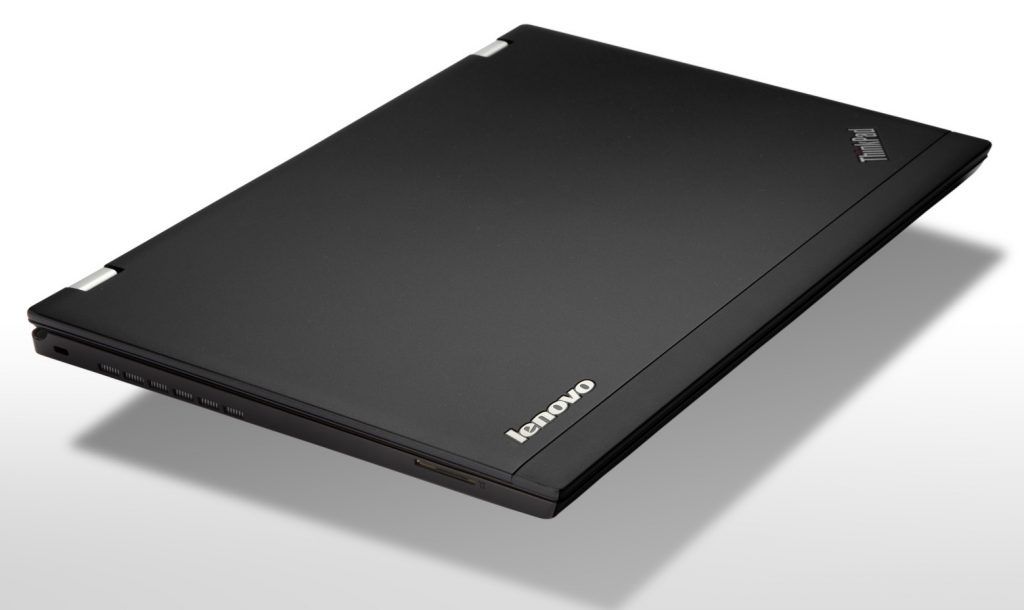
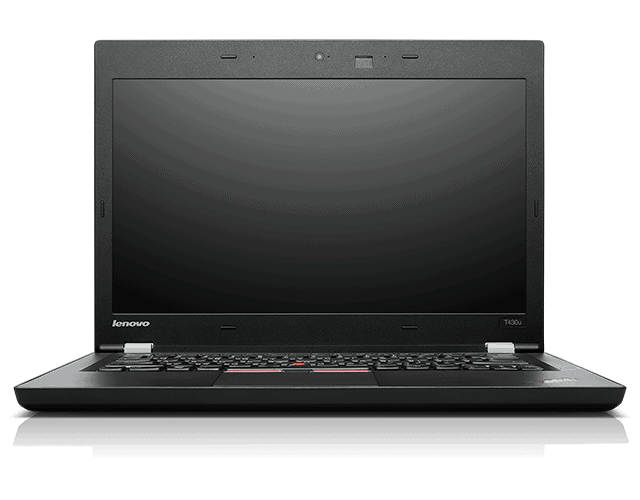
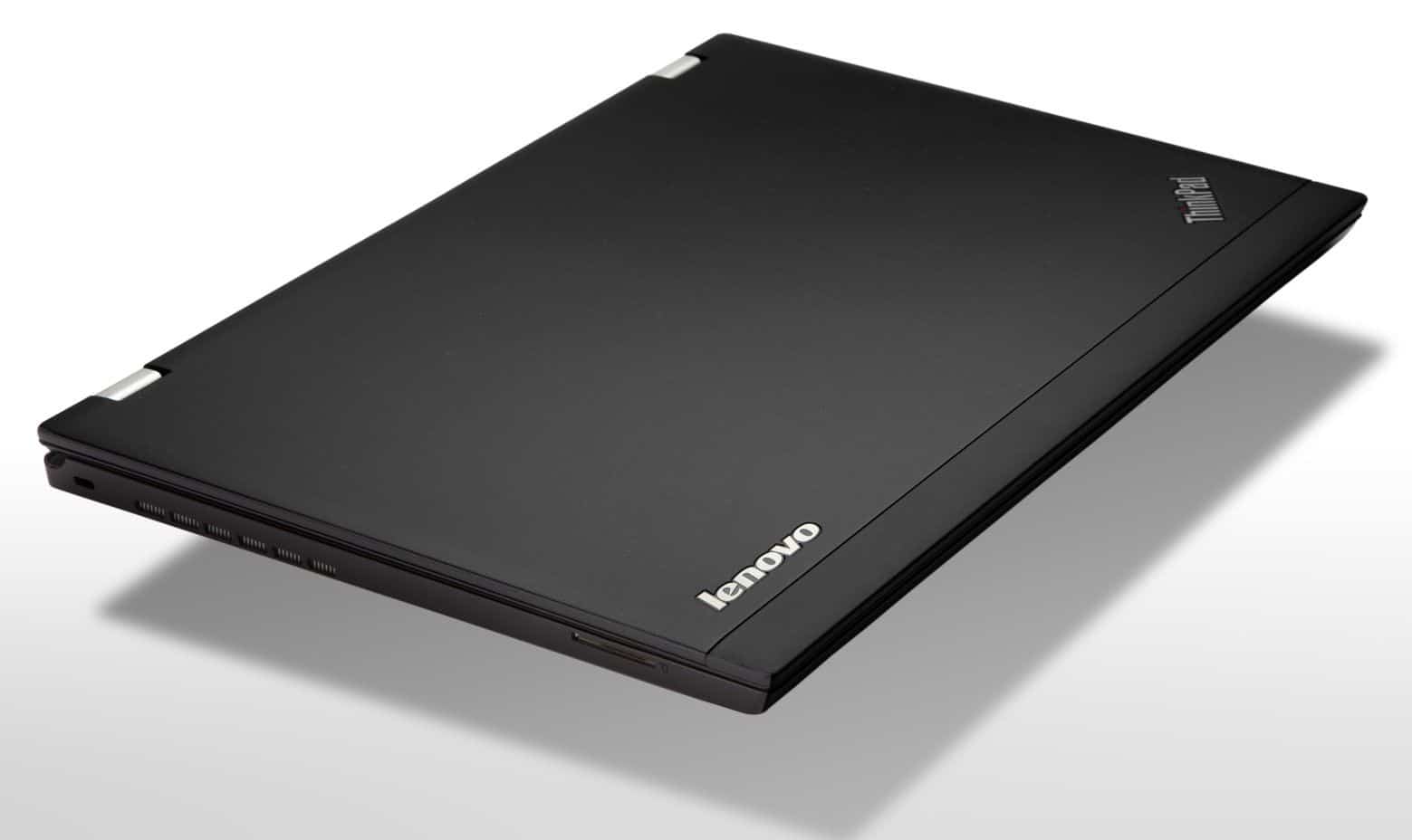
Lenovo ThinkPad T430u retains the traditional look of the ThinkPad line with its simple, sharp lines. Plastic casing and carbon fiber underneath, the structure of the chassis with magnesium alloy honeycomb structure, the overall machine is quite light but still reliable, bring confidence to users.
In essence, the T430u ultrabook is an upgraded version of the Lenovo ThinkPad T430 and has been redesigned to be slimmer and lighter. The machine still supports full connectivity, enough performance to meet the diverse needs of users while still ensuring flexible mobility and battery life.
Similar to the Thinkpad X1 Carbon, the T430u retains its distinctive mouse button and left and right buttons, right below the keyboard, with a nostalgic styling combined with the modern touchpad’s multi-touch interface. Fingerprint reader on the right.
The wide touchpad, the surface has the “dot ball” to create friction, which makes the mouse pointer move though not fast but still ensure high accuracy. Two mouse buttons (left, right) are also integrated, lightweight keys and sensitivity, easy to use.
Impressive is the design of the machine can open the screen as large as the keyboard, combined with a wide viewing angle (easy viewing) makes it easy for people to collaborate, share the information displayed.
Design oriented business people should be the security mechanism of the new ultrabook is also more interested. In addition to the fingerprint reader, face recognition via webcam, Intel Anti-Theft technology, Identity Protection identifier protection and next-generation hard drive shock protection, The data stored inside is more secure. The diagnostic center suite helps users manage passwords, backups, and system restore.
The machine also includes a TPM (Trusted Platform Module) chip to ensure hardware authentication, startup protection, and smart card authentication. Some of the security and remote management features of the Intel vPro platform allow users to configure multiple layers of security to better protect their computers and corporate networks.
The process of backing up and restoring the system back to factory state with the OneKey Recovery button is simple and quick; Even when the computer can not boot into the operating system.
Lenovo Open Box ThinkPad T430u 14″ Ultrabook PC – 3351-8EU: Buy it now
Monitor, keyboard and touchpad
The actual test shows that image quality is average. The problem is that this ultrabook is equipped with a 14-inch screen, but the optimal resolution is only 1,366 x 768 pixels; Equivalent to the 13.3 inch screen size. As such, the pixel size of the screen will be larger, resulting in sharpness and poor image detail display compared to the 13.3 inch screen. In addition, due to its anti-glare technology, when used outdoors or under bright light, the picture quality is also deteriorating.
In the office environment, the T430u performs well in text and tables in office applications such as Microsoft Word, Excel, and moderate screen brightness, so it does not cause eye fatigue when working in the long run.
The keyboard “Precision” is also one of the features of the ThinkPad laptops. Smooth, curved and elastic keys provide a clear “feel for keys”, which makes it easy to “surf” on the keyboard when typing text without the keyboard. Unfortunately, the keyboard does not have a backlight, but rather a tiny LED at the top of the screen. The amount of light is only adequate for users who are familiar with the keyboard.
Communication port, ability to upgrade
Despite its compact design, the ThinkPad T430u still supports full connectivity, including standard HDMI output, mini DisplayPort, USB 3.0 high speed interface, memory card reader “3 int 1 “and both headphone and microphone. It also supports wireless connectivity such as Bluetooth 4.0, Wi-Fi 802.11n and 3G connectivity via 3G sim card slot (HSPA +) at the back.
Performance
The Lenovo ThinkPad T430u is built to show consistent, dependable performance for work related duties and everyday computing. The exact unit being looked at here comes with an Intel Core i5-3427U processor, 4GB of RAM, plus a 128GB SSD, which is meant to land somewhere in the middle between speed and energy use. So for most common office stuff, it should fit pretty well, at least in day to day reality.
Processor
The Intel Core i5-3427U works as a dual core setup, starting at 1.8 GHz, and it can reach a turbo boost of up to 2.8 GHz. It’s not exactly “newest-gen” in Intel terms, but it still gives enough muscle for normal tasks like typing up documents, handling spreadsheets, and keeping up with web browsing. In other words, it’s a steady choice for business people who want dependable power for standard office applications not really heavy workloads.
Memory and Storage
On the RAM side, the T430u includes 4GB, and that’s fine for basic multitasking plus running typical business apps. Still, if someone is dealing with bigger datasets, or has many programs open, then 4GB can feel like it runs out, pretty fast, and that can get annoying. The good thing is the machine supports a RAM upgrade, so users who want more breathing room can make it feel more responsive.
For storage, the 128GB SSD is where the system feels snappy. Fast read and write speeds help with quick start-ups and smoother app loading, so you don’t sit around waiting as much. Of course, 128GB isn’t massive, and if you keep large files or install a bunch of software, space may become a problem. Even so the speed kind of offsets the smaller capacity a bit. And yes the storage can be upgraded later, but doing it properly takes some know how, or you might prefer getting help from a professional instead of guessing.
Graphics Performance
The T430u comes with integrated Intel HD Graphics 4000. It gives you just the basic level of visuals, okay for everyday things, and not too heavy multimedia either. It’s not really meant for intensive gaming, or those high end graphic chores, but for office style work it is still fine, like business apps, smooth video playback, and the casual kind of use. Sometimes you’ll feel it when you push too far, still overall it does what it should.
Battery Life
Battery life matters a lot on an ultrabook, especially if you’re the type that works while moving. The Lenovo ThinkPad T430u includes a 6-cell lithium-ion battery and it is rated for as much as 8 hours on one charge. Of course the real world will be different, depending on what you do, plus the screen settings, and other power choices you pick.
Battery Performance
For ordinary business activities such as web browsing, working in documents, and handling email, the T430u battery can usually stretch to about 6 to 7 hours. If you start doing more demanding stuff, like video playback, or running programs that chew through resources, then expect closer to 4 to 5 hours, sometimes even less. So, it’s pretty decent for its class, but if you plan on going long stretches without an outlet, you may want to consider external power, just in case.
The T430u also supports Lenovo’s Power Manager. This lets you mess with power settings and tune the battery behavior to fit your needs. There are different power profiles, plus options for how battery usage is handled, and it can help you squeeze extra runtime when you actually need it.
Connectivity on the Lenovo ThinkPad T430u is pretty solid, it comes with a bunch of connection options that matter a lot for business folks who have to plug into different peripherals, docks, and networks all day. In practice the device offers a mix of ports and interfaces so it stays compatible with a wide set of accessories, and that includes both newer gear and older stuff too, somehow.
Ports and Interfaces
USB Ports: you get three USB ports total—two USB 3.0 ports, and one USB 2.0 port. The USB 3.0 ports usually mean quicker data movement for file transfers, backups, and similar tasks, while the USB 2.0 slot is there for legacy devices that don’t really care about speed.
HDMI Port: there’s an HDMI port which lets you attach to external monitors, projectors, or even a TV. This helps with presentations, streaming media, and also with extending the display, so multitasking feels less cramped, and yeah it’s handy during meetings.
VGA Port: the presence of a VGA port helps with older projectors and some external displays that may not offer HDMI. It’s one of those “just in case” features that can save time when the room equipment is limited or outdated.
Ethernet Port: for wired networking, the T430u includes a standard RJ-45 Ethernet port. That’s useful for stable internet access, especially in office environments where Wi‑Fi can be… well, inconsistent at times.
Audio Jacks: the laptop has a headphone and microphone combined jack, so you can handle audio input and output through one port. This is convenient for calls, listening to multimedia, and day to day audio tasks.
Smart Card Reader: depending on the model, some versions include a smart card reader. This boosts security, because users can sign in or verify identity using smart cards, rather than relying only on passwords or similar checks.
Wireless Connectivity
The T430u has Wi-Fi 802.11n along with Bluetooth 4.0 , so it gives pretty steady wireless connection for using the internet and also for hooking up peripherals. In day to day use the Wi‑Fi performance tends to be quite solid, with good reach and speed for most office type environments. With Bluetooth 4.0, users can pair wireless extras like a mouse, keyboard and even headphones, without too much hassle.
Software
On the software side, the Lenovo ThinkPad T430u ships already set up with Windows 7 Professional. For business users that operating system is a decent fit, mainly because it comes with a helpful mix of standard features plus extra security options that matter in business settings. If someone wants the newest Windows experience, upgrading to Windows 10 or Windows 11 is possible, though that might mean extra installing and some configuration along the way.
Pre-installed Software
The T430u also includes a bundle of pre-loaded software, along with a few utilities, aimed at making the whole experience smoother:
Lenovo ThinkVantage Suite: this package brings together a set of tools for system administration, protection and recovery. It includes things like Lenovo Solution Center and Lenovo Update, which lets people keep track of their system , manage changes, refresh drivers and software, and handle troubleshooting when problems pop up.
McAfee Security: On the T430u, you’ll usually see a trial version of McAfee antivirus software included, which adds an extra layer of protection against malware and other security issues . Of course, users can later choose to buy a subscription, or they can go with a different antivirus solution instead.
Microsoft Office Trial: In some T430u setups, there may be a trial version of Microsoft Office. This lets you try the productivity apps suite before deciding whether to purchase it.
Lenovo Power Manager: This utility helps you handle power options, and it can optimize battery performance based on how you actually use the laptop. You can make custom power profiles, and there’s also monitoring for battery health, kind of like a simple routine check in the background.
Lenovo Cloud Storage: Depending on the region, and sometimes the exact model, the T430u might come with access to Lenovo cloud storage. It can provide extra storage space and lets you sync files across devices, so you’re not juggling everything manually.
User Experience
The Lenovo ThinkPad T430u is built for business users, with an emphasis on a dependable and efficient everyday experience. The overall feel comes from a sturdy build , a comfortable keyboard, and a touchpad that responds quickly enough for normal work. That combination tends to make things feel smoother, even after long sessions.
Performance and Efficiency
For everyday stuff, the T430u does pretty well, like for office document editing, web browsing, and handling email. It’s basically held together by the Intel Core i5-3427U processor, plus 4GB of RAM, and that 128GB SSD . In normal business routines this combo feels balanced, responsive enough, but people who start running heavier apps or do a lot of multitasking might want to think about RAM upgrades, or maybe go for a higher capacity SSD, because the storage can get tight.
The cooling setup also seems to manage heat with, some decent discipline, so it stays comfortable even if you leave it running for a while. The fan noise, is mostly low, so it doesn’t ruin the focus during longer work sessions.
Business Features
The T430u comes with a few things that fit business users, and not just the usual “it works” kind of stuff:
Security: With the optional Smart Card reader and TPM (Trusted Platform Module) you get extra protection for sensitive data, plus stronger authentication options.
Durability: The sturdy build, and the materials used, help it survive frequent trips and day to day handling.
Connectivity: There are multiple connection choices, including several USB ports, HDMI, and Ethernet, which makes it easier to hook up peripherals and different network setups.
Keyboard and Input: The keyboard feels solid under the fingers and the touchpad responds quickly, which helps productivity, especially during long typing periods, or when you’re working for hours without breaks.
Conclusion
The Lenovo ThinkPad T430u turns out to be a solid, basically safe pick for business users who want something reliable and quite portable, an ultrabook kind of vibe. The overall design, build quality, and performance feel right for many day to day work duties, like working on documents, jumping through web pages, and handling the usual office stuff. Now, that 1366 x 768 screen resolution is on the lower side compared with some other models out there, but honestly it still shows images in a decent way for everyday use.
Another big win is how durable the T430u feels, it’s the kind of build that can handle frequent travel, and not just occasional trips either. Add in a keyboard that feels comfortable to type on, a touchpad that responds quickly, and a set of connectivity options that cover you pretty well, and the whole user experience becomes smoother than you might expect.
Still, if you want a sharper display, more RAM plus a larger storage setup, or extra stuff like a convertible layout, then you may be better off with options such as the Dell Latitude E6430, the HP EliteBook 8470p, or even the Lenovo ThinkPad T430. Those alternatives can match the “more features” expectation a lot easier.
All in all, the Lenovo ThinkPad T430u gives a balanced mix of portability, solid performance, and business focused features, so for professionals it remains a strong candidate in the ultrabook space.
Related Posts

Tech Reviewer & Product Analyst
Định Bia has spent over 10 years testing consumer electronics with a focus on smart technology. He work as a product advisor at Biareview where he helped customers find the right devices for their needs. He personally tests every product featured on this site using a consistent evaluation framework covering quality, durability, and value. All reviews are based on experience, not influenced by the manufacturer.