Introduction
Released in November 2008, the BlackBerry Storm 9530 was Research In Motion’s (RIM) first real step into the touchscreen smartphone world. Honestly it was kind of a big break from the company’s usual thing, physical keyboards, like always. They wanted to square up against the fast growing touchscreen crowd, and yeah, Apple’s iPhone was basically the obvious name in that space. The Storm 9530 also showed what BlackBerry wanted next, a wider audience, including people more into media and multimedia stuff, than the classic email-first workflow. In this review I go through the BlackBerry Storm 9530 in a pretty full way, touching on design, performance, the user interface, features, and also how it landed in the smartphone market overall.
Design and Build Quality
Aesthetic and Ergonomics
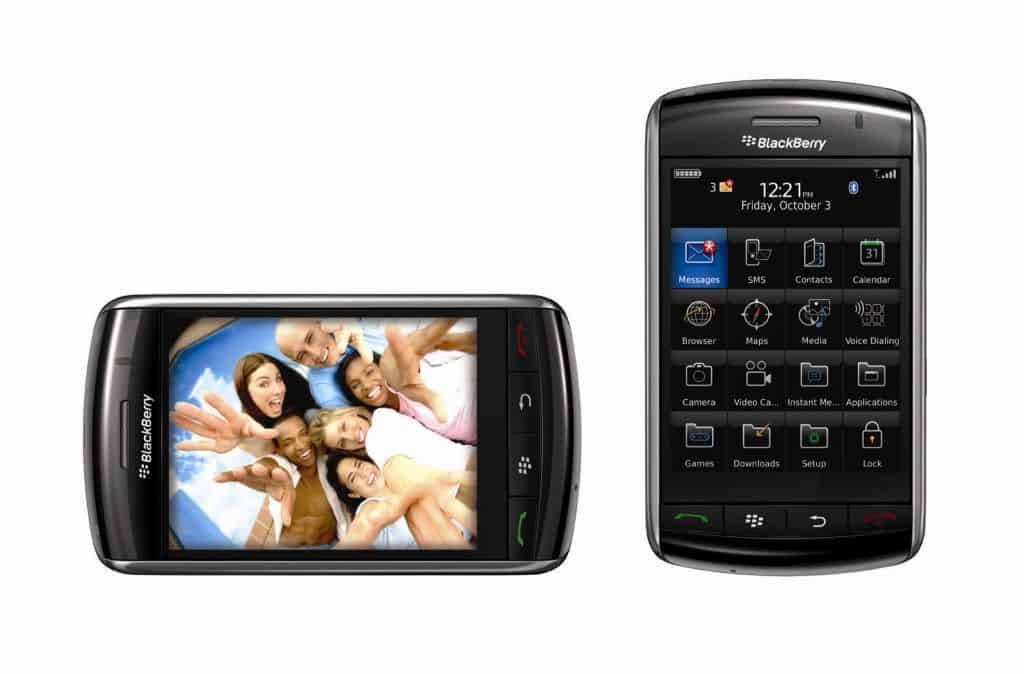
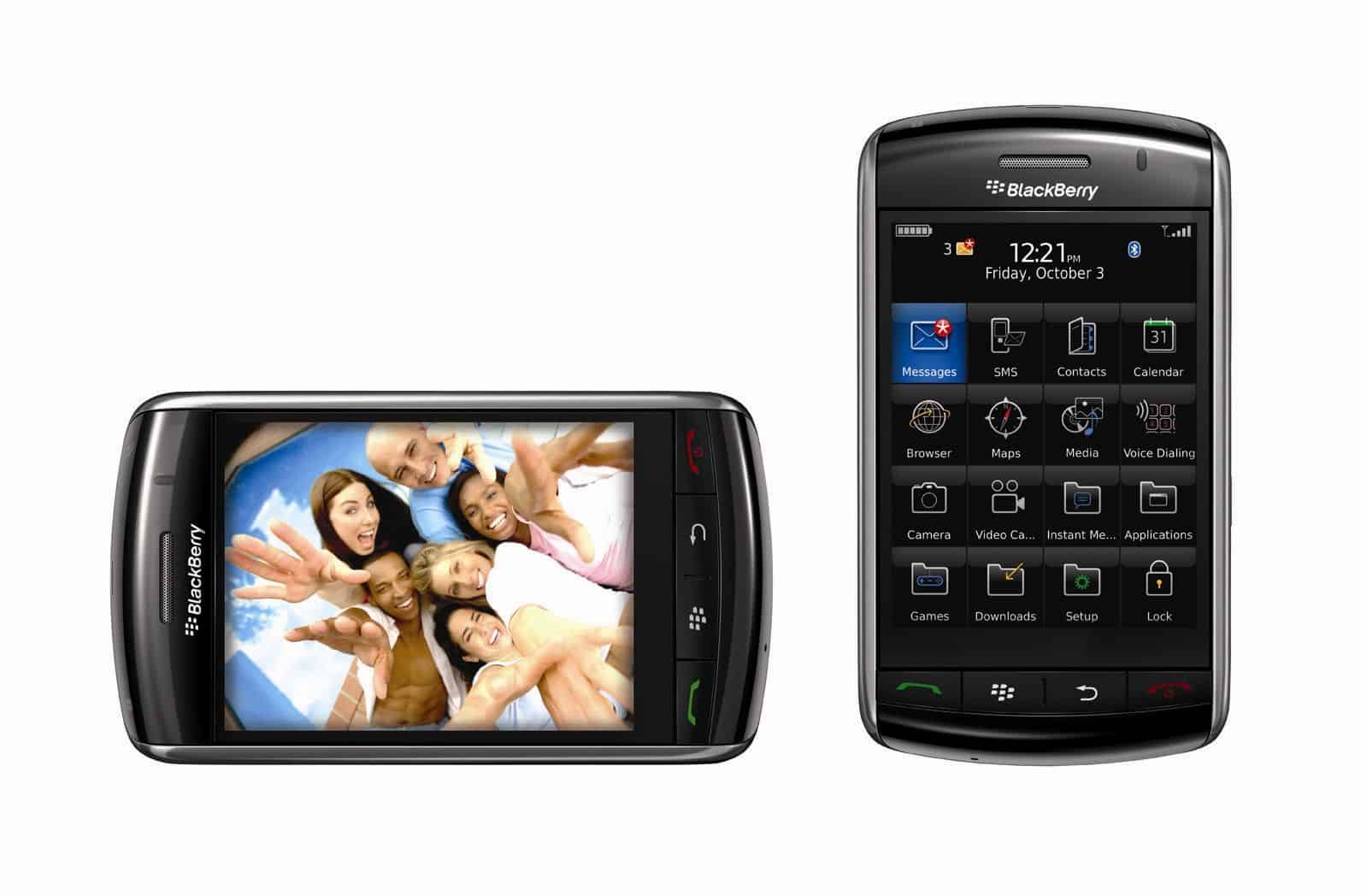
The BlackBerry Storm 9530 came off as a departure from BlackBerry’s usual visual style, because it swapped the usual buttons for a full touchscreen interface. You could feel it right away. In terms of size it measured 112.5 x 62.2 x 14.2 mm (4.43 x 2.45 x 0.56 in) and it weighed in around 155 grams (5.5 ounces). So it was pretty bulky and heavy, especially if you compare it with a lot of smartphones from that same era. Still, the device had that sturdy, solid vibe you’d expect, like it was built to take daily bumps and normal wear without falling apart. The overall feel was firm ,and more “tank-ish” than many competitors, at least in day to day handling.
The front of the device is pretty much all about a big 3.25 inch display, which was honestly quite large for its era, and you could really feel that. The screen sits inside a black bezel, kept in this minimal style, kinda plain but still it gives the whole thing a sleek and almost modern vibe. Then at the back, the Storm had a glossy plastic cover, plus a 3.2 megapixel camera stuck on there, and that combo just makes the overall look feel more polished than you’d expect.
Build Quality
On the BlackBerry Storm 9530, the build quality was pretty solid, like it was sort of meant to take a beating, the same vibe you usually get with BlackBerry. The materials and the way everything was assembled seemed put together with everyday life in mind, not just careful use tucked away in a drawer. You could also see that the touchscreen moved fast when you tapped, and the whole device felt sturdy, in a way that lines up with BlackBerry’s usual obsession with reliability and overall quality.
However, some users reported issues with the device’s build over time, including the tendency for the touchscreen to become less responsive after prolonged use. This was partly due to the unique SurePress technology that BlackBerry employed, which will be discussed in more detail later.
On the 3.3 inch screen you will find the Pick Up, End call, Back buttons as well as many other familiar keys on the BlackBerry. The two sides of the device are equipped with multi-function buttons, volume control, camera … The top of the BlackBerry 9530 Storm is the key and mute. The back cover of this smartphone is for speakers and cameras.
Experience with the BlackBerry Storm 9530 can be seen RIM continue to show significant improvements on the keyboard in new style.
Compared to when entering data on the iPhone, RIM’s new solution offers a great choice, making it easier for users to type.
However, the QWERTY keyboard caused quite a lot of difficulties initially. If you are not used to it, you can choose the SureType solution instead.
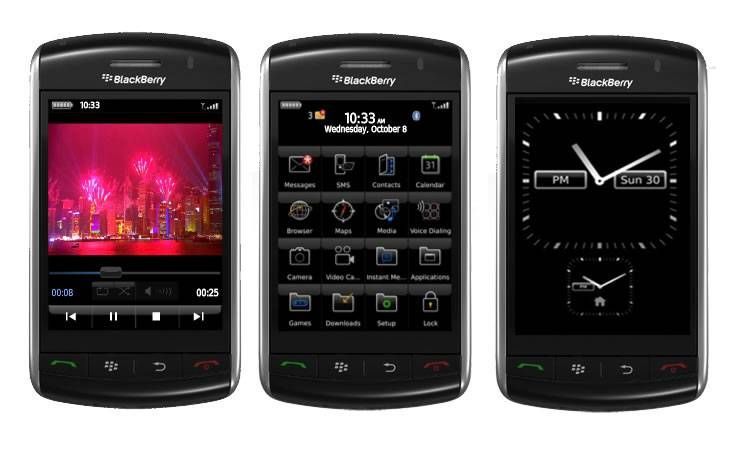
RIM has redesigned the touch screen interface of all BlackBerry models. Larger icon sizes and the presence of three types of keyboards (QWERTY, SureType, and phone keypads) may be available to replace the still-beloved physical keyboard of the BlackBerry brand. If you want to navigate the Storm screen, just tap the tip of your finger on the screen. To select an icon, click on it.
The speed of 500 MHZ of the device is quite fast. Unfortunately, after some major updates, some of the software on Storms is still buggy. Some buttons on the site are hard to click. Camera is also often called undesirable from the mail application.
The BlackBerry Storm is known as a global citizen. It runs on Verizon EV-DO Rev A network, and it kinda supports dual band CDMA, plus quad band EDGE, and also 2,100 MHz HSDPA . When I tested it as a PC modem on Windows Vista, the speed came out around 600 – 900 kb / sec for downloads, and about 350 – 500 kb / sec for uploading files.
In the European market, this smartphone can also hook into the HSDPA 7.2 network, so you get noticeably higher speeds. Sadly, the BlackBerry Storm 9530 does not have Wi‑Fi. Still , since 3G network access is there, you can bypass that thing completely, though at a moderate cost.
The BlackBerry Storm 9530 is also quite impressive with the quality of the conversation. Headphones and speakers all sound great. Using technology to reduce noise load down twice, background noise is quite low and voice is stable. Voice mail support is also a significant strength of the BlackBerry Storm 9530.
Compared to the iPhone 3G and BlackBerry Bold, the talk time of the BlackBerry Storm 9530 is a little better, although still lower than the Curve. Video browsing time is 4 hours 32 minutes, a result not bad with a phone.
Blackberry 9530 Storm: Buy it now
RIM BlackBerry Storm 9530 PDA Phone For Verizon Wireless – Brand New OEM Housing: Buy it now
Blackberry STORM 9530 Verizon Phone No Contract World Cell Phone With 3.15 Mega Pixel Camera – Black: Buy it now
Storm runs the new version of BlackBerry OS 4.7, which supports touch features. It integrates a series of familiar applications of a BlackBerry such as mail, music, contacts, browser and touch interface. The next-generation OS offers some additional features compared to 4.6, including the ability to edit text in MSOffice format and HTML email support.
With Storm, you can experience 10 emails, installation is simpler than before. You can also cut, paste text, select multiple messages at once or multiple lines of text using multi-touch gestures. Storm also offers a range of instant messaging applications, such as AIM, ICQ, MSN, Yahoo, and the popular BlackBerry application.
Along with the beautiful large screen, the Storm promises to bring a great multimedia experience. There are four ways to sync music, videos between Storm and Pc. On the other hand, synchronization of Outlook contacts and calendars with Microsoft Outlook 2007 is quite good. The device has a music room that holds up to 879 MB along with 8GB on a microSD card (or up to 16GB) peripheral.
The sound of Storm is great. You can enjoy music in MP3, WMA, and AAC formats. MP4 video of iPhone display beautifully. The WMV video file has a bit of a hassle. Storm can sync playlists from Rhapsody or iTunes. Verizon said it will soon release a video delivery program for V Cast and it will be free.
Browser is also a new version compared to the Bold generation. The page load speed is a bit slower, but still slightly better than what the Bold generation can do. Just double tap on the screen you can increase the size. Browse Youtube on the Storm is quite smooth. Also, if you are not satisfied with Storm’s built-in browser, Opera Mini is not a bad choice.
Powered by a 3.2 MP camera, the Storm owns an LED flash and supports video recording. During the day the picture looks very sharp though slightly pale.
Battery Life
Battery Specifications
So the BlackBerry Storm 9530 came with a 1400 mAh lithium ion battery. I mean the battery capacity was kind of modest compared to what people expect now , but it still matched what the device needed in practice.
Battery Performance
In day to day use the battery life was usually just fine. Most people seemed to get roughly 6-8 hours of talk time, and for standby it could reach as much as 350 hours. Of course the real performance wasn’t constant , it depended on stuff like screen brightness, how much the network was doing, and what apps you actually had running. Even if the results were reasonable, it wasn’t exactly standout. If someone had a heavy usage rhythm , they might end up recharging more often than they’d like.
Connectivity
Network and Connectivity Options
The BlackBerry Storm 9530 offered a bunch of connection methods , like :
Cellular Connectivity: It worked on 3G networks, so there was mobile data access for things such as browsing , email and other online services. Back then it was okay, but nowadays it’s been overtaken by 4G and even 5G.
Wi-Fi: The phone also had Wi-Fi, letting you join home or office wireless networks for quicker internet. It was handy for more data heavy jobs, and it reduced the need to stay on cellular as much.
Bluetooth: There was Bluetooth 2.0 built in , which helped users pair with compatible devices for wireless music audio, file moving, and related tasks.
GPS and location services
The BlackBerry Storm 9530 came with a built in GPS feature, so it sort of gave users location based services and some navigation things too. In general the GPS worked pretty well , and it was accurate enough that people could actually use mapping apps and those location oriented services in a steady way.
Pros and cons
Pros
Innovative SurePress Technology: The SurePress touchscreen, even if it had mixed opinions around it, was still kind of a bold move. It tried to give tactile feedback on a touchscreen device, which was rather unusual back then. The goal was , to make the whole touch experience feel more satisfying, and yeah, to improve accuracy when someone tapped.
Robust build quality: The BlackBerry Storm 9530 was made with durability in mind. It had a sturdy construction that felt pretty classic for BlackBerry devices. So it was seen as a dependable choice for anyone who cared about how long the phone might last.
Decent multimedia capabilities: For its era the Storm delivered a fairly good multimedia setup. You got a media player, a camera, and support for multiple audio and video formats. It worked for people who wanted to consume media while out and about.
This device still kept that BlackBerry reputation for strong email and messaging, kind of the same old feel. You could work with multiple email accounts along with SMS and MMS, and also BlackBerry Messenger (BBM) for contacts that want it. That combination made for a really solid communication experience.
Wi Fi and GPS support: Having Wi-Fi along with GPS was a real plus, because it allowed quicker internet access while also supporting location based services, without too much fuss.
Cons
SurePress Technology drawbacks: SurePress was kinda cool but it was not really embraced by everyone. A lot of users felt it was less intuitive than capacitive touchscreens, and that extra click feedback could end up slowing things down, during quick interactions.
Performance limitations: The Storm’s processor and RAM were pretty modest, so there were noticeable performance limitations. This showed up most with heavier applications and when multitasking. Sometimes the device could lag or give slower response times compared to more powerful competitors, you know.
Limited app ecosystem: BlackBerry App World had fewer options than the Apple App Store and Google Play. So the variety of third party apps, plus games, was more restricted for users.
Average display quality: The display resolution at 480 x 360 pixels was behind some competitors. As a result visuals were not as crisp or vivid. Also the screen had some trouble with glare and reflections when the light was bright and harsh, outside for example.
Battery life: It was fine for moderate use but it wasn’t exceptional. If someone was a heavy user they might end up recharging more often, especially with lots of multimedia, and constant connectivity.
Conclusion
The BlackBerry Storm 9530 feels like one of those, chapters that kind of mattered more than you would expect. It was BlackBerry’s first touchscreen device, and it tried to close the gap between the old-school physical keyboards and that whole new touch-based direction people were moving toward. Even with the SurePress tech, and a fairly sturdy build, the Storm still ran into some issues, like performance that could feel a bit cramped, an app library that was kind of thin, and feedback that was all over the place about the touchscreen feel.
Impact on the Smartphone Market
The impact of the BlackBerry Storm 9530 on the smartphone market, was not just small. It showed that BlackBerry was willing to pivot, and try out new ideas. Sure, it didn’t get the same kind of traction as some competitors, but the Storm did lay groundwork for what came later with touchscreen models. It also gave lessons, about what smartphone users were actually starting to care about, preferences shifting sooner than many expected.
Legacy
When you look at the legacy of the BlackBerry Storm 9530, it’s mostly connected to how it acted as an early push in BlackBerry’s touchscreen attempts. It demonstrated an effort to innovate and stay relevant in a fast-moving market, even if stronger and more popular devices were pulling attention away. You can still sense the Storm’s influence in the later refinement of touchscreen technology, and in the wider acceptance of certain features that were introduced here, pretty much at the start of the wave.
Final thoughts
Looking back, the BlackBerry Storm 9530 felt like this bold, kind of ambitious try by BlackBerry to step into the touchscreen smartphone market. It came with a bunch of features and some real innovations, pretty notable for the time, but at the same time it ran into issues that, in the end, held back its momentum. The Storm’s SurePress technology, plus its sturdy build quality , made it stand out as a pretty distinct device, and even now people still mention what it did for the evolution of touchscreen smartphones.
The BlackBerry Storm 9530 also works like a reminder about how fast tech changes, and how the smartphone industry keeps chasing innovation. Sure it didn’t reach long term commercial success, but its “footprint” is still there , especially in how it helped shape touchscreen development , and also in how it pushed forward BlackBerry’s path as a smartphone maker.
So in conclusion, the BlackBerry Storm 9530 remains a meaningful piece of smartphone history. It marks a phase of transition and experimentation in the industry. Its inventive functions together with the complications it faced, bring up useful lessons and perspective for consumers and manufacturers alike, in this ever-shifting world of mobile technology.
Related Posts

Tech Reviewer & Product Analyst
Định Bia has spent over 10 years testing consumer electronics with a focus on smart technology. He work as a product advisor at Biareview where he helped customers find the right devices for their needs. He personally tests every product featured on this site using a consistent evaluation framework covering quality, durability, and value. All reviews are based on experience, not influenced by the manufacturer.