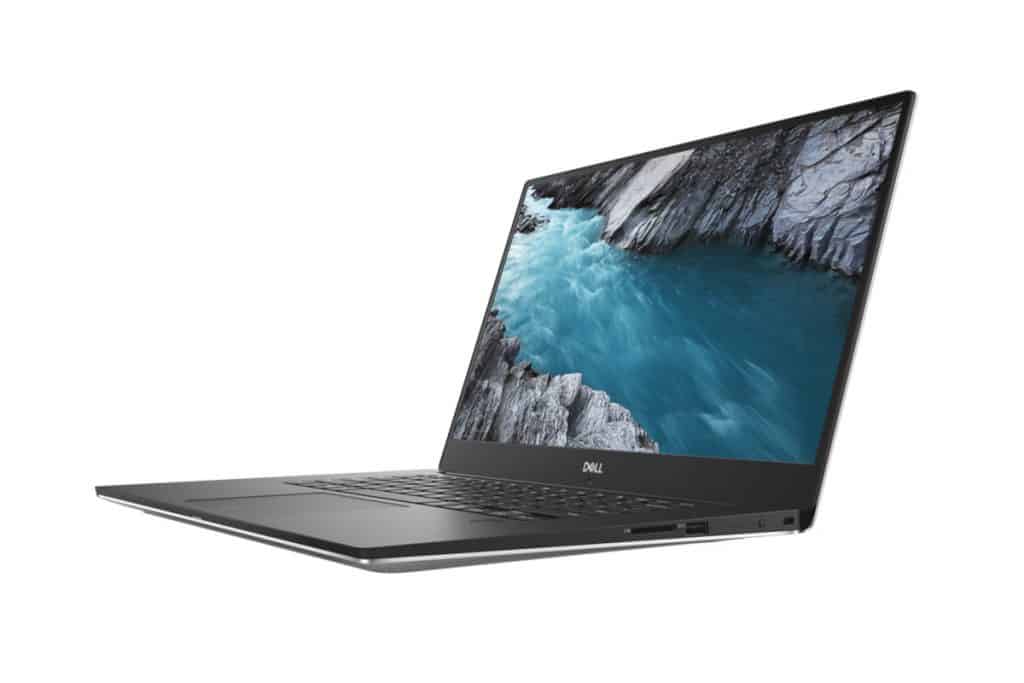
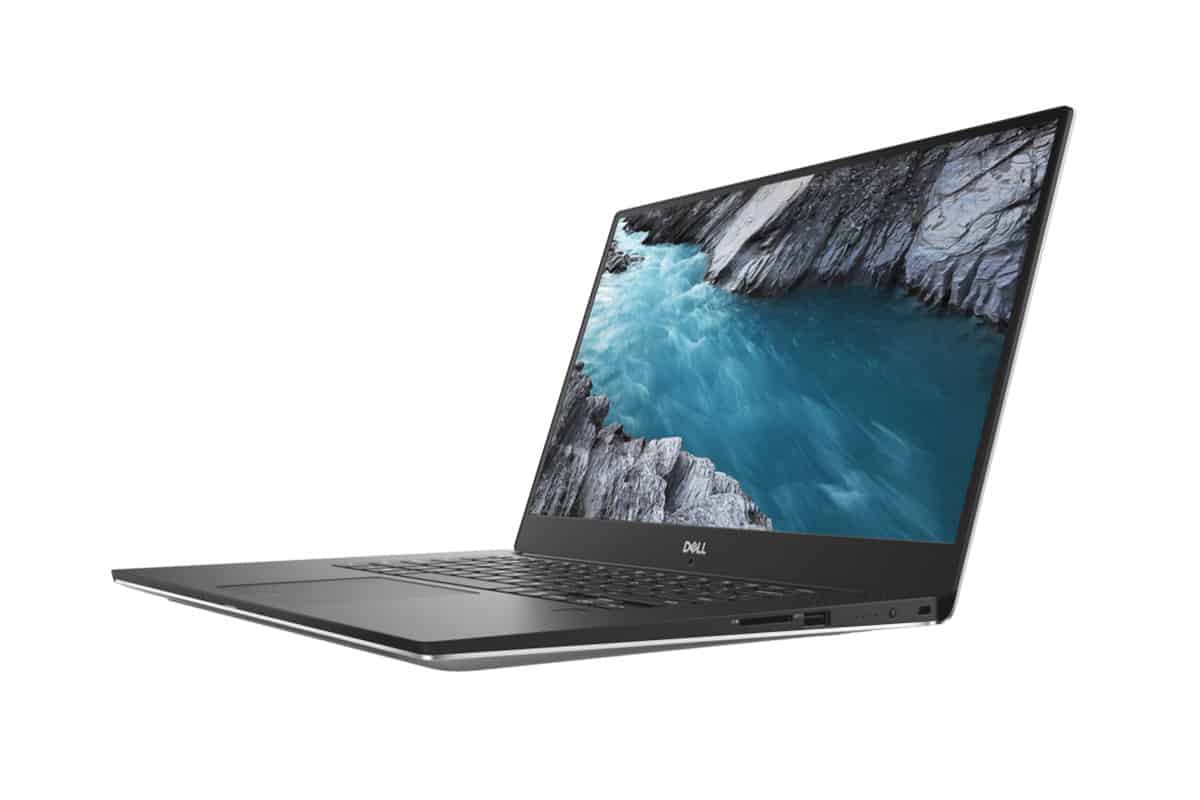
Dell XPS 15 9570 carries in itself the luxurious and sophisticated design inherent in today’s high-end laptops. It comes with the most powerful hardware in the Dell XPS line
Compared with the Dell XPS 15 9560 version, the 9570 version has had many significant changes in the design and performance of the machine. Dell XPS 15 9570 has the inherent features of high-end laptop computers along with much more powerful hardware than the Dell XPS 13 series and more detailed than the Dell XPS 13 9370 laptops. We can found that the Dell XPS 15 9570 is one of the perfect symbols of the most high-end laptop computer line today.
Elegant and elegant design
The Dell XPS 15 9570 is still being offered by Dell, with a look that feels refined a bit compact, and solid but it kind of never truly looses that inherent elegance you usually expect from the high end XPS laptops.
The Dell XPS 15 9570 is built with a silver aluminum chassis, teamed up with black inner bezels, and the overall look is sort of highlighted by four rounded corners, like it wants to stay a bit more gentle. Basically the Dell XPS 15 9570 looks kinda similar to the older version, only it feels a little more coherent, if that makes sense. The difference that helps us distinguish is the flexible steel hinge design but is wrapped outside of aluminum, which can be folded back 360 degrees to use as a tablet, different from the design. The recessed margin for the opening angle is only about 100 degrees like the regular version.
The camera’s webcam is integrated below the screen with 720p resolution combined with a Windows Hello compatible infrared sensor, making it easy for users to use the facial recognition sensor to log into Windows 10. In addition, The power button of the Dell XPS 15 9570 laptops is also integrated with a very responsive 1-touch sensor.
Measuring 14.1 x 9.3 x 0.5-0.7 inches and coming in at 1.97 kg, in 4k no less, the Dell XPS 15 9570 is basically one of those very slim laptops people talk about today. It also has a 15.6-inch screen built in, so, yes , it’s not exactly small. The Full HD edition can be as low as 1.8kg. And at the same time, the device is using GORE on the soleplate, which helps with heat spreading and that kind of thing.
The Microsoft Surface Book 2, meanwhile, lands at 1.97 kg too, but it’s 13.5 x 9.9 x 0.9 inches, so it’s thicker than the Dell XPS 15 9570. Similar story with the HP Specter x360 at around 2, 08 kg and 14.1 x 9.8 x 0.8 inches. Still, when you look at the MacBook Pro, it feels like it has the upper hand, with 13.8 x 9.5 x 0.6 inches, and it’s thinner plus lighter at 1.8 kg.
Performance
Powerful Processor Options
The Dell XPS 15 9570 runs on Intel’s 8th Generation CPUs, and honestly the whole lineup begins around the Core i5-8300H then goes all the way up to the Core i9-8950HK. These chips are tuned for heavy workloads so, in practice the machine handles everyday stuff just fine, but it also does a lot more sharper stuff like video editing, 3D rendering, and other graphic-intensive workflows. The Core i9 model is the one that really stands out if you’re the type of user who wants maximum compute speed, no compromises.
Ample RAM and Storage
With the XPS 15 9570, you can spec it with up to 32GB of DDR4 RAM, which is plenty of space for switching between things fast and for apps that like to munch on memory. As for storage, Dell offers you options from 256GB PCIe SSD, all the way over to 1TB PCIe SSD. Those PCIe drives help with quick startup, fast access to files, and overall that responsive feel you get when the system is working at full stride.
Dedicated Graphics Card
For graphics performance , the XPS 15 9570 is bundled with an NVIDIA GeForce GTX 1050 Ti with 4GB of GDDR5 memory. This dedicated graphics card gives you more than enough muscle for gaming, video editing, and a bunch of other graphics heavy chores. It might not be the strongest GPU around, but it kind of lands on a decent mix between raw speed and power savings, so it ends up fitting a wide variety of users .
Keyboard and Touchpad
Comfortable Keyboard
The keyboard on the Dell XPS 15 9570 feels thoughtfully made, giving a comfortable typing setup. The keys have a solid amount of travel and tactile response, which makes it simpler to type for long stretches without feeling drained. Also the backlit keyboard helps a lot , so low-light work doesn’t turn into a guessing game.
Precision Touchpad
The touchpad on the XPS 15 9570 is large, and it responds fast, with support for Windows Precision drivers. That means smoother , more accurate movement, plus good coverage for multi touch gestures. The surface itself is sleek and it offers just the right level of resistance, so it’s honestly pleasant for scrolling , navigation, and daily productivity stuff.
Battery Life
All-Day Battery Life
One of the main reasons people seem to like the Dell XPS 15 9570 is its battery performance. Even with the pretty capable hardware and the higher-resolution display, it still kind of manages, all-day runtime on a single charge pretty reliably. The 97Wh battery holds up well enough to cover a full day of work or school, and you still usually have a little extra “something” left for entertainment later at night.
Fast Charging
The XPS 15 9570 kinda does fast charging too, so you can quickly top up the battery whenever it feels low. Thanks to Dell’s ExpressCharge tech, the charge can go from 0% to 80% in about one hour , which sounds simple but it really helps when you are rushing out the door and you don’t want long pauses.
Audio Quality
High-Quality Speakers
On the audio side, the Dell XPS 15 9570 brings high quality speakers that keep the sound clear and pretty balanced. They sit on both sides of the keyboard, so you get stereo output, and it comes across loud, plus kind of immersive at the same time. There’s also Waves MaxxAudio Pro software, which adds extra polish , with different presets and settings you can tweak to match what you like.
Headphone Jack and External Audio
If you prefer headphones, or maybe external speakers, the laptop includes a regular headphone jack. And it also supports high resolution audio output, so when you plug in better audio gear, you tend to hear the details more clearly, rather than losing that extra quality.
Heat and Noise Management
Efficient Cooling System
For temperature, the Dell XPS 15 9570 uses an efficient cooling system, so it stays relatively cool even when the workload gets intense. It has two fans and heat pipes that are sort of working together, moving the heat away, so overheating is less of a concern during things like gaming, or for video rendering. Also , even when the fans spin hard, the system is pretty quiet, so you don’t get that constant loud whirring, most of the time.
Quiet Operation
While doing everyday things like web browsing , word processing, or watching media, the XPS 15 9570 usually stays pretty quiet. The fans do not really kick in , at least not often. so it becomes a nice pick for calmer places, like libraries, classrooms, or regular offices where you do not want extra noise.
InfinityEdge touch screen with high contrast colors.
One thing that really stands out on the Dell XPS 15 is its 15.6-inch display panel . You get an integrated touch option, but the whole setup is still thin and compact, thanks to that newer InfinityEdge screen tech . Dell also managed to thin the borders around the screen as far as possible , so the display feels more open.
The touch screen itself comes with either 1080p or 4K resolution. It covers up to 100% of the ultra-sharp , vivid sRGB color range, plus strong brightness and high contrast that helps a lot when you need to work outdoors. And yep, both the 4K and 1080p variants support touch, and they can be used with a stylus too.
For brightness, both screen options are rated up to 400 nits. The Full HD model hits a contrast ratio of 1200:1 , it also uses a scratch-resistant coating and reaches up to 100% sRGB coverage. The 4K panel meanwhile is made for a contrast ratio of 1500:1, and the color range can go up to 100% Adobe RGB . On top of that, it has an anti-reflection layer, so glare is reduced.
Outstanding and powerful performance with 8th generation processor
On performance, the Dell XPS 15 9570 offers multiple CPU choices . there is a base version with the i5-8300H , but you can also go for the i7-8750H or even the i9-8950HK, depending on what you actually need to do. For memory, it supports onboard RAM from 8GB all the way to 32GB, using two DDR4-2666MHz slots . Storage is also flexible, with PCIe SSD options ranging from 256GB to 1TB, again based on your preferences.
Besides being able to choose processors, Dell also gives you some options with GPUs, meaning graphics cards, and with a lot of choices that can feel kind of close but not exactly the same. In this case the integrated GPU route usually lands on Intel UHD 630, GTX 1050, or GTX 1050Ti. If you don’t really use or work that much with graphics, Intel UHD 630 can be the sensible way to save some money. But if you need a laptop for gaming battles, or for graphics work, or maybe editing 4K video, then the more advanced options are the ones that fit better, and yeah they do what they are supposed to do.
Software and Features
Windows 10 Pre-Installed
The Dell XPS 15 9570 ships with Windows 10 already installed ,so you get an operating system that feels familiar and fairly easy to work with right away. Windows 10 also brings a big set of features and broad compatibility, so you can use all kinds of software without too much fuss, whether it is personal stuff or something more professional.
Dell PremierColor
For people who care about color accuracy, Dell bundles PremierColor. This software lets you tweak the display color settings, so the screen can line up with certain color profiles. The result is that colors look more faithful, not just “pretty”, but more correct. That matters a lot for photographers, designers, and video editors who work with color-critical content, because even small changes can be noticeable.
Dell Mobile Connect
There is Dell Mobile Connect , this is another included feature on the XPS 15 9570. With it you can pair your smartphone with the laptop , so calls texts and notifications show up right there on your laptop screen. It feels like this sorta fluent bridge between devices and honestly it supports daily work flow, because you don’t have to keep hopping back and forth just to remain updated.
Dell XPS 15 9570-8th Generation Intel Core i7-8750H Processor, 4k Touchscreen display, 16GB DDR4 2666MHz RAM, 512GB SSD, NVIDIA GeForce GTX 1050Ti, Windows 10 Home, Gaming Capable: Buy it now
Dell XPS 15 9570 15.6″ 4K UHD TouchScreen Laptop: Core i7-8750H, 32GB RAM, 1TB SSD, NVIDIA GTX 1050Ti, Backlit Keyboard, Fingerprint Reader, Windows 10: Buy it now
Dell XPS 15 9570 15.6″ Touchscreen InfinityEdge 4K Ultra HD Laptop – 8th Gen Intel Core i7-8750H Processor up to 4.10 GHz, 32GB Memory, 1TB SSD, 4GB NVIDIA GeForce GTX 1050 Ti, Windows 10 Home, Silver: Buy it now
Dell XPS 15 9570 Laptop 15.6 inch, 4K UHD InfinityEdge Touch, 8th Gen Intel Core i7-8750H, NVIDIA Geforce GTX 1050Ti GDDR5, 5256GB SSD,16GB RAM, Windows 10 Home, XPS9570-7035SLV-PUS: Buy it now
Keyboard and Touchpad
On the Dell XPS 15 9570 laptops, the keyboard has been adjusted a little by Dell, so the whole experience feels more natural day to day. Like, the Dell XPS 15 keyboard isn’t going to keep the usual lower rubber padding, instead it leans on magnets, and that’s supposed to bring the most immediate key response, without the extra “admin” space under the keys… you know, that’s basically the point Dell is hinting at. Because of that, the keyboard accuracy on the Dell XPS 15 9570 ends up being pretty consistent, and also it should last longer, meaning more durable in a real world way than the standard keyboard layout you might assume for a laptop. Dell also claims the key travel on the Dell XPS 15 9570 is about 0.7mm, and the spaces between keys are formed in a way that’s “just right”, so typing feels quicker, and steadier than before.
Now for the touchpad, the Dell XPS 15 9570 one is also judged as very top-notch. It gives almost no lag when you’re using it, and the surface feels smooth, kind of silky, plus it’s responsive in a sweet way. It also supports multi-touch gestures, and it comes with 2 built in mouse keys integrated right into the touchpad area. So you get the gesture control and the clicks, without having to rely on an external mouse all the time.
Security Features
Fingerprint Reader
The Dell XPS 15 9570 has a fingerprint reader set inside the power button, which makes unlocking both secure and convenient. With this reader, you can sign in without typing a password each time. Dell’s design here is also pretty quick and accurate, so you can unlock the device fast, and move on with your work.
Trusted Platform Module (TPM)
There’s also a Trusted Platform Module, commonly called TPM, built into the laptop. This chip is basically hardware based protection for your data. In other words, the TPM helps encrypt what’s on the machine, so your information stays safer even if the laptop gets lost or stolen, which is a pretty reassuring layer.
Connector
On the left side of the XPS 15 9570 you’ll find a power jack, a USB Type-A port, HDMI, then 2 Thunderbolt 3 ports, and finally a 3.5mm headphone jack sort of like, there. On the right side of the machine, there will be a microSD card reader , and also another USB Type-A port. The Dell XPS 15 9570 additionally includes a fingerprint sensor that’s integrated into the power button, for convenient logging into Windows, with less fuss.
Outstanding battery life
As Dell has announced , the Dell XPS 15 9570 laptop comes with a pretty impressive battery endurance. It can run continuously for as long as 15 hours , which is way better than the older system. So, users can keep working for long stretches , without constantly thinking about the battery of the machine, pretty reassuring overall. It’s especially useful for people who need to stay at it for hours, while using heavier graphics software.
Conclusion
Overall, the Dell XPS 15 9570 is a strong laptop, it really shines in almost every aspect. The mix of a premium build, solid performance, and a beautiful display makes it a top pick for lots of different users. Whether you’re a creative professional who wants precise color output, a gamer who wants something portable but still powerful, or a business user needing a dependable and clean looking device, the XPS 15 9570 has something worth liking.
Pros:
Premium build quality: It’s basically the use of machined aluminum mixed with carbon fiber , so the laptop feels both tough and kind of refined, like you know it’s meant to last.
Stunning 4K UHD display: the high-res panel with 100% Adobe RGB coverage works really well for creative kind of tasks.
Strong performance: configurations up to an Intel Core i9 processor, and NVIDIA GTX 1050 Ti, means it should manage heavier workloads without too much drama.
Compact and lightweight: slim bezels plus a light chassis , makes it easy to carry around more often than not.
Decent battery life: the 97Wh battery supports all-day use, and fast charging is a nice extra.
Good port variety: you get USB 3.1 , Thunderbolt 3, HDMI, and even an SD card reader.
Comfortable keyboard and touchpad: both feel well-made for longer sessions.
Cooling that actually helps: even when it’s under load, the system keeps things cool ,and it stays fairly quiet.
Cons:
Price: those premium parts do cost more, compared to a few other competitors.
Upgrade limits: some things , like the RAM, aren’t really user-friendly to upgrade.
Battery life on the 4K model: it’s still fine, but the 4K version runs shorter on battery than the FHD model, mainly because the display drinks more power.
Touchpad placement: a few users might notice that the touchpad is a bit off-center, it’s small, but still kinda mildly annoying like in a quiet way.
Overall, the Dell XPS 15 9570 kinda comes across as a pretty well-rounded laptop, and it delivers overall across the board too. The strong points really outweigh the little issues by a lot, so it’s a solid pick if you want a high-performance, premium machine, without too much fuss. If design matters most to you, or you care about speed , or you want top-tier display quality, the XPS 15 9570 is probably not going to let you down.
Related Posts


Tech Reviewer & Product Analyst
Định Bia has spent over 10 years testing consumer electronics with a focus on smart technology. He work as a product advisor at Biareview where he helped customers find the right devices for their needs. He personally tests every product featured on this site using a consistent evaluation framework covering quality, durability, and value. All reviews are based on experience, not influenced by the manufacturer.