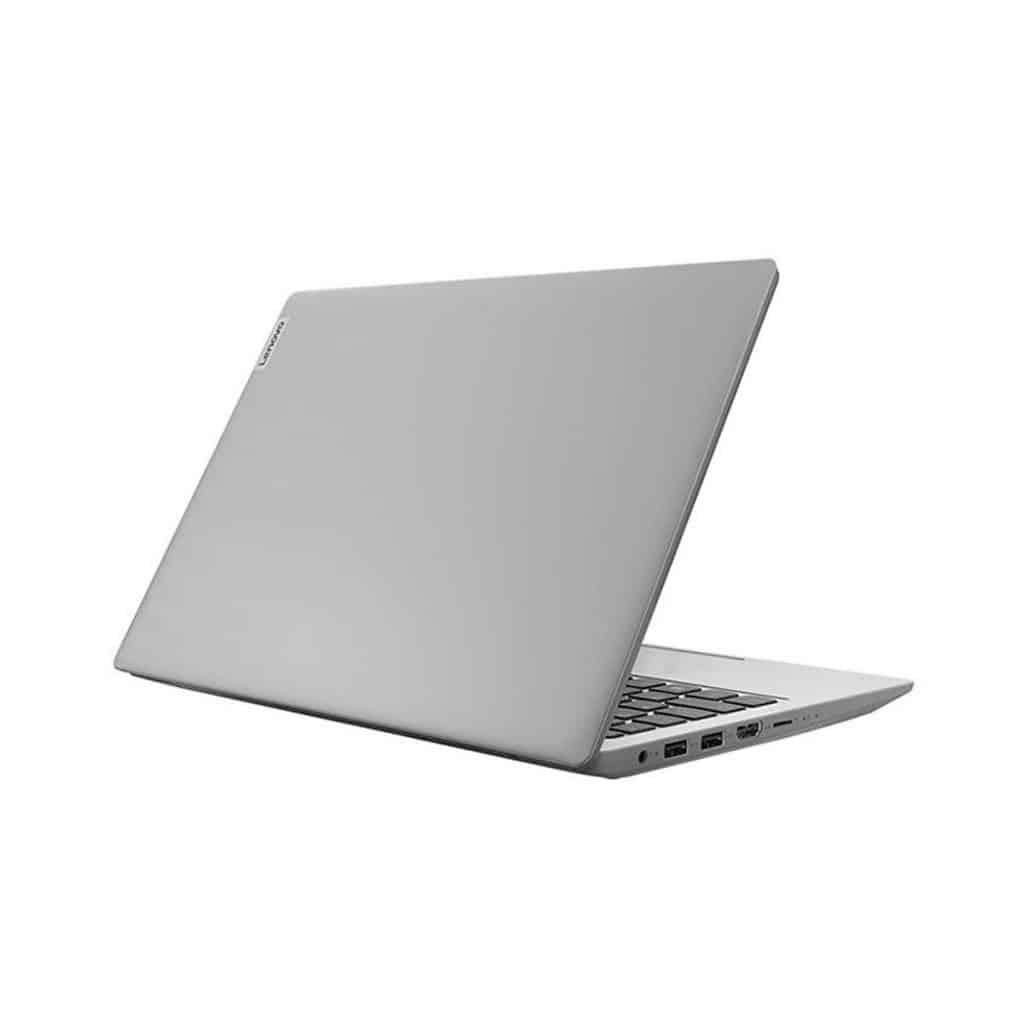
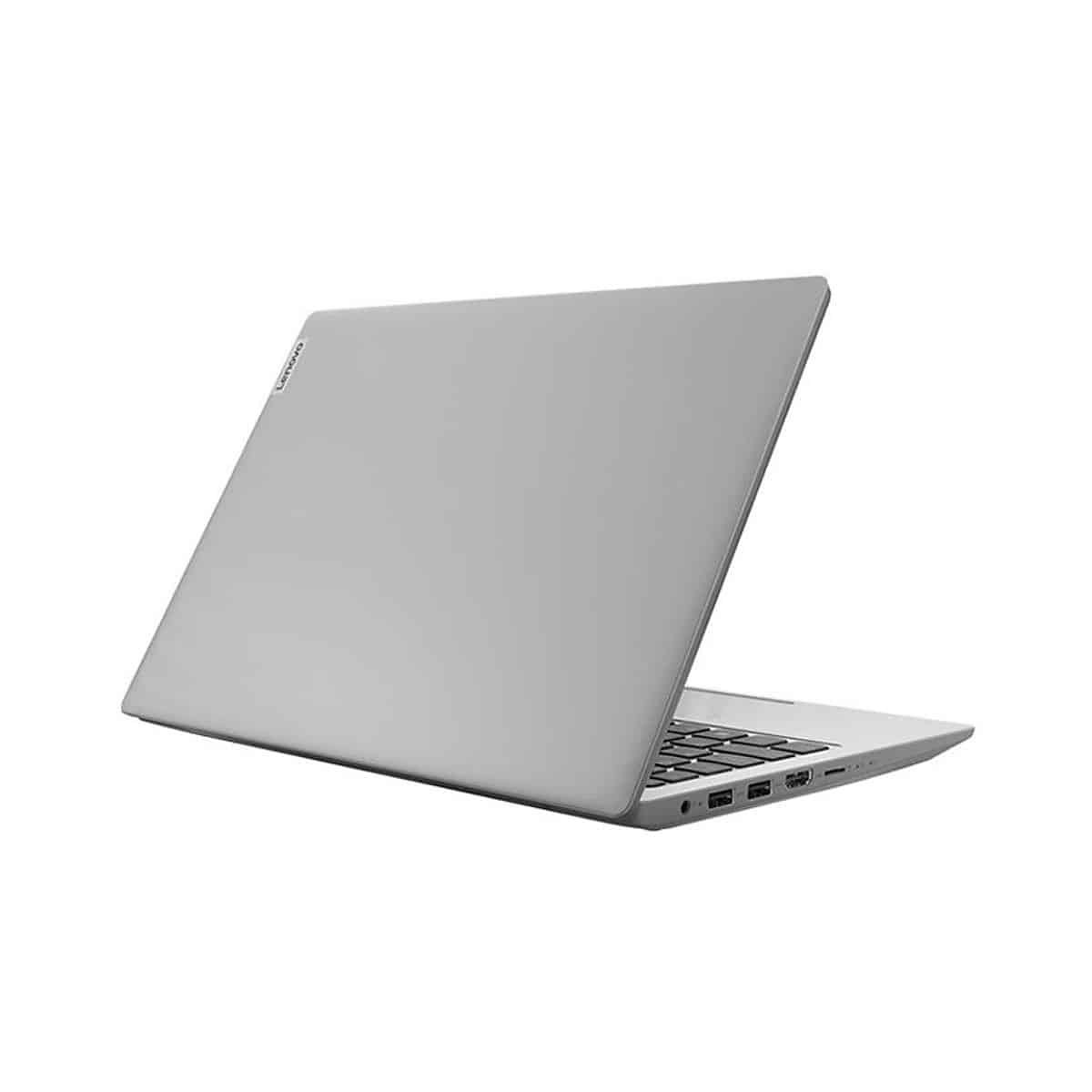
Lenovo IdeaPad 1 (14inch) is Lenovo’s most affordable Windows laptop model currently, with good performance for studying, working, watching movies, and other forms of entertainment. It also meets basic tasks such as online meetings, skype calls, sending and receiving emails, etc. While the covid-19 epidemic is still complicated, many people are still working from home.
- Keyboard
Great keyboard experience, good key travel, fast response on all keys, smooth and fast typing, feeling almost identical to the famous ThinkPad series. Although there is a slight flex and creaking when pressed, that is not the point of criticism of this keyboard.
The touchpad also gives a good experience, although not too smooth when swiping, due to the rough surface treatment. But overall, we still appreciate the keyboard and touchpad of the IdeaPad 1 (14 inches), such an affordable device.
- Battery life
The chip equipped inside is Celeron N4020 which doesn’t need too much power to operate, so the 37Wh battery is suitable. We had 10 hours and 25 minutes of web browsing with the screen brightness adjusted to 120 nits, and Windows’ Better Performance mode enabled, shutting down all programs except the one we used to test. The IdeaPad 1 (14 inches) also gave 10 hours and 42 minutes of video playback, impressive numbers.
- Connection port
The number of ports on the Lenovo IdeaPad 1 (14 inches) is quite complete, and importantly, the arrangement is also very reasonable, as they are mainly focused on the upper left corner of the machine.
We will have a total of 2 USB-A 3.2 Gen 1 ports, an HDMI 1.4 port, a power port, a 3.5mm headphone jack with mic, and an additional microSD card reader slot.
- Upgradability
Upgradability is not the strong point of IdeaPad 1 (14 inches), when neither Ram nor eMMC storage can be further upgraded, both are soldered to the mainboard. But users will have an SSD option instead of using eMMC memory.
- Perfection
Lenovo IdeaPad 1 (14 inches) comes with an all plastic exterior, so it has some positives and negatives, kind of at the same time. On the plus side, you get a rather light device, with a weight around 1.4kg , and a thickness that stays under 18mm.
In the opposite direction, the phenomenon of flex and creaking is quite a lot when bending, pressing, and tapping strongly on the lid and other thin parts such as the keyboard frame.
In addition, it has the same design as other high-end IdeaPad models, such as IdeaPad 3 and IdeaPad 5, so it still feels good to users visually.
Lenovo IdeaPad 1 Laptop, 14.0″ HD Display, Intel Celeron N4020, 4GB RAM, 64GB Storage, Intel UHD Graphics 600, Windows 11 in S Mode, Ice Blue: Buy it now
Lenovo IdeaPad 1 14 Laptop, 14.0″ HD Display, Intel Celeron N4020, 4GB RAM, 64GB Storage, Intel UHD Graphics 600, Win 11 in S Mode, Cloud Grey: Buy it now
Lenovo IdeaPad 1 14 Laptop, 14.0″ HD Display, Intel Celeron N4020, 4GB RAM, 64GB Storage, Intel UHD Graphics 600, Win 10 in S Mode, Ice Blue: Buy it now
Lenovo IdeaPad 1 14” HD Laptop, Intel Pentium Silver N5030, 4GB RAM, 128GB SSD, Windows 11 Home S Mode, Office 365 1 Year Included: Buy it now
Lenovo IdeaPad 1 81VU 14-Inch HD LED AMD A6 4GB RAM 128GB SSD Win 10 S Mode: Buy it now
Software and User Experience
This laptop ships with Windows 10 Home in S mode or Windows 11 Home , so you get a streamlined sort of restricted but secure operating system right off the bat. It also comes with Lenovo Vantage, which helps with system management, software updates and a bit of general refinement, basically nudging things along so the whole experience feels smoother, and more responsive.
Design and Ergonomics
In terms of build quality, it’s made to be lightweight yet still durable, meaning it’s fine for everyday use without really sacrificing reliability. For portability, the compact form factor and light weight make it much easier to toss in a bag and take around, which is pretty helpful for students or anyone looking for a portable secondary device, you know for quick notes, browsing, and the usual.
Pros and Cons
Pros:
It seems to have a pretty budget-friendly price , and honestly good value for the money too.
Also it’s lightweight and kind of compact, so it is easy to carry around.
For basic computing needs it has adequate performance , nothing fancy but it works.
And the battery life is decent for all-day use even when you are busy.
Cons:
The processing power is limited , so for demanding applications it may struggle.
Storage is on the modest side, so you might need an external storage solution sooner than expected.
The display quality is pretty basic , and it may not satisfy people who want high-resolution or color-accurate screens.
Conclusion
The Lenovo IdeaPad 1 kinda shines as a budget-friendly yet pretty practical option, for folks who just want a basic laptop for daily things, nothing too complicated
Who it’s For: This one fits students and casual users, and honestly anyone looking for an entry level machine for web browsing, simple document edits, and regular media watching.
Use Cases: Great for light work, streaming videos, online classes, and basic surfing online.
Final Verdict: You get solid value for the money, plus a compact body, and performance that’s more than enough for everyday needs, so it’s a smart pick if you’re keeping costs low, or if you need a secondary device around the house.
Related Posts

Tech Reviewer & Product Analyst
Định Bia has spent over 10 years testing consumer electronics with a focus on smart technology. He work as a product advisor at Biareview where he helped customers find the right devices for their needs. He personally tests every product featured on this site using a consistent evaluation framework covering quality, durability, and value. All reviews are based on experience, not influenced by the manufacturer.