Design
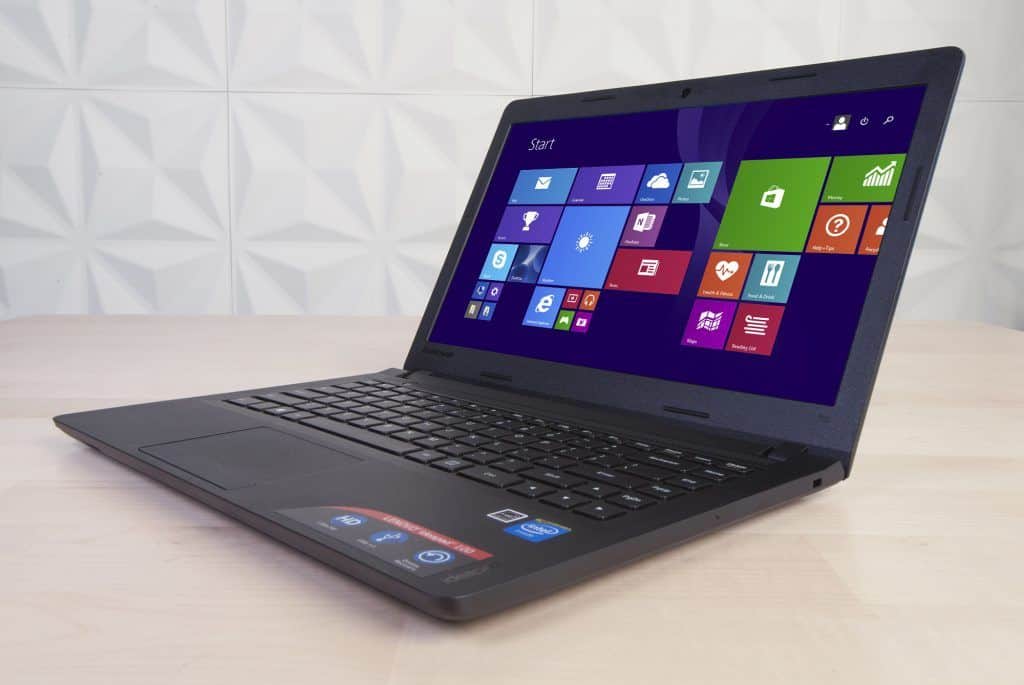
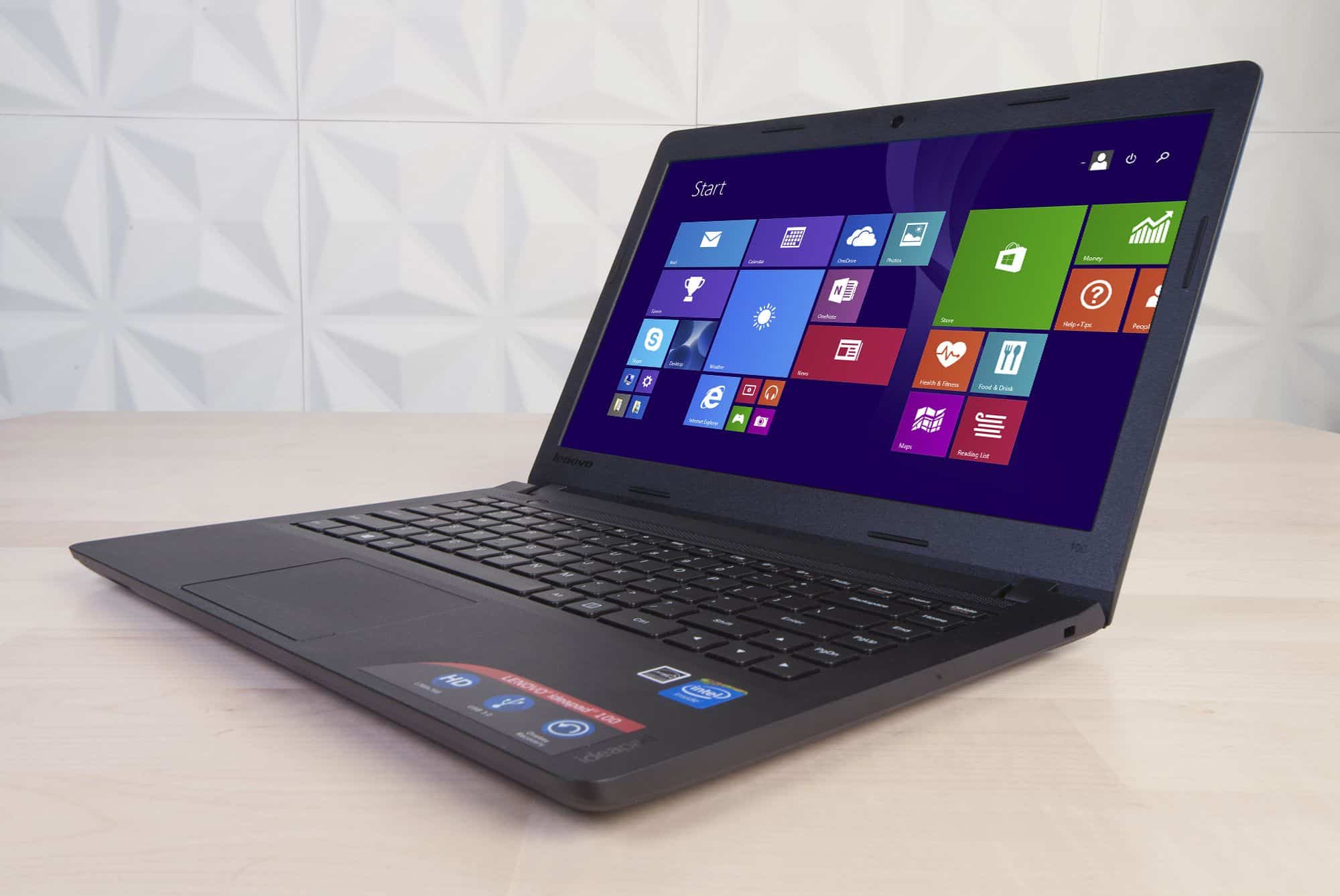
Laptops worth less than $ 500 are often less focused on design, but the Lenovo ideapad 100 is another case. While still using a plastic case, Lenovo laptops make for a better feel thanks to the surface treatment and etched textures on the shell. Plastic cover of the machine has a light surface, resistant to sweat and fingerprints quite well. The machine is sturdy and the angles are reasonably sharp to create a overall impression.
The next advantage is the weight and thickness of the machine, Ideapad 100 is quite thin with a weight of just 1.7kg and 2cm thick. This size is quite reasonable for users to bring the machine to people everywhere without causing significant hassle.
It has all necessary ports like LAN, HDMI, headphone / mic combo jack and 2 USB ports (1x USB 3.0). On the front edge, the ideapad 100 has an additional 4 in 1 card slot that supports popular cards like SD / SDXC / SDHC.
The right side of the machine is almost empty and only a security lock slot. As such, optical drives and VGA ports have been eliminated, this solution both to reduce costs and to optimize thinness. The bottom of the ideapad 100 is ventilated with 2 longitudinal slots and four non-slip rubber feet. This laptop does not support hot-swappable battery and RAM, if you want to access these components then you must remove the entire bottom.
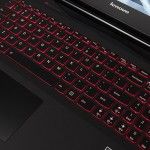
The next point to note is the keyboard layout of the ideapad 100. If you have ever used the Lenovo laptops, you will recognize that the keyboard of this laptop is no longer designed in the AccuType format featured on the. Lenovo laptops previously switched to the same type of chiclet as most laptops. The AccuType keyboard, which is highly rated for comfort, is precisely handled due to the lightweight, lightweight keys on the tip of the fingers and good bounce performance. And just as we are concerned, the keyboard of the ideapad 100 does not feel good typing. The keys are a bit shallow so it is easy to type when typing fast. The distance and the size of the keys are reasonable, but the chiclet surface is too flat for typing with AccuType. Unfortunately, Lenovo has abandoned this highly valued feature on the ideapad 100.
The touchpad also has a generous size but also lacks the same standard keyboard as the keyboard. On the other hand, its surface is too rough, so the feel of the pointer is not removed. However, this is not a big problem as most popular laptops will be equipped with an external mouse.
Experience
As a popular laptop model, Ideapad 100’s screen does not impress. The 14-inch screen uses a TN panel with an HD resolution of 1366 x 768 pixels, reaching a pixel density of 112ppi, a maximum brightness of 200 nits. The display quality of the screen is average, the equivalent of other popular laptops. True colors but low contrast, not high brightness.
One advantage is that the screen of the ideapad 100 is coated with anti-glare, so it is less glossy and glare under the direct light source. In general, ideapad 100’s screen is enough for basic needs such as web browsing, text editing … but if you want better entertainment then users need to go to a large screen connected via HDMI.
Adding a point to the entertainment capabilities of the ideapad 100 is that the machine has only a single speaker and is located just below the screen edge. Therefore, the volume of the speakers is very small, when folding the screen, the sound is smaller.
Lenovo Ideapad 100 15.6-Inch Laptop (Pentium, 4 GB RAM, 500 GB HDD, Windows 10) 80MJ00AEUS: Buy it now
Lenovo ideapad 100 – 15.6″ Laptop (Intel Core i5, 4 GB RAM, 1TB HDD, Windows 10) 80QQ00JGUS: Buy it now
Lenovo Ideapad 100 – 15.6″ Laptop (Intel Core i3, 4 GB RAM, 500 GB HDD, Windows 10) 80QQ002DUS: Buy it now
It seems like to offset, Lenovo equips the ideapad with 100 Bluetooth 4.0 wireless connections (the connection is usually removed on even higher priced laptops). This facility makes it easy to connect to your favorite portable Bluetooth speakers, or you can connect to your smartphone, tablet for file sharing, wireless data transfer.
The ideapad 100 is powered by a new Intel BayTrail-M processor clocked at 2.16GHz (turbo boost 2.58GHz), 2GB of RAM, an Intel HD Graphics card, and a 500GB hard drive speeding at 5,400V / ph. This configuration allows the machine to handle most common tasks, such as browsing the web, reading news, writing text, spreadsheets, presentations, listening to music, watching movies … The machine works cool and does not play out significant noise.
With the ideapad, users can enjoy games such as the League of Legends or Fifa Online 3 at the lowest graphics setting. However, do not “coerce” this laptop to do too much work with it as complex photo editing in photoshop new version, montage or browse the web with too many tabs or running multiple applications at the same time. With 2GB of RAM and a weak processor, the ideapad 100 is only suitable for basic, lightweight tasks.
The ideapad 100 Lithium 30Whr battery was announced by Lenovo for about 4 hours. Our actual experience in the process of using is approximate to what the manufacturer promised. After charging 100% and running for 3 hours and 55 minutes with light tasks, the battery drops to 10% and requires charging. Such battery life is comparable to that of current popular Windows PCs.
Performance
Processor and Graphics
The Lenovo IdeaPad 100 comes with entry level processors that, you know, are made for basic computing sort of things. Common choices are Intel Celeron or Pentium processors, and they’re really meant for everyday use like web surfing, doing documents and light multimedia. That exact processor model can shift depending on how the laptop is configured.
For visuals, it relies on built in Intel HD Graphics. This is fine for simple tasks and even some casual gaming. But integrated graphics aren’t really meant for heavy games or professional software, still it can manage light gaming and media playback pretty smoothly without major trouble.
Memory and Storage
Usually the IdeaPad 100 ships with 4GB of DDR3L RAM, which is ok for normal multitasking. Sure 4GB is not as generous as what you get on higher end models, but it still handles typical office apps and a web browser with a few open tabs.
When it comes to storage, you’ll often see a 500GB hard disk drive (HDD). That gives plenty of room for files, photos, videos and installed programs, although it may feel slower when compared to solid state drives (SSDs . HDDs have slower read and write access, so boot time and app loading can be less snappy than on SSD setups. If you’re the type who wants faster performance, this could be a real snag.
Real-World Performance
In actual day to day usage, the Lenovo IdeaPad 100 turns out to be pretty alright for simple stuff, the kind you do every day. With an entry level processor along with integrated graphics, it works well enough for browsing the web, handling documents , and just watching videos. In most cases the system gets through those tasks without much drama, and you will not really notice heavy lag or an obvious slowdown.
That said, if you push it harder, things can feel a bit sluggish. More demanding apps, or trying to juggle several programs at once , may lead to weaker responsiveness. People who plan to run resource heavy software, or multitask nonstop, might find they need a more powerful laptop instead, honestly.
Battery Life
Longevity and Charging
The Lenovo IdeaPad 100 comes with a 3-cell 36Wh lithium ion battery. Battery endurance depends on what you are doing, but most users can expect roughly 4-6 hours in normal conditions. So, it gives a fair and steady supply of power for light to mid range use during the day.
For typical activities like web surfing or typing up papers, the runtime is usually adequate. Still, if you jump into more power hungry workloads, or you just want to stretch battery life for longer periods , you may end up charging more often. Also, it supports normal charging, but there is no quick charging feature included.
Keyboard and touchpad
Keyboard layout and comfort
The Lenovo IdeaPad 100 comes with a full-sized keyboard , using a mostly classic layout. The individual keys feel properly separated and they give a solid amount of tactile feedback. The key travel is fine for everyday typing, it s just that responsiveness or ergonomic feel might not match what you get on the more premium, higher-end models.
One thing you should know is there s no backlighting. That can be annoying if you work a lot in darker rooms, because you end up relying on ambient light. For this price category it s pretty normal, but in a dim setup it can reduce usability.
Touchpad
The IdeaPad 100 touchpad feels large and it tracks the cursor in a responsive way. It also handles common multi-touch actions, like scrolling and zooming, which makes moving around the operating system and apps pretty straightforward. The surface is smooth enough and comfortable during longer sessions, although it may not deliver the same fine precision or extra features you might expect from pricier laptops.
There are separate left and right click buttons, so the clicking feel is clearer and more distinct. Overall, for daily tasks it works well enough. If you need more accurate control, using a mouse—external of course may be the better option.
Connectivity
Ports and Slots
The Lenovo IdeaPad 100 comes with a bit of a grab-bag of ports and connectivity choices, mostly meant to cover the basics, for plugging in peripherals and that kind of stuff. What you usually get includes:
1 x USB 3.0 Type-A : for hooking up external devices and getting faster data transfer, at least compared with older USB.
2 x USB 2.0 Type-A : for legacy peripherals and accessories that still play nice with that older standard.
1 x HDMI : for linking to outside screens, monitors or even a projector.
1 x RJ-45 Ethernet port : for a wired network connection, more steady when Wi‑Fi is acting weird.
1 x SD card reader : for moving files from memory cards, camera friendly and all that.
1 x Audio combo jack (headphone/microphone) : for headphones and, if needed, external microphones.
Having these connections makes day to day use pretty straightforward for most people. That said, the laptop doesn’t include USB Type-C or Thunderbolt , which are pretty common in newer models now, and they usually bring extra capabilities , plus quicker transfer rates.
Wireless Connectivity
For wireless, the IdeaPad 100 supports Wi‑Fi 802.11 b/g/n and Bluetooth 4.0. The Wi‑Fi 802.11 b/g/n thing delivers basic connection, but it is not as quick, or as dependable, as Wi‑Fi 802.11ac you see on more recent laptops. Bluetooth 4.0 is there to handle wireless peripherals, like keyboards mice , and headphones , letting them sync without the clutter.
Audio Quality
Speaker Performance
The Lenovo IdeaPad 100 has built in stereo speakers, and they sit on the bottom of the laptop. Overall audio quality is fine for basic stuff like watching video , or listening to music. Sound comes through pretty clearly at moderate volume , but it can feel a bit flat, with limited depth and bass you know.
Microphone
The built in microphone on the IdeaPad 100 is mainly made for simple voice input, like video calls or short voice recordings. It works well enough for usual tasks , but the clarity and noise cancellation usually won’t match what you get in higher end models. So if audio detail really matters, a separate external microphone is a more sensible move.
Software and Support
Pre-installed Software
The Lenovo IdeaPad 100 generally arrives with a few pre installed applications meant to add convenience and extra value. Depending on the exact configuration, it may include things like:
Lenovo Vantage: This is a utility that gives you access to system settings, updates, and support options. It also helps with system tuning , plus it can send alerts about driver updates, and security patches.
Microsoft Office Trial: The laptop may include a trial version of Microsoft Office, letting you try the suite before subscribing , or buying a license.
Antivirus Software: Some units come with pre installed antivirus protection to help guard against malware, and other security risks.
Related Posts

Tech Reviewer & Product Analyst
Định Bia has spent over 10 years testing consumer electronics with a focus on smart technology. He work as a product advisor at Biareview where he helped customers find the right devices for their needs. He personally tests every product featured on this site using a consistent evaluation framework covering quality, durability, and value. All reviews are based on experience, not influenced by the manufacturer.