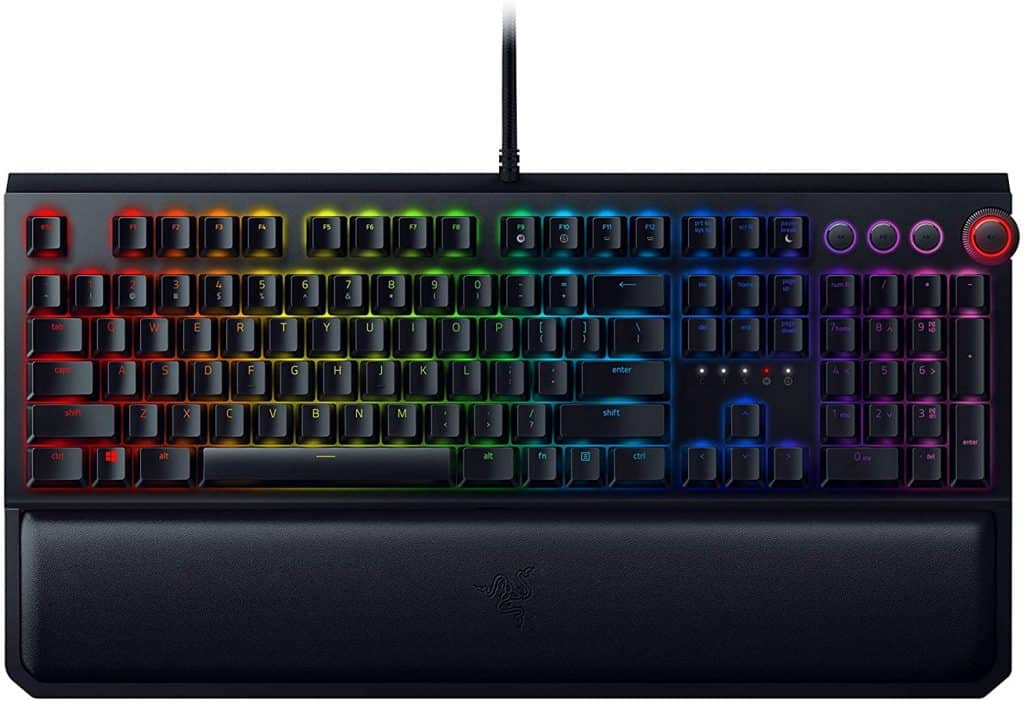
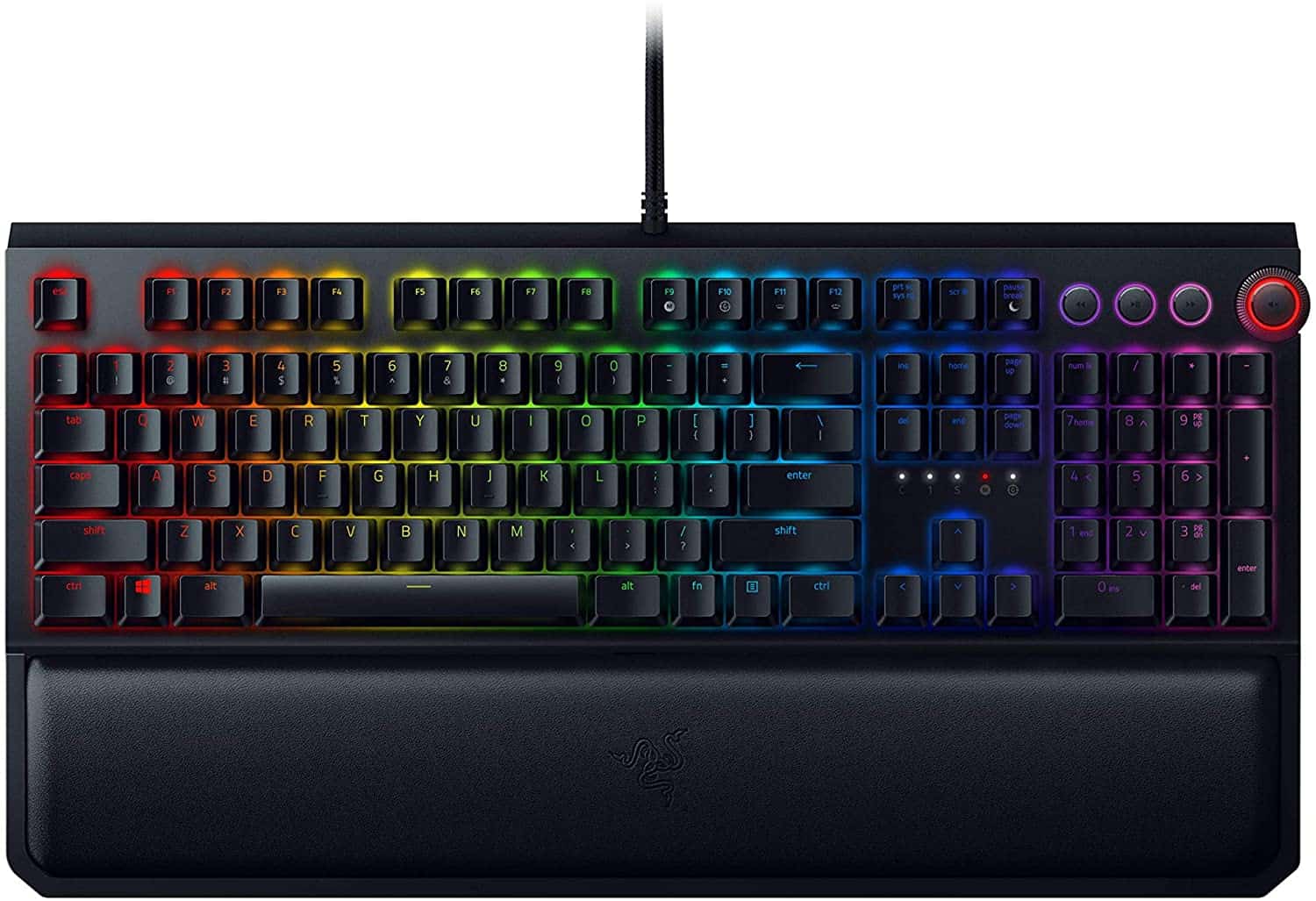
If there is only one iconic product that represents the whole company, it is difficult to compete with the popularity of the Blackwidow keyboard line. During its dominance, with the Razer Synapse becoming more and more multi-functional, multi-functional like Hypershift Keys, people see the importance and usefulness of macro keys, especially when using Use with Razer Blackwidow. Since then, Blackwidow Elite was born, conquering even the most demanding gamers through more outstanding features, more suitable for tastes.
This year’s Blackwidow Elite 2018 offers a slightly more novel click feel than the older versions, for example with Blackwidow Tournament 2014, it’s no different from playing an acoustic version yourself with clicky advances in the process work or playing games, or the lightweight Razer Cynosa at a very favorable price for many people.
Back with Blackwidow Elite 2018, Razer did a really good job of creating emotions thanks to the high-end spring switch, even reducing the noise significantly. In addition, when combined with Hypershift Keys, a Razer support software, you can completely identify which function keys are active such as Caps Lock or Number Lock, for example.
Blackwidow Elite 2018 is successful thanks to the inheritance of the volume knob design previously available at Huntsman Elite. The entire multimedia controller is simplified to exactly 3 buttons (Previous, Play/Pause, Advance), plus the knob is positioned far enough away to not be mistakenly pressed relative to the other buttons.
Of course, this knob will not be limited to use on different audio devices such as speakers or headphones when connected to the keyboard. For example, if you use a speaker system, it allows you to adjust the volume without having to reach for the amplifier. Don’t stop there, with Razer Synapse, you can completely use this set of keys. For different functions, the knob can become a tool to rewind or fast forward a video, for example. Thanks to that, Blackwidow Elite 2018 possesses versatility as well as appreciated aesthetics.
Another additional design of the product is a USB 2.0 cable and a 3.5mm jack, placed on the left side of the keyboard to help reduce the clutter coming from the cable when the right hand already has a mouse. A simple, no-frills palm rest is also included and can be attached to an extremely sturdy keyboard. However, many people will think that the design of this year’s Blackwidow Elite is quite boring, and somewhat repetitive, even useful features such as Opto-Mechanical switches are absent. But in short, Blackwidow Elite is still worthy when it shows its value, especially in the office environment.
RAZER BlackWidow Elite: Esports Gaming Keyboard – Multi-Function Digital Dial with Dedicated Media Controls – Ergonomic Wrist Rest – RAZER Green Mechanical Switches (Tactile and Clicky) (Renewed): Buy it now
Razer BlackWidow Elite Mechanical Gaming Keyboard (Renewed): Buy it now
Razer BlackWidow Elite Mechanical Gaming Keyboard + Goliathus Extended Chroma Gaming Mousepad Bundle: Yellow Mechanical Switches – Linear & Silent – Classic Black: Buy it now
Razer BlackWidow Elite Mechanical Gaming Keyboard (Green Mechanical Switches) + DeathAdder Elite Gaming Mouse Bundle: Buy it now
Razer BlackWidow Elite Mechanical Gaming Keyboard & Basilisk v2 Wired Gaming Mouse: 20K DPI Optical Sensor – Fastest Gaming Mouse Switch – Chroma RGB Lighting – 11 Programmable Buttons – Classic Black: Buy it now
Related Posts

Tech Reviewer & Product Analyst
Định Bia has spent over 10 years testing consumer electronics with a focus on smart technology. He work as a product advisor at Biareview where he helped customers find the right devices for their needs. He personally tests every product featured on this site using a consistent evaluation framework covering quality, durability, and value. All reviews are based on experience, not influenced by the manufacturer.