Table of Contents
Acer Aspire V5-571P
Pros: Equipped with touch screen, slim and reasonable design, quite attractive, good price.
Disadvantages: plastic frame, low battery life.
Conclusion: Acer Aspire V5 proves that the touch screen can be equipped on a cheap Windows 8 laptop without too much restraint.
Acer is one of the first PC makers to offer touch-screen laptops running Windows 8. The Acer Aspire V5 is available in two versions, 14 and 15.6 inches, a typical laptop in the flagship product line. Taiwanese electronics company with a plastic frame and convenient design. With the price of 999 SGD. We can not complain about this laptop, especially when recently updated hardware with CPU Core i5-3337U and graphics card left Nvidia GeForce GT 710M.

Acer Aspire V5-571P-6642 15.6-Inch Touch Screen Laptop (1.7 GHz Intel Core i5-3317U Processor, 6GB DDR3, 500GB HDD, Windows 8) Silky Silver: Buy it now
Design and Build Quality
Acer Aspire V5-571P is a typical Ultrabook, having a sleek and slim style with a coppery finish to make it look elegant. Its weight is light enough to maintain portability. Build quality is usually fair, mostly plastic materials being employed in this segment anyway.
Display Quality
Screen’s a 15.6-inch touchscreen at 1366×768 — not Full HD, but touch makes sense here since Windows 8 leaned so hard into it. Fine for browsing and docs, decent for casual video. Don’t expect it to handle video editing or real gaming, though.
Performance
Runs an Intel Core i5 (spec varies by configuration) with 6GB of RAM, and it holds up for daily stuff — browsing, word processing, some light multimedia, even a bit of casual gaming without choking.
Storage Options
Storage options vary, typically providing either a 500GB or 1TB HDD to store plenty of files and media. Few configurations might have a small SSD, which is great for faster boots and faster loading of applications.
Keyboard and Touchpad
Keyboard’s standard layout, decent key spacing, typing feels fine, nothing cramped. Touchpad’s responsive too, handles multi-touch gestures without any lag.
Connectivity
USB 2.0 and 3.0, HDMI, an SD card reader, combo audio jack. Covers what you’d actually need a mouse, an external monitor, pulling photos off a camera card.
Battery Life
Battery performance is quite varied as the laptop now tends to last from 4 to 6 hours on a full charge, depending upon usage. This is typical for the class, yet it may not suffice for someone planning to be on battery all day without any charging.
Audio Quality
The audio quality coming from the built-in speakers is sort of average, it will do just fine for watching movies or for listening to music if youre in a quiet room . If you want something with better sound quality though, external speakers, or honestly even good headphones, would be the ideal route.
Operating System and Software
When released, the Acer Aspire V5-571P was preinstalled with Windows 8, later upgradable to Windows 10. It contained a common mix of preinstalled applications, including some announced Acer utilities for system management and maintenance.
Value for Money
It is perhaps the most balanced laptop when it comes to price versus performance, portability, and features. This really suits students and professionals wanting a dependable everyday laptop.
Conclusion
Generally, the Acer Aspire V5-571P lies somewhere between a major contender and a compromise for that budget-oriented buyer who wants a handy little rig for everyday things. It offers decent performance with touch-enabled display, in a weigh-light packaging at an affordable price. In a way, it doesn’t excel at any of those- If you are looking for something great at all, but it might be good at all, and that is good value for money. Those who expect more and rather prioritize portability and functionality would be good off with this.
ASUS VivoBook X202
Advantages: The aluminum frame gives it a rather luxurious, low cost look on a touch screen Windows 8 powered laptop, and it also has a pretty rich mix of connectivity options, so you can do most things without much hassle.
Disadvantages: The low speed HDD doesn’t quite match the Ultrabook standard, the battery life feels like it should be more advanced, plus you cannot upgrade the RAM. Also the screen is a bit shiny , and the viewing angle feels slightly narrow, you know how that goes.
Conclusion: Overall , the ASUS VivoBook X202 looks very eye catching and it comes with the connectivity you actually need, along with one of the more affordable Windows 8 touch screen laptops available right now.
The cheapest touch screen laptop at its release impresses consumers even with the Core i3 CPU. Unfortunately, it feels more expensive than it is.
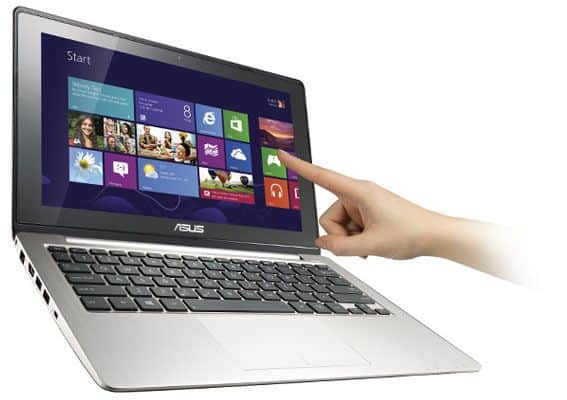
ASUS 11-Inch X202E Laptop [OLD VERSION]: Buy it now
Design and Build Quality
Designed for lightweight portability, this laptop is suitable for users who require an ultra-compact machine for their professional work on the go. It exhibits all the traits that make for a sleek and modern design, the plastic chassis being a main contributor to weight reduction without compromise to the sturdiness. The build is decent for the respective price, though it doesn’t quite feel textured with premium man’s touch that the more expensive ones do.
Display Quality
The Screen is 11.6 inches , 1366×768, kind of small, but well thats the tradeoff if portability is what you care about. It’ll get you through browsing, light document editing, the occasional movie, no real fuss, but sitting next to a higher-res laptop screen it starts to look kinda basic.
Performance
Depending on the setup, you get either a Celeron or a Pentium budget chip, built for the exact stuff most folks do everyday: web, email, documents, casual media. 4GB RAM stays okay for light multitasking, though don’t expect it to handle much beyond that.
Storage Options
Storage is usually 500GB or 1TB, plenty for files, docs, movies. Some configs throw in a small SSD too, which makes a real difference for boot times and how fast apps open.
Keyboard and Touchpad
Standard layout, well-spaced keys, decent feedback. Touchpad’s responsive and handles multi-touch gestures fine — makes getting around Windows 10 (probably what it’s running) feel less clunky than it could.
Connectivity
USB 2.0 and 3.0, HDMI, a combo headset jack, SD card reader. Covers what you’d actually need a mouse, an external monitor, pulling files off a memory card.
Battery Life
You’re looking at six to eight hours depending on how you use it and what power settings you’ve got dialed in. Enough to get through a full day without needing to plug in halfway through.
Sound Quality
The in-built loudspeakers in ASUS VivoBook X202 deliver mediocrity-acceptable audio quality to watch videos and listen to music if in calm atmospheres. External speakers or headphones would be ideal in having an enhanced audio experience.
Operating System and Software
The ASUS VivoBook X202 usually comes with a basic install of Windows 10 Home, or sometimes Windows 10 set to S Mode, so it shows that familiar user-friendly look, that helps a lot for work and entertainment too. Along with the base operating system, ASUS typically adds a handful of utilities and small applications, kind of to push smoother performance and better everyday usability.
Value for Money
Worth the money owing to its price-to-portability-to-performance ratio, the ASUS VivoBook X202 would mostly suit those users whose priority is mobility plus basic computing needs, such as students, casual users, or perhaps someone with a secondary laptop to take on travel stints.
Conclusion
In the big picture, the ASUS VivoBook X202 is an ultraportable and lightweight laptop first and foremost, but also for gifting basic functions to users who want to work on the road at an affordable price. As it may do little high-performance work or revel in all the newest bells and whistles, the ASUS is good value for money and serves well as a secondary or travel laptop.
Dell Inspiron 14 (Touch)
The Dell Inspiron 14 touchscreen is the equivalent of the ASUS VivoBook X202E at about the same price of about $ 500 and the Core i3 CPU. However, if you choose Inspiron 14, you will enjoy the 14-inch widescreen, while Asus’s cheap laptop has an 11.6-inch screen.
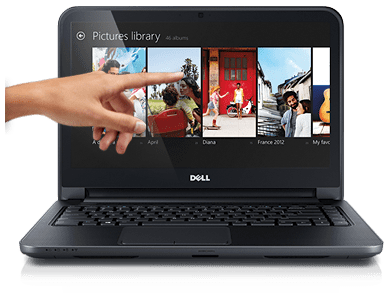
2016 Dell Inspiron 14″ Flagship Touchscreen Laptop, Intel i7-5500U Processor, 8GB RAM, 1TB HDD, NVIDIA GeForce 920M, Backlit Keyboard, DVD +/- RW, Webcam, Bluetooth, Windows 10: Buy it now
Design and Build Quality
The Dell Inspiron 14 (Touch) accounts as a convertible, ultraportable laptop, offered with a modern sleek look. They are generally provided in a plastic chassis with a textured finish that assures good grip and that does not attract fingerprints. Build-wise, it holds well and should be fine for daily use, though it will never be quite as handsome as the more expensive models sold with metal constructions.
Display Quality
Screen’s a 14-inch touchscreen, often Full HD, a good balance of size and portability, sharp enough for browsing, media, and regular work. Touch adds some versatility if you like tapping through apps or Windows 10 directly.
Performance
Configs go from Core i3 to Core i7, so pick based on what you’re actually doing, basic stuff at the low end, photo editing or light gaming if you spring for more power. RAM runs 8GB to 16GB, and multitasking holds up well even with a bunch of apps running.
Storage Options
Any given storage option comprises a hybrid array of solid-state drives (SSD) and conventional hard drives (HDD), mixing speed with capacity. The SSD fast tracks the response time of the entire system, while booting up quickly as is launching applications; the HDD is where one stores tons of files-an example could be multimedia libraries and documents.
Keyboard and Touchpad
On the Dell Inspiron 14’s (Touch) model the keyboard is basically full-sized, with keys spaced out enough for long hours of typing and… honestly comfort. The touchpad is also super responsive to multi-touch gestures so navigating feels pretty smooth, like quick and easy most of the time. One flow that comes with backlit windows is their availability, which is very good in the dark.
Connectivity
Connectivity-wise, the Dell Inspiron 14 (Touch) prospers with many combinations of ports; let me list USB 3.0 and 2.0, HDMI output to connect to external monitors, an SD card reader, and a combo jack for headphones and a microphone. These ports can be used to connect other peripherals or external storage and are multipurpose enough for different multimedia gadgets that meet the needs of an average home user to a professional.
Battery Life
Battery life is one major thing for carrying around a laptop, and the Dell Inspiron 14 (Touch) does give mostly decent endurance ,usually around 6 to 9 hours on a single charge. Of course this timing changes a bit depending on the configuration and how you actually use it, like brightness levels and apps running in the background. In practice, it feels like you can get through a full day without constant recharging, which is kind of the point when you’re traveling or relying on it as a work tool for mobile professionals.
Audio Quality
The built-in speakers on the Dell Inspiron 14 (Touch) give you pretty average sound, kinda okay for movies , music, and normal video calls. If you want it more vivid and layered then you can pick up external speakers or use headphones, it really does help. This is mostly true when you care about richer audio quality for your entertainment, or when you just prefer a more gratifying, sort of immersive listening experience.
Operating System and Software
It comes with Windows 10 Home or Windows 10 Professional pre-installed and ready out of the box, thus making the user interface quite familiar as well as intuitive to perform common tasks related to productivity and entertainment. Dell also packs some software utilities meant to enhance system performance, security, and usability, catering to both novice and veteran users.
Price/Performance
From a value perspective, the Dell Inspiron 14 (Touch) is kinda nicely balanced between performance and cost, along with portability too. It turns out to compare really well next to other mid-range laptops, so it feels like a solid pick for students, busy working professionals, and home users who want a normal laptop for daily needs and light multimedia tasks.
Conclusion
The Dell Inspiron 14 (Touch) is wonderful in juxtaposition, positioned as a laptop capable of offering users flexibility in computing with touchscreen support and excellent performance coupled with good battery life. It does give buyers coming in with lower-end price considerations a laptop worthy of work, fun, and everyday use. Indeed, if you want the most superior components and luxury materials, this isn’t for you.
Then this Dell Inspiron 14 (Touch) review covers everything; the good points in the design, the performance, the display, and the general use of the machine as well as giving buyers some considerations.
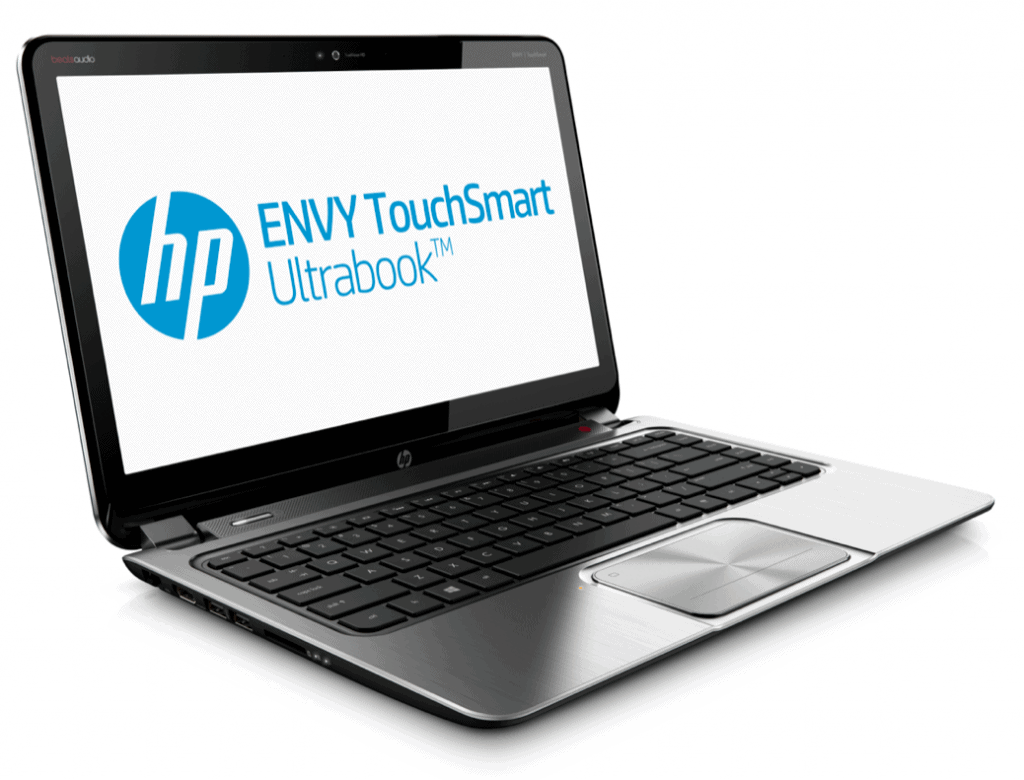
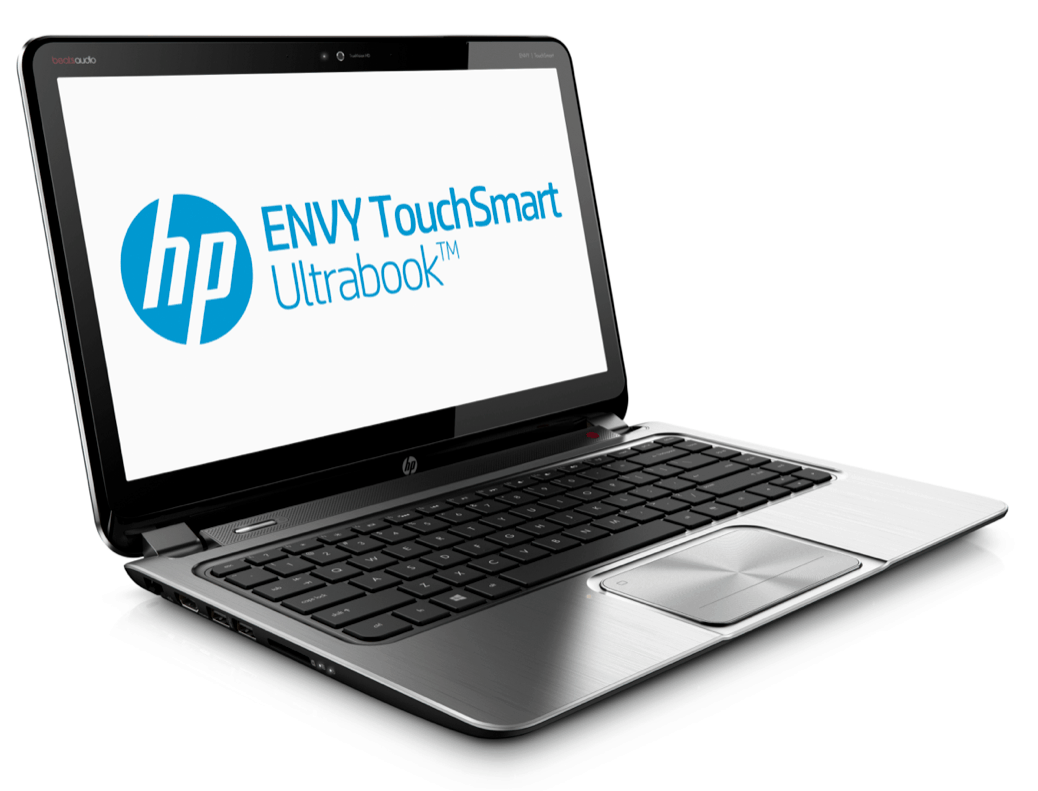
HP Envy TouchSmart Ultrabook 4
Design and Build Quality
The HP Envy TouchSmart Ultrabook 4 is intended to be a truly premium and stylish ultrabook, with a slim profile complemented by a brushed metal finish. It calls for elegance and durability, something that buyers with eye for art would consider attractive along with the functionality. The build quality is fairly rugged and solid but also well-balanced in terms of weight, thereby enhancing portability.
Display Quality
Depending on the config, you’re ending up with a 14-inch touchscreen, either the standard 1366×768 kind, or a Full HD panel, I mean, it just depends. And yeah, the touch layer is actually useful, because you can tap through Windows 10 and apps instead of grabbing the touchpad every single time. It also looks good , sharp enough for video, work, or some low-key gaming.
Performance
Most of the time it’s a Core i5 or i7, paired with 8GB or 16GB RAM, so multitasking stays pretty smooth for everyday use, plus light photo or video editing, and even the occasional game. On the graphics side, it’s either integrated Intel HD or a discrete GPU in some configs, so it’s worth checking which one you’re actually getting if graphics performance matters to you.
Storage Options
Storage options most often combine SSD and HDD types to ensure fast booting, quick copying, installing and launching applications, and sufficient space to store multimedia files, documents, and applications. SSD configurations are considered to be an added value when it comes to system responsiveness.
Keyboard and Touchpad
The keyboard on the HP Envy TouchSmart Ultrabook 4 feels pretty well laid out, there’s even a backlight option which makes typing comfortable when the room is darker , or you’re working under less than bright lights. The touchpad is responsive and it also supports multi touch gestures, so scrolling, zooming, and general navigation feels pretty easy.
Connectivity
For connectivity, the HP Envy TouchSmart Ultrabook 4 brings USB 3.0 along with USB 2.0 ports, plus HDMI output so you can hook it up to an external display. There’s also an SD card reader, a headphone microphone combo jack. With this kind of port selection, it’s easier to connect many peripherals, different external storage devices, and audio video equipment, which could make it a decent fit not only for home users, but also for people working in professional settings.
Battery Life
Battery life speaks loud for ultrabooks, and the HP Envy TouchSmart Ultrabook 4 usually runs for a solid 6 to 9 hours on a single charge, depending on the configuration and usage. Hence, the ultrabook will be able to server all day with lesser so much charging. This makes it attractive to a working professional on the go.
Audio Quality
Enhanced audio means the Beats Audio speakers of the HP Envy TouchSmart Ultrabook 4 can deliver a full sound landscape suitable for any form of multimedia or casual gaming interaction. There are two speakers and a subwoofer, which provide clarity and bass in the sounds from the Ultrabook.
Operating System and Software
Usually, these models of the HP Envy TouchSmart Ultrabook 4 are pre-installed with Windows 10 Home or Windows 10 Pro as an operating system, providing a recognizable and friendly face to productivity and entertainment tasks. HP might have other software utilities and applications to make the performance stronger, keeping the security tighter, and raising the level of ease on establish usage-whether one is an able or casual user.
Value for Money
From the value angle, the HP Envy TouchSmart Ultrabook 4 kind of nails a decent balance between price, output, travel comfort, and those more premium bits. It sits in the same league as other ultrabooks in its category, and it can be a pretty solid pick for people working day to day, for students, or for home use, basically anyone who wants a good looking yet capable notebook for the kind of multilateral tasks they run into.
Conclusion
Voici un projet de luxe qui réussit en design, performance, display quality, and usability en général. Its sleek look, powered performance, and multimedia capabilities put it very high in the ultrabook bracket. Stylistically and functionally beautiful, and definitely a good buy for a user that cares about style and functionality more than raw power.
Lenovo IdeaPad U310 (Touch)
The Design and Build Quality
Lenovo’s going for stylish-but-portable with the U310 (Touch) — slim, brushed aluminum. It looks modern and feels sturdy enough to back that up, which is really the whole pitch if you want a laptop that doesn’t make you choose between looking good and holding up. The build quality is generally sturdy, with the build quality ramping up the opposite pole from portability. As such, it has more in common with a portable machine than it does with a premium ultrabook with its metal unibody.
Display Quality
Screen’s 13.3 inches, either 1366×768 or 1600×900 depending on the config. Touch means you can just tap through Windows 10 and your apps directly, instead of reaching for the trackpad every time. The display is vibrant, sharp, and sufficiently suited for daily use: web surfing, creating documents, and occasional multimedia entertainment. However, it will lack the pixel density and really color accuracy compared to the higher desktops that Ultrastuits may have.
Performance
When it comes to performance, Lenovo IdeaPad U310-Touch is one of those machines that has several configurations with usually Intel Core i3 or i5 processors coupled with an option of RAM from 4GB to 8GB. This configuration allows for smooth multitasking and responsiveness during everyday tasks, such as web browsing, office `productivity` operations, and multimedia playback. The systems come with built-in Intel HD Graphics that allow light gaming and graphics works but are not meant for major gaming or serious graphics work.
Storage Options
Storage’s typically an SSD/HDD combo SSD for fast boots and quick app loading, HDD for the bulk of your files and media. Decent balance of speed and space.
Keyboard and Touchpad
Full-size keyboard, good spacing, comfortable to type on. Some configs get a backlit option, which is genuinely handy if you’re working late. Touchpad’s responsive, handles multi-touch gestures well, and Windows 10 feels smooth to navigate because of it.
Connectivity
The Lenovo IdeaPad U310 (Touch) offers USB 3.0 and USB 2.0 ports, HDMI out for connection to external displays, an SD card reader, and a combo headphone/microphone jack. These ports make it versatile for attaching peripherals, external drives, and multimedia equipment that satisfy any requirement of a home user or professional.
Battery Life
Battery life is kinda essential for ultrabooks. The Lenovo IdeaPad U310 (Touch) usually gives a pretty moderate battery life, around 5 to 7 hours per charge , depending on what you picked and how you actually use it in real life. You can kind of rely on it for steady, even somewhat intensive work during the day, but if you travel a lot, or you need longer endurance, then you should plan on carrying the charger sometimes, just in case.
Audio Quality
Thanks to stereo speakers, the Lenovo IdeaPad U310 (Touch) can achieve average sound performance and may be perfect for an informal tête-à-tête over music and video in a silent environment. External speakers, or headphones are advised for that immersive audio experience, especially to those who consider audio as the prime concern during multimedia consumption.
Operating System Software
Usually, Lenovo IdeaPad U310 (Touch) comes pre-installed with Windows 10 Home or Pro so that users will be able to familiarize themselves with the kind of environment used for working and entertainment. Also, Lenovo may put in its proprietary software utilities and applications to further enhance the system performance, security, and usability, appealing to new and experienced users alike.
Value for Money
Price to value it feels solid, like you’re getting pretty decent portability plus performance without having to pay some kind of premium. It stacks up okay versus other mid range ultrabooks, and honestly it’s a sensible pick if you just want a dependable device with a nice enough look for daily everyday use.
Conclusion
The U310 (Touch) is slim, easy to carry, and doesn’t look cheap doing it. Between the touchscreen, solid performance, and the overall build, it’s a reasonable option if portability is what you’re prioritizing. Though it does offer a set of relatively basic specs and materials that would not confound the ultra-pricey ultrabooks, it certainly is a much-desired offering for users looking for a classy and reliable laptop meant for everyday computing.
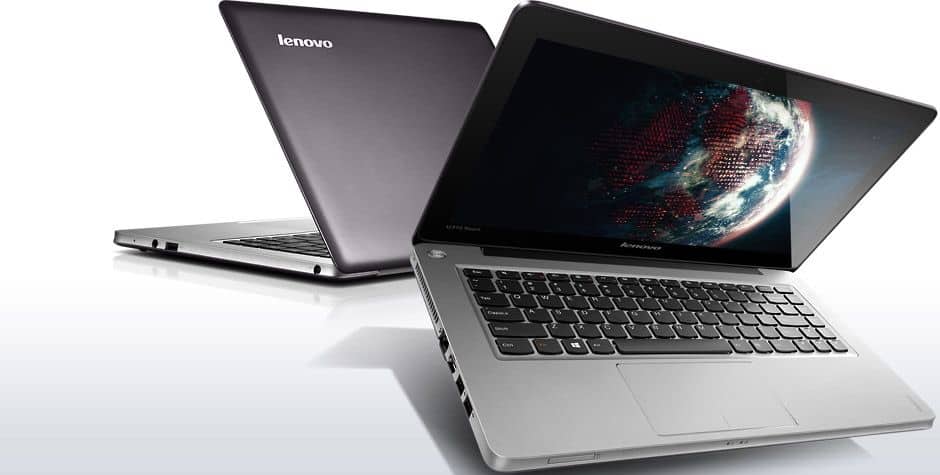
Lenovo IdeaPad U310 Intel Core i5 8GB 500GB HDD 24GB SSD 13.3″ Touchscreen Ultrabook Graphite Gray (59381114): Buy it now
Related Posts


Tech Reviewer & Product Analyst
Định Bia has spent over 10 years testing consumer electronics with a focus on smart technology. He work as a product advisor at Biareview where he helped customers find the right devices for their needs. He personally tests every product featured on this site using a consistent evaluation framework covering quality, durability, and value. All reviews are based on experience, not influenced by the manufacturer.