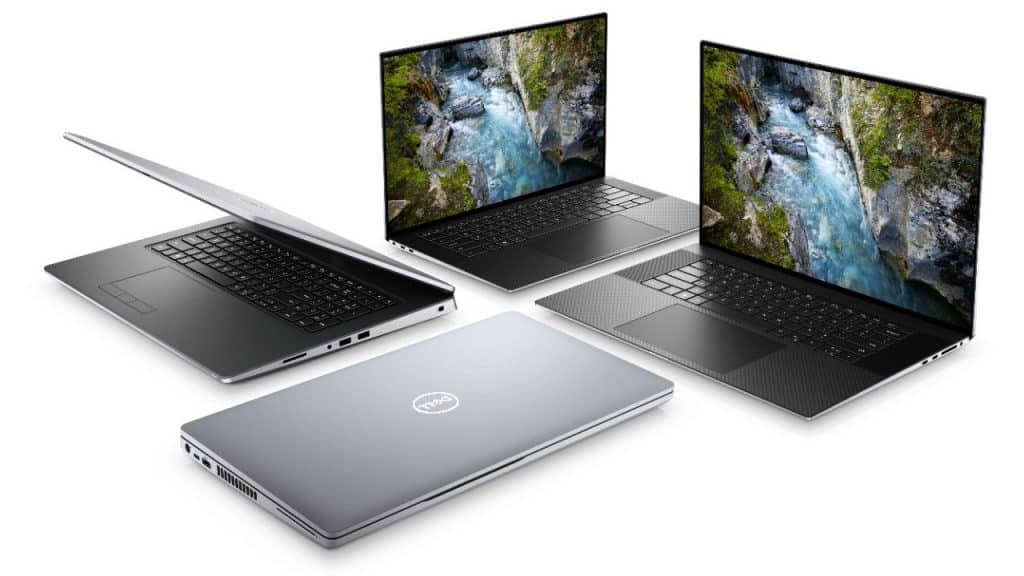
What is Workstation laptop?
Workstation laptop, also known as a workstation computer, is designed specifically to serve the applications of science, technology and professional graphics. Workstations are often used in areas such as mechanical engineering graphics, architecture, construction, 3D editing, audio editing, images, movie editing … Here are the features on the Laptop line Workstation:
– Powerful configuration: this is the most noticeable point on mobile workstation computers. These models are often equipped with high-end Intel Xeon or Intel Core multi-core CPUs with high processing speed and cache memory to undertake huge computation volumes compared to computers with general use demands.
Dedicated Graphics Cards: All mobile workstations are equipped with dedicated discrete cards such as NVIDIA Quadro or AMD Radeon Pro. These are dedicated graphics cards that are integrated from hardware with powerful algorithms for professional graphics software to improve processing performance. The specialized drivers are also provided by the manufacturer to support the highest graphics card performance in the job.
Robust upgradeability: Mobile workstations usually support a lot of slots to upgrade RAM or SSD storage, and a wide variety of ports make connecting peripherals very easy. The machine design is also extremely scientific, in case the user wants to upgrade, the ability to access the slots inside the machine is also very fast.
– Efficient heat dissipation system: Almost all Workstation computers have very large and high quality heat sinks, some models also have 2 separate heat pipes for CPU and GPU. The heatsink works efficiently and stably, making it possible to run large computational tasks continuously for long periods of time.
– Beautiful screen: Because it is often used in image processing work, workstation laptops are often equipped with high quality screens. Most are equipped with screens with Full HD resolution or higher with high quality panels such as Dell’s PremierColor display panel, HP’s Dreamcolor with the ability to display up to 1 billion colors.

Top 5 best Workstation Laptop products today
Table of Contents
HP ZBook 15 G5
Design and Build Quality
INDUSTRIAL DESIGN
The HP ZBook 15 G5 features an industrial design, like robustness and functionality in a professional look, which is made by a combination of magnesium and aluminum plus high-grade plastics to give everyone a premium feel combined with a rugged build. With a brushed look that is resistant to fingerprints and scratches, this notebook retains a sleek, professional appearance despite having a heavy burden.
Durability and Build Quality
MIL-STD 810G standard, the ZBook 15 G5 withstands drop, shock, vibration, dust, humidity, and extreme temperatures. It is built according to harsh working environments, making it perfect for professionals handling challenging field conditions or traveling with their setup frequently. Reinforced corners and heavy-duty hinges add durability to the laptop, assuredly elongated use for users.
Portability
The ZBook 15 G5, feels like a solid choice if you’re trying to haul something portable, but you don’t want to give up on performance or durability. Sure it’s not the lightest, or the thinnest ,thing you can find, it comes in at about 5.8 pounds (2.63 kg) and roughly 1 inch thick (25.4 mm) and yeah those numbers are there. Still, it’s pretty manageable to carry, mostly because the internal hardware is so capable that you’re not stuck swapping devices or settling for less. If you’re a professional who’s constantly moving, say from one job site to another, or even just around the office floor, the ZBook 15 G5 lands on a nice balance between portability and sheer ability.
Display Quality
Screen Options
HP ZBook 15 G5 is offered in a variety of display options, which should give users enough flexibility to choose the screen that meets their needs:
Full HD (1920 x 1080) IPS Anti-Glare: This edition is the basic one that provides good color and excellent viewing angles for general use and purposes productive ones.
4K UHD (3840 x 2160) DreamColor: This is the premium version and is best suited for color accuracy and color gamut; perfect for graphic designers, photographers, and videographers needing very precise color reproduction
Full HD (1920 x 1080) Touchscreen: This option caters to interactive input users looking for touch capabilities.
Color Accuracy and Brightness
The 4K UHD DreamColor display is basically top tier, with an extreme level of color accuracy, and it manages to cover 100 percent of the Adobe RGB color space. That is why the colors come out just right, so it really fits color-critical work, not just general viewing. Also, the brightness is high, reaching up to 600 nits, which makes it handy for all sorts of lighting conditions, even sunlight outdoors.
Viewing Experience – Wide Viewing Angles
ZBook 15 G5 uses IPS technology for display so that one gets wide viewing angles of different colors and contrasts which don’t change when looked at the side. The anti-glare coating is said to minimize reflections and eye strain, making it more relaxing to work for long periods. All in all, the Viewing Experience of the ZBook 15 G5 is quite wonderful, catering to both normal productivity and specialized creative work applications.
Performance
Processoring Options
HP ZBook 15 G5 has all Intel Core and Xeon processors built in with powerful engine options for any imaginable use application.
Intel Core i7, i9: Mostly professional and extremely demanding applications are successfully worked on with their considerable speeds paired with multi-core chips that have been designed very well when multitasking and running heavy-duty software.
Intel Xeon: Workstation-grade users can use the Xeon processors which have additional reliability features like ECC memory, making them suitable for most applications-critical tasks and environments in which data integrity is paramount.
Graphics Performance
The ZBook 15 G5 features thereby professional receive NVIDIA Quadro graphics cards ‘very much for CAD, 3D modeling and even any other kind of graphics-intensive application.
NVIDIA Quadro P1000: Entry-level 3D performance card suited mainly for 2D CAD and some basic 3D modeling.
NVIDIA Quadro P2000: Mid-range option boosts performance for further complex 3D workings and video editing.
NVIDIA Quadro P3200: Top-end option pretty much all-powerful for advanced 3D rendering, simulation, and even VR application.
Memory and Storage
The laptop can handle up to 64GB DDR4 ECC or non-ECC memory , so everything runs smooth even when you’re dealing with big datasets and multitasking apps. For storage, PCIe NVMe SSDs are available, they were developed for fast starting, quick data access, and solid performance reliability, so the whole setup feels responsive most of the time. ZBook 15 G5 can be configured with as many storage drives as possible, with SSD and HDD options, offering the flexibility and capacity needed by a user demanding both speed and capacity.
Benchmark Performance
In fact, the ZBook 15 G5 is one of the best in any benchmarks considering that it runs all work very smoothly under extremely demanding conditions. This machine performs better than its counterparts on single-core and multi-core tests, making it ideal for a wider range of professional applications. The Quadro GPUs provide the best in graphics performance, ensuring fast and smooth rendering times while processing in CAD and other 3D modeling software.
Thermal and Cooling
Cooling System
HP ZBook 15 G5 comes with a pretty sophisticated cooling system, which has been designed to keep all that power intact while under load. The dual fans from heat pipes and strategically placed vents work together to assure that the system remains efficient in dissipating the heat generated from the hardware. All this helps to keep the system in optimum performance when used for much longer at very high-intensity workloads without any thermal throttling and system stability.
Thermal Performance
On stress tests, the cooling system of the ZBook 15 G5 works just fine, keeping the temperature under acceptable limits. The laptop remained less warm on the countertop, even while grinding hard, which is an important consideration for user comfort and performance. The fans can be heard at full speed, but not to the extent that they hinder working quietly.
Battery Life
Battery Capacity
The ZBook 15 G5 houses a generous 90Wh battery, thus keeping in line with the image of a mobile workstation. Battery life will vary with configuration and usage patterns but tends to be fair for a laptop in this class.
Real World Battery Performance
Real-world usage scenarios include mostly web surfing, video playback, and some productivity activity. These will give the ZBook 15 G5 around 6 to 8 hours on a single charge. Very intensive operations, such as 3D rendering or video editing, will drain the battery considerably sooner, but every so often, we will appreciate a few hours of work before plugging in the charger. Fast charging capabilities will be available for the laptop so one need not wait long before getting back to work.
Keyboard and Trackpad
Keyboard Quality
The ZBook 15 G5 has kind of earned an accolade for its full-sized backlit keyboard, with a numeric keypad too, so it really fits professionals who need accurate input and comfort for long typing hours. The keys have a decent amount of travel, plus tactile feedback, and it makes writing feel less tedious than before, in a way. The backlighting is adjustable too, so you can keep going in dimmer spaces or darkly lit conditions without piling on extra strain to your eyes.
Trackpad Performance
With a large surface and good responsiveness, the trackpad supports multitouch gestures. It tracks correctly and offers smooth scrolling, which improves the overall user experience. A pointing stick is also available for the device, providing an alternative input source.
Connectivity and Ports
Port Selection
The HP ZBook 15 G5 boasts a thorough selection of ports to ensure compatibility with a wide variety of peripherals and accessories. The ports include:
3 x USB 3.1 Gen 1 (one with power delivery);
2 x Thunderbolt 3 (USB Type-C);
1 x HDMI 2.0;
1 x Mini DisplayPort 1.4;
1 x RJ-45 (Ethernet);
1 x SD card reader;
1 x Smart card reader;
1 x Headphone/microphone combo jack.
Thunderbolt 3 and Expansion
These Thunderbolt 3 ports bring quick file movement speeds, with support for a external GPU and multiple 4K screens , which kind of pushes the laptops flexibility a lot. Also the ports include Power Delivery so you can keep charging the laptop while you also connect a bunch of peripherals through one single cable, kind of cutting down desk mess, and making the whole setup feel more polished.
Security Attributes
Built-In Security
Various features have been incorporated into the system to provide security for the user data and ensure operation. They include:
HP Sure Start Gen4: Automatically recovers the BIOS when attacked or corrupted so the system stays secure and operational.
HP Sure Run: Even during attempts by malware to terminate them, important security processes will keep running.
HP Sure Recover: Users will quickly and securely restore their system to a working state so that there will be minimum downtime in cases of software problems.
Biometric Security
The laptop has both an optional IR camera for facial recognition and a fingerprint reader, enabling convenient and safe login using Windows Hello. Strengthening that, these solutions are meant to render the normal opening of the device by outside useers unable, thus safeguarding data and information.
Software plus an Ecosystem
Pre-Installed Software
The HP ZBook 15 G5 comes with pre-installed software to enhance productivity and security within the device. This is usually HP itself for system utilities, diagnostics, and updates, as well as some of the professional applications frequently required by those using various other different industries.
HP ZCentral Remote Boost
Included in ZBook 15 G5 is an outstanding software solution- HP ZCentral Remote Boost, which will enable the users to access and control their workstations remotely. It gives the users an option to work regardless of the location without much of an effect on performance and feature. Effective focused collaboration brings about high possibilities of centralized workspaces; professionals can also access powerful workstations at home or anywhere else.
Upgradability and Serviceability
Easy Access
One other feature of the HP ZBook 15 G5 is the ease of access to upgrades and maintenance. The bottom cover can be easily removed without special tools, allowing RAM, storage, and maybe Wi-Fi card upgrades. This serviceability feature is a major plus for professionals who can extend the life of their workstations through upgrades to components as their requirements change.
Capability of Expansion
The expansions of up to 64 GB RAM and a number of storage drives can support M.2 NVMe SSDs, along with traditional 2.5-inch HDDs or SSDs. This is going to ensure the ability of users to configure the laptop according to their requirements, be it memory needed for multitasking or storage for heavy files and projects.
Audio and Webcam
Audio Clarity
HP ZBook 15 G5 comes with tuned speakers courtesy of Bang & Olufsen, highly developed for providing high-quality audio output for laptops. The speakers, therefore, produce very crisp and balanced sounds with pretty excellent volumes, making them good enough for video conference calls with a touch of multimedia consumption or even casual music listening. Really, they wouldn’t substitute a dedicated audio setup for professional audio work, but more than sufficient for daily usage.
Webcam and Microphone
The integrated webcam on the ZBook 15 G5 is decent in terms of image quality for video calls and meetings. This webcam has a standard 720p resolution of most laptop webcams. The dual-array microphones demonstrate a better ability to capture audio and have been designed for capturing users’ voices clearly during calls or recordings. The optional infrared camera allows a user to use Windows Hello for facial recognition.
Conclusion
Certainly, the HP ZBook 15 G5 happens to be a very mobile workstation and is truly an innovative solution to the increasingly demanding needs of the modern-day professional in every field. Add to this a combination of good build quality and powerful hardware options, very good display options with requirements, and comprehensive connectivity-it will, without a doubt, be a versatile and reliable tool for a range of applications.
Pros
Durable & High Quality: Meets MIL-STD 810G durability requirements, with smooth and professional styling.
Powerful Performance: Wide selection of high-performance Intel Core and Xeon processors, complemented by NVIDIA Quadro GPUs for most demanding tasks.
Excellent Display Options: Full HD, 4K UHD and touchscreen display options, suitable for different demands of professional users.
Upgrade and Serviceability: inside parts that are easy to reach so you can upgrade and keep it running, maintenance also.
Broad Connectivity: tons of USB ports, Thunderbolt 3, HDMI, Mini DisplayPort, Ethernet , plus a few other ways to plug in.
Strong Security Features: HP Sure Start, Sure Run, Sure Recover, and also biometric security options, for example fingerprint verification.
Professional software on board: Pre-loaded software with HP ZCentral Remote Boost enriches productivity and remote operations.
Cons
Weight and Portability: Thick and heavy for an ultrabook, but this is a compromise made to house such powerful hardware.
Battery Life: With as good a performance as a workstation can deliver, intensive tasks will still drag it down.
Final Verdict
The HP ZBook 15 G5 is an excellent option for field agents in need of efficient and high-performing mobile workstations. With the robust design and advanced high-performance products, such a laptop becomes suitable even for a wider application range, such as engineering and design, video editing, and 3D modeling. It may burn a hole in your pocket, but this performance, durability, and upgradability justify investment as work tools for those who dig such tools.
HP ZBook 15 G5 is a premium laptop that could fit into the mobile workstation category and prove valuable for professionals who travel. It’s too good for handling the most demanding tasks without losing the flexibility and security that today’s work environments require.
HP ZBook 15v G5 Mobile Workstation Laptop (Core i7-8750H, 32GB RAM, 1TB HDD + 512GB PCIe SSD, 15.6″ Touch FHD 1920×1080, Quadro P600 4GB GDDR5, Thunderbolt 3, HDMI 2, RJ45, WiFi, Bluetooth, Win10 Pro): Buy it now
2019 Newest HP Zbook 15V G5 15.6″ FHD Touchscreen Mobile Workstation Laptop (Intel Six-Core i7-8750H, 32GB DDR4 RAM, 2TB PCIe NVMe SSD+2TB HDD) Fingerprint, Backlit, Thunderbolt, Windows 10 Pro: Buy it now
Lenovo ThinkPad P1
The Lenovo ThinkPad P1 is this really innovative, top class mobile workstation for people who want cutting edge computing power, reliability, and mobility, all at once. Its look and feel fits the very high-end components it carries, so it ends up being quite suitable for engineers, architects, designers, and specialists who need heavy lifting machines. This review , actually covers in a thorough way the design and performance too, plus the features and the everyday user experience of the Lenovo ThinkPad P1.
Design and Build Quality
Sleek and Professional Design
The Lenovo ThinkPad P1 flaunts a very minimalist appearance balancing aestheticity with functionality. The construction encompasses carbon fiber with magnesium alloy, giving a very premium touch and keeping in mind the durability of the entire structure. The matte black finish compared with the traditional ThinkPad red dot on the “I” and red trackpoint gives a rather professional air to it.
Durability and Build Quality
Built tough, a lot like the ThinkPad series counterparts, the ThinkPad P1 is also MIL-STD 810G compliant so it can handle military-grade drops, shocks, vibrations, dust, humidity, and those sudden temperature swings that just show up uninvited. The solid build quality, plus the reinforced hinges makes you feel kinda more reassured about durability, which is why the ThinkPad P1 becomes a sturdy day to day partner for travelers who constantly juggle heavy workloads, often in pretty rough environments.
Portability
Even when you treat it like a no-compromise machine, the ThinkPad P1 still manages to feel easy to carry. It weighs around 3.76 pounds (1.7kg) and stays slim at about 0.72 inches (18.4mm), so yes it’s probably among the thinnest and lightest workstation options. That means it’s convenient enough to just toss into a backpack or carry case, which suits on the go professionals really well.
Display Quality
Screen Options
The Lenovo ThinkPad P1 comes with an elaborate display option to fulfill considered professional needs:
Full HD (1920 x 1080) IPS Anti-Glare: The base option, it delivers good color fidelity coupled with wide viewing angle suitability for general use and productivity-related tasks.
4K UHD (3840 x 2160) IPS Anti-Glare: The high-end option delivers breathtaking details with fine precision that’s any graphic designer, photographer, or video editor relying on visual representation would require.
4K UHD (3840 x 2160) OLED Touch: The premium option for excellent visual quality and touch, with deep blacks and bold colors for an extravagant experience.
Color Accuracy and Brightness
The 4K UHD IPS and OLED displays are distinguished from each other by their remarkable color accuracy, respectively covering 100% of the Adobe RGB and DCI-P3 color spaces, where colors are rendered accurately for color-critical works. Brightness goes up to 500 nits, which makes it usable under ample light- even outdoors.
Experiencing View
The ThinkPad P1 comes with display technologies such as IPS and OLED, which facilitate a lot of viewing angles through which colors and contrasts remain unchanged despite side views. The surface IPS model has an anti-glare surface that helps reduce reflections and eye strain caused because of long hours spent working. The viewing experience is indeed impressive, with the ThinkPad catering to both usability and productivity-related work and being creative in a professional area.
Performance
Options for Processors
With the Lenovo ThinkPad P1, you get all of the Intel Core and Xeon processors that can provide really powerful solutions for many uses, from general, everyday tasks to some pretty demanding ones. Here are some examples:
Intel Core: i7, i9 for the majority of professional applications, with their combination of high clock speed and many cores for excellent real concurrency and easily dealing with demanding software.
Intel Xeon: Workstation-level performance: these processors now have some extra reliability features, such as ECC memory support and others, to deliver higher workspace or workstation environments to cater to critical tasks or situations where data integrity can’t be compromised.
Graphical Performance
The ThinkPad P1, being of a class that NVIDIA Quadro graphics, is designed mainly for CAD and 3D modeling and other graphics-intensive applications. Its options are:
NVIDIA Quadro P1000: Entry-level solution sufficient for 2D CAD and basic 3D modeling.
NVIDIA Quadro P2000. Better for more complex 3D tasks and video-editing applications.
NVIDIA Quadro T2000 and T1000: High-end options, all of which give great performance for high-end 3D rendering, simulation, and VR applications.
Memory and Storage
The laptop hosts up to 64GB of DDR4 ECC or non-ECC RAM, which would run smooth even on giant data sizes and multitasking situations. PCIe NVMe SSDs are basically the swiftest storage path you can get, for quick boot timing, fast data grabbing , and dependable day to day performance. The ThinkPad P1 is designed to be kinda configurable with storage going up to 4TB, so yeah there is plenty of space for even the heaviest files and ongoing projects.
Benchmarking Performance
In benchmark tests, the ThinkPad P1 does great on the work it has handled, takes the jobs with ease of concern addressing, at least at unofficial testing levels. It does shine on the single-core and multi-core performance for an extensive range of jobs that professionals would employ. The Quadro GPUs do well on the graphics front, with very smooth rendering and quick turnaround time in CAD and 3D modeling applications.
Thermals and Cooling
Cooling System
The ThinkPad P1 from Lenovo has an advanced cooling system meant to keep the powerful hardware relatively cool during heavy use. That’s basically a dual-fan and heat pipe system with strategically placed vents to maximize the cooling ability of the device. This enables best performance to be done during long-term heavy usage while preventing thermal throttling and maintaining stability with the system overall.
Thermal Performance
During all stress tests, the cooling mechanism of the ThinkPad P1 proved effective in its operation while keeping all temperatures within safe limits. This laptop was rather cool on the surface throughout heavy workloads, which is additionally required for user comfort and the preservation of performance. Though heard at full speed, the fans of the laptop are not deafening, so it can be utilized in quiet offices.
Battery Life
Battery Capacity
The ThinkPad P1 comes with an 80Wh battery, which is sufficient for battery capacity for a mobile workstation. The battery life depends on the configuration and usage patterns; however, good battery life can be expected for a laptop of this caliber.
Real-World Battery Performance
In practical use scenarios, like web browsing, video playback and doing productivity work, the ThinkPad P1 can reach somewhere around 8 to 10 hours on a single charge. For tougher apps, such as 3D renderings or video editing, battery life is often less, but it can still hold up for a few hours of real work, before it needs a fresh power input. Also, it offers the rapid charge option, which means that users can charge and go back working in a flash.
Keyboard and Trackpad
Keyboard Quality
The ThinkPad P1 comes with a full sized illuminated keyboard and a numeric keypad, made for folks who need exact input and a bit of comfort, even when you’re typing for a long time. The keys have a satisfying depth of travel, along with a tactile “feel” that makes the whole experience more pleasant. Also, that illuminated keyboard includes adjustable backlighting, so you can work in dim light without really having to squint or strain your eyes.
Trackpad Performance
The trackpad is spacious and smooth-moving, applied with multi-touch gesture support. It provides accurate tracking, smooth scrolls which aid in user comfort. Similarly, this laptop features a pointing stick for users choosing this option, further adding to the multiple interaction modalities available for this device.
Connectivity and Ports
Ports Overview
Lenovo ThinkPad P1 boasts of a full port selection to provide wide connectivity for different peripherals and accessories. Following is the port listing:
2 x USB 3.1 Gen 1
2 x Thunderbolt 3 (USB Type-C)
1 x HDMI 2.0
1 x RJ-45 (Ethernet via included adapter)
1 x SD card reader
1 x Smart card reader
1 x Headphone/Microphone combo jack
Thunderbolt 3 and Expansion
Considering Thunderbolt 3 ports are great for high-speed data transfers, the expansion of external GPUs and connecting multiple 4K displays, this greatly adds to the versatility of the laptop. These ports also work with power delivery, so users can charge the laptop and connect various peripherals via one cable—making workspace setup simple.
General Security Features
Internal Security
The ThinkPad P1 has built-in features that are used to guard user data and keep operations secure. Some of these are:
TPM 2.0: Guarantees the secure encryption and protection of sensitive information.
Match-on-Chip Fingerprint Reader: Secure and easy biometric authentication for logging in.
ThinkShutter: A physical webcam cover is installed to guarantee privacy when the camera is not in use.
Biometric Security
It has an optional IR camera for face recognition and provides easy login with Windows Hello. This adds to the protection from unauthorized access by sensitive information/data.
Software and Ecosystem
Pre-Installed Software
The Lenovo ThinkPad P1 arrives with a pretty wide set of pre-installed applications aimed at boosting productivity while keeping security really tight. You get Lenovo’s own handy utility programs for things like system steering, diagnostics, and updates, but also more professional tools, the kind people in different industries often end up needing day to day. It’s not just one bundle either, it’s more like a mix of software that helps you get going fast and stay protected too, which can feel convenient.
Lenovo Vantage
Making it easier to track the improvement of the ThinkPad P1, Vantage is one of the most recommended software installed in the laptop. It enables users not only to manage the hardware settings but can also upgrade drivers using the easy and gloss-free interface, making it totally possible for each user to access the different system settings in no time.
Upgradability and Serviceability
Easy Access
Lenovo ThinkPad P1 is a computer that has benefits when it comes to having easy access toward upgrading and maintenance. The bottom panel could be easily taken off without the use of special tools, thus allowing the user to upgrade RAM, storage, and possibly even the Wi-Fi card. This is one of the major reason why most professionals would consider its serviceability at the most.
Expandability
It can support up to 64GB of DDR4 RAM. The ThinkPad P1 can also be configured with multiple options for storage, including PCIe NVMe SSDs. This means that it can be adapted specifically for the user’s needs-whether the need is to increase memory for dealing with huge datasets and intense multitasking or to add storage for larger files and projects. All these components can be easily upgraded, ensuring that the ThinkPad P1 continues to be relevant and efficient as the demands of the users change over time.
Audio Quality and Webcam
An Introduction to Audiovisual Aspects
One of the main features of the ThinkPad P1 is these inbuilt high-quality speakers that, with Dolby Audio, are tuned to deliver amazing immersive sound. The output is well-balanced internally, with appropriate power and clarity for video conferencing, multimedia consumption, and even casual listening. Of course, it would not be enough to replace a dedicated professional audio setup, but they do perform admirably for bulks.
Webcam and Microphone
The integrated webcam in ThinkPad P1 has an average image quality, which suffices video calls and online meetings.The 720p resolution is the current standard for laptop webcams, and ThinkShutter enhances privacy too. With the help of dual-array microphones, voice recording is done clearly, so that the users can be heard well enough along with any calls or recordings they disclose. An optional IR camera adds additional convenience and security by granting facial recognition through Windows Hello.
User Experience
Daily Usage
The ThinkPad P1 will be a perfect partner anyone can rely on-and ineveryday work, it works like a horse. Built tough and beautifully and deformably crafted, its hardware and display options make it quite useful for everything from general productivity to taxing creative and engineering uses. It goes without saying that the keyboard and trackpad provide ample comfort and precision, while a variety of ports let users hook up any peripherals they require.
Software Ecosystem
Built in utilities and software like Lenovo Vantage can offer pretty solid functionalities, for a smoother user experience and also to make system maintenance feel more straightforward. With Lenovo Vantage, people are able to tweak settings for performance, updates and even hardware configurations, so in the end the whole system stays in pretty good condition, or at least closer to it than before.
Conclusion
The Lenovo ThinkPad P1 can be seen as a great mobile workstation that is made to handle the intense, sometimes nonstop needs of professionals across different industries. Thanks to the sturdy build quality plus strong hardware choices, the notebook also comes with impressive display options, and a full set of connectivity tools. So it ends up being a versatile and dependably helpful device for a lot of real world applications, day after day.
Pros
Durable and high quality build: it meets MIL-STD 810G durability standards, and still manages this ultra-thin sort of professional design, that feels solid in the hand.
Powerful performance: you get a choice of Intel Core or Xeon processors, plus NVIDIA Quadro graphics, so heavy workloads, don’t just lag around.
Great display options: you can pick Full HD, 4K UHD, or an OLED touch panel depending on what you need day to day, for work stuff.
Upgrade and serviceability: internal components are easy to reach, so upgrades and servicing feel pretty straightforward, not like a chore.
Full connectivity: plenty of ports including multiple USB options, Thunderbolt 3, HDMI, Ethernet, SD card reader and more.
Strong security features: includes TPM 2.0, Match-on-Chip Fingerprint Reader, ThinkShutter , plus other biometric security options, for extra confidence.
Excellent software support: pre-installed software plus Lenovo Vantage, help with productivity and smoother system management, right away.
Cons:
Weight and Portability: Heavier and bulkier than most ultrabooks, this is, however, justifiable since the rigors of its hardware require it.
Battery Life: For a workstation, it’s good, but under extensive tasks, the same is reduced, even considerably.
Final Verdict
The Lenovo ThinkPad P1 is, honestly, a kind of perfect solution for professionals that need a reliable, high-performance mobile workstation. It has a tough built design , plus strong hardware and useful features , so it ends up being good for a lot of tasks, like engineering and designing, but also for video editing and 3-D modeling. Even if the price is on the higher side, the performance, durability, and upgrade ability do make the cost make sense for anyone who wants a dependable tool for real professional work.
The Lenovo ThinkPad P1 exists as crème de la crème to professionals wanting a go-anywhere laptop that can shoulder the most demanding tasks whilst offering the flexibility and security that today’s work environment requires.
Lenovo ThinkPad P1 Gen 2 20QT001XUS 15.6″ Mobile Workstation – 1920 X 1080 – Core i7 i7-9750H – 16 GB RAM – 256 GB SSD – Midnight Black – Windows 10 Pro 64-bit – NVIDIA Quadro T1000 with 4 GB – I: Buy it now
Lenovo ThinkPad P1 Gen 2 Laptop, 15.6″ FHD (1920 x 1080), Intel Core i7-9850H, 16GB RAM, 512GB SSD,2, NVIDIA Quadro T2000, Windows 10 Pro (Renewed): Buy it now
Dell Precision 5530
Dell’s Precision 5530 The Dell Precision 5530 is a high-performance mobile workstation laptop that is designed considering the professional level of engineering, architecture, video editing, and 3D rendering. It combines very strong hardware with very sleek and elegant design and high quality of build to give an all-around versatile machine for professionals who seek an engine capable of moving around. In this review, we shall be assessing the design, performance, features, and user experience of the Dell Precision 5530 to evaluate whether it lives up to all potential hype surrounding itself with being one of the best mobile workstations.
Design and Build Quality
Sleek and Premium Design
Dell Precision 5530 is an example of a great product by presenting a prime design prepared to integrate both aesthetics and functionality. The body of the laptop is made up of aluminum-carbon combining sleek features with a modern, lightweight feel and also strength in its construction. The matte silver finish and thin profile lend it a more professional, sophisticated air, making it equally suitable for production with clients as it is for office environments.
Robust Build Quality
Build quality is characterized in Dell’s Precision series, which the 5530 certainly falls under. It feels solid and well-built, with minimal flex in the chassis and display. The carbon fiber palm rest not only increases the durability of the notebook but makes it a nice surface on which to type. The hinge is smooth and strong, making display adjustment easy but holding it very firmly in position.
Portability
Powerful hardware does not mean heavy weights in the case of Dell Precision 5530. It weighs 4.06 pounds (1.84 kg) and 0.66 inches (16.8 mm) thick-the thinnest and lightest workstation of its type, making it very portable-a great way to go about carrying it around in the backpack or briefcase.
Display Quality
Stunning Display Options
To suit the different needs of professionals, the Dell Precision 5530 comes with the following display options:
Full HD (1920 x 1080) InfinityEdge Display: This entry-level model will deliver good color adherence, broad viewing angles, and a high level of brightness, which together would lend an acceptable general use and productivity environment for all these.
4K UHD (3840 x 2160) InfinityEdge Touch Display: This is the most advanced in terms of providing detail and sharpness, thus would really suit graphic designers, photographers, and video editors who need rich visual representation. Add to that the touch experience, and you’ll have an even more interactive experience.
Color Accuracy and Brightness
This 4K UHD display offers extraordinarily fine color accuracy with 100% Adobe RGB color space coverage. As such, you would make color renderings with utmost fidelity, perfect for any color-critical work. With a maximum brightness of 400 nits, it is comfortable for use under diverse lighting environments; even brightly lit outdoor conditions.
Viewing Experience
The InfinityEdge design keeps bezels to a minimum for an almost borderless viewing experience. This kind of changes the whole aesthetic vibe on the laptop, while also giving you extra productivity, because it uses the full screen area so multitasking with multiple window applications feels a lot smoother, in a way. With the IPS tech, the laptop offers broad viewing angles, meaning the colors and contrast stay pretty consistent even when you’re looking from the side. So overall, the viewing experience on the Dell Precision 5530 really does impress, for day to day productivity as well as for more formal creative work.
Performance
Powerful Processor Options
The Dell Precision 5530 comes with a lineup of Intel Core and Xeon processors,so there are strong options depending on what you actually do day to day: work stuff, testing , or heavier modeling . It’s basically built to feel fast even when everything is going on at once.
Intel Core i5, i7, and i9: these chips are a good fit for most professional software,they tend to run with strong clock speeds and several cores that help with multitasking,plus keeping demanding applications responsive.
Intel Xeon: Xeon processors are for people who need workstation class performance. they also come with reliability features,like ECC memory support,which makes them a solid choice for serious, high stakes tasks where data integrity really matters .
Professional-Grade Graphics
For the graphics side, the laptop uses professional NVIDIA Quadro cards, these are tuned to boost performance for CAD, 3D modeling and other graphics heavy workloads.
NVIDIA Quadro P1000: a more entry level choice, good for 2D CAD and simpler 3D modeling.
NVIDIA Quadro P2000: a mid range option that delivers improved performance for complicated 3D work ,and it also helps with video editing.
Ample Memory and Storage
The Dell Precision 5530 can take up to 32GB DDR4 RAM which means it should stay smooth even when you have massive datasets around and you’re juggling multitasking. For storage, you can choose PCIe NVMe SSDs, that supports fast booting and gives quick, dependable access to your data. You can set it up with as much as 2TB of storage too, so there’s plenty of space for big files and long running projects.
Benchmark Performance
When it comes to benchmark tests, the Precision 5530 does well , it handles heavy workloads with relative ease. You get solid results in both single-core and multi-core situations, so it fits a pretty broad set of professional uses. The Quadro GPUs deliver strong graphics, rendering looks fluid, and the processing duration gets noticeably shorter in CAD and 3D modeling software.
Thermal and Cooling
High-class Cooling System
The Dell Precision 5530 has been innovatively engineered to have an advanced cooling system to keep cool under load. This includes dual fans, heat pipes, and vents in an intelligently designed manner to promote heat dissipation. This will assist in optimal performance for longer periods while preventing thermal throttling and ensuring stability.
Efficient Thermal Management
The cooling system of the Precision 5530 accomplished its task during stress tests, as it held in check the temperature within genial limits. The device was also pretty cool on the skin even at maximum workloads, which is extremely useful for user comfort and performance. While most effective at maximum speed, the fans are low in noise, thus user-friendly in quiet offices.
Battery Life
Battery Capacity
The Dell Precision 5530 ships with a 97Wh battery, so it can deliver enough power to act like a genuine mobile workstation. Of course though, depending on configuration and also the usage modes you pick, the runtimes shift around, but overall it feels rather reliable compared to other laptops in this class.
In actual use
When you try it for things like web browsing, streaming videos, and knocking out a handful of productivity chores, the Precision 5530 usually lands around 7 to 9 hours before the battery is fully drained. Greater power draining tasks, such as 3D rendering and video editing, will have reduced time limits, yet they will power some hours of work before needing a recharge. Fast charging is also supported by this laptop, so it will not take long to recharge to get back to the task at hand.
Keyboard and Trackpad
High-Quality Keyboard
The Precision 5530 is sort of characterized by a full-sized backlit keyboard, with a numeric keypad. It attracts professionals who demand very precise input into the system, and also comfort for people who type for long hours in front of a computer. The keys are well traveled, for a solid tactile response , giving that pleasant typing feel that you kind of notice right away. The backlighting also plays an important role, so the user can work in low light environments without really straining their eyes.
Responsive Trackpad
The spacious and responsive trackpad supports multi-touch gestures and provides precise tracking and smooth scrolling to improve the overall experience. The system also has a pointing stick for use by those who enjoy using that input edge for flexibility in how they interact with the laptop.
Connectivity and Ports
The Dell Precision 5530 does not fall short in the provision of port selection but rather it has probably the widest range in inclusivity to compatible peripherals and accessories. The port selection includes:
2 x USB 3.1 Gen 1 Type-A
2 x Thunderbolt 3 (USB Type-C)
1 x HDMI 2.0
1 x RJ-45 (Ethernet, via an included adapter)
1 x SD card reader
1 x Headphone/microphone combo jack
Replacement of Pictures: The Thunderbolt 3 Handles are given to convey high data transfer speed, external GPU support, and a whole lot of extra 4K display connectivity. The ports also provide power delivery for charging the laptop and connecting various peripherals using one cable. This really simplifies setting up the workspace.
Security Features
Built-in Security
With a variety of built-in security features, the Precision 5530 enables the protection of user data and secure operation. These include:
TPM 2.0 , This will encrypt , and also safeguard private information.
Fingerprint Reader: It uses biometric authentication , so you get secure yet convenient logins.
Smart Card Reader: It adds one more layer of protection, especially in places where access is supposed to go through smart cards.
Biometric Security
The laptop comes with an optional IR camera for facial recognition, and that is yet another way, to sign in to your laptop using Windows Hello. This should boost security too, because it helps make sure that only authorized individuals get access to the device and it also protects sensitive information and data.
Software & Ecosystem
Pre-Installed Software
A suite of software pre-installed on the Dell Precision 5530 enhances the productivity and security of its users. These include Dell’s own utility programs for system management, diagnostics, and updates, as well as professional applications typically required by users across various sectors.
The Dell Precision Optimizer
Among the interesting software that comes pre-installed with the Precision 5530 is the Dell Precision Optimizer. It leverages system performance tuning through hardware configurations and driver updates. The interaction is very graphical and provides easy access to multiple system settings, allowing laptop customization for individual tastes.
Upgradability and Serviceability
Easy Access
One big attraction in the Dell Precision 5530 is how simple it is for upgrades and upkeep, the bottom cover pops open pretty easily without special tools, and regular users can swap out components like RAM, storage, or even the Wi‑Fi card, all on their own. Such an amount of serviceability is important to professionals who may need to extend the workstation life through component upgrades as requirements change.
Expandability
Pushing memory to 32GB DDR4 RAM on the Precision 5530, a good amount capable of multitasking and operating memory-bursting applications, is supported. For storage options, the PCIe NVMe SSDs can be configured up to 2TB. They’re quick both on read and write operations so you get quicker boot ups and even swifter file handling. With that, plus a big chunk of RAM, the Precision 5530 can keep up with large files , and also the more complex projects pretty easily.
Audio and Webcam
Audio Quality
The Dell Precision 5530 has reasonably clear and loud stereo speakers powered by Waves MaxxAudio Pro. This audio technology enhances the overall sound quality for conference calls, multimedia consumption, and even a bit of music listening. The speakers produce clear sound, with natural highs and lows, but for any serious audio work, we suggest the use of external speakers or professional monitoring headphones for true quality.
The webcam and the microphone
The built-in 720p HD webcam is an acceptable camera for video conferencing/online meetings, providing clear and sharp video quality under good light conditions. The camera is placed at the top bezel of the computer screen for a more natural view. The built-in echo-cancelling dual array microphones pick up clear audio that are suppressing noise in the background so your voice comes through during the calls.
The Work Experience
Everyday Use
The Dell Precision 5530 has, on the whole, proved very reliable and very much an efficient workstation in everyday use. It is equipped with strong hardware for various professional tasks from software development to graphic design to video editing. Together with a comfy keyboard, a quick trackpad response, and a genuinely nice display, these features make the whole thing feel like it runs in a smooth little flow, pleasant user experience, no fuss. Portability is also an extra advantage for professionals, especially if you are the type who works on the go yet still expects consistent performance.
Software ecosystem
The Dell Precision 5530, taking into account both the hardware and software specification side of things, arrives with several pre-loaded tools aimed at productivity plus system management. One of the more important applications is the Dell Precision Optimizer. Through that app, you can tune overall system performance to match what you need, adjust a few hardware settings, and update your drivers with ease. The software is intuitive, presents helpful information regarding the health of your system and overall performance, and has its fair share of tips on maintaining your workstation in its optimum condition.
All
The Dell Precision 5530 is a stunning mobile workstation that is all about power, portability, and professional-level features in a sleek and durable package. Its robust hardware options, stellar display quality, and every conceivable connectivity put it squarely on the map for a myriad of professional disciplines from engineering and design to video editing and 3D modeling.
Pros
Superior Build Quality: A stylish and durable structure made of aluminum and carbon fiber.
Excellent Performance: Supports a variety of Intel Core and Xeon processors and NVIDIA Quadro GPUs.
Excellent Display Options: Full HD and 4K UHD resolution with well-defined color accuracy and very high brightness.
Easy Mobility: Light and slim design.
Wide Range of Connectivity: Several USB ports, Thunderbolt 3, HDMI, Ethernet, and an SD card reader, to name but one.
Impressive Security Features: TPM 2.0, a fingerprint reader, a smart card reader, and optional IR camera.
Good Operating Software: Dell Precision Optimizer for productivity and system management.
Easy Upgrade: Super easy to access the internal components for upgrades and maintenance.
Cons
Price: The higher price tag comes from its premium features and performance compared to consumer-grade choices.
Battery: While a workstation’s battery life could be described as good, heavy tasks would substantially pull down numbers.
Final Verdict
Dell Precision 5530 is an excellent choice for professionals looking for reliable, high-performance mobile workstation. Its hardware, importantly, build quality, and versatile features make it fit for the many demanding applications. Although it is pricier than consumer laptops, this very value for performance, durability, and upgradability makes it an investment worth considering by the demanding people who need a reliable tool for their work.
For professionals needing a laptop that can handle strenuous tasks while providing flexibility and security required in today’s rugged work environment, the Dell Precision 5530 is the top pick for any front where one is needed. That’s the thing that gives this unique blend of power, portability, and professional knows-how that all but assures it can contend with and assist even the toughest users-the stellar choice among its peers in the mobile workstation realm.
Dell Precision 5530 1920 X 1080 15.6″ LCD Mobile Workstation with Intel Core i7-8850H Hexa-core 2.6 GHz, 16GB RAM, 512GB SSD: Buy it now
Dell Precision 5530 Laptop, 15.6 inch FHD (1920×1080) Non-Touch, Intel Core 8th Gen i7-8850H, 8GB DDR4 RAM, 256GB SSD, NVIDIA Quadro P1000, Windows 10 Pro: Buy it now
MSI WS65 Mobile Workstation
The MSI WS65 Mobile Workstation has been made especially for people who really need that rare sort of mix between raw power and on the move portability in a device to handle the most arduous work. In engineering, architectural design, video editing, or 3D rendering, plus with high performance components, appealing looks, and extra advanced features, the WS65 tries to bring something close to near perfect results, even when things get demanding. This comprehensive review takes you through everything related to the MSI WS65: design and build quality, performance and user experience, to find out if it really does get an edge in the competitive mobile workstation market.
Design and Build Quality
With a Look of Being Sleek and Professional
The MSI WS65, with its sleek and professional look, sort of brings form and function together, kinda. The chassis is built from an aluminum alloy of the highest quality, giving that premium feel and appearance, but also added durability. Its matte black finish, with only minimal gold accents, creates an aura of elegance, and it really fits right into the professional world. The slim, light weight frame greatly improves portability, which is great for people who are always on the move, working on their feet.
Overbuilt Yet Chic
Build quality is an essential attribute of any mobile workstation, and in that respect, there are no complaints about the MSI WS65. The laptop feels heavy and robust with a minimum amount of flex in the chassis and the display. The aluminum used gives it the strength to endure the rigors of daily use. The hinge mechanism, too, is firm yet workable, making the laptop stay put at the chosen display angle with ease.
Portability
Just 4.19 lbs. and .7″ thick is the ideal measure for portability for the MSI WS65. Its slick and lightweight body gives great mobility in backpacks or briefcases for professionals required to set up work at different locations. The sleek frame still ensures no compromise against performance and robustness of build.
Display Quality
Truly Stunning Display Options
MSI WS65 has three different display options afforded to fulfill various professional demands:
Full HD (1920 x 1080) IPS Display: the base choice, with decent color accuracy, broad viewing angles, and strong brightness—pretty good for general use and daily productivity work.
4K UHD (3840 x 2160) IPS Display: this one is the premium option, offering extreme detail and a very crisp look, more suited for graphic design, photographers, and video editors who need accurate depiction. also, the 4K panel handles the full Adobe RGB color gamut, so you get 100% accuracy in how colors are reproduced.
Color Accuracy and Brightness
Besides the fact that it has a 4K UHD display, the said display also boasts of having color accuracy quite exceeding the average performance because it completely covers 100% Adobe RGB. Thus, the color is rendered in every imaginable shade, making it very appropriate for work that is very sensitive to color. Brightness can reach levels up to 400 nits to permit easy viewing indoors and under bright outdoor environments.
Experience Viewing
Like any other good IPS technology display, more light will not change colors and contrast when viewed at a certain angle. The whole experience will be maximized with a very thin bezel around the display. It further increases the viewing experience. Be it two-dimensional projects that require serious detail or three-dimensional designs, be it high-resolution video, everything displayed by MSI WS65 adds to a user’s overall experience.
Performance
Accurate: High-Performance Processor Options
MSI WS65 offers a range of powerful Intel processors such as Intel Core and Xeon processors:
Intel Core i7 and i9 are more or less ideal if you’re chasing high clocked speed and also you want multiple cores to juggle tasks easily while running demanding software, pretty much for general professional use .
Intel Xeon is more aimed at customers who expect workstation level performance and yes, they bring reliability focused features to the table, like ECC memory support , which makes them a good pick for mission critical jobs, and for places where data integrity is the main priority.
Professional Class Graphics
This machine comes with graphics cards that target the professional level, including those specialized for CAD, 3D modeling, and all other graphic-intensive applications. Which includes:
NVIDIA Quadro P2000: Entry level for 2D CAD and a little 3D modeling.
NVIDIA Quadro P3200: Mid range with better performance in higher complex 3D tasks and video edits.
NVIDIA Quadro P4200: An ultimate-type option with extraordinary performance under the most demanding graphics workloads.
Memory and Storage in Abundance
Nowadays, MSI WS65 will be able to have this laptop loaded with up to 32GB DDR4 RAM. With this RAM, the laptop is expectedly able to perform well when dealing with enormous data, as well as in multitasking. Storage has a PCIe NVMe SSD option that enables faster boot times and quicker access to data as well as reliable performance. A laptop can be configured with up to 2TB of storage capacity, which would be a considerable amount to hold large and numerous files or projects.
Performance Benchmarked
Benchmark tests indicate that the MSI WS65 handles very intensive tasks without compromising performance. It features outstanding single-core and multi-core performance well suited to many professional applications. Quadro GPUs also perform in fine fashion as graphics performance is incredibly smooth when rendering and speedy for processing CAD and other 3D modeling software.
Cooling and Thermal Management
High-Performance Cooling Solutions
However, the built-in cooling system in the MSI WS65 is designed to keep the rugged hardware cool while loaded. With its dual fans, heat pipes, and strategically placed vents for efficient heat dissipation, the system allows maintenance of peak performance over extended periods of intensive use.
Efficient Control of Temperature
The cooling system works perfectly; it keeps temperatures at safe limits even during stress tests. Even though the load is very heavy, the laptop remains cool on the surface. This is extremely important as laptop comfort increases corresponding to performance. The fans are somewhat audible when working at top speed, though, so it won’t really be suitable for that extremely quiet type of environment.
Batteries
Battery Volume
Accompanied with the MSI WS65 is an 82Wh battery that can run fine for a mobile workstation. The run time varies by the configuration and usage modes; however, usually, this range proves to be good for any laptop.
Actual Battery Performance in the Area
Real-time usage-browsing the web, watching videos, and productivity activities-should mean between 7 to 9 hours of battery life for the WS65. The battery will not last as long for heavy tasks like 3D rendering or video editing, but it will be sufficient to allow users to work for several hours before plugging into a wall outlet. Users can also take advantage of fast charging for speedy power restoration.
Keyboard and Trackpad
Premium Grade Keyboard
Backlit full-sized keyboard with an integrated numeric keypad for professionals who need-speedy and comfortable-actuated input for extensive typing is offered by the WS65. The good travel and tactility of the keys make typing a pleasant experience. Backlighting is adjustable for low-light conditions so that one can work without straining their eyes.
Responsive Trackpad
The trackpad is large and receptive, multi-touch-enabled, and able to perform great tracking and smooth scrolling;width even available for tracking an overall superior user experience. Also included is a fingerprint reader for biometric authentication, making log-ins very convenient and secure.
Connections and ports
Full Port Range
The MSI WS65 has a pretty solid mix of ports, so it works well for plugging in all kinds of peripherals and accessories. In other words, it feels made for daily work, plus those extra bits you sometimes need. You get 3 x USB 3.1 Gen 2 Type-A, and then there is 1 x Thunderbolt 3 (USB Type-C), plus 1 x HDMI 2.0. For display options it also includes 1 x Mini DisplayPort. For networking, there is 1 x RJ-45 (Ethernet) which is handy. Storage and quick transfers are covered by 1 x SD card reader, and audio support comes via 1 x Headphone/microphone combo jack.
Thunderbolt 3 and Expansion
The Thunderbolt 3 socket cuts a line quite into the laptop’s flexibility levels through its support for high-speed data transfer, external graphics processing unit, and multiple 4K display connections. Interestingly, the port also allows power delivery, enabling charging of laptops and connecting peripheral devices with a single cable – simplified workspace.
Safety features
Indigenous Security
The WS65 comes with numerous built-in security options with the aim of safeguarding user data and ensuring safe operations. These include:
TPM 2.0: Provides safe encryption and protects sensitive information.
Fingerprint Reader: Login using biometric authentication that is secure and convenient.
Windows Hello: Supported through the fingerprint reader with an additional layer of security for convenience in login.
Biometric Security
An integral aspect of the device is a fingerprint reader which avails secure and convenient login access via biometric authentication. These features are important because they only enable authorized individuals to use the device and thus protects sensitive information and data.
Software and Ecosystem
Pre-installed Software
The MSI WS65 contains a whole bunch of pre-installed pieces of software specifically for productivity and security. These include MSI’s own utility programs for system management, diagnostic tools, updating utilities, as well as professional applications which are typically needed by users in different industries.
MSI Creator Center
With the WS65, owners get a decent software advancement called MSI Creator Center. It can optimize system performance, quickly manage hardware settings of the system, and do driver updates with just a click or two. The interface is intuitive and provides quick access to various system settings, making it simple to customize the laptop to the user’s needs.
Upgradeability and Servicing
Easy Access
One of the many advantages of MSI WS65 is easy access for upgrading and maintaining the components. The bottom panel can be easily removed without the need for special tools, and users can then upgrade components, including RAM, storage, and even the Wi-Fi card. This serviceability is an impressive asset for professionals because, as their duties change, they can still extend the life of their workstation by upgrading individual components.
Expandability
Expansion Capacity Up to 32GB DDR4 seems to be enough for the most part in expanding the capabilities of multitasking and a good smooth run for even the most memory-hogging application. Enter storage capacity, which consists of PCIe NVMe SSDs with a maximum configuration of 2 TB. The drives do make quick read and write speeds giving short times to boot, with efficient file management thereafter. The high-capacity RAM and fast storage combination means that the MSI WS65 can easily handle massive files and complex projects. Indeed, it makes the WS65 a future-proof investment since the individual can upgrade his machine as workloads increase.
Audio and Webcam
Sound Quality
MSI WS65 has high-quality stereo speakers, which are enhanced by Nahimic 3 audio technology. Nahimic 3 adds vivid realism to the sound so that it can take you into another dimension. It is intended for conference calls and multimedia, perhaps even light listening to music. Speakers will be able to balance sound with good bass, mids, and highs for all forms of professional and casual listening.
Webcam and Microphone:
The built-in 720p HD webcam is nature, placed at the top bezel of the screen, sitting naturally for video calls. Clear under the appropriate lighting condition, good-enough video quality would meet most professional video conferencing needs. As for the built-in mic, it captures clear audio, minimized background noise, ensuring what you say gets clearly conveyed through the call.
User Experience
A Daily Driver
During the daily use it has proven to be a reliable and efficient mobile workstation by performing very well on its hardware, executing most professional tasks, from software development to graphic design and video editing. With this setup you get a comfortable keyboard, a very responsive trackpad, and an exceptionally vibrant display, which together make the whole thing feel nice and kinda efficient to use. There’s also that easy portability, so the personal touch carries on, and professionals can haul their work around without losing performance, or not really, depending on what they do.
Software Ecosystem
Through the various applications, the MSI WS65 sets unparalleled pre-installed productivity schemes and solutions, from end-user software to system management. Its superior innovation is the MSI Creator Center, which fine-tunes the system performance, manages hardware settings, and handles easy driver updates. The software is also user-friendly and gives an insight into system health and performance that takes away the hassle of maintenance in keeping the workstation always fit.
Conclusion
The MSI WS65 mobile workstation is power, portability, and professional grade packaging all wrapped in a sleek, durable shell. Its strong hardware options, top display quality, and all-around connectivity makes it a suitable mobile workstation for a wide array of professional applications, from engineering and design to video editing and 3D modeling.
Pros
Build Quality: The modish and tough aluminum body.
Powerful Performance: Comes with a range of gutsies Intel Core and Xeon processors, and NVIDIA Quadro GPUs.
Perfect Display Options: Full HD and standard 4K UHD for high color accuracy and brightness.
Portability: Featherweight and natty for easy transport.
Universal Connectivity: Things like USB, Thunderbolt 3, HDMI, Ethernet, SD card reader, and more.
Great Security: TPM 2.0, fingerprint reader, and Windows Hello supported.
User-Friendly Software: MSI Creator Center- boosts production and system management.
Easy Upgradable: Easy entry to the internal components for upgrade and maintenance.
Effective Cooling System: Advanced cooling design ensures excellent cooling under load.
Cons:
Price: It is pricier than avowed consumer products, but the high price is not without merit.
Battery Life: Fair for a workstation but can be reduced dramatically with arduous tasks.
Audio Quality: Good for casual use, but those searching for high-fidelity sound will not be impressed with onboard speakers.
Final Verdict
In assessing mobile workstations, it’s worth noting that the MSI WS65 Mobile Workstation is probably one of the top for professionals needing a mobile workstation that can be relied upon and high performance. With its power-hungry hardware, premium build quality and features that are flexible in day-to-day utility , it is a pretty solid match for demanding applications. Even if it carries a premium price versus most consumer laptops, the performance, durability, and the ability to upgrade over time make the device feel worth it for people who need a dependable machine to handle real work.
For the professionals wanting a workstation notebook that provides performance with flexibility and security for today’s working style, the MSI WS65 is easily among the best in the business. This very machine packs power, portability, and professional features that make it capable of handling work from even the toughest users, thereby setting it apart in the mobile workstation arena. Whether you’re an engineer, designer, video editor, or any other professional needing a top-of-the-line notebook, the MSI WS65 Mobile Workstation has been carefully engineered to deliver on all points.
MSI WS65 9Tk-688 15.6″ Thin and Light Mobile Workstation, Intel Core i7-9750H, NVIDIA Quadro RTX 3000, 32GB, 512G NVMe SSD, Win10 Pro: Buy it now
MSI WS65 9TL-686 15.6″ FHD Thin and Light Mobile Workstation Intel Core i7-9750H Quadro RTX 4000 32GB 512G NVMe SSD Win10 Pro TPM2.0 TB3 Fingerprint: Buy it now
ASUS StudioBook S W700G3T
ASUS StudioBook S W700G3T: Review This is a powerful workstation laptop designed specifically for the creative professional. Exceptional power hardware and innovative design promise to deliver performance needed for pretty much any high-end task-from graphic design and video editing to 3D rendering and CAD work. So, here we review its every aspect, to check the absence of ASUS StudioBook S W700G3T use, and to try and judge what value proposition it adds in a highly competitive mobile workstation market.
Design and Build Quality
Unique Premium Build
The ASUS StudioBook S W700G3T shares an exceptional aesthetic design of elegance united to utility. This sleek and professional-looking unit has been constructed from high-quality materials, giving it durability and style. Primarily magnesium-aluminum alloy makes up the chassis to not only increase structural integrity but also allow a relatively low weight for portability. The matte finish with subtle branding presents an all-business image.
Features in Ergonomically Designed for the User
The design of the StudioBook S incorporates several ergonomic features to help improve user comfort and productivity. The hinge can be opened easily with one hand, while the somewhat elevated keyboard makes for easier typing. The 4.4- pound / 2kg slim, relatively lightweight laptop is designed to be easily portable for between work places without loss of performance.
Durability and Portability
The ASUS StudioBook S, however, still feels sort of sturdy and well put together even with that thin profile. It manages to align with MIL-STD-810G military-grade requirements, with a durability that is resistant to drop impacts, vibrations, and those extreme conditions outdoors or in transit. For people who work in rough, demanding environments, or who are always moving around, that kind of resistance really matters.
Display Quality
High-Resolution NanoEdge Display
The ASUS StudioBook S W700G3T comes with a 17 inch NanoEdge panel and it gives you this really crisp, top class image , plus color accuracy that feels genuinely solid. The Full HD, 1920 x 1200 resolution is pretty much enough for day to day multitasking too , because small details remain clear enough . With the NanoEdge setup it trims away most of the bezels around the display so you end up with a stronger screen to body ratio, for more immersion and just smoother everyday work flow.
Color accuracy and Calibration
Color would be essential to any creative professional-client, and the StudioBook S caters to that with a PANTONE Validated display. The panel covers the DCI-P3 color gamut by 97%, so the colors are warm and real-they work for photo editing, creative design, and video production tasks. What is more, ASUS ProArt Calibration technology makes it easier to personalize color accuracy relative to an individual’s workflow requirements.
Brightness and Viewing Angles
If you want to use the StudioBook S indoors or in moderately lit environments, then peak brightness of 300 nits would certainly be sufficient. The IPS technology ensures wider angles of viewing, such that colors and contrast are maintained even when viewed sideways. This feature becomes fairly important when multiple avenues need to view the screen at once, such as collaborative works or presentations.
Performance
New AI Hardware Options
At the heart of ASUS StudioBook S W700G3T you’ll find very powerful hardware components, brought together with uncompromising performance in mind, kind of straight to the point but also quietly serious:
-Intel Core i7 and i9: The StudioBook S line supports the newest Intel Core i7 and i9 processors, so you get all the speed you need during multitasking, for solving complicated calculations or handling day to day work with CPU intensive applications, and yes it feels smooth.
-RTX 2060 GPU: It also comes with NVIDIA’s RTX 2060, which is a pretty capable graphics card for accelerated performance in graphics heavy scenarios , including 3D rendering, CAD modeling, and even GPU accelerated computing workloads.
-Up to 64GB RAM: The laptop supports DDR4 RAM memory sticks, with capacities up to 64GB each, which helps ensure maximum efficiency, keeps your workflow active, and supports continuing multitasking and workload handling with large data sets as well as other demanding tasks.
Graphics Performance Suitable for a Professional
The StudioBook S predominantly features NVIDIA RTX 2060 GPU that supports real-time ray tracing and AI enhanced graphics rendering, making it a perfect companion for creative professionals who work on GPU accelerated processes- rendering photorealistic scenes, undergoing complex physics simulations or working on visual effects.
Options for storage
ASUS StudioBook S W700G3T includes PCIe NVMe SSDs that have competitive speeds in reading and writing, therefore quite useful for a fast boot time and quick access to data, and seamless transfer of files. SSDs also boost overall system responsiveness, meaning applications should launch quickly and large files load without delay.
Benchmarking Performance
The ASUS StudioBook S W700G3T has a high test performance across several metrics in benchmark tests. This device has a pretty strong single-core, multi-core processing efficiency, and well it actually makes the most of Intel processors together with the NVIDIA GPU, so professional work gets accelerated fast. It also handles CPU heavy simulations and GPU-driven rendering tasks quite well, basically doing the hard workloads efficiently, while staying stable throughout.
Thermals and Cooling
Effective Cooling System The importance of thermals for performance over the long term can be rather more critical seeing that the mark is high-performance laptops such as this StudioBook one. But ASUS has fitted an extensive cooling solution with a number of heat pipes, dual fans, and vents strategically placed throughout the machine to prevent failures in thermal management.
Operating in Silence
Despite its solid machinery, the ASUS StudioBook S maintains a quiet signature under its usual workloads. The cooling fans are set up so that noises are kept to a minimum without taking a toll on the effectiveness of cooling, so this makes the laptop an ideal one for quiet offices or other professional atmospheres that need to keep the sound reasonable.
Battery Life
Battery Life, Indeed
Mobile workstations are generally supposed to give decent battery life to keep people working for long periods without any immediate access to a power plug. Considerable battery life is provided on the ASUS StudioBook S W700G3T with an 8-cell 57Wh lithium-polymer battery concerning its parameters. In real-life scenarios like web browsing, document editing, and light multimedia consumption, this laptop supports charging times of around 8 hours. Work under extreme conditions, like 3D renderings or video editing, will take their toll on the battery lives accordingly.
Fast Charging
The StudioBook S is designed for fast charging, meaning the battery can be charged quickly in between tasks. This rapid charging feature is advantageous for professionals keen to keep productivity at an optimum with minimum disruption.
Keyboard and Trackpad
Typing Comfort
The ASUS StudioBook S W700G3T is marketed with a full-sized keyboard with ergonomic key travel along with an extra numeric keypad. The keys feel good to type on and give enough feedback for comfortable use for long periods of time. The keyboard has backlit illumination and variable brightness levels depending on the external lighting conditions, aiding its use in the dark.
Responsive and Precise Trackpad
The trackpad serves the purpose well of being responsive and accurate in its multi-touch gestures. The trackpad is good enough to provide a smooth tracking experience with cursor control on this particular laptop. Because many professionals prefer using an external mouse for precision work, the on-the-go reliability of the trackpad keeps professionals productive.
Connectivity and Ports
Connectivity on the ASUS StudioBook W700G3T is pretty much on the highest level, with basically every kind of connection you might want for different peripherals and those little add ons you collect over time :
Thunderbolt 3 , (USB-C) for high speed data transfer and also letting external screens work, plus power delivery too.
USB 3.2 Gen 2 Type-A: Ultra-fast transfer speeds so you can hook up external drives , phones or other gadgets without much waiting.
HDMI in 2.0 : Use it to connect outside monitors or projectors, handy for presentations or an extended workspace setup.
SD card reader : plug-and-play, for quick and simple file movement from cameras and other SD compatible devices.
Gigabit Ethernet : Keeps a stable wired link for a smoother internet experience, especially in a corporate or office environment.
Wireless Connectivity:
Provisioned for dual-band Wi-Fi 6 (802.11ax) and Bluetooth 5.0, the StudioBook S is built for optimal aerial access at unrivaled speed with reliability. Wi-Fi 6 optimally enhances network performance in terms of efficiency use while arguing on lowering latency and increasing available bandwidth. It is perfect for performing tasks seamlessly over the internet to achieve smooth running data transmissions.
Audio and Webcam
Audio Quality
The ASUS StudioBook S comes with stereo speakers complemented with ASUS SonicMaster technology for audio quality. The speakers produce clear, broad sound with volumes that are average; suitable for multimedia playbacks, video calls, even just listening without distractions. More than good enough to meet general requirements, the audio is an option for critical high fidelity audio work, but not quite enough for most professionals, who would probably prefer external speakers or headphones.
HD Webcam and Microphone
The in-built HD webcam on the StudioBook S captures “bog-standard” quality video for the most part- sufficient for video calls, conferences, and virtual meetings. Naturally looking, so any communication will not look awkward online. The microphone takes the “crunch” out of the background noise, providing clear audio input, mostly making sure that the voice communications sounds crisp and intelligible.
Security Features
Enhanced Security Measures
Security is a matter of utmost importance and concern for professional users, and quite a few features equip the ASUS StudioBook S W700G3T with mechanisms through which data and user privacy can be secured:
Fingerprint Sensor: It gives a kind of secure and fairly easy biometric authentication too, helping unlock the laptop and also grant access to other confidential data. TPM (Trusted Platform Module).
Security Chip: With the trusted platform module in place, hardware based encryption is ensured , so sensitive information stays protected, and the boot process continues to be safe.
Kensington lock slot: This one is used by users to lock the laptop physically, in order to reduce the risk of theft or improper access in public spaces or shared work areas.
Software and Productivity Tools
Pre-installed software
The ASUS StudioBook S comes bundled with various pre-installed software for further ease of use and improvement in productivity while simplifying one’s workflow management:
ASUS Control Center Express: Provides management and system centralization by basically monitoring the health of the hardware and optimizing performance settings across multiple ASUS devices.
ASUS Battery Health Charging: helps prevent overcharging and heat damage, and keeps from too many charge cycles for a longer battery lifespan by managing the charging limits based on your user preferences. MyASUS: basically acts like a portal to ASUS support materials, driver updates, and system diagnostics, so the laptop stays current and tuned up over time.
Without question, User experience and performance optimization are the main aims of the ASUS StudioBook S W700G3T products:
A Very Smooth Experience for Creative Professionals— efficiency workflow integration that just feels right. Pair this with very powerful hardware and optimized software, so it can run smoothly with other demanding applications like Adobe Creative Suite, Autodesk AutoCAD, and SolidWorks. Honestly, it should be a seamless ride, even when you’re doing heavy work day after day, and there’s no need to overthink it.
Multitasking: Well, this lets up to 64GB of RAM and fast SSD storage-multitasking so that you can run multiple apps at once without slowdown or performance bottlenecks. Customization and Personalization-as-usual: These users will have several choices of settings by ASUS for the StudioBook S to get the exact configuration they require from the laptop. Upgrade the memory or active storage, or even have the option to select the ideal display for your workstation.
Co-Working And Connective Functionality
The ASUS StudioBook S W700G3T racked up some points on the “collaboration” side , thanks to its pretty wide range of connectivity features, it is kind of like everything is there, in one go.
Thunderbolt 3 connectivity: fast data movement , dual 4K UHD screen output, plus power delivery all through a single port. This is ideal for hooking up both external monitors and docking stations, no fuss.
Dual-band Wi-Fi 6 (802.11ax): it boosts network performance with a bigger throughput and better efficiency. So you get steadier connections for live online meetings, video conferencing, and those cloud based workflows that you end up doing every day.
Gigabit Ethernet: a solid wired path for business , office spaces, and corporate environments. It gives multiple access points to quick and stable Internet, and it stays available even when you prefer not to depend only on wireless access.
Portability and Mobility
Despite its supremacy in power, the ASUS StudioBook S isn’t so bulky that it can accommodate the mobility of professionals:
Highly Slim and Lightweight Design: the laptop in profile is slim and, above all, lightweight, making it easy to transfer between workspaces or travel, increasing productivity for the user on the move.
8-cell lithium-polymer efficient long-lasting battery On a single full charge, the regular workloads offer a maximum of up to 8 hours. Fast powering up of battery energy minimizes down time and maximizes productivity.
Coolers and Thermal Management
Efficient thermal management is essential in order to maintain good performance and stability under heavy workloads.
Advanced Cooling System: the StudioBook S has a bit of a complex cooling arrangement, dual fans plus several heat pipes, all meant to move the heat away from the device in a pretty efficient manner. This helps keep thermal performance at its best, even while under load , so it also helps stop overheating and the kind of thermal throttling that can slow things down, and yes that would definitely harm employee productivity and it would be extremely bad for overall system reliability.
Audiovisual Experience
The ASUS StudioBook S W700G3T really steps up the multimedia and entertainment thing with its built in audiovisuals, sort of like it does more than just run apps:
Immersive Display : you get a 17 inch NanoEdge Full HD panel with PANTONE Validated color accuracy , so the colors look lively, the details stay crisp, and the whole viewing experience supports optimum multimedia content creation , graphics design, and video editing.
High Fidelity Audio : ASUS SonicMaster technology improves the audio output from the stereo speakers, giving clear and immersive sound quality during multimedia playback, video calls , and everyday casual listening.
Security and Reliability
Data security is set as a priority by ASUS in terms of user-specific protection and system stability:
Fingerprint Sensor: Biometric authentication increases security by granting entry to the laptop with fast and secure access, for safe storage from the unauthorized hands of sensitive data.
TPM Security Chip: Trusted Platform Module (TPM) 2.0 offers hardware-based encryption enabling detection of confidential data with boot processes that are tamper-resistant to significantly reduce the risk of broken or tampered-with data.
Kensington Lock Slot: Used to physically tether the laptop to guard it against theft or unauthorized access in public or shared environments to foster peace of mind for professionals working in various settings.
The Conclusion
The ASUS StudioBook S W700G3T is, honestly a pretty impressive powerhouse workstation laptop made to deal with the strict requirements of creative professionals , engineers and business users. It blends advanced components, a vivid display, thoughtful ergonomics, and pretty broad connectivity options so it can handle real-world things like graphic design and video editing, but also CAD modeling and software development. There are also protection features built in to face possible threats, plus an efficient cooling approach, and a battery that lasts long enough for long days. So the StudioBook S delivers great output and dependable behavior in a portable format that still looks sleek, almost like it should.
Pros
Powerful Performance: Applications can run on-demand thus accompanied by Intel Core i7/i9 processors with NVIDIA RTX 2060 GPU.
Vibrant Display: Accurate colors could even be rendered by the PANTONE Validated NanoEdge display.
Portable Design: That slim but light body makes it kinda easy to carry around, everywhere.
Comprehensive Connectivity: Thunderbolt 3, Wi‑Fi 6, Gigabit Ethernet, and a few USB ports for sure.
Secure and Reliable: There’s a fingerprint reader and a TPM security chip, plus a pretty sturdy MIL‑STD‑810G build.
Efficient Cooling: An advanced cooling setup works to hold optimum performance even when it’s under heavy load.
Long-lasting Battery: Long-time bat life and power speedy charging.
User-friendly Software: There are almost everything one needs to enhance productivity, such as ASUS Control Center, MyASUS, and battery health charging.
Cons
Pricey: Costs higher than consumer-grade laptops due to all the professional-grade features and performance.
Audio Quality: Acceptable for most general uses but may not suffice for professional audio work without the help of external speakers.
Availability: It may differ by region and market demand, which in turn may deter access for some users.
Final Verdict
ASUS StudioBook S W700G3T is indeed a laptop for a workspace that not only is a powerhouse but also reliable and portable for any kind of performance. You will find it a perfect match when it comes to its performance, unbelievable display, ergonomic design, and advanced features for doing intense tasks in creative industries, engineering, and business environments. The StudioBook S is focused on productivity, security, and user experience, making it worth the price and extremely useful an option for one looking to buy it in the otherwise-dense competitive market for mobile workstations. For a graphic designer, video editor, architect, or software developer, the ASUS StudioBook S W700G3T holds the power and features designed to take your work experience to new horizons.
ASUS ProArt StudioBook Pro 17 W700G3T Workstation Laptop (Intel i7-9750H 6-Core, 64GB RAM, 1TB PCIe SSD, NVIDIA RTX 3000, 17″ 1920×1200, Fingerprint, WiFi, Bluetooth, Webcam, Win 10 Pro) with USB Hub: Buy it now
ASUS ProArt StudioBook Pro 17 W700G3T Workstation Laptop (Intel i7-9750H 6-Core, 64GB RAM, 2TB m.2 SATA SSD, NVIDIA RTX 3000, 17″ 1920×1200, Fingerprint, WiFi, Bluetooth, Win 10 Pro) with USB Hub: Buy it now
Related Posts



Tech Reviewer & Product Analyst
Định Bia has spent over 10 years testing consumer electronics with a focus on smart technology. He work as a product advisor at Biareview where he helped customers find the right devices for their needs. He personally tests every product featured on this site using a consistent evaluation framework covering quality, durability, and value. All reviews are based on experience, not influenced by the manufacturer.