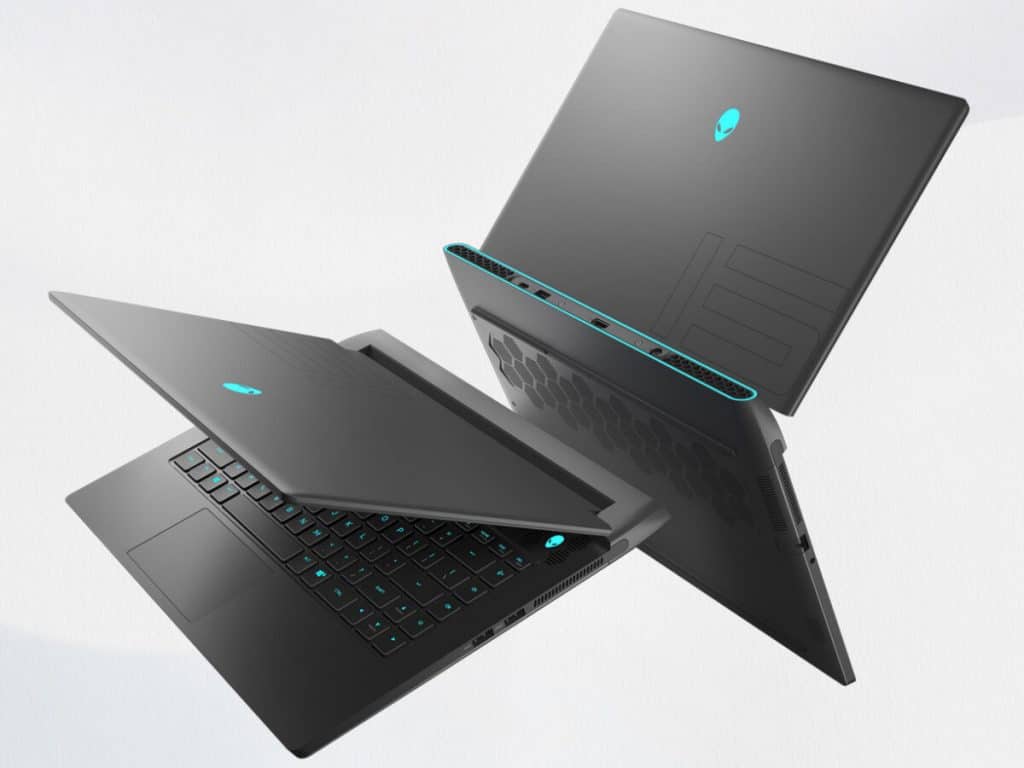
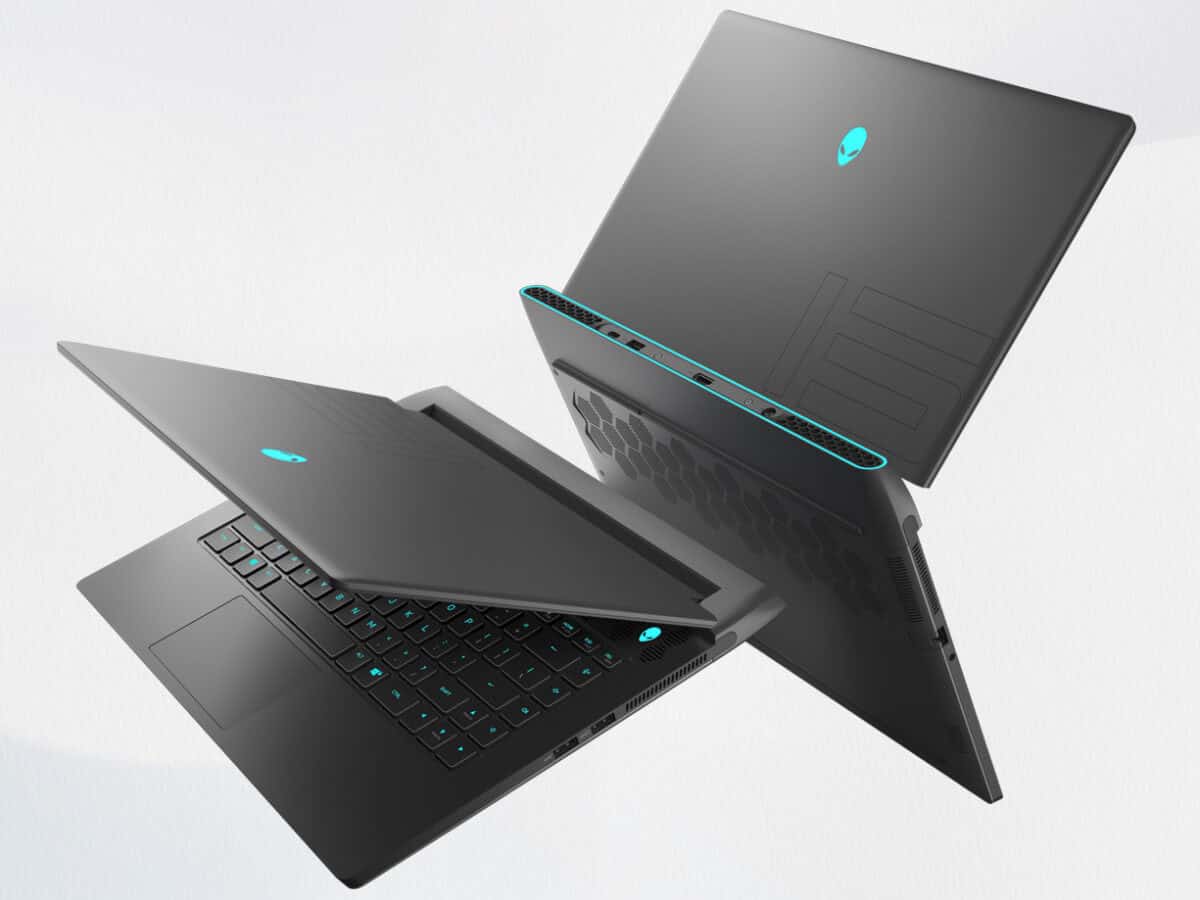
For gamers who appreciate the performance, the Dell Alienware Gaming m15 R6 laptop will be a great choice with the presence of the extremely powerful Intel 11th Gen and NVIDIA RTX 3000 hardware duo. Accompanied by valuable changes in upgradeability, the product promises to leave significantly longer-lasting value for users, at least compared to all its predecessors in the same series.
FUTURE FUTURE DESIGN
In terms of design, the Dell Alienware Gaming m15 R6 laptop will have a “battleship” appearance similar to the m15 Ryzen Edition R5 version released on the same occasion. Prominent elements such as the number 15 on the lid, the honeycomb heat vent or the RGB LED strip running around the back edge, etc. are all still there to create a futuristic style for the product. In terms of colors, the Dell Alienware Gaming m15 R6 will have only a Dark Side of the Moon option, similar to the m15 Ryzen Edition R5.
Dell Alienware Gaming m15 R6 Laptop has a high level of perfection; Thanks to the sturdy metal shell and durable matte paint, it likes hands and is less prone to sweat. The hinge is also compact enough for the user to open with one hand without much difficulty. The phenomenon of flex in the lid is present but does not affect the experience.
The most significant point on the Dell Alienware Gaming m15 R5 Laptop will be the weight of approximately 2.7kg – on par with the m15 Ryzen Edition and also the highest in terms of the whole series. If there is a need to move, the 240W charger weighing nearly 800g will be another problem to pay attention to.
HIGH-QUALITY SCREEN
With Dell Alienware Gaming m15 R5 Laptop, users will experience a 165Hz refresh rate on FullHD resolution – a new option compared to the R4 generation. This is a remarkable addition of Dell when with 165Hz, players still feel the improvements in smoothness without having to “climb” to too high a number, leading to a sharp increase in prices. Combined with the thin bezel system and WVA panels (quality equivalent to IPS), the user’s visual experience with the Dell Alienware Gaming m15 R5 will ensure spacious, clear, and smooth.
In terms of color quality, the results measured by the dedicated SpyderX Elite are also very positive. The screen of the Dell Alienware Gaming m15 R5 laptop produces respectable color coverage with 100% sRGB, 76% AdobeRGB, deep contrast, and not too significant DeltaE color difference (2.0). With this monitor, not only gaming, users can still trust when doing color tasks (Design, photo editing).
VERY GOOD KEYBOARD EXPERIENCE
With the Alienware m15 R5, the machine’s chiclet keyboard still feels very good to type with a deep travel (1.7mm), a solid keyframe, and high and quiet when in use. The LED system will also be per-key RGB and can be adjusted via the Alienware Command Center software. If there is an even higher demand, the m15 R5 also has the option to use CherryMX’s low-profile mechanical keys, at a slightly higher price.
Regarding the touchpad, the mobile experience is good thanks to the glass-covered surface and the Windows Precision driver. The size is unfortunately still a bit small to comfortably use multiple fingers, but in terms of gaming laptops, this is not too big of a problem.
POWERFUL PERFORMANCE
Regarding the CPU, the Dell Alienware Gaming m15 R5 laptop comes with an Intel Core i7-11800H, 11th generation processor, it has 8 cores and 16 threads, and it’s built on a 10nm SuperFin process, which gives more processing efficiency then its predecessor. With this shift, the i7-11800H also gets a small edge over some competitors: it performs better than the older top option on the m15 R4 (that is the Intel Core i9-10980HK) and it’s a touch ahead of AMD’s Ryzen 7 5800H when both are used in the same system. For users who often have to do CPU-intensive tasks such as rendering images with Lightroom Classic, Blender, etc., this will be an advantage worth considering.
As for the graphics card, the Dell Alienware Gaming m15 R5 laptop will be equipped with NVIDIA RTX 3060 6GB, with a fairly strong drop in power consumption of 125W. Thanks to that, with most new games like Cyberpunk 2077, Days Gone, or Horizon Zero Dawn; This product can run well at 1080p with High graphics settings. If there is a need to use the Ray Tracing feature, the machine’s performance is still somewhat guaranteed thanks to supporting technologies such as DynamicBoost 2.0 or Resizable BAR.
Regarding the remaining components, the Dell Alienware Gaming m15 R5 Laptop will allow users to upgrade up to 64GB of RAM. This is a strong point inherited with the m15 Ryzen Edition R5 and makes a lot of sense if users want to accompany the product in the long run. As for the hard drive, unfortunately, the default 256GB NVMe SSD still quite a bit to store games and documents, but being able to upgrade to 2TB x 2 will somewhat overcome this weakness.
DIFFERENT CONNECTIONS
About the ports, the Dell Alienware Gaming m15 R5 will have 1 USB-C 3.2 Gen2 slot (it can ship DisplayPort 1.4 output) and then there are 3 USB-A 3.2 Gen1 ports, also an HDMI 2.1 port, which is nice. You will also get a RJ-45 LAN connector, plus a 3.5 combo headphone jack. As for the Graphics Amplifier port on the Alienware m15, it has been removed, so you will not see it anymore, or find it anywhere.
BETTER HEAT SYSTEM
The newly designed larger diameter fan contains 2.3 times more blades and is 37.5% thinner than the previous generation. The dual fan design draws in 130% more ambient air, with 87% less obstruction. Air is pushed in from the top and bottom vents then when pushed out to the left, right, and rear vents to ensure exceptional gameplay.
IMPROVED BATTERY LIFE
Alienware Gaming m15 R5 laptop uses an 86Wh battery, unchanged from the m15 R4. But with the hardware using a newer process, the battery life of the product also improves with about 4.25h (50% brightness and basic tasks).
Connectivity Options
Comprehensive Connectivity
The m15 R5 brings a lot of connectivity options so you can run peripherals, hook up external displays, and move data at high speed. You end up with a handful of USB Type-A ports , and then there are Thunderbolt 4 ports as well, plus an HDMI 2.1 output too. After that you also get an Ethernet jack, and a combined headphone microphone socket. On top of all that, Wi‑Fi 6 (802.11ax) along with Bluetooth 5.2 keeps the wireless connections snappy and dependable, which really helps quite a bit for online gaming, live streaming and sharing content.
Software and customization
Alienware Command Center
Alienware Command Center works like a main control point for system checks, performance tweaks, and personalization. It lets you change RGB lighting behavior, watch system temps, tune CPU/GPU overclock options, and make gaming profiles designed around particular games. The interface is pretty straightforward, even for those “more complex” tasks , so you end up with better control over both the hardware setup and the software optimizations.
Build Quality and Durability
AlienFX Lighting and Alienware Legend Design
The m15 R5 really shows Alienware’s focus on build quality and durability. It uses anodized aluminum accents, reinforced hinges, and AlienFX customizable RGB lighting areas. The Alienware Legend design style is meant to push both durability and looks , so it feels like a strong pick for gamers who care about style just as much as performance.
Enhanced Cooling Solutions
Alienware uses Cryo-Tech cooling to make sure heat gets handled in a steady way, so the system doesn’t slow down from thermal issues as much. This helps keep the performance level, especially when you play for awhile and it really ramps up. There is a dual-intake airflow layout plus vapor chamber cooling, and exhaust vents that are placed in a smart spot, which together support better thermal management, and in turn helps reliability and also longer lifespan.
Conclusion
The Alienware Gaming m15 R5 looks like a premium gaming laptop, built for people who care about raw performance, immersive play, and a sturdy build. It’s driven by solid AMD Ryzen processors, matched up with NVIDIA RTX graphics options, and it also includes high-refresh-rate displays, plus that customizable RGB lighting and the advanced cooling solutions mentioned earlier. So overall the m15 R5 delivers a pretty real, solid gaming experience, and it offers some flexibility for different kinds of work too.
Naturally , battery life and portability arent really its main strength, compared with ultra portable laptops, but that tradeoff feels pretty normal here. Still, it sort of leans into that desktop-like gaming vibe, while trying to stay travel friendly in its chassis. This model works well for gamers, content creators, and multimedia lovers, who want a dependable but visually striking gaming notebook that can still handle heavier titles and intensive workloads, day by day.
[Windows 11] Alienware m15 R5 GeForce RTX 3070 8GB GDDR6 Gaming Laptop, 15.6″ 165Hz 3ms FHD, Octa-Core AMD Ryzen 7 5800H (Beat i7-11370H), 64GB DDR4, 2TB PCIe SSD, WiFi 6, Bluetooth 5.2, RGB Keyboard: Buy it now
Alienware M15 R5 Gaming Laptop, 15.6 inch FHD 360Hz 1ms Display, AMD Ryzen R9 5900HX (Beats Core i7-11800H), 32GB DDR4 RAM, 1TB NVMe SSD, NVIDIA GeForce RTX 3070, Windows 11, Dark Side of The Moon: Buy it now
Dell_Alienware m15 R5 15.6″ FHD 165Hz G-SYNC Gaming Laptop PC, AMD Ryzen R7 5800H(up to 4.4 Ghz), GeForce RTX 3060, 16GB RAM 1TB PCIe SSD, RGB Keyboard, WiFi HDMI, Win 10 1-Week Shoxlab Tech Support: Buy it now
Newest Alienware m15 R5 15.6″ 360Hz 1ms FHD Gaming Laptop, AMD Ryzen 9 5900HX (8 cores), GeForce RTX 3070, 64GB RAM, 1TB PCIe SSD, HDMI, WiFi 6, RGB Keyboard, Win 11 Home, Dark Side of The Moon: Buy it now
Dell Alienware M15 R5 Gaming Laptop 15.6″ 360Hz FHD + IPS Display (AMD Ryzen 9 5900HX 8-Core, 32GB RAM, 1TB PCIe SSD, RTX 3070, Backlit KYB, WiFi 6, BT 5.1, HD Webcam, Win11H), Dark Side of the Moon: Buy it now


Tech Reviewer & Product Analyst
Định Bia has spent over 10 years testing consumer electronics with a focus on smart technology. He work as a product advisor at Biareview where he helped customers find the right devices for their needs. He personally tests every product featured on this site using a consistent evaluation framework covering quality, durability, and value. All reviews are based on experience, not influenced by the manufacturer.