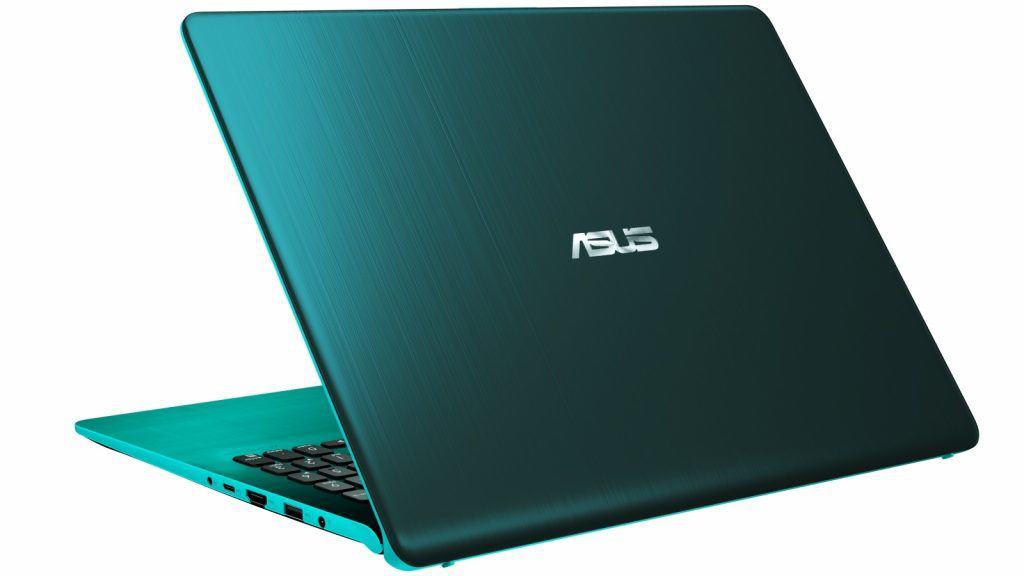
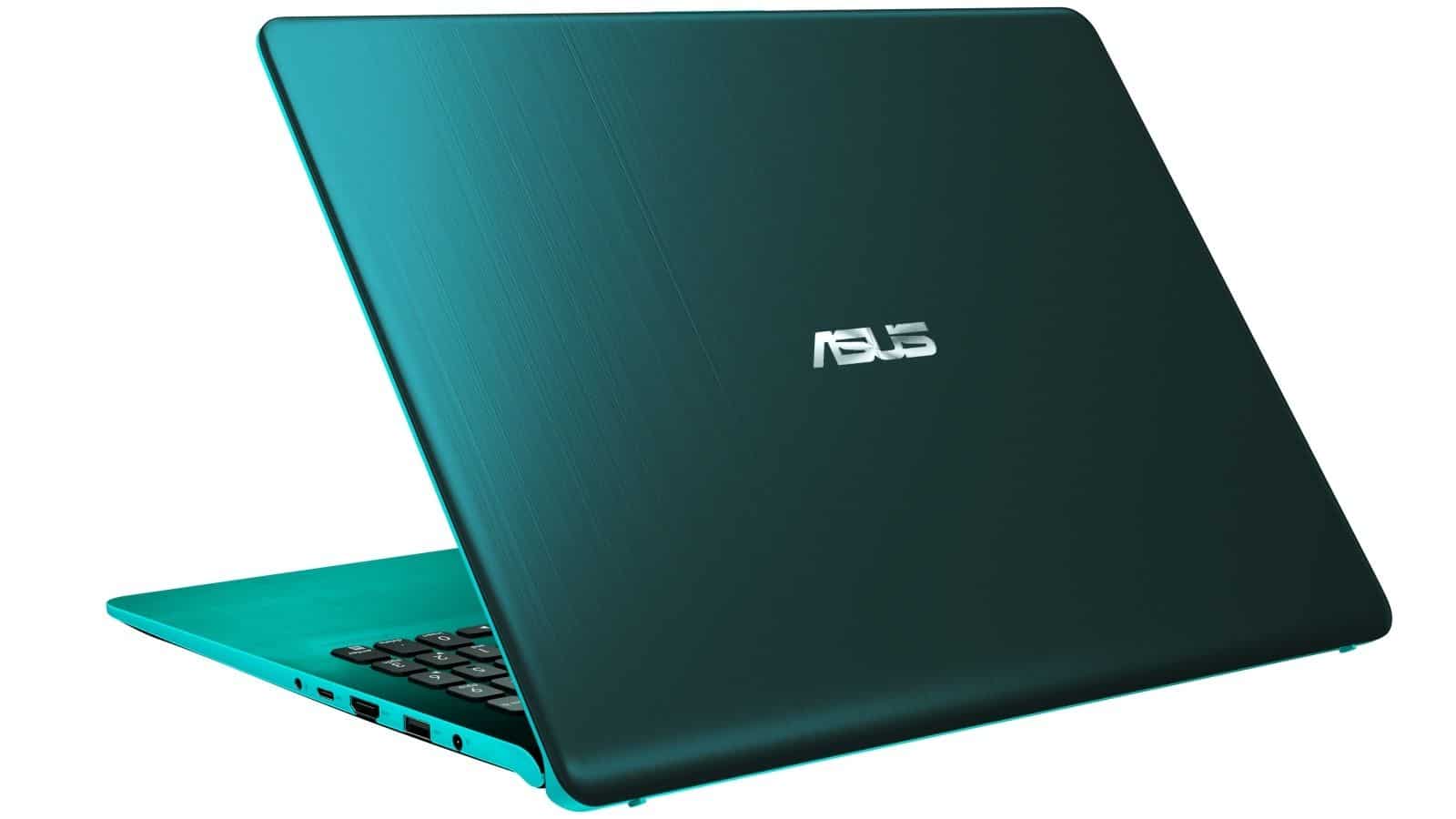
Compact metal design with outstanding color
With familiar aluminum material but has a unique color scheme compared to other products, VivoBook S15 possesses a beautiful and delicate design.
VivoBook S15 on the shelf with 5 color options including: Metallic Gray, Golden Border Gray, Gray Red, Blue Silver and Green. Perhaps the green version is the most prominent with the green outside while the edge of the machine is light turquoise.
Gray models that come with Gold and Red borders also bring their own uniqueness compared to the usual Gray version. With the VivoBook S15, users will have more options to own a laptop with the desired color gamut.
ErgoLift, also known as the advanced hinges introduced for the first time on the ZenBook S, is also equipped for Asus VivoBook S15. This hinge will help the keyboard to create a small angle to the computer plane when opening the machine, providing a comfortable hand feel when typing. This design also contributes effectively to the heat dissipation of the machine.
The size of the VivoBook S15 is 14.2 x 9.6 x 0.7 inch in length and height, which is quite compact for a 15.6-inch notebook.
The left edge of the laptop is equipped with 2 USB 2.0 ports, 1 microSD card slot and LED notification of battery status and battery charge.
On the right side of the device is a charging port, a USB 3.1 port, an HDMI port, a USB Type-C port and a jack that combines headphones and mic. Although the VivoBook S15 has quite a few ports, there is no Thunderbolt 3 port.
Overall, in terms of design, Asus has combined sophistication with new and old elements to create a VivoBook S15 with a variety of color options towards the attention of more users.
The screen is not impressive
The VivoBook S15 has a 15.6-inch 1080p screen, which is very sharp and has high brightness but the display color is not perfect.
The effects in the videos when displayed on the VivoBook S15 screen are quite tedious, not rich, yet as authentic as other product lines.
In return for this disadvantage, the display screen of VivoBook S15 has a high brightness and works well under outdoor lighting conditions.
The keyboard and Touchpad provide comfort
Although there is a slight drawback, the button is slightly shallow, but the keyboard of the VivoBook S15 offers a comfortable typing experience thanks to the innovative key design and hinge. The position of the keys is reasonably arranged, wide in size except for some small keys on the top edge.
The ErgoLift hinge not only brings a unique design, but also a real assistant for the keyboard of the VivoBook S15. When opening the computer, the back of the keyboard will be created with a tilt of 3.5 degrees, a gentle slope just enough to create comfort for the wrist.
The VivoBook S15’s touchpad is 4.1 x 2.8 inches, quite spacious and the gesture speed is also very quick. A fingerprint reader is placed in the touchpad to authenticate login faster and safer.
ASUS Vivobook S15 Slim and Portable Laptop, 15.6” Full HD NanoEdge Bezel, Intel Core I5-8265U Processor, 8GB DDR4, 256GB SSD, Windows 10 – S530FA-DB51, Gun Metal with Light Grey Trim: Buy it now
ASUS VivoBook S15 15.6” Slim and Portable Laptop, Intel Core i5-8250U Processor (up to 3.4Ghz), 8GB DDR4, 256GB SSD, NanoEdge Bezel, Silver Blue with Yellow Trim, S530UA-DB51-YL: Buy it now
Clear sound quality
The VivoBook S15 loudspeaker has, a rather small volume,so it can only be heard clearly in a medium sized room. Still the audio quality itself is very good, the voice sounds super clear and the bass is warm in a quite pleasant way.
Impressive performance but not transfer rate
By being equipped with Intel Core i5-8250U CPU combined with 8GB RAM, VivoBook S15 performed well in the test of loading 20 Google Chrome tabs at the same time. The computer has no slow, even not jerks, even when playing 3 1080p 1080p videos and 2 Twitch full HD channels simultaneously. In other performance tests, the S15 did not disappoint.
However, the 256GB SSD of the VivoBook S15 does not make a good impression when performing the task of copying a mixed media file with a capacity of 4.97GB.
Stable graphics and good battery life
Equipped with an Intel UHD Graphics 620 GPU, the VivoBook S15 can play games that are less graphics-demanding, and they usually come with low to medium configuration requirements.
That said, in the actual test, the VivoBook S15 apparently did better than its competitors, even though they were sitting in the same price range.
About battery life, Asus VivoBook S15 is not exactly amazing, but it is still pretty decent. In a battery test using continuous Wi‑Fi web surfing at 150 nit screen brightness, the S15 managed to last 8 hour 23 minutes, which is a solid result in real life.
Effective heat dissipation thanks to hinges
Also, we need to bring up the fairly great effect of the ErgoLift hinge. Because of the way it lifts a bit, the airflow from the back of the laptop can support heat dissipation a lot better.
After playing YouTube videos for around 15 minutes or so, the center part of the keyboard ends up near 30 degrees Celsius, and that’s under the usual average threshold of 35 degrees C. (Like, 35 degrees C, yeah). At the same time, the Touchpad is sitting around 28 degrees Celsius, while the lower surface area is pretty close to 30 degrees Celsius too.
Performance
On the performance side, the VivoBook S15 comes with Intel Core i5 or i7 processors depending on the exact setup. So it has decent strength for everyday use, you know web browsing, office apps, multimedia streaming, and even a bit of light gaming, without turning into a whole big issue.
For memory and storage, configurations often come with options for up to 16GB of RAM, plus fast SSD storage, and all of this really helps keep things smooth when you multitask, or when the system needs to react quickly. On the graphics side, Integrated Intel UHD, or a discrete NVIDIA GeForce MX series option, tends to cover most casual gaming and everyday multimedia editing, without feeling too limited.
Keyboard and Trackpad
The VivoBook S15 includes a full size keyboard with backlit keys, which makes a difference in low light rooms, and it gives the whole machine that little bit more premium vibe. The key travel is decent, and you get tactile feedback too, so typing stays comfortable even after longer stretches.
The precision touchpad supports multi touch gestures, along with palm rejection, so your navigation feels fluid across Windows 10/11 and it helps productivity more than you might expect. It’s responsive and accurate, and honestly it’s the kind of touchpad that makes you want to keep using the built in one instead of an external mouse.
Battery Life
Battery life is another spot where the Asus VivoBook S15 does pretty well. With efficient power management, and a battery that’s on the larger side, it can last as much as 8-10 hours of usage from a single charge. Of course it depends a lot on what you’re doing, and the screen brightness, like if you crank it high, the runtime drops. Still, it’s generally good enough for a whole day of work or study, without always having to plug in again.
Connectivity and Ports
When it comes to connections, the VivoBook S15 brings a solid mix of ports for day to day needs. You usually get USB Type-A and USB Type-C ports, plus HDMI output for plugging into an external monitor. There’s also a headphone jack, and an SD card reader, which is handy if you move files from a camera or phone. Some configurations may even include Wi-Fi 6 (802.11ax), for steadier and faster wireless access, along with Bluetooth so you can pair a mouse , headset , or other peripherals.
Audio and Webcam
Audio is decent on the Asus VivoBook S15, mostly thanks to SonicMaster-enhanced speakers. They sound fairly clear, and reach good volume levels, so casual streaming, music, and even video calls feel fine. On top of that there’s a built in webcam for meetings, online classes, and quick chats. The image quality is adequate overall, meaning it gets the job done for typical virtual sessions, even if it’s not exactly studio level.
Software and Additional Features
The VivoBook S15 arrives with Windows 10/11 Home or Pro already on board, varies by the specific variant, so you get a pretty familiar and secure setup. Asus also throws in its own utilities, like Asus Battery Health Charging and Asus Tru2Life Video, and these kinda help the footage look better, more vivid, for a less annoying viewing session.
Pros and Cons
Pros:
It looks neat , and it stays portable with that slim overall form.
The NanoEdge display has vibrant colors, plus thin bezels around the screen.
Everyday performance feels steady, like it gets the job done without much fuss.
The backlit keyboard feels comfortable, and the touchpad is responsive.
Battery life is decent enough for all-day use.
You get a good range of ports and connectivity options.
Audio quality is also solid , thanks to SonicMaster speakers.
Cons:
The display could be a bit brighter when you are outside , especially in direct sunlight.
Some parts are plastic , so the build can seem a little less premium compared to all-metal laptops.
Upgrades feel limited in certain configurations because some parts are soldered in place.
Conclusion
The Asus VivoBook S15 really stands out as a versatile, kind of all around laptop that blends style performance and affordability in a way that feels pretty balanced. It seems like a strong pick for students, young professionals, and honestly for anyone who just wants a portable but capable computing device for everyday stuff. With that sleek look, a vibrant screen, solid day to day performance, and a battery life that holds up well, the VivoBook S15 gives a pretty satisfying experience across different tasks and real usage routines.
So whether you’re writing reports, streaming multimedia content, joining online classes, or sliding into casual gaming sessions, the VivoBook S15 checks a lot of boxes for people who want something dependable and stylish, without having to spend a fortune.
Related Posts

Tech Reviewer & Product Analyst
Định Bia has spent over 10 years testing consumer electronics with a focus on smart technology. He work as a product advisor at Biareview where he helped customers find the right devices for their needs. He personally tests every product featured on this site using a consistent evaluation framework covering quality, durability, and value. All reviews are based on experience, not influenced by the manufacturer.