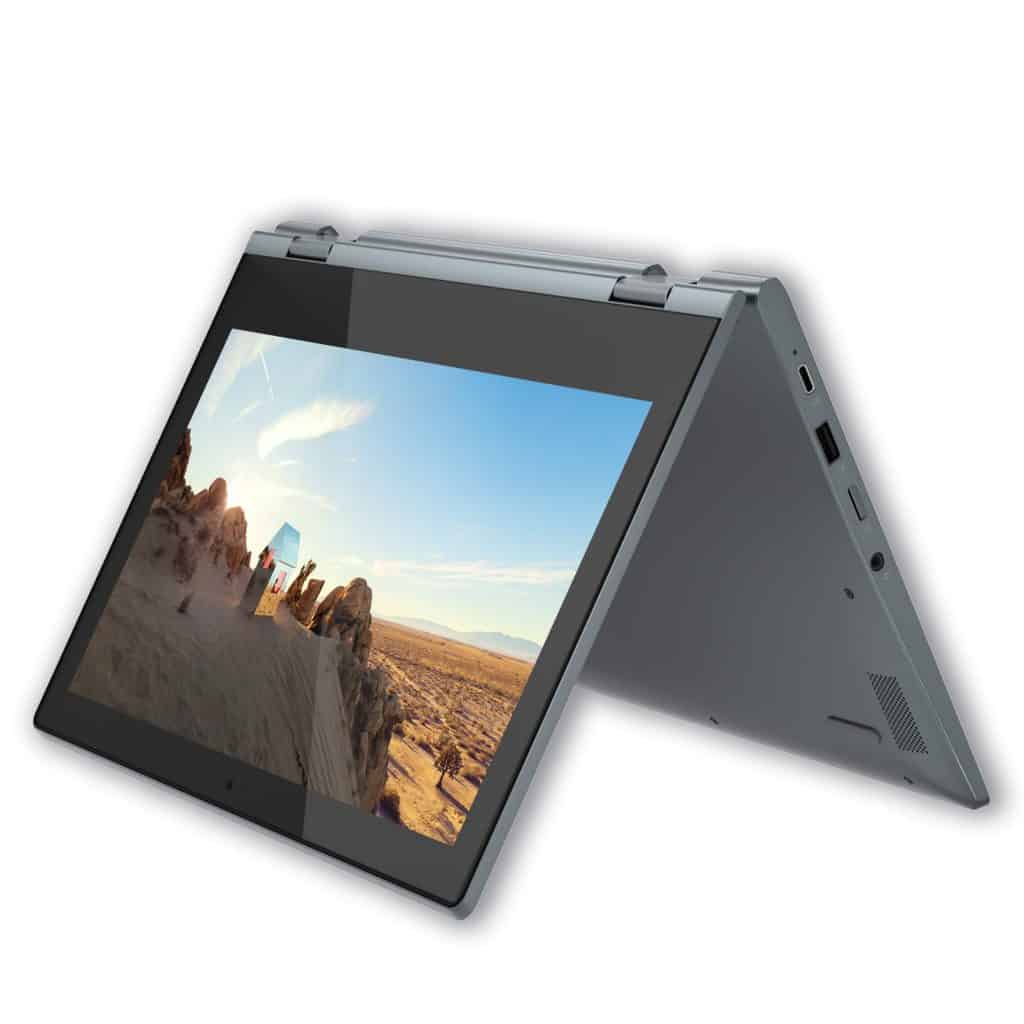
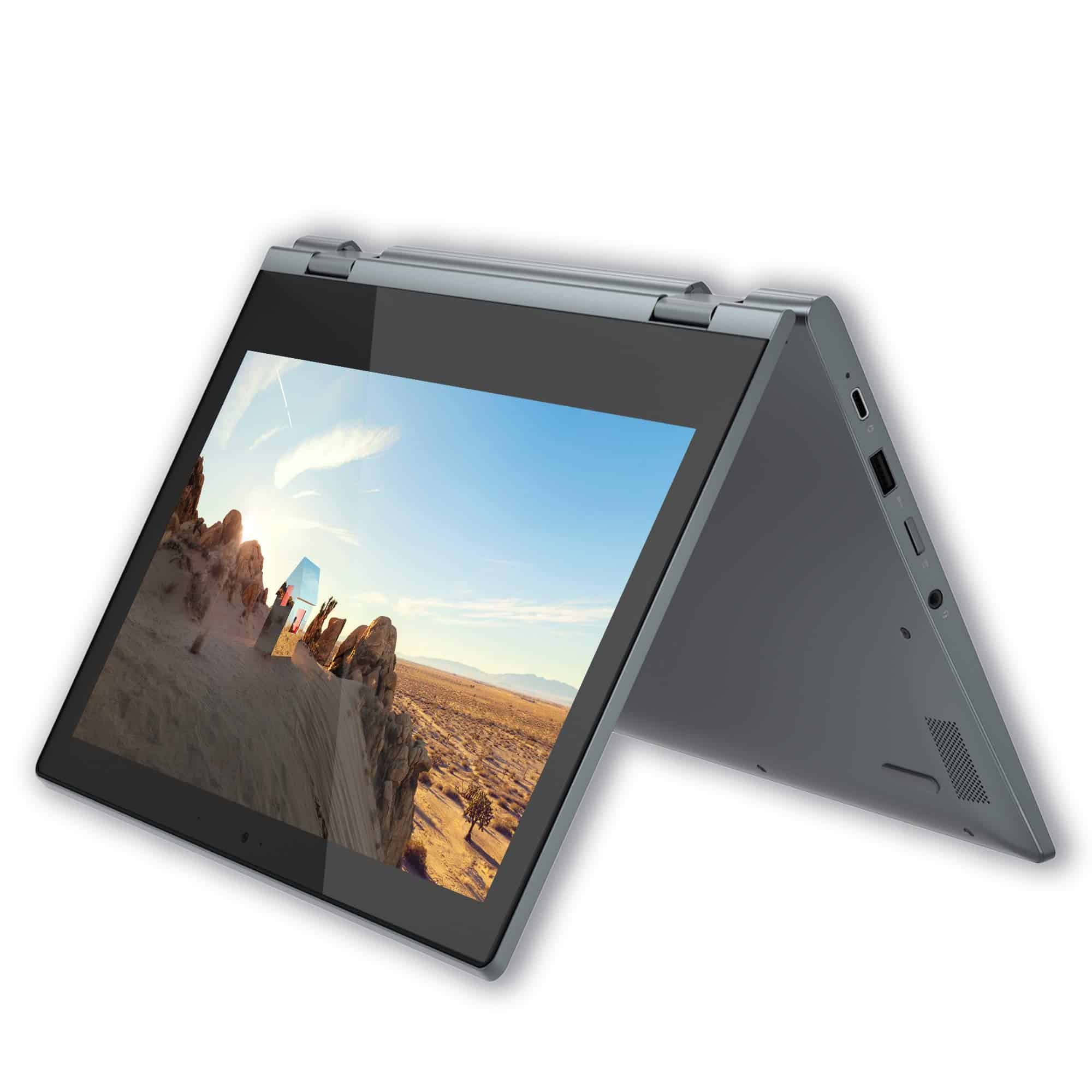
- Keyboard and Touchpad
Despite being an 11-inch laptop, the IdeaPad Flex 3 feels larger, so the buttons on the keyboard are still the same size as the keys on large laptops. Long key travel, good bounce, feel smooth and fast typing. Although there are no outstanding features such as keyboard backlight, keyboard overflow, etc., in the price range of the product, we can hardly ask for anything more.
Touchpad, the surface is lightly roughened, giving a comfortable gliding feeling, and supporting multi-point operations. The two left and right mouse buttons need to use a little more force.
- Battery life
The 37.5Wh battery is sort of pretty big, for a laptop that’s about the size of a Lenovo IdeaPad Flex 3. In our tests, the setup lasted 9 hours and 43 minutes on web browsing, or 10 hours and 15 minutes when streaming HD videos.
Connection port
On the left side of the device, you can spot the charging connector, then USB-A 3.2 (Gen 1), and HDMI 1.4b , plus the 3.5mm headphone jack. On the other side, there’s one more USB-A 3.2 (Gen 1) port , a Micro SD reader slot, and right next to the power key.
The number of ports is just enough and reasonably arranged, standing out in the Chromebook segment on the market.
- Heat dissipation system
Unlike most other laptop models, the IdeaPad Flex 3 uses a passive cooling solution (no fan, which will often take advantage of its design and mesh slots to dissipate heat). Through the image “dissecting” inside you will see that it has a large heat pipe, which is attached to a large metal plate in the middle of the chassis, creating a natural cooling system. Along with that is a large copper frame covering the CPU, heat pipe, and metal frame, increasing the efficiency of heat dissipation.
The CPU maintains a cool 61 degrees Celsius after 15 minutes of high performance, but we still wish for a slightly more powerful CPU!!
The surface temperature recorded on the keyboard is only about 31.3 degrees Celsius, very cool like the surrounding space.
- Upgradability
With the size of the machine as well as the product price range, the upgrade is almost nonexistent. It should be noted that no matter which configuration you choose, the Ram in the machine cannot be upgraded, each machine only has 4GB of Ram Onboard.
In terms of storage memory, Lenovo offers two options: 1 is that you have a 64GB eMMC drive and that’s it, nothing more. If you choose the second option, SSD, you will have an M.2 slot to expand the storage space.
Software and User Experience
The device ships with either Windows 10 Home or Windows 11 Home , so it feels familiar and easy to use , plus it opens the door to a big range of applications and software. Also Lenovo Vantage is included, that’s the software for system managing , updates, and overall optimization , which should boost performance and keep things more dependable.
Design and Ergonomics
Portability: It’s lightweight, with a slim kind of profile , so you can toss it in a backpack or a tote bag without too much trouble, pretty good for students and people moving around a lot.
Flexibility: the hinge design is pretty versatile, it lets you flip or switch between different usage modes, kinda effortlessly so it can adjust to whatever task you’re on and the way you prefer working, not only one fixed setup.
Pros and Cons
Pros:
Versatile 2-in-1 layout with multiple usage modes.
Quick touchscreen response and stylus support (depending on the model).
Solid enough performance for everyday computing needs.
Lightweight and easy to carry , great for moving around.
Cons:
Processing power can feel a bit tight for heavy workloads.
Screen quality might not fully satisfy professional users.
The plastic chassis, while practical, may not seem as premium as some competitors.
Conclusion
Lenovo Ideapad Flex 3 kind of brings flexibility affordability, and a solid, decent feature lineup for people who want a versatile 2 in 1 laptop, without paying the big price .
Who it’s For: it fits students and casual users pretty well, also anyone who needs a budget friendly convertible machine for everyday work like basic productivity plus entertainment stuff.
Use cases: it works great for taking notes, web browsing, streaming media, and doing light tasks while you’re out, or just chill at home.
Final verdict: overall it delivers good value thanks to the convertible layout, the touchscreen, and performance that is “enough” for day to day computing needs.
Lenovo Chromebook Flex 3 11″ Laptop, 11.6-Inch HD IPS Display, MediaTek MT8173C, 4GB RAM, 64GB Storage, Chrome OS, Blizzard White: Buy it now
Lenovo IdeaPad Flex 3 CB 11IGL05 82BB0008US 11.6″ Touchscreen 2 in 1 Chromebook – HD – 1366 x 768 – Intel Celeron N4020 Dual-core (2 Core) 1.10 GHz – 4 GB RAM – 64 GB Flash Memory – Almond: Buy it now
Lenovo 2022 IdeaPad Flex 3 11.6″ HD 2-in-1 Touchscreen Chromebook (8-Core MediaTek MT8183, 4GB RAM, 64GB eMMC, Stylus, Webcam) Flip Convertible Home Education Laptop, IST Computers Pen, Chrome OS: Buy it now
Lenovo Ideapad Flex 3 Chromebook – 11.6″ Touchscreen 2-in-1 Laptop – Intel Celeron N4020-4GB – 32GB eMMC – Abyss Blue – Chrome OS – 82BB0009US: Buy it now
Lenovo Chromebook Flex 3 11.6″ HD (1366 x 768) TouchScreen 2-in-1 Laptop, Intel Celeron N4020, 4GB DDR4, 64GB eMMC, Webcam, WiFi, Bluetooth, MicroSD Card Reader, Chrome Os, GCube 64GB Micro SD Card: Buy it now
Related Posts

Tech Reviewer & Product Analyst
Định Bia has spent over 10 years testing consumer electronics with a focus on smart technology. He work as a product advisor at Biareview where he helped customers find the right devices for their needs. He personally tests every product featured on this site using a consistent evaluation framework covering quality, durability, and value. All reviews are based on experience, not influenced by the manufacturer.